
Keyword Planner is a tool inside Google Ads that helps you find keywords for search campaigns and see estimates of how often people search for them and what they cost to target. You enter words or a website, and it suggests related keywords with monthly search estimates and bid ranges. It matters because it gives you Google’s own data to plan campaigns and content around what people actually search for.
Key Takeaways
- The tool lives in Google Ads, under the Tools menu, and you need a completed account set-up to use it.
- It has two main starting points: Discover new keywords, and Get search volume and forecasts.
- It shows estimated monthly searches and the cost to target each keyword.
- Forecasts predict clicks, impressions or conversions for your keywords based on your spend.
- SEO teams use it for research too, even though it was built for advertising.
What Is Keyword Planner?
Google’s help centre describes it simply: “Google Keyword Planner helps you research keywords for your search campaigns.” It lets you “discover new keywords related to your business and view estimates of the searches that they receive and the cost to target them.”
In other words, it answers three questions. What do people search for? How often? And how much might an ad on that search cost? Those answers shape which keywords you bid on, how you group them and what budget you need.
Because the data comes from Google, the tool is also popular for content planning. For instance, a blogger can check which version of a topic gets more searches before writing a post. For the wider method, see our glossary entry on keyword research.
How Keyword Planner Works
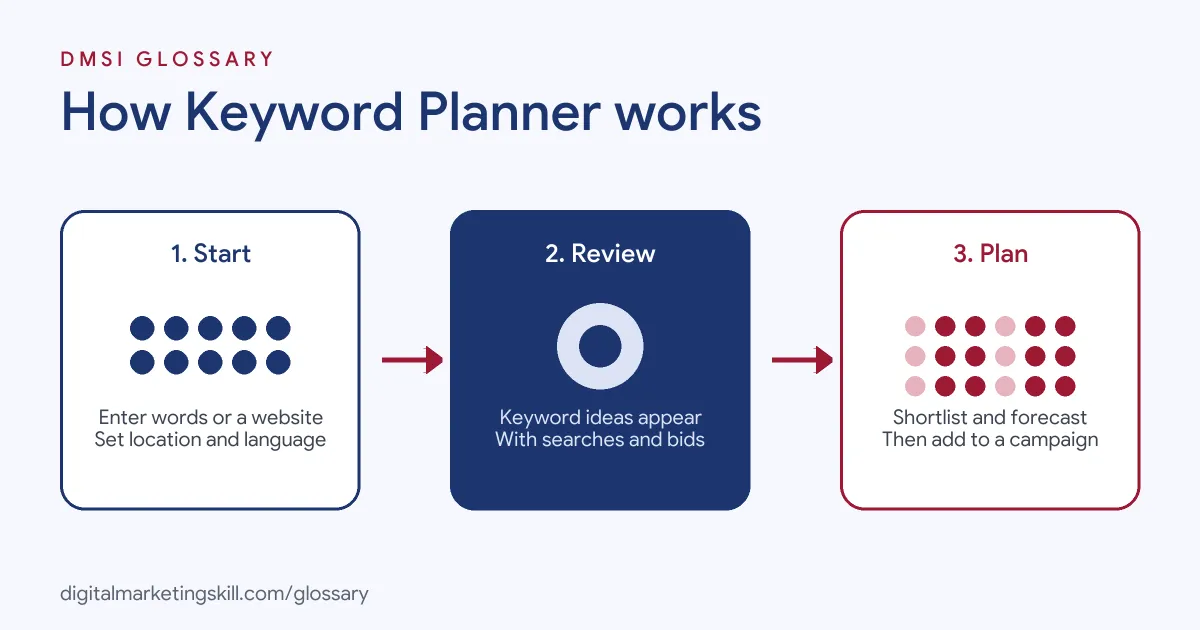
The tool follows three steps. First, you give it a starting point: some words or a website. Next, it returns keyword ideas with search and cost estimates. Finally, you shortlist the best keywords, check a forecast and add them to a campaign.
Discover New Keywords
This option finds ideas. You can start with keywords, entering “words related to your business,” or start with a website. Google then lists related keyword ideas. After that, you can edit the list with filters and categories to keep only those that fit your plan.
There is one limit to know. According to Google, “keywords with very low search volumes, or keywords that are considered sensitive aren’t discoverable or forecastable.”
Search Volume and Forecasts
The second option starts with a list you already have. You upload or paste keywords, and the tool shows their estimated searches and a forecast. Google explains that “your plan forecast shows you how many conversions, clicks or impressions you’re likely to get for your keywords based on your spend.”
The forecasts stay fresh, too. The help page says they “are refreshed daily and based on the last 7–10 days, adjusted for seasonality.”
Reading the Numbers
Each keyword idea comes with a few key figures. By default, average monthly searches are “averaged over a 12-month period.” Top-of-page bid ranges show a low and a high estimate. Google describes the low end as “an approximation of the 20th percentile” of what advertisers have paid, and the high end as “an approximation of the 80th percentile.” These bid statistics “show bid information from the last 30 days.”
Competition is another column. It shows “the number of advertisers that showed on each keyword relative to all keywords across Google.” Keep one difference in mind, though. Google notes that “forecasts take bid, budget, seasonality and other factors into account, while historical metrics don’t.”
Here is a made-up example. Say a keyword shows 1,000 average monthly searches and a top-of-page bid range of £0.80 to £2.40. If your landing page converts one in 20 visitors, then 50 clicks at around £1.50 would cost £75 and bring roughly two or three leads. That quick sum tells you whether the keyword is worth a small test.
Keyword Planner Examples
Here are three made-up examples of how people use the tool:
- Local plumber: The owner enters “emergency plumber” and their city. As a result, they find related searches such as “burst pipe repair” and “boiler leak,” and add the best ones to an ad group.
- Online shop: A shoe brand enters its website. The tool suggests product keywords, and the team picks those with steady searches and a cost per click it can afford.
- Content writer: A blogger compares “how to start a podcast” with “podcast for beginners.” The first shows more monthly searches, so it becomes the main title.
In each case, the tool turns guesses into data before any money is spent.
Keyword Planner Features at a Glance
Google lists four main benefits of the tool. Here is what each one means in practice:
| Feature | What it does | How you use it |
|---|---|---|
| Discover new keywords | Suggests keywords related to your products, services or website | Build a long list of ideas |
| View monthly searches | Estimates how many searches a keyword gets each month | Spot which ideas have real demand |
| Determine cost | Shows the average cost for your ad to show on searches for a keyword | Check if a keyword fits your budget |
| Organise keywords | Helps you sort keyword ideas into ad groups | Group keywords into tight ad groups |
How to Use Keyword Planner
- Sign in to Google Ads. Google says you “must complete your account setup by entering your billing information” before you can open the tool.
- Open the Tools menu and select Keyword Planner.
- Choose Discover new keywords, then enter a few seed words or your website.
- Set the right location and language for your market.
- Filter and sort the ideas. Remove anything irrelevant, and note search volume and cost.
- Add your shortlist to a plan and review the forecast at different budgets.
- Move the keywords into a campaign. Select them, choose Add to account, then pick an ad group and a match type.
Best Practices
- Start broad, then narrow. Use short seed words first, then filter down to specific, high-intent keywords.
- Match the location. Search volume and cost differ by country and city, so set the market you serve.
- Look at intent, not just volume. A smaller keyword with buying intent can beat a big, vague one.
- Use it regularly. One PPC job listing asks for “periodic keyword research via Keyword Planner.”
- Check the forecast. Compare clicks and conversions at a few budget levels before you commit.
Common Mistakes to Avoid
Many beginners chase the highest search volume, even when the keyword doesn’t match their offer. Others forget to set a location, so they plan with global numbers for a local business. Some treat the estimates as exact, when they are ranges and forecasts. Finally, many add every idea to one ad group, which makes ads less relevant and harder to manage. A short, well-grouped list usually works far better.
Where You’ll Use Keyword Planner at Work
The tool appears in PPC, SEO and paid media job listings. For example, recent remote listings ask candidates to:
- “Conduct periodic keyword research via Keyword Planner to ensure accounts target all relevant high-value keywords” (PPC Specialist).
- “Utilize appropriate tools such as Keyword Planner, ChatGPT or related tools to enhance, develop and evaluate optimization strategies & effectiveness” (Paid Media Strategist).
- Show “advanced knowledge of web analytics and digital marketing tools, including Google Analytics and Google Ads Keyword Planner” (Client Account Director).
So as a Google Ads Specialist or PPC Specialist, you will use it to plan new campaigns and to find fresh keywords for existing ones.
Learn It in the Google Specialist Track
You can practise keyword planning in the AI-Powered Google Specialist track. It covers Google Ads (Search, Display, Discovery, Gmail and YouTube) and Google Analytics. Your portfolio project is to launch and measure a Google Ads campaign with conversion tracking, and keyword research is the first step. You also get unlimited 1-on-1 mentoring and a U.S. Project Internship from day one.
For a hands-on walkthrough, read our Google Keyword Planner guide.
Frequently Asked Questions
Do I need a Google Ads account to use it?
Yes. Google says you must complete your Google Ads account setup, including billing information, before you can access the tool.
Where do I find Keyword Planner?
It sits in the Tools menu of your Google Ads account.
Can I use Keyword Planner for SEO?
Yes. Many SEO teams use its search estimates to choose topics and titles. Just remember it was built for advertising, so the cost data relates to ads.
Why can’t I find some keywords?
Google says keywords with very low search volumes, or ones considered sensitive, aren’t discoverable or forecastable.
How accurate are the forecasts?
They are estimates. Google refreshes them daily using the last 7–10 days of data, adjusted for seasonality, so treat them as a guide.
Sources: Google Ads Help: Use Keyword Planner; Google Ads Help: About Keyword Planner forecasts; remote job listings on Himalayas, Himalayas and Himalayas.