
Sender reputation is the trust score that inbox providers such as Gmail and Yahoo give to the domain and IP address you send email from. They base it on how people react to your mail and how well you follow the rules. It matters because a good reputation gets you into the inbox, while a poor one sends you to spam or gets your mail blocked.
Key Takeaways
- Inbox providers judge both your sending domain and your sending IP address.
- Spam complaints hurt most. Gmail and Yahoo both ask senders to keep spam rates below 0.3%.
- Email authentication with SPF, DKIM and DMARC proves your mail is really from you.
- Clean, opted-in lists and easy unsubscribes protect your reputation over time.
- Google Postmaster Tools shows your spam rate and reputation for mail sent to Gmail.
What Is Sender Reputation?
Every time you send a campaign, mailbox providers watch what happens next. Do people open it? Do they mark it as spam? Does it bounce? Over time, these signals add up to a picture of you as a sender.
Think of it like a credit score for email. A good score earns you trust, so your messages land in the inbox. A bad score means extra checks, delays or a trip to the spam folder.
Google puts it plainly in its sender guidelines. If messages from your domain are often reported as spam, future messages are more likely to go to spam too. As a result, user spam reports can lower your domain’s reputation over time.
How Sender Reputation Works
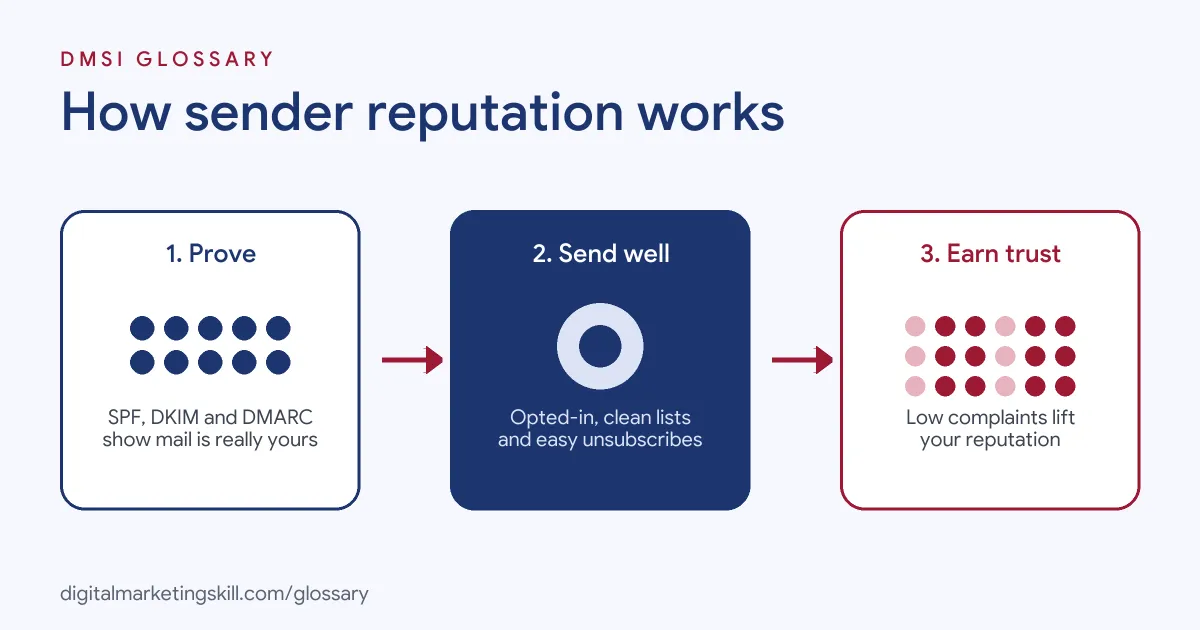
Inbox providers don’t publish an exact formula. However, their guidelines make the main inputs clear: who you are, how you send and how people respond.
Domain and IP Reputation
Your reputation sits in two places. The first is your sending domain, such as yourbrand.com. The second is the IP address of the server that sends the mail. Google’s Postmaster Tools lets you check both. If you use an email service provider with a shared IP, you share part of that IP’s reputation with other senders on it.
Authentication
Providers first check that you are who you say you are. Google requires all senders to set up SPF or DKIM. Bulk senders, which Google defines as those sending more than 5,000 messages a day to Gmail, need SPF, DKIM and DMARC. Yahoo sets very similar rules. In short, unauthenticated mail starts with a weak reputation.
Recipient Reactions
Next, providers look at how people treat your email. Spam complaints are the strongest negative signal. Both Gmail and Yahoo tell senders to keep the spam rate below 0.3%. Meanwhile, Google notes that people who chose to get your mail are less likely to report it.
List Quality
Finally, the people you send to matter. Yahoo warns against bought lists and pre-ticked opt-in boxes. It also asks you not to send more often than people signed up for, so a weekly list should not suddenly get daily mail.
Sender Reputation Examples
Here are three made-up examples:
- Bought list (example): A start-up buys 20,000 contacts and emails them all at once. Many addresses bounce, and hundreds of people mark it as spam. Within days, even its replies to real customers start landing in spam.
- Healthy newsletter (example): A blog only adds people who confirm their email address. It removes readers who haven’t opened in six months. Its spam rate stays far below 0.3%, and its mail keeps reaching the inbox.
- Missing authentication (example): A shop switches to a new email tool but forgets to add it to its SPF record or set up DKIM. Gmail starts to filter its order emails, until the records are fixed.
In each case, reputation followed behaviour. In other words, it reflects what you do, not what you intend.
Sender Reputation Rules at Gmail and Yahoo
Gmail and Yahoo have aligned their main rules for senders:
| Requirement | Gmail | Yahoo |
|---|---|---|
| Authentication for all senders | SPF or DKIM | SPF or DKIM at a minimum |
| Authentication for bulk senders | SPF, DKIM and DMARC | SPF, DKIM and a DMARC policy of at least p=none |
| Spam rate | Below 0.3% in Postmaster Tools | Below 0.3% |
| Unsubscribe | One-click unsubscribe for bulk marketing mail | One-click unsubscribe, honoured within 2 days |
| DNS | Valid forward and reverse DNS | Valid forward and reverse DNS |
So if you meet one set of rules, you are most of the way to meeting the other.
Measuring Your Spam Rate
Your spam rate is the share of delivered mail that people report as spam. Yahoo notes that it calculates the rate based on mail delivered to the inbox, so keep that in mind when you work it out yourself.
Here is a made-up example. Say 20,000 of your emails reach Yahoo inboxes, and 40 people press “spam”. Your spam rate is 40 divided by 20,000, which is 0.2%. That is under the 0.3% line, but only just. So one poorly targeted send could push you over.
The cost of missing these rules is real. Google warns that mail from senders who don’t meet its requirements might not be delivered as expected or might be marked as spam. It also says unauthenticated messages may be rejected outright.
How to Check and Improve Your Sender Reputation
Follow these steps to protect or repair it:
- Set up Google Postmaster Tools. Add and verify your sending domain. Its dashboards show spam rate, reputation, authentication and delivery errors for mail sent to personal Gmail accounts.
- Check your authentication. Make sure SPF, DKIM and DMARC pass, and that every tool that sends for you is included.
- Clean your list. Remove hard bounces and long-term non-openers. Google suggests you consider unsubscribing people who don’t open or read your mail.
- Confirm new sign-ups. Google recommends confirming each address before you add it.
- Make leaving easy. Add one-click unsubscribe and a clear link in the email body.
- Watch your spam rate. If it climbs, pause and find the cause before you send more.
- Grow volume steadily. If you move to a new domain or IP, build up sending slowly rather than all at once.
Best Practices
A few habits keep your reputation strong:
- Only email people who asked. Yahoo advises you to verify that you only send to users who requested your mail.
- Keep your promise on frequency. Send as often as you said you would, not more.
- Send mail people want. Relevant content earns opens and avoids complaints.
- Check in now and then. Google suggests you periodically ask subscribers to confirm they still want your mail.
Common Mistakes to Avoid
First, many senders buy or rent lists, which brings complaints and dead addresses. Second, they hide the unsubscribe link, so people press “spam” instead. Third, they add a new sending tool and forget to update SPF or DKIM. Finally, they ignore Postmaster Tools until results crash. Each mistake can take weeks to undo, so prevention is far easier.
Where You’ll Use Sender Reputation at Work
Email and outbound roles often name this skill directly. For example, current remote job listings ask candidates to:
- “Monitor inbox placement, sender reputation, bounces, complaints, and other deliverability metrics to identify issues and implement corrective actions” (Email Infrastructure and Deliverability Specialist).
- Show a “Strong grasp of deliverability and inbox-placement mechanics (sender reputation, authentication, list hygiene, Promotions-tab avoidance)” (Email and SMS Specialist).
- “Manage email sender reputation to maintain a positive relationship with ISPs” (Email Deliverability Specialist).
So as an Email Marketing Specialist, Marketing Automation Specialist or Lead Generation Specialist, you will be expected to keep mail out of spam. A confirmed sign-up flow, such as double opt-in, is one of the simplest ways to start.
Learn It in the Lead Generation and Email Track
You can learn to build and protect a healthy list in the AI-Powered Lead Generation and Email Automation track. There, you build a lead magnet and an automated email sequence that converts, so deliverability becomes part of real work. You also get unlimited 1-on-1 mentoring and a U.S. Project Internship from day one.
For more practical tips, read our guide to email deliverability.
Frequently Asked Questions
What is sender reputation in simple terms?
It is how much inbox providers trust the domain and IP address you send email from. Higher trust means more of your mail reaches the inbox.
What is a good spam rate?
Gmail and Yahoo both ask senders to stay below 0.3%. In practice, aim to stay well under that line.
How do I check my sender reputation?
For Gmail, use Google Postmaster Tools. It shows spam rate, reputation, authentication results and delivery errors for your verified domain.
Can a bad sender reputation be fixed?
Yes, but it takes time. Fix authentication, clean your list, send only to engaged people and keep complaints low until trust returns.
Does sharing an IP address affect my reputation?
It can. On a shared IP, other senders’ behaviour affects the IP’s reputation, although your domain reputation still depends on you.
Sources: Google: Email sender guidelines; Yahoo Sender Hub: Sender best practices; Google: Set up Postmaster Tools; remote job listings on Himalayas.