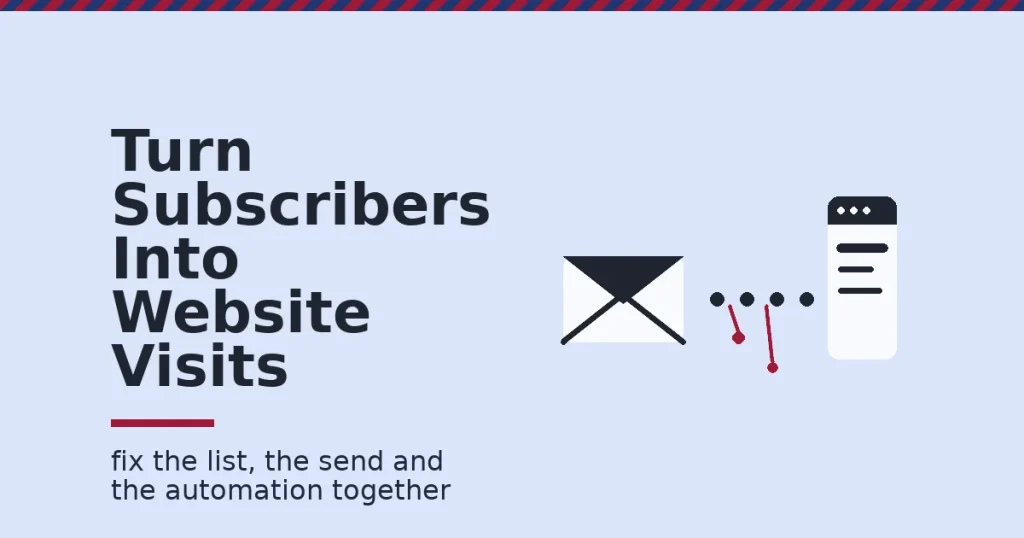
Email traffic generation means turning subscribers into website visits, not just opens. Litmus reports that email returns $36 to $42 for every $1 spent. Yet most lists send readers nowhere, because the list, the send and the automation never work as one system. Fix those three parts together, and clicks follow.
Key Takeaways
- Email still pays back more than most channels. Litmus’s State of Email benchmark puts the industry average at $36 to $42 returned for every $1 spent. Travel and hospitality sees up to $53.
- Segmentation moves more people than a better subject line. Campaign Monitor reports that segmented campaigns generate 760% more revenue than unsegmented ones. The DMA, cited in that same analysis, found targeted sends make up 58% of all email revenue.
- Personalised subject lines open more often. Experian’s research found personalised subject lines produced 26% higher unique open rates than generic ones.
- Clicks are the honest number now. Mailchimp’s benchmark puts the average click rate across industries at 2.62%. It also warns that Apple’s Mail Privacy Protection can inflate open-rate data.
- Behaviour-based automation beats a fixed calendar. Retailer Finish Line lifted email revenue 50% on trigger-based programmes after moving from scheduled blasts to behaviour-based sends. It still warns against over-personalising during gift-buying periods.
In this guide
- What Most Email Traffic Advice Gets Wrong
- How a Click Actually Reaches Your Website
- Email Traffic Comes From Three Engines, Not One
- How to Strengthen Each Engine
- Five Mistakes That Quietly Kill Email Traffic Generation
- How to Measure Email Traffic Generation
- The Most Useful Rule: Judge the Send by Clicks, Not Opens
- A Four-Week Plan for Email Traffic Generation
- A Real Case: How Finish Line Moved From Blasts to Behaviour
- Frequently Asked Questions About Email Traffic Generation
- Start With the Engine That Is Weakest Today
What Most Email Traffic Advice Gets Wrong
Most advice on email traffic generation is a list of tactics: add a popup, write a punchier subject line, send more often. None of that is wrong. But tactics applied to the wrong part of the system rarely move the needle. A better subject line cannot fix a list full of people who never wanted your blog in the first place.
This guide treats email traffic generation as three connected parts. The first is who joins your list. Next comes what you send them. Last is what happens automatically between sends. Each part has its own failure mode, and each needs a different fix.
Here are the ground rules. Litmus, Mailchimp, Campaign Monitor and Experian figures come from named studies of real sending data. Read them as industry snapshots, not guarantees for your list. The Finish Line case is one retailer’s documented result, not proof every list will match it. Treat every number here as a benchmark to compare against, not a target you are owed.
One more ground rule matters for email traffic generation specifically: this guide works the same way for any list, in any market, on any platform. The mechanics of a click do not change by region, so skip anything that only applies to one country’s inbox habits or currency.
How a Click Actually Reaches Your Website
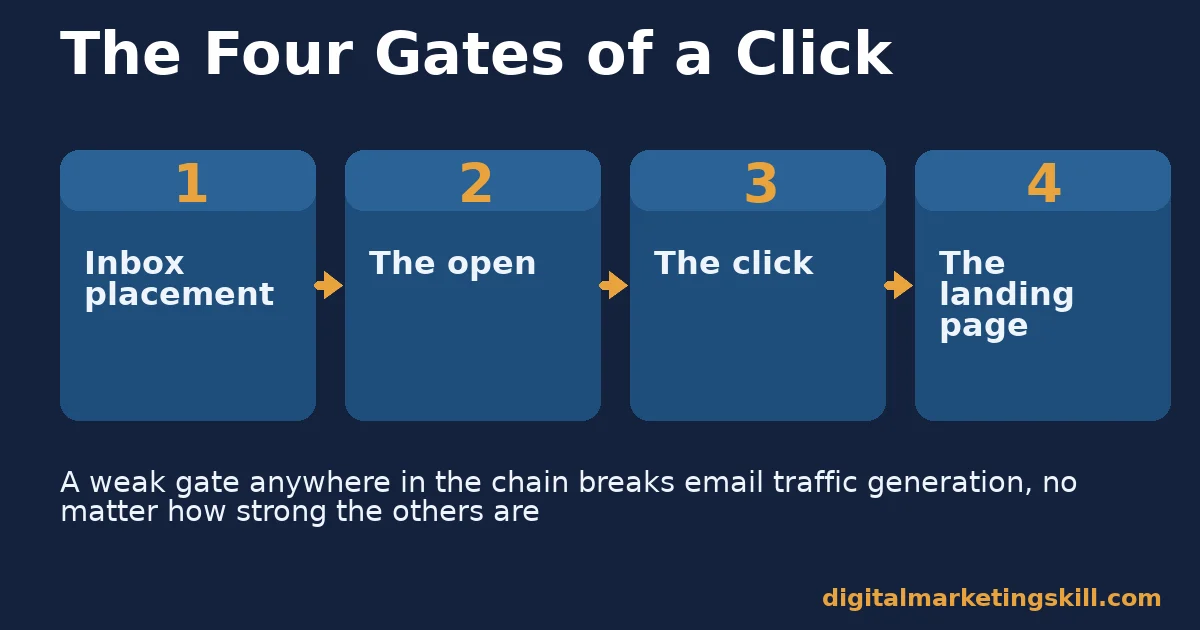
A click travels through four gates before it becomes a website visit. First, the message has to land in the inbox rather than a spam folder. Next, the subscriber has to open it, or at least see enough of the preview to act. Then the content has to earn a click. Finally, the page the click lands on has to keep that visitor reading.
Every gate depends on the one before it. A perfect subject line cannot save a message stuck in a spam folder. A perfect landing page cannot save a click nobody made. This is why email traffic generation fails or succeeds as a chain, not as a single clever tactic.
Weak email traffic generation usually breaks at the second or third gate. Opens look healthy because many inboxes now preload images for privacy reasons. The open count rises without a real human decision behind it. The click is different. It still requires a real choice, which is why this guide measures clicks and sessions, not opens.
The first gate deserves attention too. Google’s own guidance for bulk senders asks for a spam-complaint rate under 0.3% and proper authentication. A list full of uninterested addresses can sink every later gate before a subscriber even sees your subject line. If delivery itself is in doubt, check it with an email testing tool before changing anything else.
Email Traffic Comes From Three Engines, Not One
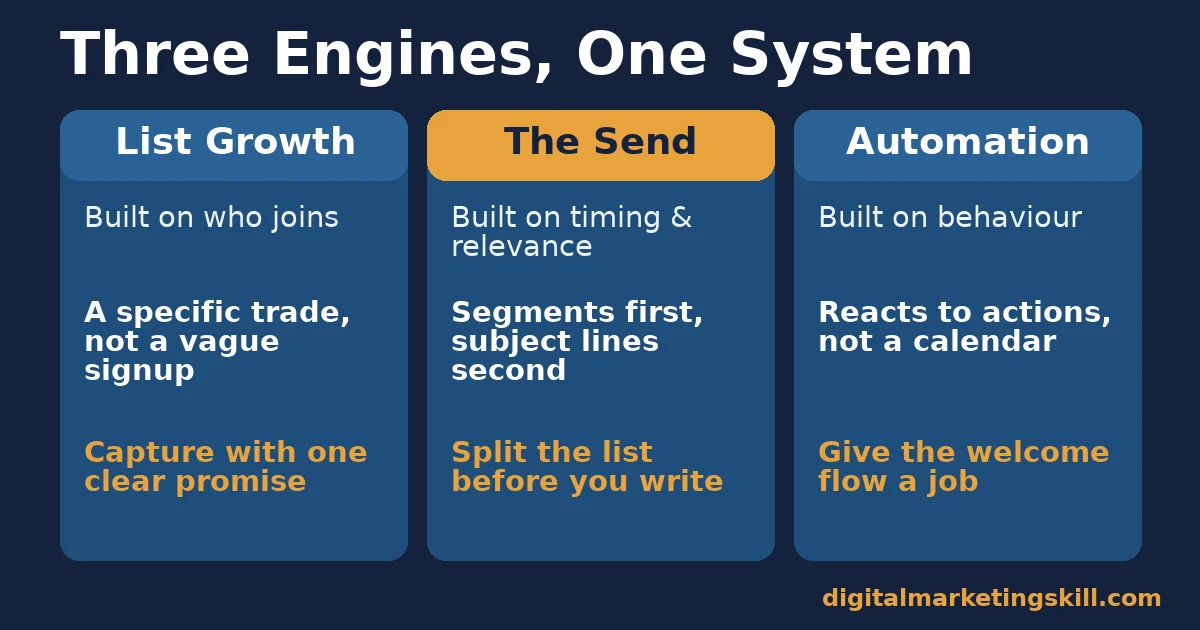
Treat your email programme as three engines working together. One is who you let onto the list. Another is what you send them. The last fires automatically without you. Each engine has a different job, and a weak one drags down the other two.
List Growth: Built on Who You Let In
A list of people who asked for one specific thing clicks more than a list grown by chance. Someone who signed up for a checklist on scaling website traffic wants more of that topic, not your entire catalogue of posts.
This is why a vague “subscribe to our newsletter” box underperforms a specific offer. The subscriber already knows what they are getting, so the next email meets an expectation instead of guessing at one.
The Send: Built on Timing and Relevance
The send is the part most teams obsess over. It matters, but only once the list and automation are sound. A subject line can lift opens. Experian’s research shows personalisation lifts clicks too: personalised subject lines produced a 27% higher unique click rate alongside the open-rate gain.
Segmentation does more work than subject-line tricks. Campaign Monitor’s analysis found segmented campaigns generate 760% more revenue than unsegmented blasts. The right message reaches the right slice of the list, instead of everyone at once.
Automation: Built on Behaviour, Not a Calendar
Automated emails fire on an action, such as a signup, a download or a period of inactivity, rather than on a fixed schedule. That timing matters, because the message arrives while interest is still fresh.
Finish Line’s documented move from scheduled blasts to behaviour-based, trigger-based sends lifted email revenue 50% for those programmes. Its own team also warned that hyper-segmentation can misread intent, such as treating a gift shopper as a repeat buyer of their usual items. For email traffic generation, the lesson is the same: automation should react to what a subscriber actually did, not to a guess about who they usually are.
How to Strengthen Each Engine
The sections below mirror the three engines above. Work on whichever engine is weakest in your own numbers first, because that is where a fix pays back fastest.
List Growth: Capture With a Specific Trade
Offer one clear thing for one clear audience, rather than a generic newsletter signup. A checklist, a template or a short guide tied to the page the visitor is already reading converts better because the trade is obvious.
Place that offer where attention already exists: inside a relevant post, in an exit-intent prompt, and in your email signature. Each placement should promise the same specific thing, so the subscriber’s expectation carries through to the first email they receive.
The Send: Segment Before You Polish the Subject Line
Split your list by the signal you already have, such as the topic someone subscribed through, how recently they clicked, or what they bought. Even two or three simple groups beat one list sent the same message every time.
Only once segments exist is it worth refining subject lines. Keep them specific about the content inside, and test one variable at a time, such as a question versus a direct statement, so you learn what moves your own list rather than someone else’s.
Automation: Put Your Best Traffic-Driving Content in the Welcome Flow
A welcome message reaches subscribers at their most engaged moment, so give it a job: send your most useful, highest-traffic post, or a lead magnet tied to why they signed up, not a generic thank-you. Follow it with two or three more emails spaced over the following days, each pointing to one more page worth a visit.
Add a re-engagement trigger for subscribers who stop clicking. A short “still want these?” message, sent only to that inactive segment, protects your sender reputation and gives lapsed subscribers one more reason to visit before you stop emailing them.
Five Mistakes That Quietly Kill Email Traffic Generation
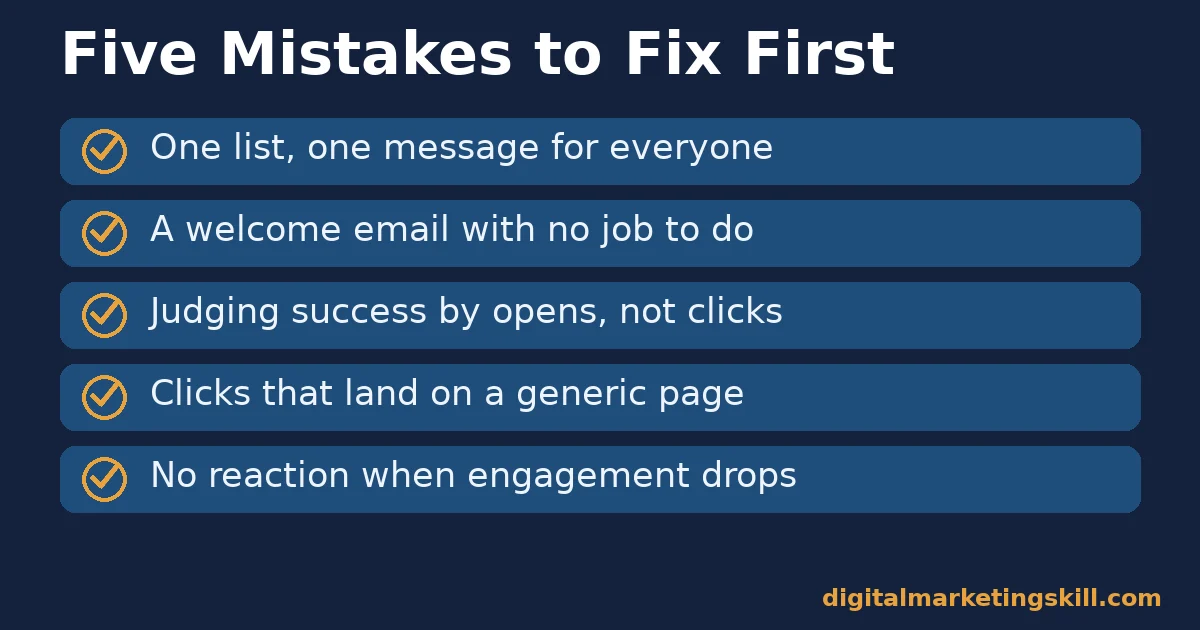
When clicks stall, the cause is usually one of five habits. Check your last three sends against this list. Patterns show up fast once you look.
- One list, one message. Sending every subscriber the same email ignores how differently they arrived. Segment first, polish the wording second.
- A thank-you email with no job to do. A welcome message that only says thanks wastes the moment subscribers care most. Give it a page to send them to.
- Judging success by opens. Opens can rise without a real reader behind them. Judge email traffic generation by clicks and sessions instead.
- No landing page match. A click that lands on a generic homepage loses momentum. Send clicks to the exact page the email promised.
- Silence after a bounce in engagement. Many teams only react once unsubscribes spike. Watch list health rate earlier, and re-engage before people opt out.
Which Mistake to Fix First
Start with whichever mistake your own numbers show. A flat click rate across every send points to the first mistake: one list, one message. A healthy click rate that never turns into repeat visits points to the fourth or fifth, the landing page or the lack of re-engagement.
Fixing the wrong mistake first wastes a sending cycle. Pull your click rate, click-to-open rate and list health rate before you change anything, then match the fix to the number that is actually weak. A team that guesses at the mistake often spends weeks on a subject-line test when the real problem sits in the welcome flow or the landing page.
How to Measure Email Traffic Generation
Measure the journey from send to session, not just the email platform’s own dashboard. Each metric below is defined in one sentence, with a note on how to read it.
- Click rate. The share of delivered emails that produced at least one click. This is the most direct signal of real interest, and Mailchimp’s 2.62% all-industry average is a reasonable yardstick.
- Click-to-open rate. Clicks divided by opens. Because opens can be inflated by privacy features, this ratio shows how well the content performed among people who genuinely engaged.
- Sessions from email. Visits tagged with an email UTM parameter in your analytics tool. This connects the send directly to website traffic, rather than trusting click counts alone.
- Pages per email session. How many pages an email visitor views before leaving. A low number suggests the landing page, not the email, is where traffic generation is breaking down.
- List health rate. The share of your list that has clicked within a set period, such as six months. A falling rate warns you before unsubscribes and spam complaints do.
- Unsubscribe and complaint rate. The share of recipients who opt out or mark a message as spam. Rising numbers mean a segment is receiving the wrong message too often.
How to Read These Numbers Together
Start with click rate against the benchmark, then check click-to-open rate to see whether the issue is relevance or just inflated opens. If sessions from email are low despite a healthy click rate, the landing page is the weak link, not the message.
Watch list health rate and complaint rate alongside the growth numbers. A list that grows fast but clicks less over time is quietly losing the ability to drive traffic, even while subscriber count still looks good on a dashboard. Reviewing these numbers monthly keeps email traffic generation honest, instead of relying on a single dashboard figure that can rise for the wrong reason.
The Most Useful Rule: Judge the Send by Clicks, Not Opens
If you remember one decision rule from this guide, make it this one. Open rate is no longer a reliable health check, because privacy features can inflate it without a single real decision behind the number. Click rate and click-to-open rate still require a genuine choice, so build your reporting and your testing around those two.
Here is an illustrative example, with invented numbers. A newsletter with 10,000 subscribers has a 45% open rate but only a 1.1% click rate, well below the 2.62% benchmark. Switching the lead story in each send to the subscriber’s original signup topic lifts click rate to 2.4% within two months, without changing send frequency or subject-line style at all.
The lesson is about where to look first. The open number stayed roughly flat throughout, while the click number told the real story and pointed straight at relevance, not delivery or timing.
A Four-Week Plan for Email Traffic Generation
You do not need new software to start. This plan takes about an hour a week and works with the tools you already have. It is built around the same three engines described above, taken one at a time.
- Week one: pull your numbers. List click rate, click-to-open rate and sessions from email for your last ten sends. Note which number looks weakest.
- Week two: build three segments. Split your list by signup topic or recent click activity. Send each segment one message built for that group alone.
- Week three: fix the welcome flow. Replace a generic thank-you with your highest-traffic post or a lead magnet tied to the signup. Add one follow-up email.
- Week four: match landing pages to promises. Check that every link in your last email lands on the exact page the subject line promised, not a general hub page.
At the end of the month, compare click rate and sessions from email with the month before. Keep whatever moved the numbers, then repeat the plan on the next weak engine. Small, steady fixes compound faster than a full rebuild.
A Real Case: How Finish Line Moved From Blasts to Behaviour
Finish Line, the footwear retailer, moved away from scheduled email blasts toward automated, behaviour-based segmentation built on website tagging that tracked how shoppers browsed and bought. The change touched email alongside other channels, but the email-specific result was reported on its own.
According to MarketingSherpa’s case study, trigger-based programmes lifted email revenue 50% once sends matched real behaviour instead of a shared calendar. The retailer’s own team flagged a limit worth repeating: segmenting too aggressively around someone’s usual habits can misfire during periods like gift shopping, when the same customer is buying for someone else.
Treat this as a model for the approach, not a guarantee of the exact figure. Finish Line is one large retailer with its own technology and list size, so the mechanism, moving from a calendar to behaviour, matters more than the specific percentage.
Frequently Asked Questions About Email Traffic Generation
What is email traffic generation?
It is the practice of using email, through list growth, individual sends and automated flows, to bring subscribers back to your website rather than just reading inside their inbox.
Does email still drive meaningful website traffic?
Yes. Litmus’s benchmark shows email returning $36 to $42 for every $1 spent, and much of that value comes from clicks that land visitors on pages that convert, not just from the message itself.
Should I focus on open rate or click rate?
Click rate and click-to-open rate. Open rate can be inflated by privacy features in some email clients, while a click still requires a genuine decision from the reader.
How many email segments do I actually need?
Start with two or three, built from signals you already have, such as signup topic or recent click activity. Campaign Monitor’s data shows even basic segmentation drives most of the revenue gain, so added complexity brings diminishing returns.
What should a welcome email link to?
Your single most useful, highest-traffic piece of content related to why the person signed up, not a generic thank-you message. A welcome email reaches subscribers while interest is highest.
Do personalised subject lines really help?
Experian’s research found personalised subject lines produced 26% higher open rates and 27% higher unique click rates than generic ones, so personalisation is worth testing on your own list.
How do I know if my list is losing its ability to drive traffic?
Track the share of subscribers who have clicked within the last six months. A falling list health rate shows declining traffic potential before unsubscribe numbers make the problem obvious.
Is it possible to over-segment a list?
Yes. Finish Line’s own case study warns that reading too much into a customer’s usual habits can misfire during periods like gift shopping, so keep segments tied to clear, current signals.
Start With the Engine That Is Weakest Today
Email traffic generation works best as three engines pulling together: a list built on a specific promise, sends matched to real segments, and automation that reacts to behaviour instead of a calendar. Check your click rate and click-to-open rate against the benchmarks above, then fix whichever engine your numbers point to first.
If list growth is the weak link, our guide to growing your email list covers channels and the decision rule for choosing between them. If delivery and inbox placement are in doubt before you optimise anything else, see our guide to email deliverability. And if segmentation is the gap, our guide to email marketing ROI and segmentation goes deeper on building segments that pay back.
If you want guided practice building all three engines, Digital Marketing Skill Institute teaches this hands-on inside the Master Diploma in Digital & AI Marketing. The AI-Powered Lead Generation and Email Automation track is one of four tracks in the programme, which totals ten courses with a Full Stack option for completing all four.
The diploma also includes unlimited 1-on-1 coaching and mentoring, plus a U.S. Project Internship with a verified work reference letter. It is dual US and UK accredited and recognised in more than 100 countries.
Where to Go Next
The programme is fully online, so you can build these skills from anywhere in your country. Browse more guides on the Digital Marketing Skill Institute blog, and when you are ready, apply for the Master Diploma or start from the Digital Marketing Skill Institute homepage.
Every figure in this guide was checked against its original source before publication. Figures marked as illustrative are invented examples, not real results.