Pay-per-click advertising is a model where you pay a search engine or platform only when someone clicks your ad. You do not pay simply for showing it. This guide breaks down how the auction works, where each ad format fits, what it tends to cost, how to measure results, and one simple rule for deciding your budget.
Key Takeaways
- The average cost per click on Google Search sits near $3.53 across industries, but legal services average $71.64 and fitness/health averages $5.03 (WebFX, cross-industry analysis of Google Ads accounts).
- Surveyed advertisers reported roughly $8 in revenue for every $1.60 in Google Ads spend (WebFX).
- Quality Score is not itself an auction input. Google states plainly that it is “a diagnostic tool,” built from expected click-through rate, ad relevance, and landing page experience (Google Ads Help).
- 52% of pay-per-click advertising clicks happen on mobile devices, so a slow mobile landing page wastes more than half your clicks (WebFX, cited by HubSpot).
- 36% of businesses treat 6-25% of total marketing budget as the pay-per-click advertising “sweet spot,” while 32% commit over half their budget to it (WebFX survey of 350+ businesses).
In this guide
- The Real Gap In Most Pay-Per-Click Advertising Guides
- How Pay-Per-Click Advertising Actually Works
- Pay-Per-Click Advertising: What Differs By Ad Format
- How Pay-Per-Click Advertising Budgets Break Down By Business Size
- How To Lead With Each Pay-Per-Click Advertising Format
- Common Pay-Per-Click Advertising Mistakes Beginners Make
- A Quick Pre-Launch Checklist
- How To Measure Pay-Per-Click Advertising Performance
- The One Decision Rule For Your Pay-Per-Click Advertising Budget
- A Real Pay-Per-Click Advertising Case, And Its Limits
- A Short Glossary For Pay-Per-Click Advertising Beginners
- Frequently Asked Questions About Pay-Per-Click Advertising
- Build Pay-Per-Click Advertising Skills With Digital Marketing Skill Institute
The Real Gap In Most Pay-Per-Click Advertising Guides
Most beginner guides to pay-per-click advertising stop at “bid on keywords, pay per click.” That description is accurate. But it skips the part that actually costs people money: which ad format fits which goal, what a realistic price looks like, and how the platform decides your real charge.
Two ground rules before we go further. This is a working framework, not a guaranteed formula. Costs and click behavior shift by industry, season, and platform, so treat every number here as a starting benchmark, not a promise.
Several figures below are also US-focused industry averages. If you advertise outside the US, use them as a reference point. Check local benchmarks before setting a budget, wherever that budget is spent.
How Pay-Per-Click Advertising Actually Works
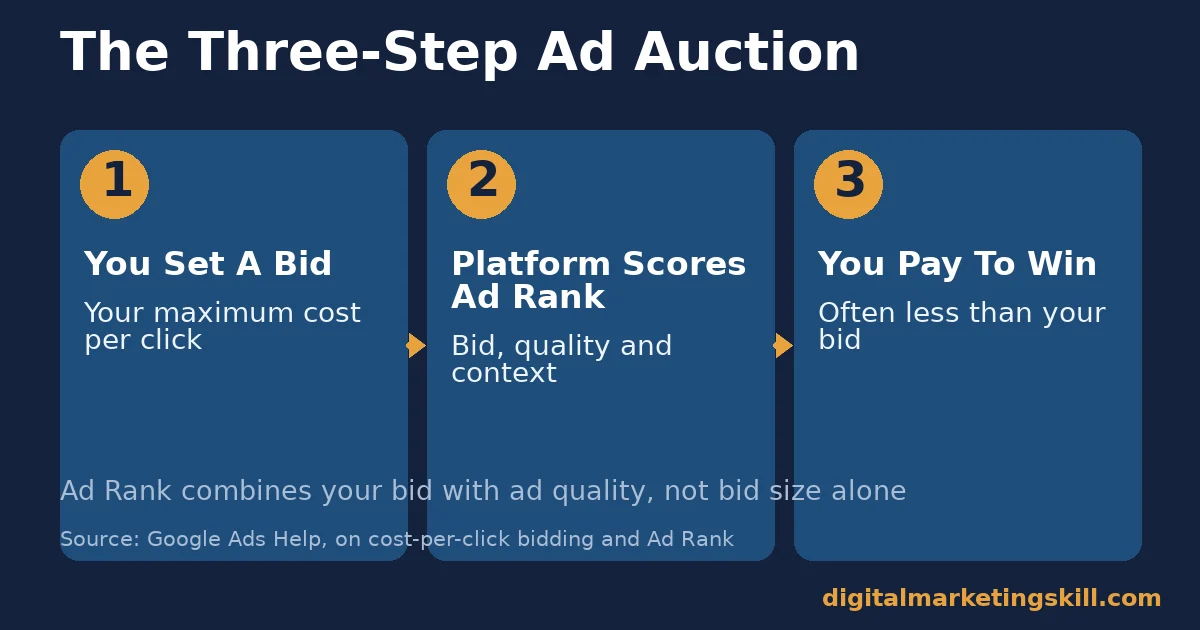
Pay-per-click advertising runs on an auction. That auction repeats every single time someone searches or scrolls past an ad slot. Here is what happens, in order.
Step 1: You Set A Bid
You choose keywords or an audience. Then you set the maximum you are willing to pay per click. Google’s own guidance calls this your maximum CPC bid, and it is a hard ceiling: a click never costs more than that amount.
Step 2: The Platform Calculates Ad Rank
Your bid alone does not win the slot. Google combines your bid with ad quality, the expected impact of ad formats and extensions, and the context of the search. Ad quality itself comes from three signals that Google’s own Quality Score documentation names directly: expected click-through rate, ad relevance, and landing page experience. This combined score is called Ad Rank.
Because ad quality is part of Ad Rank, a well-written ad with a fast, relevant landing page can outrank a higher bid. The competitor might have a sloppy page and still lose, even with more money behind it. That is the mechanism behind “better ads cost less.”
Step 3: You Pay The Minimum Needed To Win
Once Ad Rank decides the order, the actual price you pay is usually just enough to beat the advertiser ranked below you. It is not your full maximum bid. Google is explicit about this: advertisers “will often be charged less, sometimes much less” than their maximum bid.
Here is a simple worked example, with invented numbers. Say your maximum bid is $5.00. The advertiser just below you would need $3.20 to match your Ad Rank. Your actual charge lands slightly above $3.20, not at your $5.00 ceiling. That gap between your bid and your actual charge is the main reason pay-per-click advertising rewards quality, not just budget size.
Pay-Per-Click Advertising: What Differs By Ad Format
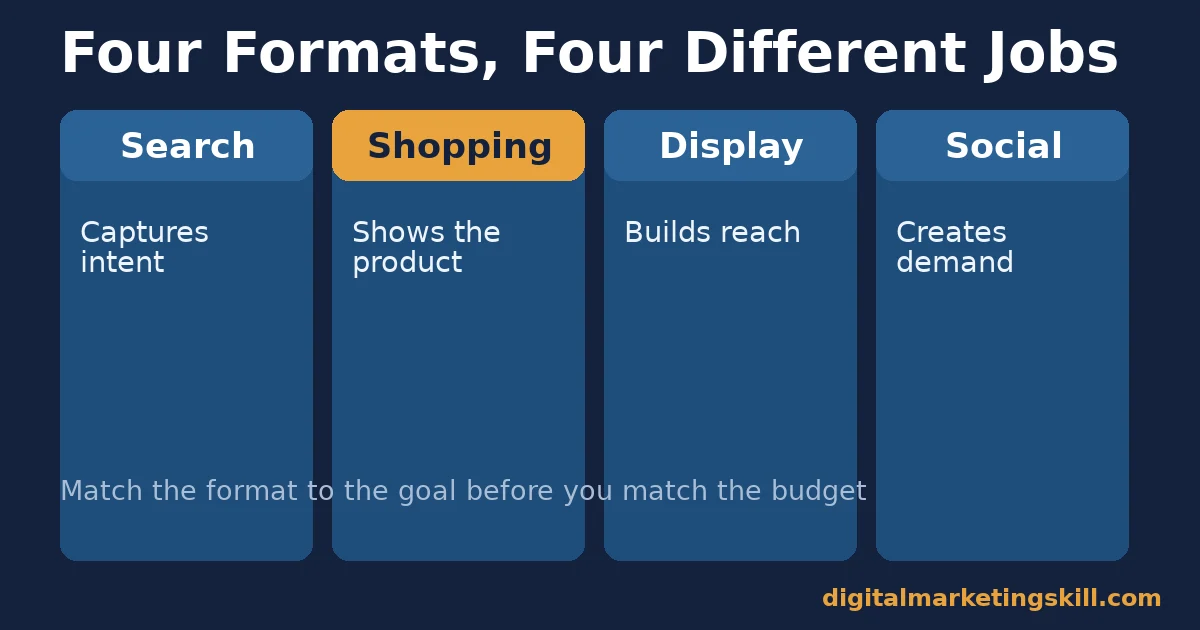
Not every pay-per-click advertising format solves the same problem. Picking the wrong one for your goal is the most common beginner mistake. Our guide on types of advertising campaign breaks down the broader campaign categories. Here we focus on the pay-per-click side specifically.
Search Ads: Built For Intent-Driven Clicks
Search ads show up when someone actively types a query. The person is already looking. So search ads work best for capturing demand that already exists, such as a specific product name or a service someone needs right now. Our Google Ads cost guide covers search bidding in more depth.
Shopping Ads: Built For Product Discovery
Google describes Shopping ads as displaying “a product photo, title, price, store name, and more,” pulled from your Merchant Center product feed rather than from keywords you choose yourself. They work best for retailers with a clear catalog. The shopper can compare price and photo before clicking, so the click arrives more qualified.
Display Ads: Built For Reach And Retargeting
Display ads appear as banners across websites and apps in Google’s Display Network. They are weaker at driving an immediate purchase. But they are strong at staying visible to people who already visited your site, which is why they power most retargeting. Retargeted shoppers are, according to one widely cited industry estimate, up to 70% more likely to buy than someone seeing a cold ad for the first time.
Social Ads: Built For Audience-First Targeting
Social platforms let you target by interest, behavior, and demographic rather than a typed query. This format works when you need to create demand, not just capture it. A good example is introducing a new product to people who never searched for it at all.
Reported platform-level data, compiled in HubSpot’s PPC statistics roundup, puts Facebook ad conversion rates around 9.21% on average, among the higher-converting paid channels. The same roundup reports that the average user clicks on roughly a dozen Facebook ads a month, which shows how normalized paid social has become for everyday browsing.
How Pay-Per-Click Advertising Budgets Break Down By Business Size
Budget size is one of the first questions beginners ask. The honest answer is “it depends,” but the data gives useful ranges. A WebFX survey of more than 350 businesses found that small to mid-sized companies typically spend between $1,000 and $10,000 a month on Google Ads. Many settle closer to the $9,000-$10,000 range once a campaign is actively managed.
The same survey looked at how businesses split their total marketing budget. 36% treat 6-25% of total marketing spend as their pay-per-click advertising “sweet spot.” 21% allocate 26-50%, and 32% commit over half.
Separately, 54% of businesses report being satisfied with their pay-per-click advertising ROI. 26% plan to raise spending within six months, which suggests most of that spending is seen as working, not wasted. For a deeper walkthrough of setting the number itself, see our Google Ads budget guide.
Industry matters more than company size. Reported average costs per click range from $1.63 in arts and entertainment up to $71.64 in legal services. Insurance sits close behind at $67.73.
Home services averages around $40.87. Fitness, health, and real estate stay closer to $5 per click. If your industry falls on the expensive end, a modest budget buys far fewer clicks. Plan around your own industry’s average, not a single blended number, and revisit it every few months as competition shifts.
How To Lead With Each Pay-Per-Click Advertising Format
Once you know what each format is built for, here is how to run it well.
Search Ads: Lead With Tight Keyword Match
Group keywords tightly by intent. Write ad copy that mirrors the exact phrase searched, then send clicks to a page that answers that specific query. A generic homepage link wastes the click you just paid for. Our keyword planner guide covers building these keyword groups by intent rather than by raw search volume.
Shopping Ads: Lead With Clean Product Feeds
Your product feed is the ad. Keep titles, prices, and images accurate and updated daily. A mismatched price or an out-of-stock item still gets clicked, and you still pay for it either way.
Display Ads: Lead With Frequency Caps
Set a frequency cap so the same person does not see your banner fifty times a day. Pair it with a short retargeting window, commonly somewhere between 7 and 30 days. That way your budget follows people while they are still likely to convert, rather than for months afterward.
Social Ads: Lead With Creative Testing
Run at least three creative variations per audience, and let the data pick a winner before you scale spend. Social audiences fatigue fast. Budget for fresh creative on a regular schedule, not a one-time design you reuse for months.
Common Pay-Per-Click Advertising Mistakes Beginners Make
Most early pay-per-click advertising losses come from a short list of repeated mistakes, not bad luck. Checking for these first usually fixes a weak campaign faster than raising the budget does.
- Sending every click to the homepage. A visitor who searched for one product does not want to hunt for it again on your homepage. Match the landing page to the exact ad and keyword.
- Using one broad keyword list for every ad group. Broad groups produce vague ads that match nobody’s exact need well. Split keywords into tight groups around a single theme.
- Ignoring mobile load speed. Over half of pay-per-click advertising clicks happen on mobile devices, so a slow mobile page quietly drains the budget before anyone notices.
- Judging a campaign after two or three days. Short windows are noisy. Give a new campaign at least one full week before deciding whether it is working.
- Raising budget instead of fixing the ad. More spend on a weak ad just produces more weak clicks, faster. Fix the message and the landing page first, then scale.
A Quick Pre-Launch Checklist
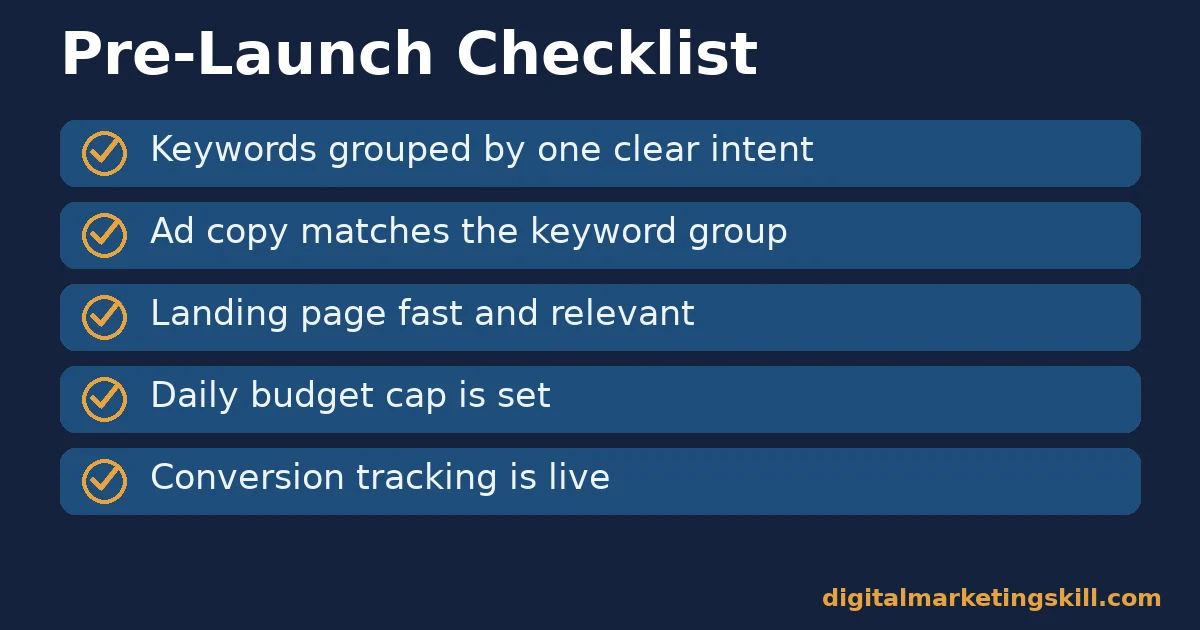
Run through this short list before you turn any pay-per-click advertising campaign on. It takes ten minutes and catches most early mistakes.
- Keywords are grouped tightly by one clear intent, not mixed together.
- Ad copy matches the exact keyword group it sits in.
- The landing page loads fast and matches the ad’s promise.
- A daily budget cap is set, not left open-ended.
- Conversion tracking is live, so every click can be measured.
- A frequency cap is set, if the campaign uses display or retargeting.
Each box on this list maps back to a mistake listed above. Check the list again after any major change to an ad group, not only before the first launch. Many beginners skip conversion tracking entirely in their first campaign, then wonder why the reported results never seem to add up. Set it up before you spend a single dollar, not after.
How To Measure Pay-Per-Click Advertising Performance
Five numbers tell you whether a pay-per-click advertising campaign is working. Each one answers a different question, and none of them is useful read alone.
Cost Per Click (CPC): what you pay, on average, each time someone clicks. Rising CPC with flat conversions is a warning sign, not just a budget problem.
Click-Through Rate (CTR): clicks divided by impressions. A low CTR usually means the ad copy or targeting needs work, not the budget itself.
Conversion Rate (CVR): the share of clicks that complete your goal action, such as a purchase or form fill. This is where your landing page does the heavy lifting.
Cost Per Acquisition (CPA): total spend divided by conversions. This is the number that tells you whether the campaign is actually profitable, not just active.
Return On Ad Spend (ROAS): revenue earned for every dollar spent. A ROAS value of 4 means $4 in revenue for every $1 spent, before you subtract your own margin and other costs.
Track these weekly, not daily. Pay-per-click advertising data is noisy in small windows. Daily swings often disappear once you look at a full week of clicks and conversions together.
The One Decision Rule For Your Pay-Per-Click Advertising Budget
Decision rule: only increase a campaign’s budget once CPA has stayed at or below your profitable threshold for two consecutive weeks. Raising spend before that just scales an unproven cost, not a proven result.
Illustrative, invented numbers: suppose your product earns $40 profit per sale. Your campaign’s CPA has held at $25 for two straight weeks. That gap gives you room to raise the daily budget by roughly 20%, then watch CPA again before raising it a second time.
If CPA jumps past $40 at any point, pause the increase. Fix the ad or landing page first, before spending more. The same logic applies whether you are setting your very first budget or scaling a campaign that has already run for months. Our Google Ads budget guide, linked above, walks through the starting-number version of this same decision.
A Real Pay-Per-Click Advertising Case, And Its Limits
Ayooluwa Osemi, a Digital Marketing Skill Institute student, spent $14 on Facebook and Instagram ads and generated $878 in sales, as published on the Institute’s reviews page.
This case has real limits worth naming. It covers paid social advertising, not Google Search ads, so the auction mechanics differ slightly. It is also one self-reported result, not an average outcome, and results like this are not typical or guaranteed. Read the earnings disclaimer before treating any single case as a forecast for your own results.
A Short Glossary For Pay-Per-Click Advertising Beginners
These terms come up constantly once you start running campaigns. Keep this list nearby for your first few weeks.
- Impression. One instance of your ad being shown, whether or not anyone clicks it.
- Ad Group. A set of closely related ads and keywords that share one theme or product.
- Negative Keyword. A word or phrase you exclude, so your ad does not show for unrelated searches.
- Landing Page. The page a click leads to. It should match the ad’s exact promise.
- Attribution. The method used to credit a conversion to a specific ad, click, or channel.
- Bid Strategy. The rule the platform follows when deciding how much to bid for you, such as targeting a set CPA or ROAS.
- Ad Extension. Extra information attached to a search ad, such as a phone number, site link, or short callout, that makes the ad larger without raising your bid.
You do not need to master every term before you launch a first campaign. Learn each one as it becomes relevant, and this list will make far more sense once you see it applied inside your own account.
Frequently Asked Questions About Pay-Per-Click Advertising
Is pay-per-click advertising worth it for a small budget?
Yes, because you control the daily cap and only pay for actual clicks. Start small, measure CPA for two weeks, then scale what works using the decision rule above.
How much does pay-per-click advertising cost per click?
It varies widely by industry. Reported cross-industry averages run from roughly $1.63 in arts and entertainment up to $71.64 in legal services, so always check your own industry’s benchmark rather than a single blended average.
Does Quality Score directly lower my cost per click?
Not directly. Google describes Quality Score as a diagnostic tool, not an auction input. What actually affects your price is Ad Rank, built from your bid plus the same signals Quality Score reports on: expected click-through rate, ad relevance, and landing page experience.
What is the difference between pay-per-click advertising and SEO?
Pay-per-click advertising buys visibility instantly, and it stops the moment you stop paying. SEM and SEO earns visibility over time through content and site authority. It keeps working after you stop actively investing, though it takes longer to show results.
Which pay-per-click advertising format should a beginner start with?
Search ads, because they capture people who are already searching for what you offer. That existing intent makes it easier to see a clear result while you are still learning the platform.
Are Shopping ads a type of pay-per-click advertising?
Yes. You still pay only when someone clicks. But Google builds the ad from your product feed rather than from keywords you write yourself, so the work shifts from writing ad copy to keeping your catalog accurate.
How long before pay-per-click advertising shows results?
Clicks and impressions appear immediately. Reliable conversion data usually needs one to two weeks of consistent traffic before you can trust the numbers enough to act on them.
Can pay-per-click advertising work alongside SEO?
Yes, and most effective marketers run both. Use pay-per-click advertising for immediate, measurable demand, and let SEO build the organic traffic that reduces your paid cost over time.
What should a complete beginner track in the first month?
Track just three numbers at first: clicks, conversions, and cost per acquisition. Once those three feel familiar, add click-through rate and return on ad spend. Trying to watch every metric at once usually slows a beginner down rather than helping.
Build Pay-Per-Click Advertising Skills With Digital Marketing Skill Institute
If you want to run pay-per-click advertising campaigns with real confidence, structured training shortens the learning curve dramatically compared to trial and error alone.
The Master Diploma in Digital & AI Marketing at Digital Marketing Skill Institute is built around four AI-powered tracks covering ten courses in total. For pay-per-click advertising specifically, the AI-Powered Google Specialist track covers Google Search, Display, Shopping, and YouTube advertising in depth. The AI-Powered Social Media Management and Advertising track covers paid social separately. A Full Stack option lets you complete all four tracks for a broader skill set.
Every path includes unlimited 1-on-1 coaching and mentoring, a U.S. Project Internship with a verified U.S. Work Reference Letter, and dual US and UK accreditation recognised in more than 100 countries. The program runs 100% online, so you can study from anywhere in your country.
Explore the digital marketing blog for more practical guides, browse real student reviews, or go straight to the application page to get started. Wherever you live, Digital Marketing Skill Institute trains students worldwide, and you can learn more at digitalmarketingskill.com.
Every figure in this guide was checked against its original source before publication. Figures marked as illustrative are invented examples, not real results.