
A meta description is a short summary of a web page that you add to its HTML code, so search engines can show it under your result. It doesn’t appear on the page itself, but it can become the snippet people read before they click. It matters because a clear, specific summary can persuade more searchers to choose your page over the others on the list.
Key Takeaways
- A meta description lives in a
<meta name="description">tag in the page’s<head>. - Google builds snippets mainly from page content. It uses your summary only when it describes the page better than other text does.
- Google sets no length limit, but it cuts snippets to fit the screen. Yoast suggests around 120 to 156 characters.
- Every important page should have its own description. Copying the same text across pages makes results look identical.
- According to Yoast, it isn’t a ranking factor, but it can affect how many people click.
What Is a Meta Description?
Think of it as the blurb on the back of a book. The cover, which is your page title, catches the eye. The blurb then tells the reader what they’ll get inside, so they can decide whether to open it.
MDN Web Docs defines it as “a short and accurate summary of the content of the page”. In code, it looks like this:
<meta name="description" content="Learn how to repot a snake plant in five steps, with the right soil, pot size and watering tips." />
Visitors never see this tag on the page. Instead, it sits in the code for search engines to read.
How a Meta Description Works
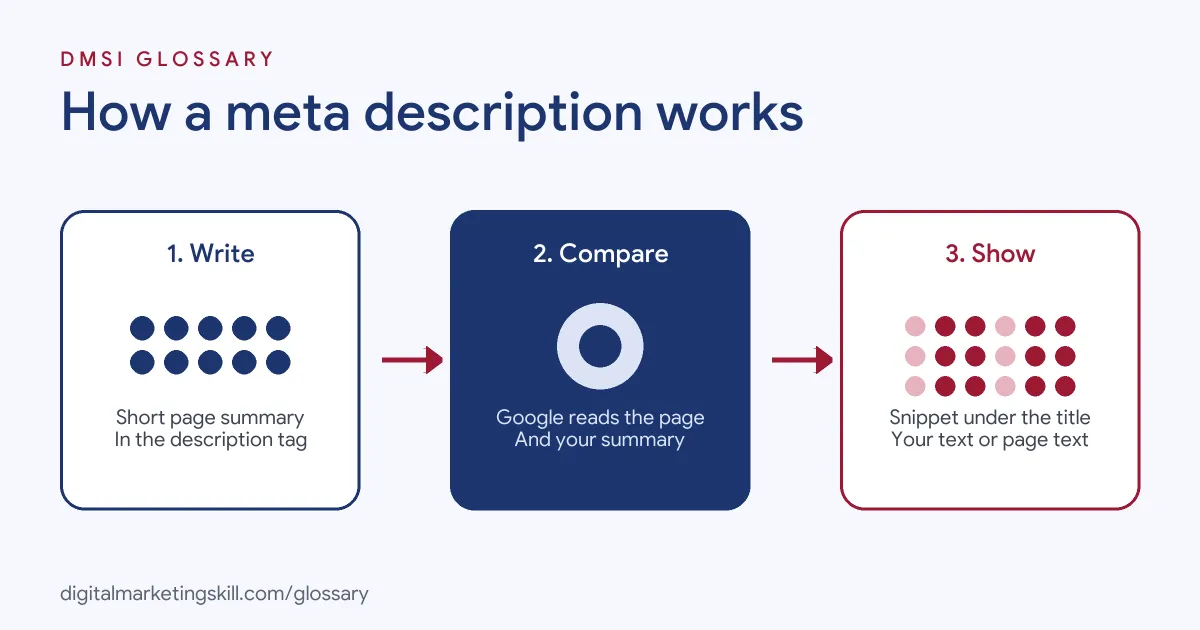
The process has three steps. First, you write the summary in your page’s code or your CMS. Next, Google crawls the page and compares your summary with the visible content. Finally, it decides which text to show as the snippet for each search.
When Google Uses It
Google is clear that snippets are “primarily created from the page content itself.” However, it may use your summary when it describes the page better than other parts of the content. Snippets also change with the search. As a result, the same page can show different text for different queries.
Length and Truncation
Google says there’s no limit on how long the text can be. Even so, it truncates snippets as needed, typically to fit the device width. Yoast advises using roughly 155 characters, and its plugin flags descriptions under 120 or over 156 characters. In practice, put the most important words first, so they survive if the end gets cut.
Ranking and Clicks
Yoast states that Google doesn’t use these summaries for ranking. Still, a good one can raise your click-through rate. Yoast also notes that Google often bolds the searched words when they appear in the snippet, which helps your result stand out.
Meta Description Examples
Google’s own guidance includes several weak and better pairs. Here are three common cases, based on that advice:
- Keyword list: A plain list of sewing supplies is weak. A better version says what the shop sells and adds its opening hours and location.
- Same text everywhere: A news site that uses one generic blurb on every article is weak. A better one summarises each specific story.
- Too short: “Mechanical pencil” tells searchers almost nothing. A better version covers features, lead type, colours and delivery options.
In each case, the better text is specific, accurate and useful. It answers the question “Why should I click this result?”
Meta Description vs Meta Title vs Snippet
| Term | What it is | Who controls it |
|---|---|---|
| Meta title | The page name in the title tag, often shown as the result headline | You write it; Google may adjust the title link |
| Meta description | A short summary in the description tag | You write it; Google decides whether to use it |
| Snippet | The text Google actually shows under the headline | Google, using your summary or page content |
In short, you control the inputs, and Google controls what searchers finally see. That’s why the page content matters as much as the tag.
How to Write a Meta Description
- Start with the page’s purpose. Ask what a searcher wants from this page and what they will get.
- Include the main phrase naturally. Yoast notes that Google is more likely to bold it in results.
- Add specific details. Google suggests useful facts such as the author, manufacturer or other key details for that page.
- Use active voice and speak to the reader. Yoast recommends this, along with a clear call to action such as “Learn more”.
- Check the length. Aim for about 120 to 156 characters, and front-load the key words.
- Make it unique. If time is short, Google suggests you prioritise important pages, such as your home page and popular pages.
Setting It in WordPress
Google notes that CMS users, including those on WordPress, can usually add these tags through a search engine settings page or a plugin. With Yoast SEO, for example, you type the text into the search appearance section of the editor. A bar then turns green when the length is right and orange when it’s too short or too long.
Yoast also has a bulk editor for adding many descriptions quickly. However, Yoast points out that it gives no length or keyphrase warnings, so check each one afterwards. You can also set a separate description for social sharing in the social appearance section.
A Quick Rewrite
Here is a simple before and after for a recipe page. The weak version reads: “Recipes, cake, chocolate cake, best cake, easy cake.” It lists keywords but gives no reason to click. The stronger version reads: “Bake a rich vegan chocolate cake in one bowl with eight everyday ingredients. Ready in under an hour, with tips for a perfect, moist crumb.” It explains the benefit, adds detail and fits the length guide.
How to Measure Results
After you update a description, give Google time to recrawl the page. Then open Google Search Console and compare clicks and click-through rate for that page before and after the change. Test one group of pages at a time, so you know which edit made the difference.
Best Practices for a Meta Description
- Match the page. Yoast warns that misleading text can raise bounce rates and damage trust.
- Write for people, not robots. Google says long strings of keywords are less likely to appear as a snippet.
- Generate them carefully at scale. For large, database-driven sites, Google says creating descriptions with code is fine, as long as they read naturally and vary.
- Keep content visible. Because Google often builds snippets from the page, clear opening paragraphs help too.
Common Mistakes to Avoid
The most common error is copying one description across many pages. Another is stuffing in a list of keywords. Some writers also make the text too short to be useful, while others promise something the page doesn’t deliver. Finally, many site owners forget that Google can rewrite the snippet, so they neglect the page content that Google may use instead.
Where You’ll Use a Meta Description at Work
Writing these summaries is a regular task in content and SEO roles. For example, remote job listings include:
- “Write compelling meta descriptions” (Content Writer).
- “keyword research, on-page optimization, meta titles and descriptions, internal linking, and monitoring rankings” (Marketing Specialist).
So if you plan to work as an SEO Specialist, a Website Manager or a content writer, you’ll write and audit descriptions often. You’ll also track click-through rates in Google Search Console to see which ones work.
Learn It in the WordPress and SEO Track
You can practise writing a meta description for real pages in the AI-Powered WordPress and SEO Specialist track. There, you build a WordPress site or store and rank it with an SEO content plan. You also work on a U.S. Project Internship from day one, with unlimited 1-on-1 mentoring.
For more detail, read our guide to meta description length and our on-page SEO checklist. You can also learn how to write a strong meta title to go with it.
Frequently Asked Questions
What is a meta description in simple terms?
It is a short summary of a page, written in the code, that search engines may show under your result in search.
How long should a meta description be?
Google sets no fixed limit, but it shortens snippets to fit the screen. Yoast suggests roughly 120 to 156 characters.
Why doesn’t Google show my meta description?
Google builds snippets mainly from page content. So it may show other text if it thinks that text matches the search better.
Does a meta description help rankings?
Yoast says Google doesn’t use it as a ranking factor. However, a strong one can lead more people to click your result.
Can I stop Google from showing a snippet?
Yes. Google supports a nosnippet rule, and a max-snippet rule lets you set a maximum length.
Sources: Google Search Central: Control your snippets in search results; Yoast: How to create the right meta description; MDN Web Docs: Standard metadata names; remote job listings on Himalayas.