
Few-shot prompting is a way of instructing an AI model by including a small number of worked examples in your prompt, so the model can copy the pattern, format and tone you want. A prompt with no examples is called zero-shot, while one with a few examples is called few-shot. It matters because a handful of good examples is often the quickest way to get consistent, on-brand output from an AI tool.
Key Takeaways
- Google’s Gemini guide defines few-shot prompts as “prompts that contain a few examples,” and zero-shot prompts as those with none.
- The model learns the pattern from your examples without any retraining.
- Anthropic recommends three to five examples, and says they should be relevant, diverse and clearly structured.
- Too many examples can backfire. Google warns the model “may start to overfit the response to the examples.”
- Keep every example in the same format, because the model copies formatting closely.
What Is Few-Shot Prompting?
Most people start by simply asking an AI tool for what they want. That is zero-shot prompting. It often works, but the output may not match your style or format. Few-shot prompting fixes this by showing, not just telling.
Google explains the idea simply: “You can include examples in the prompt that show the model what getting it right looks like.” The model “attempts to identify patterns and relationships from the examples and applies them when generating a response.”
A well-known research paper, “Language Models are Few-Shot Learners,” put the idea to the test at scale. Its authors evaluated GPT-3, a model with 175 billion parameters, and reported that it was “applied without any gradient updates or fine-tuning, with tasks and few-shot demonstrations specified purely via text interaction with the model.” In other words, the examples lived in the prompt, not in extra training.
How Few-Shot Prompting Works
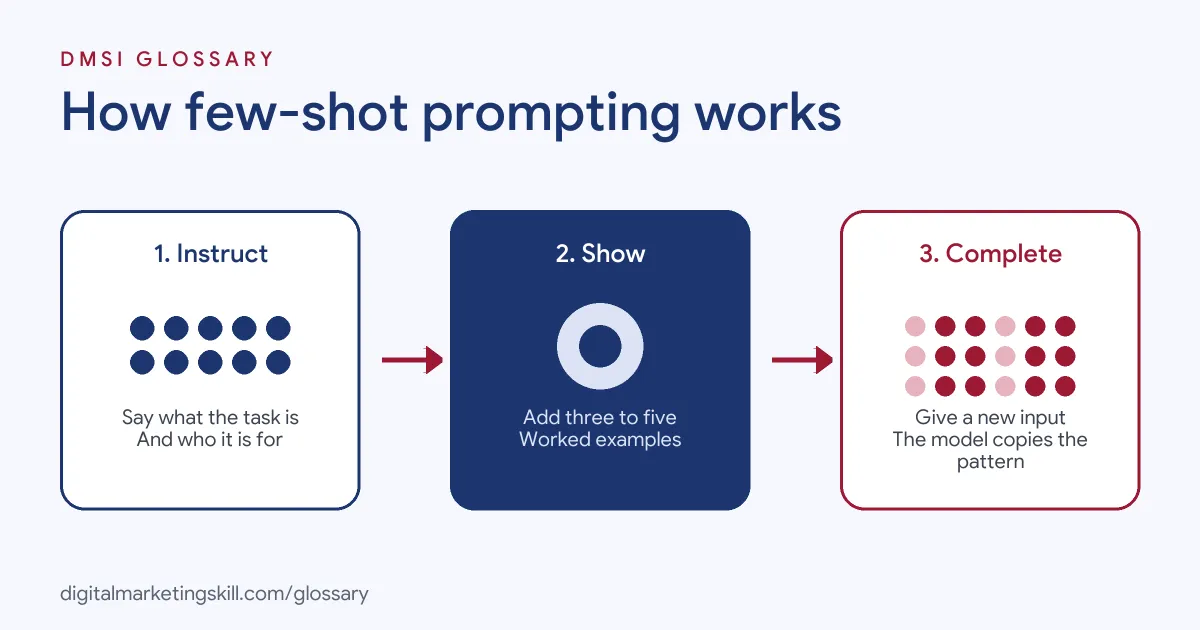
A typical prompt has three parts. First, you give a short instruction. Next, you add a few examples, each showing an input and the ideal output. Finally, you add the new input and let the model complete the pattern.
What the Examples Teach
Examples teach things that are hard to describe in words. Google says few-shot prompts “are often used to regulate the formatting, phrasing, scoping, or general patterning of model responses.” Similarly, Anthropic calls examples “one of the most reliable ways to steer Claude’s output format, tone, and structure.”
How Many Examples
There is no single right number. Anthropic advises: “Include 3–5 examples for best results.” Google suggests you experiment with the number. However, it also warns that “if you include too many examples, the model may start to overfit the response to the examples.” So start small and add more only if the results are still inconsistent.
What Good Examples Look Like
Anthropic lists three qualities. Examples should be relevant, meaning they “mirror your actual use case closely.” They should be diverse, covering edge cases so the model “doesn’t pick up unintended patterns.” Finally, they should be structured, for instance wrapped in <example> tags, so the model can tell them apart from instructions.
Few-Shot Prompting Examples
Here are three made-up ways a marketer might use the technique:
- Product descriptions: A shop includes three of its best descriptions, each with the same structure: one benefit line, three bullet points and a short closing sentence. Then it asks for a description of a new product.
- Review tagging: A team shows four customer reviews, each labelled “Positive,” “Negative” or “Mixed.” As a result, the model labels new reviews in exactly the same way.
- Ad headlines: A PPC specialist gives five past headlines that met the character limit and brand tone. After that, the model writes new options in the same style.
A Sample Few-Shot Prompt
Here is a made-up prompt you can adapt. It asks for short social captions in a fixed style:
- Instruction: “Write a caption for a bakery’s Instagram post. Use British English, one emoji at most and under 25 words.”
- Example 1: Post: fresh sourdough. Caption: “Out of the oven at 7am and gone by noon. Grab a sourdough loaf while it’s still warm.”
- Example 2: Post: new lemon cake. Caption: “Bright, zesty and baked this morning. Our new lemon drizzle is on the counter now.”
- Example 3: Post: closed on Monday. Caption: “We’re taking Monday off to rest our ovens. See you bright and early on Tuesday.”
- New input: Post: cinnamon buns are back. Caption:
Because each example follows the same shape, the model is likely to return a short, warm caption that fits the brand. If it drifts, you can swap one example or tighten the instruction.
Zero-Shot vs Few-Shot vs Fine-Tuning
These three approaches give a model different amounts of guidance. This table compares them:
| Approach | What you provide | Best for |
|---|---|---|
| Zero-shot | An instruction only, with no examples | Simple, common tasks |
| Few-shot | An instruction plus a few examples in the prompt | Matching a format, tone or labelling style |
| Fine-tuning | Extra training on many examples, which changes the model | Large, repeated tasks where prompts are not enough |
In short, few-shot prompting sits in the middle. It gives you much more control than a bare instruction, without the cost of training a model.
How to Write a Few-Shot Prompt
Follow these steps to build one:
- Write a clear instruction. Say what the task is and who the output is for.
- Choose real examples. Pick past work that you would happily publish.
- Keep the format identical. Use the same labels, order and layout in every example.
- Vary the content. Cover different products, tones or edge cases, so the model does not copy one detail too closely.
- Mark the examples clearly. For instance, wrap each one in tags or label it “Example 1,” “Example 2.”
- Add the new input. Present it in the same format as the examples.
- Test and adjust. Finally, check the output and swap examples that cause problems.
Best Practices for Few-Shot Prompting
- Quality beats quantity. Three strong examples usually work better than ten average ones.
- Match the real task. If you will write emails, show emails, not blog posts.
- Combine with a role. A short system prompt plus examples gives the model both rules and patterns.
- Keep a library. Save prompts and examples that work, so your team can reuse them.
- Check facts separately. Examples improve format and tone, but they do not make the model’s facts correct.
Common Few-Shot Prompting Mistakes
A few errors are very common. First, people use examples that all look the same, so the model copies one narrow pattern. Second, they mix formats between examples, which leads to messy output. Third, they add so many examples that the model starts to overfit. Finally, they include examples with errors, and the model repeats those errors faithfully.
Where You’ll Use Few-Shot Prompting at Work
AI and data roles name this technique directly. For example, recent remote job listings ask for:
- “Experience with LLM lifecycle: prompt design/engineering, prompting techniques (RAG, few-shot, CoT, etc.), vector databases, multimodality, fine-tuning, and evaluation” (Applied AI Data Scientist).
- The ability to “Design, iterate and optimize prompts (zero-/few-shot, chain-of-thought, tool-calling, etc.) to maximize model utility and safety across products and languages” (LLM Data Scientist).
- “Proven experience tuning Large Language Models (LLMs) for strict, structured outputs, complex classification tasks, and familiarity with chain-of-thought and few-shot learning” (Senior Prompt Engineer).
In marketing roles, the same skill helps you produce on-brand copy, tag data and build templates that a whole team can use.
Learn It in the Full Stack Programme
AI fundamentals, covering strategy and planning, is part of every DMSI track. To apply prompting across social, email, search and websites, choose the Full Stack programme, which covers all four tracks and all ten courses. You finish with one portfolio project from each track. You also join a U.S. Project Internship from day one, with unlimited 1-on-1 mentoring.
For more practical tips, read our guide on how to write ChatGPT prompts.
Frequently Asked Questions
What is few-shot prompting in simple terms?
It means giving an AI tool a few examples of what you want before you ask it to do the task. The model then copies the pattern.
What is the difference between zero-shot and few-shot prompting?
A zero-shot prompt has no examples. A few-shot prompt includes a small number of examples to show the model the format or style you want.
How many examples should I include?
Anthropic suggests three to five. Google recommends experimenting, but warns that too many examples can make the model overfit.
Does few-shot prompting retrain the model?
No. The examples only live in the prompt. The original research described it as working “without any gradient updates or fine-tuning.”
Can I use few-shot prompting in ChatGPT, Gemini or Claude?
Yes. You simply paste your examples into the prompt, then add the new task. It works in the chat apps and through their APIs.
Sources: Google AI for Developers: Prompt design strategies; Anthropic: Prompting best practices; Brown et al.: Language Models are Few-Shot Learners; remote job listings on Himalayas.