
A 404 error is the “Not Found” response a web server sends when it cannot find the page someone asked for. It usually appears when a link is broken, a URL is mistyped or a page has been deleted without a redirect. It matters because visitors hit a dead end, and Google drops pages that keep returning 404 from its index.
Key Takeaways
- 404 is the HTTP status code for “Not Found.” It says the page is missing, but not whether the loss is temporary or permanent.
- Google does not index URLs that return a 404, and removes already-indexed URLs that start returning one.
- 404s are normal for pages that really are gone. Google says 4xx codes, except 429, have no effect on crawl rate.
- A “soft 404” is a page that looks like an error but returns a success code. Google flags these in Search Console.
- Fix important 404s with a redirect, and give visitors a helpful custom error page for the rest.
What Is a 404 Error?
MDN Web Docs explains that the 404 Not Found status “indicates that the server cannot find the requested resource.” It adds that links leading to a 404 page “are often called broken or dead links.”
For example, imagine you delete an old offer page from your site. A blog post still links to it. Anyone who clicks that link now lands on an error page instead of useful content.
MDN also notes that a 404 “only indicates that the resource is missing without indicating if this is temporary or permanent.” If a page has gone for good, servers can send a 410 Gone status instead.
How a 404 Error Works
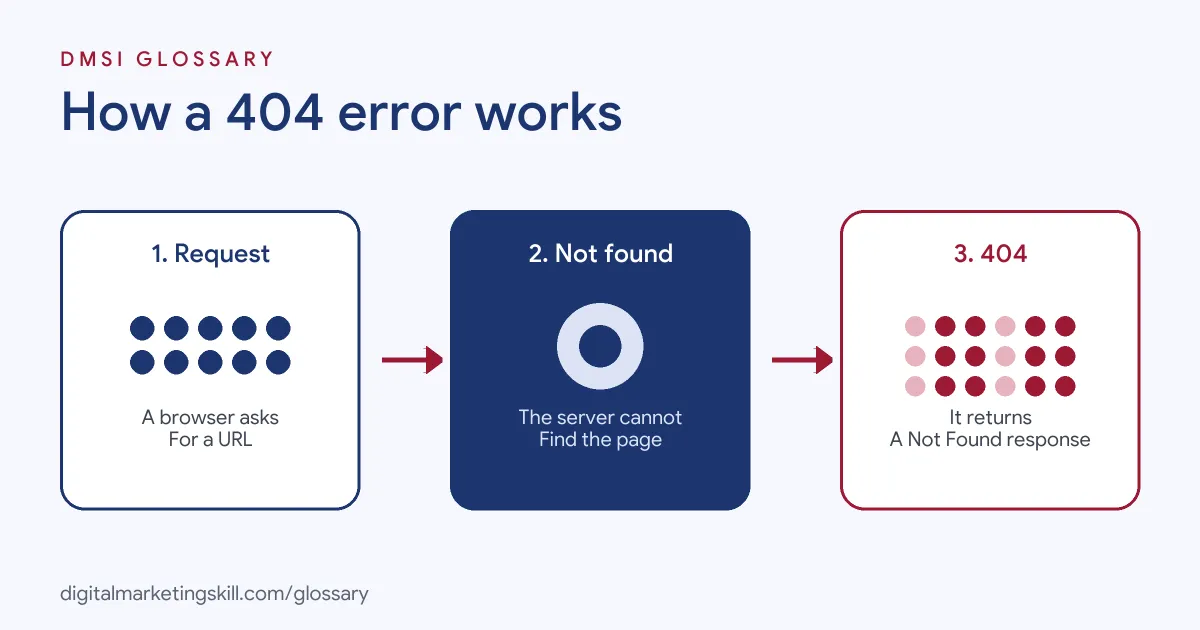
The process is quick. First, a browser or crawler requests a URL. Next, the server looks for the page and cannot find it. Finally, it returns a 404 status, often with an error page for the visitor.
Common Causes
MDN lists the most common reasons: “mistyped URLs or pages that are moved or deleted without redirection.” In practice, that covers typos in links, renamed pages, deleted products and old URLs left behind after a redesign.
How Google Handles 404s
Google’s crawling documentation is clear. For Google Search, “Google doesn’t index URLs that return a 4xx status code, and URLs that are already indexed and return a 4xx status code are removed from the index.” It also says “the crawling frequency gradually decreases” for those URLs.
Importantly, Google says that the 4xx codes, except 429, “have no effect on crawl rate.” Its crawl budget guide adds that a 404 “is a strong signal not to crawl that URL again.” So a real 404 for a removed page is the honest, correct response.
Soft 404s
Problems start when an error page pretends to be a normal page. If a page returns a success code but “the content suggests an error,” such as “an empty page or an error message,” Google says Search Console “will show a soft 404 error.” These pages waste crawling, because Google’s crawl budget guide says soft 404 pages “will continue to be crawled.”
Building a Custom 404 Error Page
A good 404 error page turns a dead end into a detour. MDN shows that on an Apache server, you can set a custom page in the .htaccess file with a line such as “ErrorDocument 404 /notfound.html.” On WordPress, most themes include their own 404 template, which you can edit or style.
Whatever tool you use, keep the page simple. Say clearly that the page could not be found. Then offer a search box, links to your most popular pages and a button back to the home page. For example, a made-up online bookshop might show “Sorry, we couldn’t find that page” with links to bestsellers, new releases and its contact page. Finally, check that the page still returns a real 404 status, so Google does not treat it as a normal page.
404 Error Examples
Here are three made-up situations:
- Deleted product: A shop removes a discontinued jacket. Because a newer version exists, it adds a 301 redirect to the new product.
- Typo in a link: A blog post links to /contcat/ instead of /contact/. The team fixes the link, and the 404 disappears.
- Old campaign page: A landing page for a past event is removed. There is no close replacement, so the page returns a real 404 with a helpful custom error page.
404 vs 410 vs Soft 404
This table compares the three responses:
| Response | What it means | How Google treats it |
|---|---|---|
| 404 Not Found | The page is missing; may be temporary or permanent | Not indexed, and removed if already indexed |
| 410 Gone | The page has been removed for good | Treated the same as other 4xx codes |
| Soft 404 | An error-like page that returns a success code | Flagged in Search Console and keeps being crawled |
Google states that “all 4xx errors, except 429, are treated the same.” So for search, the bigger risk is a soft 404, not choosing between 404 and 410.
How to Find and Fix 404 Errors
Follow these steps to keep broken pages under control:
- Find them. Use the Page Indexing report in Search Console and a site crawler to list URLs that return 404.
- Prioritise. Start with URLs that get traffic, have links from other sites or appear in your menus.
- Redirect where there is a match. Send old URLs to the closest new page with a 301 redirect.
- Fix internal links. Update links on your own site so they point to live pages.
- Leave true removals as 404 or 410. If nothing replaces the page, an honest error code is fine.
- Fix soft 404s. Make sure empty or error pages return a real 404 status.
- Improve the error page. After that, add search, popular links and a way back to the home page.
Best Practices for a 404 Error Page
- Keep the status code honest. A custom error page should still return 404, not 200.
- Help people move on. Add a search box and links to your main sections.
- Match your brand. Use your normal design, so visitors know they are still on your site.
- Monitor regularly. Check for new 404s after redesigns, migrations and big content changes.
- Don’t redirect everything home. Sending all missing pages to the home page confuses visitors, who expected something specific.
Common 404 Mistakes
Several errors make broken pages worse. First, sites show a “page not found” message but return a 200 status, which creates soft 404s. Second, teams delete pages without checking who links to them. Third, they redirect every missing URL to the home page. Finally, they try to use 401 or 403 codes to slow Google’s crawling, which Google tells site owners not to do.
Where You’ll Use 404 Errors at Work
Job listings usually describe this work as fixing “broken links.” For example, recent remote SEO roles ask candidates to:
- “Conduct technical SEO audits to identify and address website issues, such as crawl errors, broken links, and site speed, that may impact search engine visibility and user experience” (Senior SEO Manager).
- “Identify and resolve technical SEO issues, such as crawl errors, broken links, and sitemap submissions” (SEO Specialist).
- “Conduct SEO checks / technical audit including site speed, indexing status, broken links” (SEO Executive).
So as an SEO Specialist, WordPress Developer or Website Manager, you will find each 404 error, decide which ones to redirect and keep the error page helpful.
Learn It in the WordPress and SEO Track
You can learn to run technical SEO checks, including broken links and redirects, in the AI-Powered WordPress and SEO Specialist track. There, you build a WordPress site or store and rank it with an SEO content plan. You also work on a U.S. Project Internship from day one, with unlimited 1-on-1 mentoring.
For a wider list of fixes, work through our on-page SEO checklist.
Frequently Asked Questions
What does a 404 error mean?
It means the server could not find the page at that address. The page may have been moved, deleted or never existed.
Do 404 errors hurt SEO?
The missing page drops out of Google’s index. However, Google says 4xx codes, except 429, have no effect on crawl rate, so real 404s for removed pages are normal.
Should I redirect all 404 pages?
No. Redirect them when there is a close replacement. Otherwise, a real 404 or 410 is the honest response.
What is a soft 404?
It is a page that looks like an error or is empty but returns a success code. Google flags these in Search Console.
What is the difference between 404 and 410?
A 404 says the page is missing. A 410 says it is gone for good. Google treats all 4xx codes except 429 the same.
Sources: MDN Web Docs: 404 Not Found; Google: How HTTP status codes affect Google’s crawlers; Google Search Central: Crawl budget management for large sites; remote job listings on Himalayas.