
Funnel Exploration (GA4) is a report template in Google Analytics 4 that shows the steps people take to finish a task on your site or app, and where they drop off. You set the steps, such as viewing a product, adding it to the basket and paying. Then GA4 shows how many users reach each step. As a result, you can see exactly where a journey leaks and fix that part first.
Key Takeaways
- A funnel exploration maps the steps users take to complete a task and shows drop-off at each one.
- You build it in the Explore section of GA4, not in the standard reports.
- You can add up to 10 steps, based on events or dimensions.
- Open funnels let users enter at any step, while closed funnels make them start at step one.
- Breakdowns, segments and the next action view help you find why people leave.
What Is Funnel Exploration (GA4)?
Most websites want visitors to do something. For example, a shop wants a sale, and a training company wants a sign-up. Each of these goals takes a few steps. A funnel exploration lists those steps in order and counts the users at each one.
It lives in Google Analytics 4 under Explore. Google describes the wider Explore area simply: “Explorations gives you access to data and analytical techniques that aren’t available in reports.” So the funnel template is one of several tools there. Others include free-form, path and cohort explorations.
Each step in the chart shows two simple numbers. First, it shows how many users reached the step. Second, it shows how many left before the next one. Together, these give you a completion rate and an abandonment rate for every stage. So you don’t need a spreadsheet to work out where the biggest loss is. The chart does that maths for you, and you can then drill into the step that matters most.
Think of a queue at a theme park ride. Many people join the line, but some leave before the gate. Then a few more give up at the safety check. If you counted people at each point, you would know where the line loses the most. A funnel exploration does that same counting for your website.
The idea links closely to the sales funnel you plan in your marketing. However, a GA4 funnel uses real behaviour data rather than a plan on paper.
Why It Matters
Why should you care? Because traffic alone tells you little. For instance, you might get thousands of visits but very few sales. Without a funnel, you can only guess where the problem sits. With one, you can see that most people leave at the delivery page, for example. Then you know where to test changes. In short, it turns a vague worry into a clear task.
How Funnel Exploration (GA4) Works
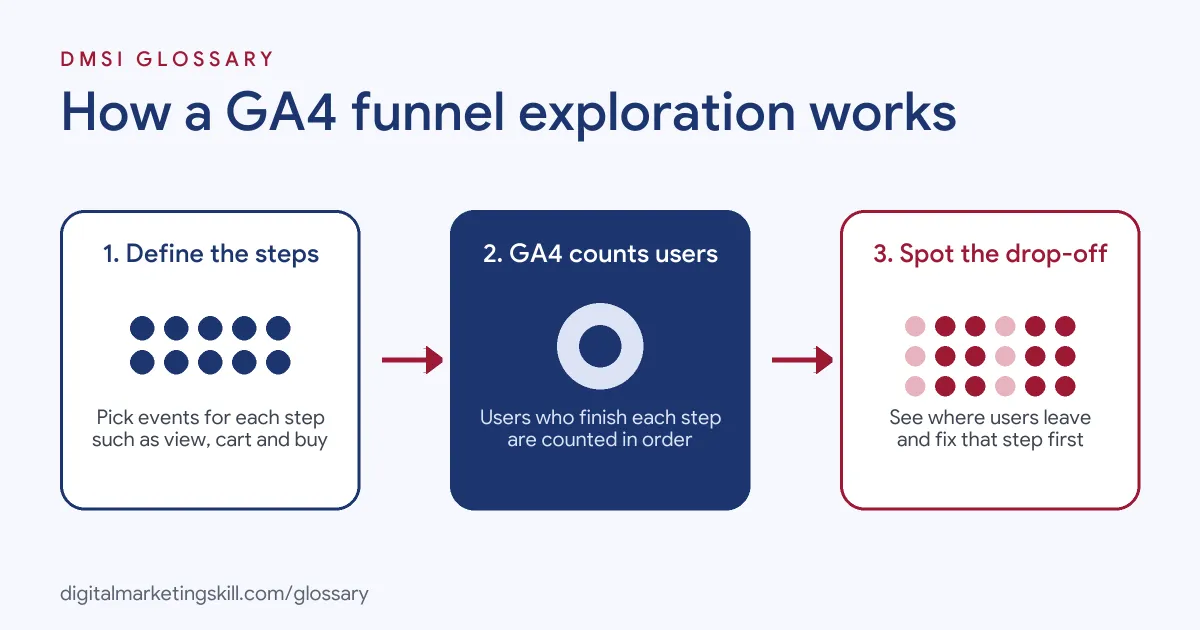
GA4 records what users do as events, such as page views, clicks and purchases. A funnel exploration checks those events against the steps you define. Then it counts how many users complete each step in order.
Steps and conditions
First, you name each step and give it a condition. A condition can use events or dimensions, but not metrics. For example, step one could be the event “view_item”. Also, step two could be “add_to_cart”, and step three could be “purchase”. According to Google, you can add up to 10 steps. In addition, you can choose if a step must come “directly” after the last one or just later in the journey. Google states that “Steps that directly follow the previous step must occur immediately after the previous step.”
Open and closed funnels
Next, you decide how people can enter. A closed funnel is the default. Google puts it plainly: “In a closed funnel, users must enter the funnel in the first step.” By contrast, an open funnel lets users join at any step. So an open funnel suits journeys where people land deep inside your site, such as on a product page from an ad.
Views that explain drop-off
Then you add detail. A breakdown splits each step by a dimension, such as device category or country. Segments let you compare groups, and Google allows up to 4 per funnel. Also, the elapsed time option shows the average time between steps. Finally, the next action view shows the top five things users did after a step. That often reveals where they went instead.
Standard and trended views
You can show the funnel as a standard step chart or as a trended funnel. The trended view is a line chart over time. As a result, you can see whether a fix last month actually changed the drop-off rate.
Examples of Funnel Exploration (GA4)
- An online clothing shop. The team builds a funnel from product view to purchase. They see a big drop at the checkout step on mobile. So they shorten the mobile form and then watch the trended view.
- A course provider. The funnel runs from the course page to the application form and then to form submit. A breakdown by traffic source shows that one paid channel sends users who rarely start the form. As a result, the team reviews that channel’s targeting.
- A software company with a free trial. The funnel tracks sign-up, account set-up and first project created. The next action view shows many users opening the help page after set-up. So the team rewrites the set-up steps to be clearer.
Funnel Exploration vs Path Exploration
| Point | Funnel exploration | Path exploration |
|---|---|---|
| Main question | Where do users drop off in a set journey? | What routes do users actually take? |
| Set-up | You define the steps first | You pick a start or end point |
| Chart | Step chart or trended line chart | Tree graph of next or previous steps |
| Best for | Checkouts, sign-ups, forms | Finding unexpected journeys |
| Limit to know | Up to 10 steps | Shows many branches at once |
How to Build a Funnel Exploration in GA4
- Check your events. Make sure each step you want to measure is tracked as an event, such as a page view or a key event.
- Open Explore. In GA4, click Explore in the left menu. Then choose the Funnel exploration template.
- Name your steps. Open the steps editor and add each step in order. After that, set the event or dimension condition for each one.
- Choose open or closed. Switch on “Make open funnel” if users can enter at any step.
- Set the date range. Pick a period long enough to give you useful numbers.
- Add a breakdown. Drag in a dimension such as device category to compare groups.
- Apply segments. Compare new and returning users, or paid and organic traffic.
- Read the drop-off. Look for the step with the biggest loss. Then use the next action view to see where users went.
Best Practices for Funnel Exploration (GA4)
- Start with one clear goal. Build each funnel around a single task, such as a purchase or a lead form.
- Keep steps few. Three to five steps are usually easier to read and act on.
- Use open funnels with care. They are useful for deep landing pages, but they can make step one look smaller than it is.
- Compare segments. Splitting by device or channel often explains a drop better than the total does.
- Watch for sampling. Google notes explorations may use sampled data on very large queries, so check the status icon.
- Link it to testing. Use what you find to plan A/B tests and wider conversion rate optimisation work.
Common Mistakes to Avoid
- Measuring steps you don’t track. If an event is missing, the funnel will show zero at that step.
- Mixing up direct and indirect steps. “Directly followed by” is strict, so it can make drop-off look much worse.
- Using too short a date range. Small numbers swing a lot, so a few users can change the picture.
- Only looking at the total. Mobile and desktop users often behave very differently.
- Forgetting to save it. Explorations are personal by default. So share it, or save it as a report, if your team needs it.
Where You’ll Use Funnel Exploration (GA4) at Work
Funnel work appears in analytics, growth and CRO roles. Listings rarely name the GA4 template itself, but they often ask for funnel analysis skills. For example, real remote job listings ask you to:
- “Analyze customer behavior using heatmaps, session recordings, funnel analysis, and behavioral analytics tools.” (DTC Website Performance & CRO Manager).
- “Use user segmentation, funnel analysis, and retention analysis to identify opportunities to improve the user experience and conversion rates.” (Binance Accelerator Program – Data Analyst).
- “Experience with product analytics, experimentation, funnel analysis, retention, and user behavior analysis.” (Senior Data Analyst (Product Analyst)).
Learn It in the Google Ads and Analytics Track
You can learn GA4 explorations, funnels and reporting in the AI-Powered Google Specialist track. Every track includes a U.S. Project Internship from day one, with unlimited 1-on-1 mentoring.
Frequently Asked Questions
Where do I find funnel exploration in GA4?
Click Explore in the left menu of GA4. Then choose the Funnel exploration template from the gallery.
How many steps can a GA4 funnel have?
Google allows up to 10 steps in a funnel exploration. However, most useful funnels have between three and five.
What is the difference between an open and a closed funnel?
In a closed funnel, users must start at the first step. In an open funnel, they can enter at any step.
Can I use metrics as funnel steps?
No. Steps are based on events or dimensions. Instead, you can add metrics like revenue to the breakdown table.
Does funnel exploration work for apps too?
Yes. GA4 collects events from websites and apps, so you can build funnels for both. You can also compare them with a platform breakdown.
Sources: Google Analytics Help: [GA4] Funnel exploration; Google Analytics Help: Get started with Explorations; Google Analytics Help: [GA4] Path exploration; remote job listings on Himalayas, Himalayas and Himalayas.