
Client Onboarding is the process of welcoming a new client after they sign, gathering what you need from them and setting up the work so the project starts smoothly. It covers the first emails, a kickoff meeting, account access and an agreed plan. Good onboarding builds trust from day one. As a result, clients tend to stay longer, and your team avoids the confusion that slows early results.
Key Takeaways
- Client onboarding is everything that happens between signing a client and starting the real work.
- It usually includes a welcome email, a questionnaire, a kickoff meeting and account access.
- A clear scope, goals and roles stop misunderstandings before they start.
- Strong onboarding helps clients see value sooner and stay longer.
- A repeatable checklist makes onboarding faster and more consistent for every client.
What Is Client Onboarding?
Client onboarding is how you turn a signed deal into a working partnership. For example, a digital marketing agency might send a welcome pack, ask for logins and hold a first planning call. Then the team has everything it needs to begin.
Think about joining a new gym. A good gym gives you a tour, asks about your goals and shows you how the machines work. So you feel confident on day one. On the other hand, a gym that hands you a key and walks away leaves you lost. Client onboarding is the tour for your new client.
HubSpot’s agency playbook puts it simply: “The first 90 days will set the tone for your relationship.” In addition, it lists fewer misunderstandings and less scope creep among the benefits of a strong kickoff.
Why It Matters
Why does this matter so much? Because first impressions last. For instance, a client who waits weeks for a first call may start to doubt their choice. By contrast, a client who gets a clear plan in the first week feels looked after. Also, good onboarding gives you the data, access and goals you need to show results early. That early proof often decides whether a client renews.
Who Is Involved
Onboarding is a team effort on both sides. On your side, an account manager often leads it, with help from specialists. On the client side, you need the person who approves work and the people who own key systems. HubSpot also suggests inviting the sales person who will handle new leads. So everyone hears the same goals at the same time.
Onboarding and Client Retention
Onboarding is also where customer retention begins. For example, a client who understands the plan is less likely to panic when results take time. In addition, clear roles mean fewer delays and fewer frustrated emails. As a result, the relationship starts on solid ground.
On the other hand, weak onboarding often shows up later as churn. The client feels the work is slow or unclear, so they leave at the first renewal. Therefore, many agencies treat onboarding as part of the service, not just admin. Also, they review it often and improve the steps that cause the most delay.
How Client Onboarding Works
Client onboarding usually runs in four stages. First, you welcome the client and collect information. Then you hold a kickoff meeting to agree the plan. After that, you set up access and reporting. Finally, you start the first tasks.
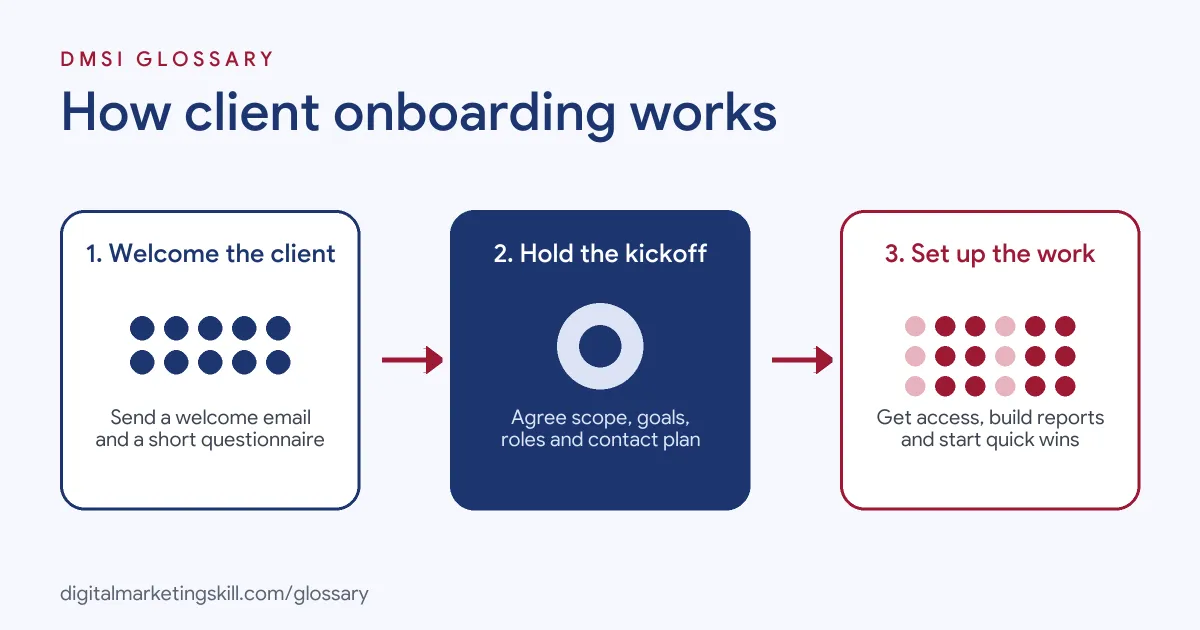
Stage 1: Welcome and Gather Information
Send a welcome email soon after the contract is signed. Next, share a short questionnaire about the business, customers, competitors and past marketing. HubSpot suggests sending the questionnaire before the kickoff, so the client comes prepared. In addition, ask for brand files, such as logos and brand guidelines.
Stage 2: Hold the Kickoff Meeting
The kickoff is a focused meeting, often about an hour. You recap the agreed scope, confirm goals and agree on roles. For example, decide who approves content and how fast. Also, agree how and when you will talk, such as a weekly call or a shared channel. HubSpot recommends setting goals that are specific, measurable, attainable, realistic and time-bound.
Stage 3: Set Up Access and Reporting
Then you get access to the tools you need. For example, in Google Ads, a client can accept a link request to your manager account. Google explains that people with admin access “receive emails inviting you to link to the manager account.” After that, you build a reporting dashboard, so the client can see progress from the start.
Access needs care, too. For example, ask clients to add you as a user instead of sharing their own passwords. That way, they stay in control and can remove access later. In addition, keep a simple list of every account you can reach. Then, when the project ends, you can hand everything back cleanly. This also shows the client that you take their data seriously.
Stage 4: Start Quick Wins
Finally, begin with a few fast, useful tasks. For instance, run a short audit or fix a broken tracking tag. These early wins show the client that work has started. As a result, trust grows while bigger projects take shape.
Examples of Client Onboarding
- A social media agency with a new restaurant client. The agency sends a questionnaire about menus, opening times and tone of voice. Then it holds a kickoff call and gets access to the restaurant’s social accounts the same week.
- A freelance SEO with a software start-up. The freelancer asks for Search Console and analytics access first. After that, they run a quick audit and share three priority fixes in the first report.
- A paid ads team with an online shop. The team links the shop’s Google Ads account to its manager account. Next, it checks conversion tracking before changing any campaign.
Client Onboarding vs Customer Onboarding and Kickoff
| Point | Client Onboarding | Customer Onboarding | Kickoff Meeting |
|---|---|---|---|
| Who it is for | A business that hires your services | A user of your product or app | The client and your team |
| Main goal | Set up a working partnership | Help users get value from the product | Agree goals, scope and roles |
| How long | Days to a few weeks | Often minutes to days | Usually one meeting |
| Main tools | Questionnaires, calls, access requests | Tutorials, emails, in-app tips | Agenda and shared notes |
How to Onboard a Client
- Confirm the scope. Make sure the signed marketing proposal lists deliverables, timelines and what is not included.
- Send a welcome email. Thank the client, name their main contact and explain the next steps.
- Share a questionnaire. For example, ask about goals, customers, competitors, budgets and past results.
- Request access. Next, list every login you need, such as ads accounts, analytics and the website.
- Hold the kickoff. Recap the scope, set goals and agree roles and communication.
- Set your KPIs. Agree on a few key performance indicators that show success.
- Build reporting. Set up a marketing dashboard the client can check at any time.
- Send a recap. Email a summary of decisions, action items and dates after the kickoff.
Best Practices for Client Onboarding
- Use a checklist. A standard list makes sure nothing is missed with any client.
- Move fast. Book the kickoff within days of signing, while energy is high.
- Keep forms short. Then ask only what you need, so clients actually finish the questionnaire.
- Write things down. Confirm goals, roles and deadlines in writing after each call.
- Agree on communication. Also, set how often you meet and where you share updates.
- Show early value. Deliver one quick win in the first weeks to build confidence.
Common Mistakes to Avoid
- Starting without access. Otherwise, waiting for logins can stall work for weeks.
- Vague goals. “More leads” is not enough. Agree on numbers and dates.
- Skipping the kickoff. Without a kickoff, people work from different ideas.
- Too much paperwork. In addition, long forms frustrate busy clients.
- No single contact. Clients feel lost if they don’t know who to ask.
- Going quiet after signing. Finally, silence in the first week worries new clients.
Where You’ll Use Client Onboarding at Work
Client onboarding is part of account management, client services and agency roles. It is also a daily task for freelancers. For example, real remote job listings describe it like this:
- “Client Onboarding Representatives bring new business accounts on board from start to finish.” (Client Onboarding Representative).
- “collaborates with colleagues across Client Support and Event Operations to ensure the client is trained and equipped for long-term success” (Client Onboarding Specialist, Ticketing).
- “Leverage internal AI and automation tools to streamline client onboarding and troubleshooting” (FIX Onboarding and Client Services).
Learn It in the Full Stack Track
You can practise onboarding and managing real clients in the Full Stack programme, which covers all four tracks. Every track includes a U.S. Project Internship from day one, with unlimited 1-on-1 mentoring.
Frequently Asked Questions
How long does client onboarding take?
It often takes a few days to a few weeks. Simple projects move faster, while larger accounts need more set-up.
What should a client onboarding questionnaire include?
Ask about goals, target customers, competitors, budget and past marketing. Also, ask for brand files and key contacts.
What happens in a kickoff meeting?
You recap the scope, agree goals and roles, and set how you will communicate. Then you agree the next steps.
Why do clients leave after onboarding?
Often it is unclear goals or slow early progress. So set clear targets and show quick wins.
Can I automate client onboarding?
Yes, partly. For example, you can automate welcome emails, forms and reminders. However, the kickoff call works best in person or on video.
Sources: HubSpot (via 4A’s): The New Client Kick-Off Playbook; DashThis: Agency client onboarding process; Google Ads Help: Link accounts to your manager accounts; remote job listings on Himalayas, Himalayas and Himalayas.