
llms.txt is a proposed plain-text file, written in Markdown, that a website places at /llms.txt to give AI tools a short summary of the site and links to its most useful pages. It works like a guided map for language models, so they don’t have to dig through menus, adverts and scripts to find the key information. It matters because AI agents often read websites to answer questions, and a clean summary can help them understand your content quickly.
Key Takeaways
- llms.txt is a proposal published at llmstxt.org, not an official web standard.
- The file sits at the root of a site, or at any path within it, and covers the pages under that path.
- Only one section is required: an H1 heading with the name of the project or site.
- It is not a permission file. Crawler access is still controlled by robots.txt.
- Google says you don’t need “AI text files” to appear in its AI Overviews or AI Mode.
What Is llms.txt?
Think of llms.txt as a cover letter for AI tools. A normal web page is built for people, with navigation, pop-ups and design. However, an AI agent mostly wants the facts. The llms.txt proposal gives it a short, tidy version in one place.
The proposal explains the problem clearly. It says that “web pages are built for people” and that converting a page back into clean text “is difficult and imprecise.” It also notes that context windows are still “too small for most websites in their entirety.” So a focused summary saves the model time and tokens.
The idea came from Jeremy Howard, and the proposal is hosted by Answer.AI. According to llmstxt.org, thousands of sites publish the file, and AI labs such as OpenAI, Anthropic and Gemini publish one for their developer docs.
How llms.txt Works
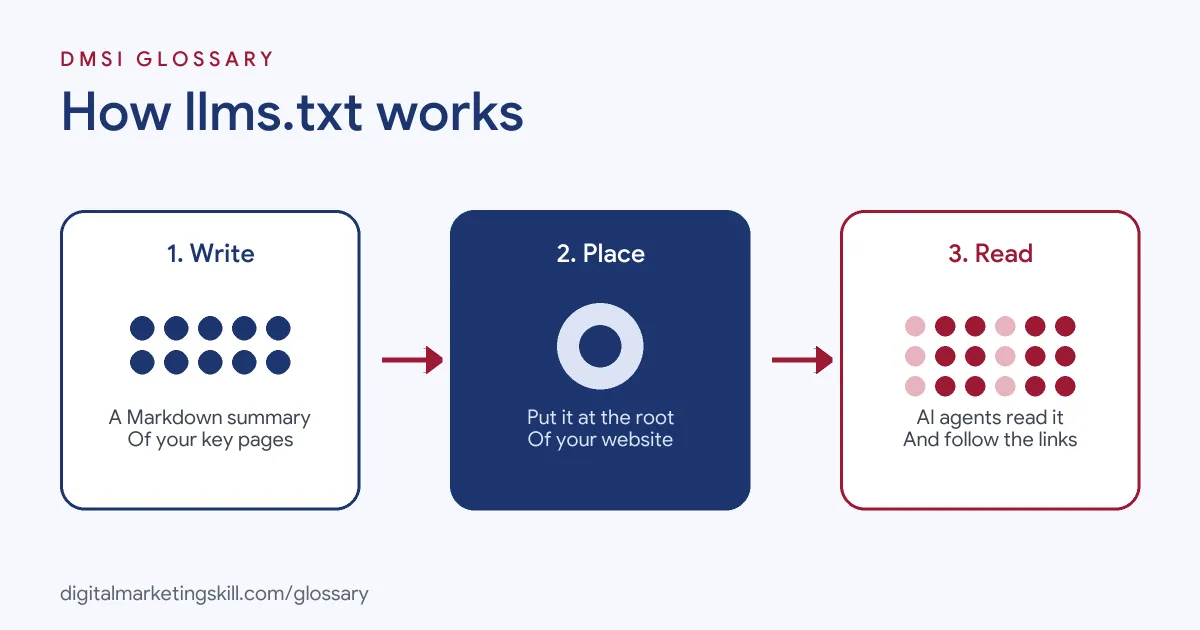
The process has three steps. First, you write a Markdown file that sums up your site. Next, you place it at /llms.txt so tools can find it. Finally, an AI agent reads the file and follows its links to the pages it needs.
The File Format
The proposal sets out the sections in a fixed order:
- An H1 heading with the name of the project or site. The proposal says, “This is the only required section.”
- A blockquote with a short summary of the project.
- Optional details, such as paragraphs or lists, that explain how to read the files.
- H2 sections of links. Each entry is a Markdown link, such as [name](url), followed by optional notes.
- An “Optional” section for links an agent can skip when it needs a shorter context.
Markdown Versions of Pages
The proposal goes one step further. It suggests that pages agents might need should also have a clean Markdown version at the same address, with .md added. For example, page.html could have a twin at page.html.md. It also recommends link tags, so tools can find the Markdown version and the llms.txt file that covers it.
llms.txt and Search Engines
It’s important to be clear about what llms.txt does not do. Google says, “You don’t need to create new machine readable files, AI text files, or markup to appear in these features,” meaning AI Overviews and AI Mode. Meanwhile, access is a separate matter. For instance, OpenAI controls its crawlers, such as OAI-SearchBot and GPTBot, through robots.txt rules.
llms.txt Examples
The proposal’s own example is a short file for FastHTML, a Python library. It starts with the H1 “# FastHTML”, then a one-line summary, then sections called Docs and Examples. Here are three made-up examples for other sites:
- Software company (example): The file links to the getting-started guide, the API reference and the pricing FAQ, with a one-line note on each.
- Online course (example): The file summarises the courses, links to each syllabus and puts the blog archive under “Optional”.
- Local business (example): The file gives opening hours, services, areas covered and a link to the booking page.
In each case, the file answers the questions an AI agent is most likely to ask.
Here is what a short, made-up file for a bakery might look like:
# Rosie's Bakery
> Family bakery in Leeds selling bread, cakes and celebration orders.

## Main pages
- [Menu](https://example.com/menu.md): breads, cakes and prices
- [Orders](https://example.com/orders.md): how to order a celebration cake

## Optional
- [Blog](https://example.com/blog.md): recipes and news
llms.txt vs robots.txt vs XML Sitemap
These three files are easy to mix up. Here is how they differ:
| File | Main job | Format |
|---|---|---|
| llms.txt | Summarises the site and points AI tools to key pages | Markdown |
| robots.txt | Tells crawlers which parts of the site they may visit | Plain-text rules |
| XML sitemap | Lists the URLs you want search engines to find | XML |
In short, robots.txt sets the rules, a sitemap lists the pages, and llms.txt explains them.
How to Create an llms.txt File
- Pick your key pages. Choose the ten to twenty pages that best explain what you do.
- Write the H1. Use your site or project name.
- Add a summary. Write one or two plain sentences in a blockquote.
- Group the links. Create H2 sections, such as Products, Guides and Policies.
- Add short notes. After each link, explain in a few words what the page covers.
- Move extras to “Optional”. Put nice-to-have links there, so agents can skip them.
- Upload and test. Place the file at yoursite.com/llms.txt and open it in a browser to check it loads.
On WordPress, you can usually upload the file to the site root with your host’s file manager. The proposal also notes that some documentation platforms create one automatically.
Best Practices for llms.txt
- Keep it short. The point is a quick summary, not a copy of your whole site.
- Use plain language. For example, write “Prices and plans” rather than a clever menu label.
- Keep it current. Update the file when you add, move or remove key pages.
- Link to clean pages. Point to pages with clear, factual content.
- Don’t rely on it alone. Good content, indexing and crawler access still matter most.
Common Mistakes to Avoid
The most common mistake is treating llms.txt as a way to block or allow AI crawlers. It doesn’t do that; robots.txt does. Another is expecting it to boost rankings in Google, which says no such file is needed for its AI features. Some sites also paste their entire content into the file, which defeats the purpose. Others link to broken or outdated pages. Finally, many create the file once and never update it.
Where You’ll Use llms.txt at Work
The file is still new to many teams, so it appears mainly in senior SEO and AI search roles. For example, one real remote job listing asks the hire to:
- “Deploy llms.txt, robots.txt, and Schema.org structured data across all web properties to establish direct LLM citation infrastructure” (Director/Sr. Director, Discoverability).
More often, the task sits inside wider roles. An SEO Specialist or Website Manager may be asked to review crawler access, publish an llms.txt file and track visits from AI tools. So it helps to understand how it fits with LLM optimisation and technical SEO.
Learn It in the WordPress and SEO Track
AI fundamentals are part of every DMSI track, and this skill is used most in the AI-Powered WordPress and SEO Specialist track. There, you learn WordPress website and eCommerce development, search engine optimisation and content marketing. Your portfolio project is a WordPress site or store that you build and rank with an SEO content plan. You also get unlimited 1-on-1 mentoring and a U.S. Project Internship from day one.
Next, read our guide to generative engine optimisation to see the wider picture of AI search.
Frequently Asked Questions
What is llms.txt in simple terms?
It is a short Markdown file at the root of a website that tells AI tools what the site is about and which pages matter most.
Is llms.txt an official standard?
No. It is a proposal published at llmstxt.org. Some tools and sites support it, but it is not required.
Does llms.txt block AI crawlers?
No. It only describes your content. To allow or block crawlers, you use robots.txt.
Do I need llms.txt for Google AI Overviews?
No. Google says you don’t need new machine-readable files or AI text files to appear in its AI features.
Where do I put the file?
Place it at the root, such as yoursite.com/llms.txt. The proposal also allows it at a sub-path, where it covers the pages under that path.
Sources: llmstxt.org: The /llms.txt file; Google Search Central: AI features and your website; OpenAI: Overview of OpenAI crawlers; remote job listings on Himalayas.