
A welcome email is the first automated message a person receives after they join your email list, sign up for an account or buy for the first time. It thanks them, delivers anything you promised and tells them what to expect next. It matters because it reaches people at the moment they are most interested, so it sets the tone for every email that follows.
Key Takeaways
- The email sends automatically when someone joins your list. In Mailchimp, the default timing is straight away.
- Many brands send a short welcome series of two to four emails rather than a single message.
- Klaviyo lists the welcome series as the first flow to set live, ahead of abandoned cart and post-purchase flows.
- The first email should deliver what the sign-up form promised, such as a guide or a discount code.
- Every welcome message still needs a clear unsubscribe link, as Gmail requires for marketing messages.
What Is a Welcome Email?
Think of a welcome email as the handshake at the door, the moment a stranger becomes a guest. Someone has just given you their email address, so you thank them and show them around. It is the first step in a relationship, not a sales pitch.
Klaviyo describes the purpose clearly. A welcome series flow “introduces subscribers to your brand and converts them into first-time customers.” In other words, the email has two jobs: build trust and invite a first action.
This message is a type of autoresponder, because a trigger sends it without anyone pressing a button. Most email platforms call it a “welcome flow”, “welcome series” or “welcome automation”.
How a Welcome Email Works
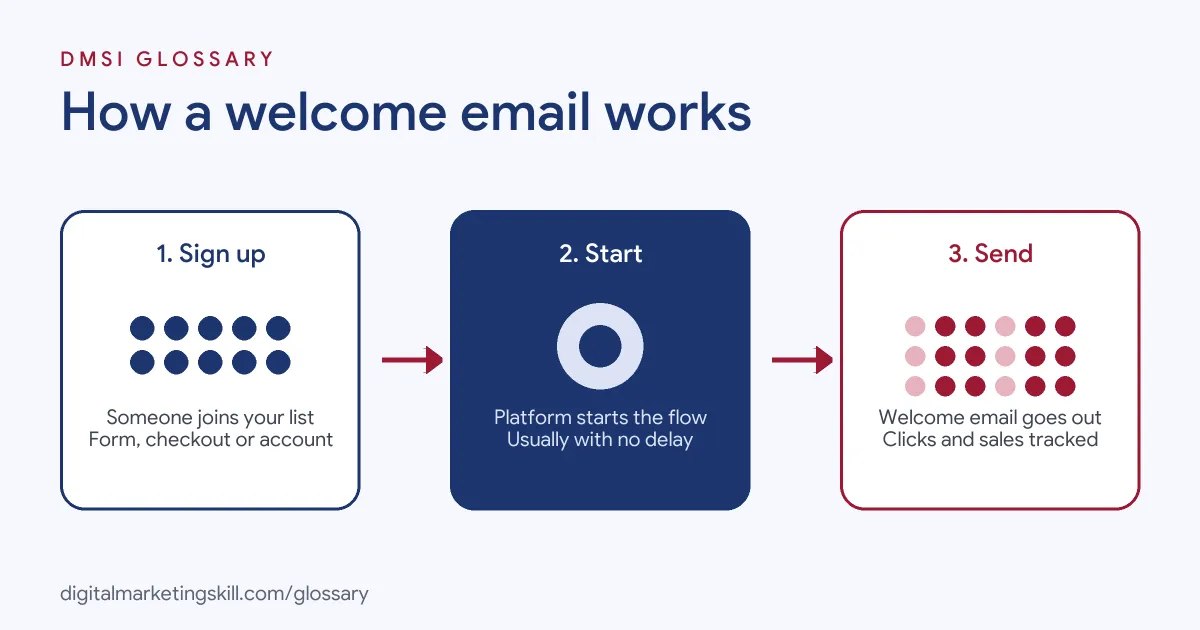
The process follows three steps. First, a person signs up through a form, a checkout or an account page. Next, the email platform adds them to a flow and waits for any delay you set. Finally, it sends the email and tracks what the person does.
The Trigger
In Mailchimp, “every welcome flow starts with a Signs up for Email or Signs up for SMS starting point.” Mailchimp adds that contacts must be new to your audience and subscribed. People who are already subscribed won’t enter the flow again.
If you use double opt-in, the timing shifts slightly. Mailchimp says those contacts enter the flow only after they confirm and their status changes to subscribed.
Timing and Delays
Mailchimp’s default delay is immediate, and the other options are 1 hour, 6 hours or 1 day. For most lists, straight away is the right choice, because the person has just asked to hear from you.
You can also add more steps after the first email. For instance, Mailchimp says you can mix channels, such as “a welcome email followed by a text message a few days later.”
Welcome Series and Splits
A single email is a good start. Even so, many brands turn it into a short series. Klaviyo flows can include time delays and branches, so a person who buys after the first email can skip the discount reminder in the third.
Welcome Email Examples
These made-up examples show what the first message can look like:
- Online shop: “Welcome to the club. Here’s your 10% code, as promised.” The email shows three best-sellers and a link to the full range.
- Training provider: “Your free guide is here.” The email links to the download, then explains that two more tips will arrive over the next week.
- Software app: “Your account is ready.” The email lists the first three steps to set up, with one button that opens the app.
Notice the pattern. Each one delivers the promise first, then gives one clear next step. None of them tries to sell everything at once, because a new subscriber is still deciding whether to trust you.
Welcome Email vs Confirmation Email vs Newsletter
These emails often get mixed up, so here is a quick comparison:
| When it sends | Main job | |
|---|---|---|
| Confirmation (opt-in) email | Right after a double opt-in sign-up | Ask the person to confirm their address |
| Welcome email | Once the person is subscribed | Thank them, deliver the offer and set expectations |
| Newsletter | On a regular schedule to the whole list | Share news, content and offers |
In short, the confirmation email checks the address, the welcome email starts the relationship, and the newsletter keeps it going.
How to Write and Set Up a Welcome Email
Follow these steps in most email platforms:
- Decide the one action you want, such as a first purchase, a download or an app login.
- Create the flow. In most tools, choose a welcome template and pick the list that triggers it.
- Set the delay to send immediately, unless you have a good reason to wait.
- Write a short subject line that confirms what they signed up for, such as “Your guide is inside”.
- Deliver the promise near the top, then add one main button.
- Tell them what comes next, including how often you will email.
- Send a test. Mailchimp advises checking “your design, copy, and links in a real inbox” before you turn the flow on.
- Turn it on, then review the automation report after the first few hundred sign-ups.
Once the first email works, add a second or third message only if each one has a clear purpose. For example, email two might share your most popular products or articles. Email three might tell a short customer story or answer a common question. Each extra step should move the reader closer to the one action you chose at the start.
Best Practices for a Welcome Email
- Keep the promise. If the form offered a discount, put the code in the first lines.
- Set expectations. Say what you will send and how often, so later emails feel expected.
- Make leaving easy. Google’s sender guidelines say marketing messages must include “a clearly visible unsubscribe link in the message body.” Bulk senders must also support one-click unsubscribe.
- Look past open rates. Google says it doesn’t track open rates and that low open rates “aren’t necessarily an accurate” sign of problems. So judge the email on clicks and conversions too.
- Review the default copy. Klaviyo recommends reviewing and customising all default flow messages so they match your brand.
Common Mistakes to Avoid
Beginners often make the same errors. First, they forget to deliver the lead magnet or code, so new subscribers feel misled. Second, they pack the email with ten links and no clear next step. Third, they leave the platform’s default template unchanged, which looks generic. Finally, they set up the flow once and never check it again, so offers and links go out of date. A quick review every few months avoids most of these problems.
Where You’ll Use a Welcome Email at Work
We didn’t find remote job listings that name this task directly. Even so, they are a standard part of email and automation work. In the DMSI Lead Generation and Email track, the target roles are Email Marketing Specialist, Marketing Automation Specialist and Lead Generation Specialist.
In those roles, you will often build the welcome flow for a new list, write the copy and test it. Then you will report how many new subscribers click or buy. Employers will want proof, such as a working sequence with real results.
Learn It in the Lead Generation and Email Track
You can learn to plan and build a welcome email in the AI-Powered Lead Generation and Email Automation track. There, you build a lead magnet and an automated email sequence that converts, so you finish with work you can show an employer. You also work on a U.S. Project Internship from day one, with unlimited 1-on-1 mentoring.
To plan what comes after the first email, read our email automation strategy guide. Our email marketing campaign guide also shows how to build, send and measure campaigns. You can also learn how double opt-in works before your welcome flow starts.
Frequently Asked Questions
What is a welcome email in simple terms?
It is the first automatic email someone gets after joining your list. It thanks them, delivers any promised offer and tells them what to expect.
When should a welcome email be sent?
Usually straight away. Mailchimp’s welcome flow sends immediately by default, while the person still remembers signing up.
How many emails should a welcome series have?
There is no fixed rule. Many brands use two to four emails, but each one should have a clear purpose, such as delivering the offer or sharing best-sellers.
What should a welcome email include?
Include a thank you, the promised offer, one clear next step and a note on how often you will email. Add a visible unsubscribe link too.
Is a welcome email the same as a confirmation email?
No. A confirmation email asks the person to confirm their address. The welcome email comes after they are subscribed.
Sources: Mailchimp Help: Welcome automations; Klaviyo Help Center: Getting started with flows; Google: Email sender guidelines.