
Email deliverability is your ability to get emails into subscribers’ inboxes, rather than their spam folder or nowhere at all. It depends on how you authenticate your domain, how clean your list is and how people react to your messages. It matters because an email that never reaches the inbox cannot be opened, clicked or acted on, however good it is.
Key Takeaways
- Authentication is now a requirement. Gmail, Yahoo and Outlook expect SPF, DKIM and DMARC from bulk senders.
- Google and Yahoo ask senders to keep spam complaint rates below 0.3%.
- Outlook says non-compliant mail from high-volume senders will first go to Junk and may later be rejected.
- Easy unsubscribes, clean lists and removing bounced addresses all protect your sender reputation.
- Delivery and inbox placement are not the same. An email can be accepted but still land in spam.
What Is Email Deliverability?
When you send a campaign, three things can happen to each email. It can bounce and never arrive. It can arrive in the spam folder. Or it can reach the inbox. Deliverability is about getting as many as possible into that last group.
Mailbox providers such as Gmail, Yahoo and Outlook decide where each email goes. They look at technical checks, such as whether your domain is authenticated. They also look at your reputation, including how many people mark your emails as spam.
That’s why deliverability sits behind every other email marketing metric. If emails do not reach the inbox, open and click rates fall, no matter how good your content is.
How Email Deliverability Works
Each email passes through three gates. First, the receiving server checks that the sender is who they claim to be. Next, it weighs the sender’s reputation and the message itself. Finally, it decides whether to accept the email, and if so, whether to place it in the inbox or spam.
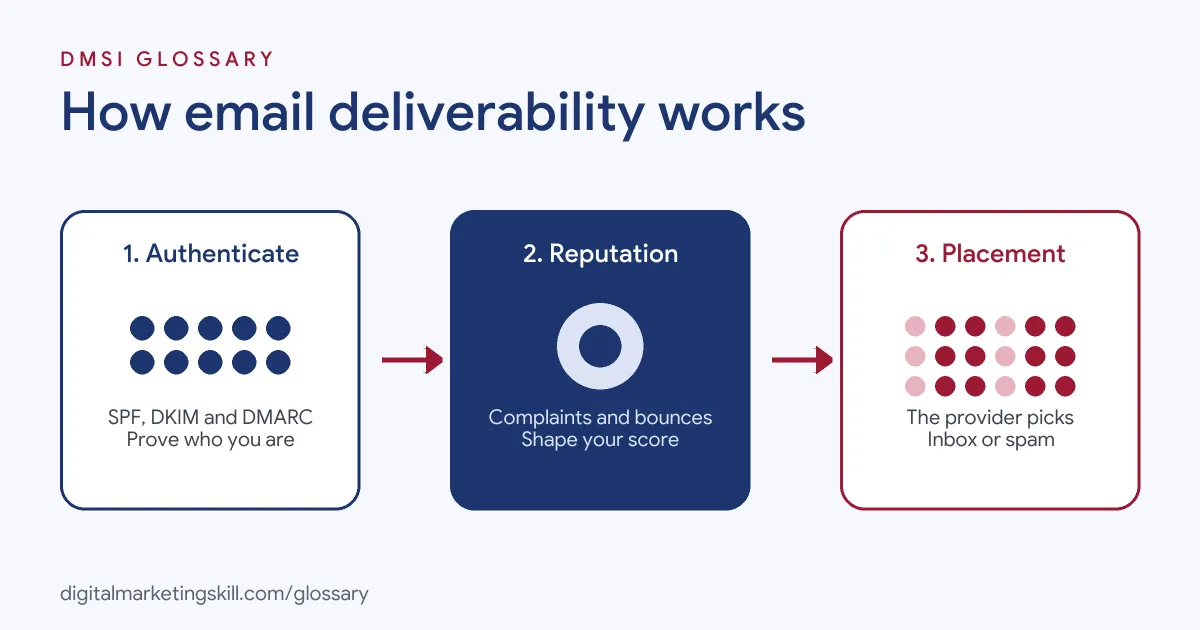
Authentication
Three standards prove that your email is genuine. SPF lists the servers allowed to send for your domain. DKIM adds a digital signature. DMARC, defined in RFC 7489, lets “a mail-originating organization” publish “domain-level policies and preferences for message validation, disposition, and reporting.”
Google requires all senders to set up SPF or DKIM. For those sending more than 5,000 messages a day to Gmail, it requires SPF, DKIM and DMARC. Microsoft sets similar rules for domains “sending more than 5,000 emails per day,” with DMARC at “at least p=none” and aligned “with either SPF or DKIM (preferably both).”
Reputation and Complaints
Providers also watch how people react. Google asks senders to “keep spam rates reported in Postmaster Tools below 0.3%,” and Yahoo sets the same limit. As a result, a sudden wave of spam complaints can hurt delivery for your whole list.
List Hygiene
Sending to dead addresses also harms reputation. Google tells bulk senders to “automatically unsubscribe recipients who have multiple bounced messages.” Similarly, Yahoo advises senders to “remove invalid recipients from your list promptly,” and Microsoft recommends removing “invalid addresses regularly to reduce spam complaints, bounces, and wasted messages.”
A Quick Email Deliverability Health Check
You can spot most problems in ten minutes. Ask these simple questions about your last few sends:
- Did the emails arrive? Look at the bounce count. A sudden jump means a list or setup problem.
- Did people complain? Check spam reports. Even a few on a small send can be a warning.
- Did people open and click? A sharp drop can mean more mail is going to spam.
- Is the setup still right? Make sure your SPF, DKIM and DMARC records still pass.
- Is the list fresh? Note how many people have not opened in a long time.
Here is a made-up example. A gym’s open rate falls by half in one week. The team checks and finds that a new booking tool sends email from a domain with no DKIM. Once they fix the record, open rates start to recover. Small checks like this, done often, stop a short dip from turning into a long-term problem.
Email Deliverability Examples
Here are three made-up situations:
- Missing DMARC: A growing shop starts sending large campaigns without a DMARC record. More emails land in spam until it adds one.
- Old list: A business emails contacts it has not mailed for a long time. Many bounce and some report spam. As a result, its next campaigns struggle to reach inboxes.
- Hidden unsubscribe: A newsletter tucks its unsubscribe link in tiny text. Readers press “report spam” instead, and the complaint rate climbs.
Sender Requirements Compared
The three biggest mailbox providers publish similar rules for bulk senders. This table sums them up:
| Provider | Authentication | Other key rules |
|---|---|---|
| Gmail | SPF and DKIM, plus DMARC, for senders of more than 5,000 messages a day | Spam rate below 0.3%; one-click unsubscribe for marketing messages |
| Yahoo | SPF and DKIM, plus DMARC with at least p=none, for bulk senders | Spam rate below 0.3%; honour unsubscribes within 2 days |
| Outlook | SPF, DKIM and DMARC (at least p=none) for domains sending more than 5,000 emails a day | Non-compliant mail goes to Junk first and may later be rejected |
How to Improve Email Deliverability
Follow these steps:
- Authenticate your domain. Set up SPF, DKIM and DMARC, and check that your From domain aligns with them.
- Build your list with consent. Use a clear opt-in, and consider double opt-in, which Yahoo recommends to reduce invalid recipients.
- Make unsubscribing easy. Add one-click unsubscribe and a visible link in every marketing email.
- Clean your list. Remove hard bounces and repeated soft bounces, and reconfirm inactive subscribers.
- Watch complaint rates. Use tools such as Google Postmaster Tools to track spam reports.
- Send what people expect. Match frequency and content to what subscribers signed up for.
- Test before big sends. After that, check rendering, links and placement on a small group first.
Best Practices for Email Deliverability
- Warm up new domains slowly. Start with your most engaged subscribers, then increase volume.
- Use a consistent From name. People trust and open emails from senders they recognise.
- Write honest subject lines. Microsoft lists “accurate subject lines” among its hygiene recommendations.
- Segment by engagement. Send more often to active readers and less often to quiet ones.
- Monitor every send. Track bounces, complaints and the unsubscribe rate together.
Common Email Deliverability Mistakes
Some errors cause lasting damage. First, senders skip authentication because emails “seem to arrive.” Second, they buy lists, which bring invalid addresses and complaints. Third, they hide the unsubscribe link. Finally, they send far more email after a quiet spell, which can look suspicious to providers. Each mistake is easy to avoid with a clear setup and a regular check of your sending data.
Where You’ll Use Email Deliverability at Work
Deliverability is a core skill in email and automation roles. For example, recent remote job listings ask candidates to:
- “Coordinate with email deliverability specialists on authentication, IP warming, sender reputation, inbox placement testing, list hygiene, and compliance with Google, Yahoo, and Microsoft sender requirements” (Growth Marketing Consultant).
- Bring “Working knowledge of email deliverability and global privacy and consent requirements as they apply to marketing automation” (Marketing Automation and Campaign Operations Manager).
- “Monitor deliverability, maintain list hygiene, and run A/B tests to improve performance” (Klaviyo Specialist).
So as an Email Marketing Specialist or Marketing Automation Specialist, you will set up authentication, track list health and fix delivery problems quickly. You will also explain these issues in plain words to clients and managers.
Learn It in the Lead Generation and Email Track
You can learn to build lists and get emails into inboxes in the AI-Powered Lead Generation and Email Automation track. There, you build a lead magnet and an automated email sequence that converts, so you can show real results. You also join a U.S. Project Internship from day one, with unlimited 1-on-1 mentoring.
For a deeper practical guide, read our article on email deliverability.
Frequently Asked Questions
What is email deliverability in simple terms?
It is how well your emails reach the inbox rather than the spam folder. Good authentication, a clean list and low complaints all help.
What is the difference between delivery and deliverability?
Delivery means the receiving server accepted the email. Deliverability is about where it lands, such as the inbox or the spam folder.
Do I need SPF, DKIM and DMARC?
Yes, if you send in volume. Gmail, Yahoo and Outlook all require them for bulk senders, and Google asks every sender to use at least SPF or DKIM.
What spam complaint rate is too high?
Google and Yahoo both ask senders to stay below 0.3%. It is wise to aim well below that limit.
Why are my emails going to spam?
Common causes include missing authentication, high complaint rates, sending to old or bought lists and misleading subject lines.
Sources: Google: Email sender guidelines; Yahoo Sender Hub: Sender best practices; Microsoft: Outlook requirements for high-volume senders; IETF: RFC 7489 DMARC; remote job listings on Himalayas.