
A zero-click search is a search that ends without the person clicking any result, because the answer appears right on the results page or the searcher simply gives up or searches again. It often happens when a search engine shows a direct answer, a snippet, a map or an AI-generated summary. It matters because if fewer people click through, websites must plan for visibility on the results page itself, not just for traffic.
Key Takeaways
- SparkToro defines zero-click searches as “those that end without clicking on any of the results presented.”
- One SparkToro study, using Datos clickstream data, found that 58.5% of US Google searches and 59.7% of EU Google searches ended with zero clicks.
- The same study found that almost 30% of US clicks went to platforms Google owns.
- Answer features such as snippets, “People Also Ask” and AI Overviews can satisfy a query on the page.
- To compete, brands aim to be the source shown or cited on the results page, and they measure impressions as well as clicks.
What Is a Zero-Click Search?
Think of a zero-click search as asking a question at an information desk and getting the answer straight away. You don’t need to walk to the shop the desk would have sent you to.
For example, if you search “time in Tokyo”, the answer appears at the top of the page. You read it and leave. Similarly, a search for a café’s opening hours may show them in a map listing, so you never visit the café’s website.
This isn’t always bad news for brands. If your business appears in that map listing, or your page is the source of an answer, people still see your name. However, it does mean fewer visits from searches that a single line of text can answer. Our entry on the SERP explains the features involved.
How Zero-Click Search Works
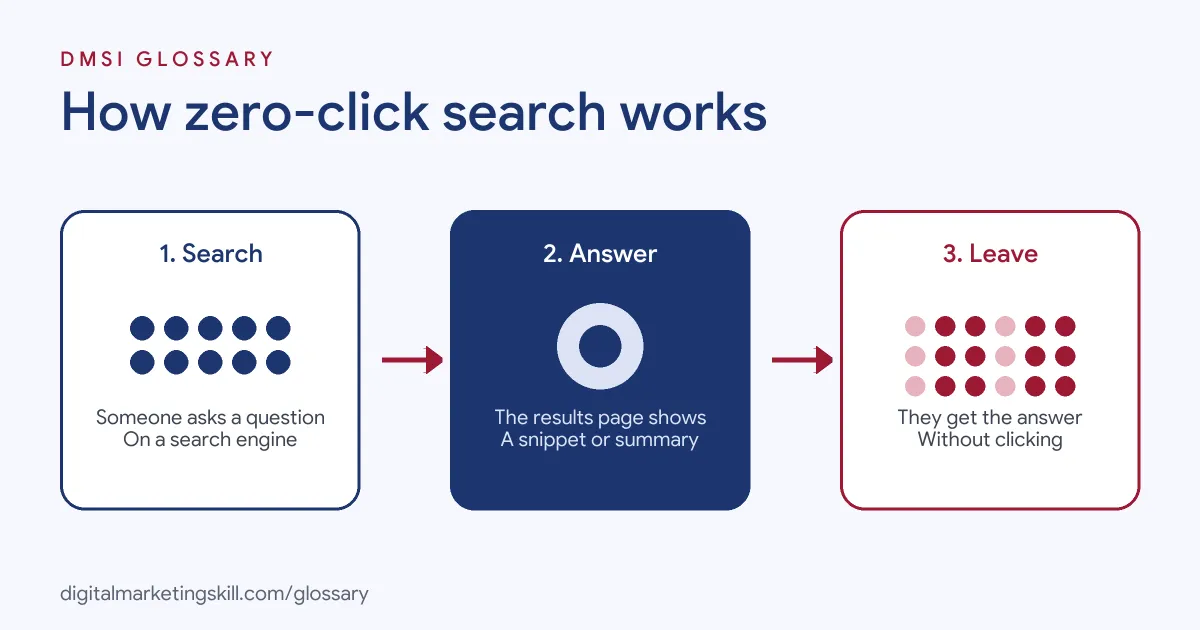
A zero-click search happens in three steps. First, someone types or speaks a question. Next, the search engine shows an answer feature, such as a snippet, a panel or an AI summary. Finally, the person gets what they need, or decides to search again, without clicking a result.
Answer Features on the Results Page
Google’s results pages include many features beyond blue links. Its gallery of visual elements lists rich results, image and video results, and exploration features such as “related questions”, also called “People Also Ask”. These features can answer simple questions on the spot.
AI Overviews and AI Mode
AI summaries add another layer. Google says AI Overviews appear only when its systems judge them “additive to classic Search.” When they do appear, Google says they show supporting links and “display a wider and more diverse set of helpful links.” So a page can still earn visibility by being one of those links, even if fewer people scroll down.
What the Data Shows
SparkToro’s study used clickstream data from Datos, a panel of real users. It found that more than half of Google searches in both the US and the EU ended without a click. It also found that almost 30% of US clicks went to Google-owned platforms. Numbers like these vary by study and change over time, so treat them as a guide rather than a fixed rule.
Zero-Click Search Examples
Here are three made-up examples:
- Local café (example): A searcher sees the café’s hours and phone number in a map listing and calls without visiting the website. The café still wins a customer.
- Recipe site (example): A search for “how long to boil an egg” shows the answer in a snippet. Few people click, so the site focuses on longer recipe searches instead.
- Software company (example): Its help page is cited in an AI Overview. Clicks are low, but brand searches rise over the next few weeks.
In each case, the business needs to think about visibility, not just visits.
Zero-Click Search vs Click-Through Search
Here is how the two kinds of search compare:
| Feature | Zero-click search | Click-through search |
|---|---|---|
| Typical query | Quick facts, times, definitions, local details | Research, comparisons, buying decisions |
| Where the answer appears | On the results page | On a website |
| What a brand can win | Visibility, citations and calls | Visits, leads and sales |
| How to measure it | Impressions and brand mentions | Clicks and conversions |
In short, a sound plan aims to be visible on quick questions and to win clicks on deeper ones.
How to Adapt to Zero-Click Search
- Find your zero-click queries. In Google Search Console, look for queries with high impressions but few clicks.
- Answer clearly and early. Put a short, direct answer near the top of each page, so it can be shown or cited.
- Complete your local listings. Make sure your hours, address, phone number and reviews are accurate.
- Target deeper questions. Create content for searches that need more than one line, such as guides and comparisons.
- Build your brand. When people know your name, they search for you directly.
- Aim for AI citations. Clear, well-sourced pages are easier for AI features to link to.
- Measure visibility. Track impressions, brand searches and calls, not just clicks.
Google says sites that appear in AI Overviews and AI Mode are included in Search Console’s Performance report under the Web search type, so you can watch impressions there.
A Worked Example
Here is a made-up example. A garden centre’s page on “when to plant tulips” gets 10,000 impressions in a month but only 150 clicks, a click-through rate of 1.5%. The answer is short, so most people read it on the results page. Rather than fight that, the centre adds a clear one-line answer at the top, then a planting guide and a bulb shop below. As a result, the few people who do click are far more likely to buy.
Best Practices for Zero-Click Search
- Write for the answer box. Use plain, short sentences that answer one question at a time.
- Give a reason to click. Offer depth, tools or examples that a snippet can’t show.
- Use structured data where it fits. It can make pages eligible for richer results.
- Protect your brand name. Make sure your own pages rank for searches about your business.
- Report fairly. Explain to clients or managers that fewer clicks can still mean more visibility.
Common Mistakes to Avoid
A common mistake is chasing quick-answer keywords that rarely bring clicks, then wondering why traffic is low. Another is ignoring local listings, which often decide zero-click results for local businesses. Some teams also judge SEO only by clicks, so they miss growing impressions and brand searches. Others hide the answer deep in a long page, so search engines show a rival instead. Finally, many treat one study’s numbers as fixed, even though click patterns change.
Where You’ll Use Zero-Click Search at Work
Planning for zero-click results is now part of SEO and AI search roles. For example, real remote job listings ask candidates to:
- “Discover zero-click, featured snippet, and AI-generated search opportunities.” (Senior SEO Specialist).
- “Develop strategies to capture and optimize for AI Overviews, Featured Snippets, People Also Ask, zero-click search experiences, and conversational queries.” (Senior Specialist, SEO/AEO).
So if you want to work as an SEO Specialist or Website Manager, employers will expect you to plan for visibility on the results page as well as clicks. Our entries on the AI citation and LLM optimisation cover closely related skills.
Learn It in the WordPress and SEO Track
AI fundamentals are part of every DMSI track, and this topic is used most in the AI-Powered WordPress and SEO Specialist track. There, you learn WordPress website and eCommerce development, search engine optimisation and content marketing. Your portfolio project is a WordPress site or store that you build and rank with an SEO content plan. You also get unlimited 1-on-1 mentoring and a U.S. Project Internship from day one.
Next, read our guide to voice search optimisation, where spoken answers often end the search on the spot.
Frequently Asked Questions
What is a zero-click search in simple terms?
It is a search where the person gets their answer, or gives up, without clicking any result.
Why do zero-click searches happen?
Search engines often show answers on the results page, such as snippets, maps, panels and AI summaries.
How common are zero-click searches?
One SparkToro study found that more than half of Google searches in the US and the EU ended without a click. Figures vary by study.
Is zero-click search bad for SEO?
It can mean fewer clicks for simple questions. However, being shown or cited on the results page still builds visibility and trust.
How can I measure zero-click visibility?
Watch impressions in Google Search Console, plus brand searches and calls. These show visibility that clicks alone miss.
Sources: SparkToro: Zero-click search study; Google Search Central: AI features and your website; Google Search Central: Visual elements gallery of Google Search; remote job listings on Himalayas.