
A pillar page is a broad, in-depth page that covers a main topic from end to end and links out to more detailed pages on each subtopic, which link back to it. Together, the pillar and its supporting pages form a topic cluster, a connected group of content on one subject. It matters because this structure helps readers find everything on a topic in one place and helps search engines understand how your pages relate to each other.
Key Takeaways
- A pillar page gives a complete overview of one main topic and links to detailed cluster pages.
- Each cluster page goes deep on one subtopic and links back to the pillar.
- Internal links tie the group together. Google says, “Every page you care about should have a link from at least one other page on your site.”
- Google says it has no preferred word count, so cover the topic fully rather than writing to a length.
- Pillar pages support topical authority, because they show depth and order on a subject.
What Is a Pillar Page?
Think of a pillar page as the contents page of a book. It introduces every chapter and tells you where to go for more detail. The chapters, in turn, point you back to the contents when you want the bigger picture.
For example, a cycling shop might publish a pillar page called “The complete guide to bike maintenance”. It would cover cleaning, brakes, gears, tyres and chains in short sections. Each section then links to a full guide, such as “How to adjust bike brakes”, and each full guide links back to the main page.
This idea links closely to topical authority. A well-built cluster shows that your site covers a subject fully, not just one keyword.
How a Pillar Page Works
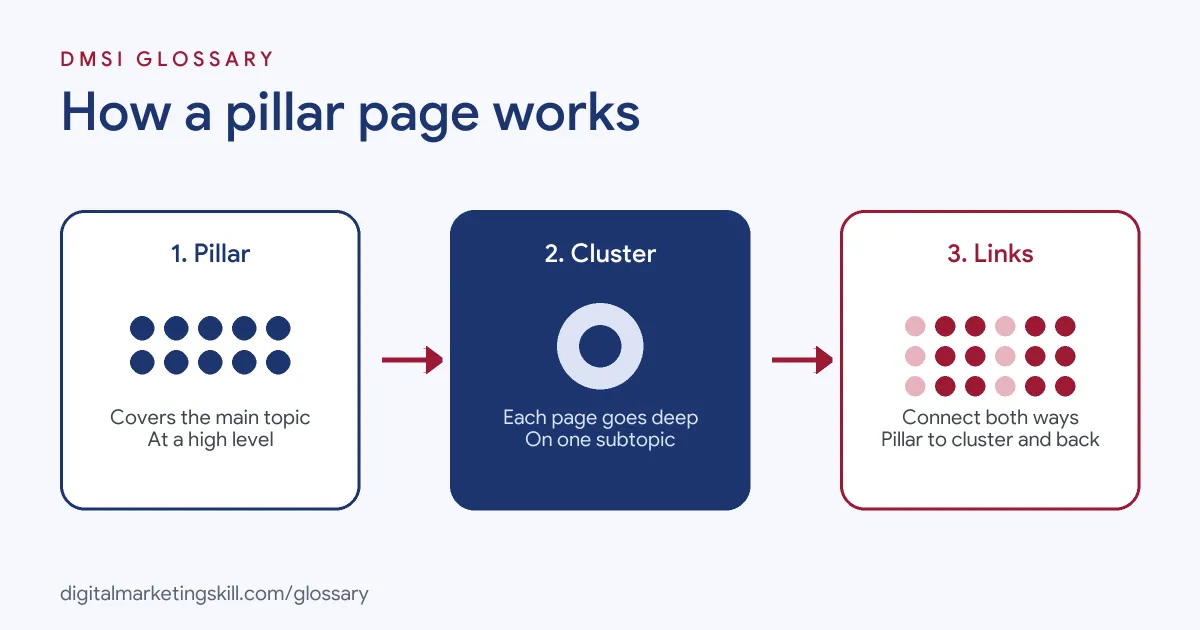
The structure works in three parts. First, the pillar page covers the whole topic at a high level. Next, cluster pages each cover one subtopic in depth. Finally, internal links connect them in both directions, so readers and search engines can move easily between them.
The Role of Internal Links
Links are what turn separate pages into a cluster. Google’s SEO starter guide says “the vast majority of the new pages Google finds every day are through links.” Its link guidance also advises you to “link to those pages in context” when they help readers understand a topic. In other words, links help both people and search engines find related pages.
Anchor Text
The words you link matter too. Google explains that anchor text “tells people and Google something about the page you’re linking to.” So instead of “click here”, use a clear phrase such as “how to adjust bike brakes”. Our entry on anchor text covers this in more detail.
Site Organisation
Google also suggests organising your site in a logical way, because it “can help search engines and users understand how your pages relate to the rest of your site.” For larger sites, it adds that grouping similar topics in directories can help Google learn how often those sections change. A pillar and cluster structure fits naturally with this advice.
Pillar Page Examples
Here are three made-up examples of pillar pages and their clusters:
- Accounting firm (example): A pillar on “Small business tax” links to cluster pages on expenses, deadlines, VAT and payroll.
- Fitness brand (example): A pillar on “Strength training for beginners” links to guides on squats, rest days, form and simple weekly plans.
- Software company (example): A pillar on “Email deliverability” links to pages on authentication, list cleaning and spam complaints.
In each case, the pillar gives the overview, and the cluster pages answer the detailed questions.
Pillar Page vs Cluster Page vs Blog Post
Here is how the three types of page differ:
| Page type | Scope | Linking pattern |
|---|---|---|
| Pillar page | A broad overview of the main topic | Links out to every cluster page |
| Cluster page | One subtopic in depth | Links back to the pillar and to related cluster pages |
| Stand-alone blog post | A single idea or news item | May not link into any topic structure |
In short, a pillar organises, a cluster page explains, and a stand-alone post often sits outside the structure.
How to Create a Pillar Page
- Choose a core topic. Pick a broad subject that matters to your customers and your business.
- List the subtopics. Use keyword research and customer questions to find 8 to 15 subtopics.
- Plan the pillar outline. Give each subtopic a short section with a clear heading.
- Write the cluster pages. Cover each subtopic fully in its own page.
- Link both ways. Link each pillar section to its cluster page, and link each cluster page back to the pillar.
- Use clear anchor text. Describe the page you are linking to in plain words.
- Add a contents list. Jump links at the top help readers move around a long pillar.
- Review and expand. Add new cluster pages when you find questions you haven’t answered.
A Worked Example
Here is a made-up plan. A gardening site chooses “Growing vegetables at home” as its pillar. It then lists ten subtopics, from soil and seeds to watering and pests. The pillar has a 150-word section for each, plus a link to the full guide. Each full guide links back with the anchor text “growing vegetables at home”. Over time, the site adds new cluster pages, such as “Growing vegetables on a balcony”, and links them in too.
Measuring a Cluster
To see whether the structure works, track the pillar and its cluster pages as one group. Google Search Console’s Performance report shows clicks, impressions, click-through rate and average position, and you can filter by page or by query. So you can check whether the cluster wins more searches over time. Also watch how often readers move from the pillar to cluster pages in your analytics, because that shows whether your links help them.
Best Practices for a Pillar Page
- Write for the reader first. The pillar should be useful on its own, not just a list of links.
- Keep sections short. Give enough to explain, then send readers on to the deeper page.
- Update it often. Add links whenever you publish new cluster pages.
- Avoid overlap. Make sure two cluster pages don’t target the same question, or they may compete.
- Don’t overdo links. Google says there is “no magical ideal number of links” and that if a page seems to have too many, “it probably” does.
Common Mistakes to Avoid
A common mistake is writing a long pillar page but never creating the cluster pages it promises. Another is forgetting the links back from cluster pages to the pillar. Some sites also pick a topic so broad, such as “marketing”, that the pillar becomes unmanageable. Others stuff the pillar with keywords instead of helpful summaries. Finally, many build the cluster once and never add to it, even as new questions appear.
Where You’ll Use Pillar Pages at Work
Planning pillar pages and clusters is common in SEO and content roles. For example, real remote job listings ask candidates to:
- “Build and maintain structured content systems, including topic clusters, pillar pages, internal links, and supporting schema.” (Senior SEO Manager).
- “Support organic content strategy through keyword research, topic clustering, content planning, and on-page SEO optimization.” (Content Marketing Manager, Industrial B2B).
So if you want to work as an SEO Specialist or Website Manager, employers will expect you to plan content as connected groups, not one-off posts.
Learn It in the WordPress and SEO Track
You can learn to plan and build content clusters in the AI-Powered WordPress and SEO Specialist track. It covers WordPress website and eCommerce development, search engine optimisation and content marketing. Your portfolio project is a WordPress site or store that you build and rank with an SEO content plan. You also get unlimited 1-on-1 mentoring and a U.S. Project Internship from day one.
Next, read our guide to blog SEO, and see our entry on internal linking.
Frequently Asked Questions
What is a pillar page in simple terms?
It is a main guide to one topic that links to more detailed pages on each part of that topic.
How long should a pillar page be?
There is no set length. Google says it has no preferred word count, so cover the topic well and keep each section focused.
What is a topic cluster?
It is the pillar page plus all the cluster pages linked to it. Together, they cover one subject in depth.
How many cluster pages do I need?
There is no fixed number. Many clusters start with around 8 to 15 subtopics and grow over time.
Can a blog post be a pillar page?
Yes, if it gives a full overview of a topic and links to detailed pages on each subtopic.
Sources: Google Search Central: Link best practices; Google Search Central: SEO Starter Guide; Google Search Central: Creating helpful, reliable, people-first content; remote job listings on Himalayas.