
Noindex is an instruction you give search engines, through a meta tag or an HTTP header, telling them not to show a page in their search results. Visitors can still reach the page directly, but it won’t appear when people search. It matters because it lets you keep thin, private or duplicate pages out of Google without deleting them.
Key Takeaways
- You can add noindex with a robots meta tag in the page’s head or with an X-Robots-Tag HTTP header.
- When Google crawls the page and sees the rule, it drops the page from search results, even if other sites link to it.
- Google must be able to crawl the page to see the rule. Don’t block it in robots.txt as well.
- The header version works for files such as PDFs, images and videos.
- Don’t use it to pick a preferred version of duplicate pages. Google recommends canonical tags for that.
What Is Noindex?
Google describes it as “a rule set with either a <meta> tag or HTTP response header” that is “used to prevent indexing content by search engines that support the noindex rule, such as Google.” Indexing is the step where a search engine stores a page so it can show it in results. This rule asks it to skip that step.
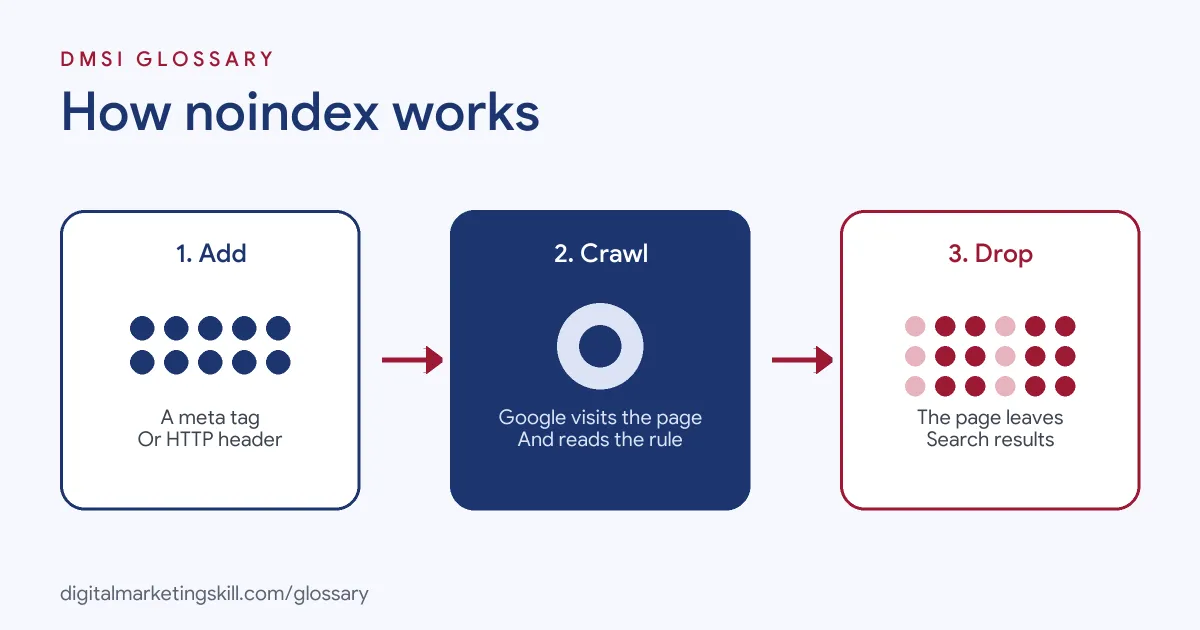
Google is clear about the effect. When Googlebot crawls the page and finds the tag or header, “Google will drop that page entirely from Google Search results, regardless of whether other sites link to it.”
For example, an online shop has a “thank you for your order” page. It is useful to customers, but nobody needs to find it through Google. So the shop adds the tag. Customers still see the page after checkout, but it never shows up in search.
How Noindex Works
The rule only works if search engines can read it. That means they must crawl the page first. Then they see the instruction and remove the page from their index.
The Robots Meta Tag
The most common method is a meta tag in the page’s head section. Google’s example is <meta name="robots" content="noindex">. The name “robots” applies to all search engine crawlers. To address only Google, you can use the name “googlebot” instead.
If you use a CMS, such as WordPress, you may not need to edit code. Google notes that your CMS “might have a search engine settings page or some other mechanism” for this.
The X-Robots-Tag Header
You can also send the rule in the server’s response. Google says you can “return an X-Robots-Tag HTTP header with a value of either noindex or none”. This method is handy for files that can’t hold a meta tag, since a header “can be used for non-HTML resources, such as PDFs, video files, and image files.”
Related Values
Google supports other robots values too. For instance, “none” is “Equivalent to noindex, nofollow.” Nosnippet stops a text snippet from showing. If rules conflict, Google says “the more restrictive rule applies.”
One more detail is easy to miss. The robots meta tag applies to search engine crawlers. Google notes that to block non-search crawlers, such as AdsBot-Google, “you might need to add rules targeted to the specific crawler”. So check which crawler you are trying to address before you write the rule.
Noindex Examples
Here are three made-up examples of sensible use:
- Thank-you pages: A software firm keeps its post-sign-up confirmation page out of search, so people don’t land there without signing up.
- Internal search results: A blog stops its on-site search result pages from being indexed, since they add little value in Google.
- Gated downloads: A marketing agency sends an X-Robots-Tag header on a PDF guide that should only be reached after filling in a form.
Noindex vs Robots.txt vs Canonical Tag
These three tools solve different problems. Here is when to use each:
| Tool | What it does | Use it when |
|---|---|---|
| Noindex | Keeps a page out of search results | The page should exist but never appear in search |
| Robots.txt Disallow | Stops crawlers requesting a URL | You want to manage crawl traffic, not hide pages |
| Canonical tag | Points duplicates to a preferred URL | Several URLs show the same content and you want one in search |
The key clash is with robots.txt. Google warns that “the page or resource must not be blocked by a robots.txt file” for the rule to work. If crawlers can’t reach the page, they “will never see the noindex rule”, and the page can still appear in results.
How to Add Noindex to a Page
- Decide which pages should stay out of search, such as thank-you pages or internal search results.
- Check those pages aren’t blocked in robots.txt, so crawlers can still read them.
- Add
<meta name="robots" content="noindex">to the head of each page, or use your CMS or SEO plugin’s setting. - For PDFs and other files, set an X-Robots-Tag: noindex header on your server.
- Remove the pages from your XML sitemap, so you don’t send mixed signals.
- Use the URL Inspection tool in Search Console to check Google can see the rule.
- Wait for Google to recrawl. Google notes it has “to crawl your page in order to see” the tag.
Checking That It Worked
If a page still shows in results after you add the rule, don’t panic. Usually, Google simply hasn’t crawled it again yet. Check the page source to confirm the tag is there. Then confirm the URL isn’t blocked in robots.txt. Finally, inspect the URL in Search Console. Once Google recrawls the page and reads the rule, it should drop out of results.
Best Practices for Noindex
- Use it on purpose. Keep a list of which pages carry the rule and why.
- Never block and noindex together. A robots.txt block hides the rule from crawlers.
- Keep sitemaps clean. Leave noindexed pages out of your XML sitemap.
- Use canonicals for duplicates. Google doesn’t recommend noindex for choosing a canonical page within one site.
- Re-check after launches. Staging sites often carry a site-wide rule that must be removed at go-live.
Common Noindex Mistakes
The costliest mistake is launching a new site with a site-wide rule left on from staging, which keeps every page out of search. Another is adding the tag and blocking the same page in robots.txt, so Google never sees it. Some teams use it on duplicate pages when a canonical tag would keep their value. Others forget PDFs and images, which need the header rather than a meta tag. Finally, many add it to important pages by accident through a plugin setting and only notice when traffic drops.
Where You’ll Use Noindex at Work
Indexing controls appear in most technical SEO job ads. For example, recent remote job listings ask for:
- “Working knowledge of HTML, JavaScript rendering, HTTP status behavior, schema.org structured data, robots directives, XML sitemaps, and web performance diagnostics” (SEO Manager).
- “Deep expertise in crawling, indexation, JavaScript SEO, sitemaps, canonicals, redirects, hreflang, internal linking, Core Web Vitals, performance, and mobile UX” (Senior Technical SEO Specialist).
- Someone who will “Have strong technical SEO expertise, including indexing, crawling, canonicals, redirects, duplicates, sitemaps, robots.txt, and internal linking” (TL SEO).
So if you want to work as an SEO Specialist, WordPress Developer or Website Manager, expect to decide which pages to index and to fix indexing problems quickly.
Learn It in the WordPress and SEO Track
You can learn to control indexing on a live site in the AI-Powered WordPress and SEO Specialist track. It covers WordPress website and eCommerce development, search engine optimisation and content marketing. Your portfolio project is a WordPress site or store that you build and rank with an SEO content plan. You also get unlimited 1-on-1 mentoring and a U.S. Project Internship from day one.
Next, work through our on-page SEO checklist and our guide to mobile-first indexing. You may also like our glossary entries on robots.txt and canonical tags.
Frequently Asked Questions
What does noindex mean?
It is an instruction that tells search engines not to show a page in their results, while keeping the page live for visitors.
How do I add a noindex tag?
Add <meta name=”robots” content=”noindex”> to the page’s head, use your CMS setting, or send an X-Robots-Tag: noindex header.
Can I use noindex and robots.txt together?
Not on the same page. If robots.txt blocks the page, Google can’t read the tag, so the page may still appear in results.
How long does it take to work?
It works once Google recrawls the page and sees the rule. That timing varies from page to page.
Should I noindex duplicate pages?
Usually not. Google recommends canonical tags for duplicates, since noindex blocks the page from search completely.
Sources: Google Search Central: Block Search indexing with noindex; Google Search Central: Robots meta tag specifications; Google Search Central: Canonical URLs; remote job listings on Himalayas.