
A Google Business Profile is a free listing that shows your business details, such as name, address, opening hours, photos and reviews, on Google Search and Google Maps. Once you verify it, you can update the information and reply to customers. It matters because it is often the first thing local customers see when they search for a business like yours, and it can lead straight to calls, visits and bookings.
Key Takeaways
- Businesses that serve customers in person, at a location or at the customer’s address, can create a profile.
- You can add or claim a profile at no charge, then verify it to manage it.
- Google says local results are mainly based on relevance, distance and prominence.
- There is no way to pay Google for a better local ranking.
- Reviews, accurate details and the right categories all help customers and Google understand your business.
What Is a Google Business Profile?
When you search for “coffee near me” or a shop’s name, Google often shows a box with the business’s details, map location, photos and reviews. That box comes from the business’s profile.
Google explains that when you add and verify a profile, “customers can find your business on Search and Maps”. You then “control how your business information shows up on Google”. It also notes that you “can add or claim your business at no charge”.
For example, a bakery might add its address, opening hours, menu photos and a link to order online. When someone nearby searches for “fresh bread”, the bakery’s profile can appear with directions and a call button.
How a Google Business Profile Works
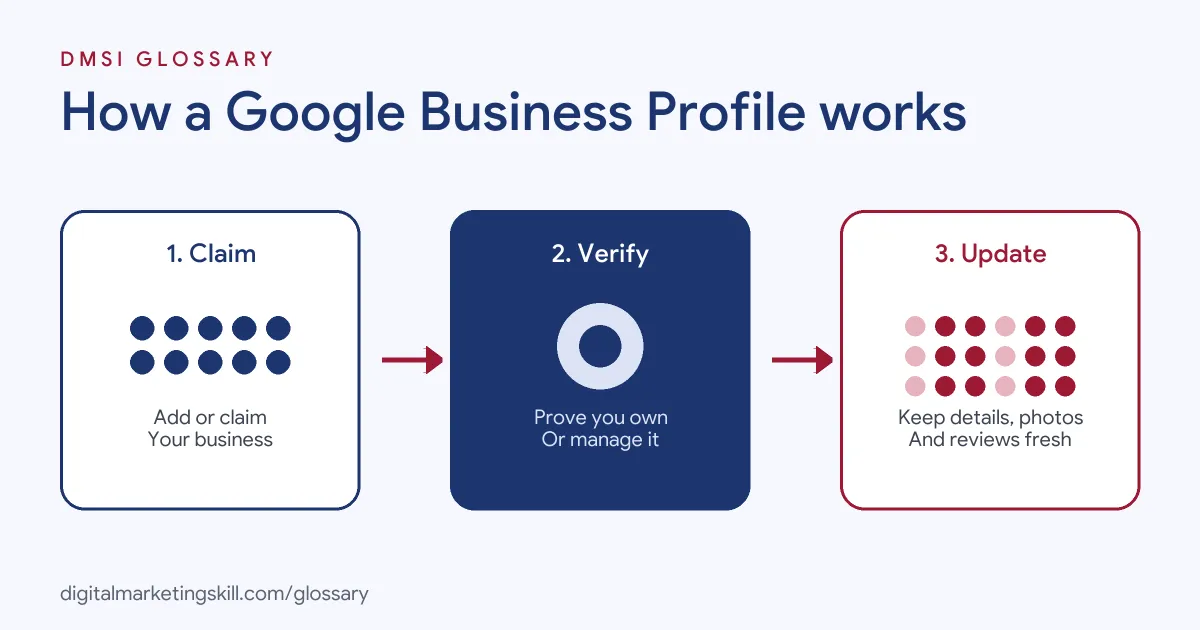
The process has three steps. First, you add or claim your business on Google. Next, you verify that you own or manage it. Finally, you keep the details up to date, add photos and reply to reviews, so customers can find and trust you.
Who Can Have a Profile
Google’s guidelines say that if your business “either has a physical location that customers can visit, or travels to customers where they are”, you can create a profile. So a shop, a café, a plumber or a mobile hairdresser can all qualify. However, there should only be one profile per business.
Verification
To edit your details and interact with customers, Google says “you need to verify your business”. Verification gives you ownership of the profile. Importantly, Google says that “Verification methods are automatically determined by Google and can’t be changed”. Options can include phone, text or video, depending on your business type, region and other details. If you are eligible, Google recommends video verification.
How Local Ranking Works
Google says local results are mainly based on three factors. Relevance is “how well a Business Profile matches what someone is searching for”. Distance is how far the business is from the searcher. Prominence means “how well-known a business is”, which also draws on things like links to your website and reviews. Google adds that “There’s no way to request or pay for a better local ranking”.
Google Business Profile Examples
Here are three made-up examples of businesses using their profiles well:
- Restaurant: A pizza place updates its hours for a bank holiday, adds new menu photos and replies to every review within a day.
- Plumber: A plumber with no shopfront sets a service area instead of a public address. Customers searching nearby see the phone number and reviews.
- Clinic: A physiotherapy clinic picks one main category that describes its core service. It then posts updates about new treatments.
In each case, the profile gives customers accurate, current information. That builds trust before they even get in touch.
Local Ranking Factors Compared
Here is how Google describes the three main local ranking factors, and what you can do about each:
| Factor | What it means | What you can do |
|---|---|---|
| Relevance | How well the profile matches the search | Give complete, detailed business information |
| Distance | How far the business is from the searcher | Keep your address or service area accurate |
| Prominence | How well-known the business is | Earn reviews and links, and build your reputation |
Google also notes that “More reviews and positive ratings can help your business’s local ranking”. So a steady flow of genuine reviews is worth the effort.
How to Set Up a Google Business Profile
Follow these steps, based on Google’s help pages:
- Sign in with a Google Account. Google says you need one to sign up for a profile.
- Search for your business. Check whether a profile already exists on Google Maps.
- Add or claim it. If none exists, go to business.google.com/add. If an unverified one exists, select “Claim this business”.
- Enter accurate details. Use your real-world business name, a precise address or service area and the right categories.
- Verify the profile. Use the method Google offers you, such as video, phone or text.
- Complete the profile. Add hours, photos, services and a link to your website.
- Ask for reviews. Then reply to them politely, whether they are good or bad.
After that, check the profile every few weeks. Hours, offers and photos go out of date quickly.
Best Practices for a Google Business Profile
- Use your real name. Google asks you to represent your business as it appears in the real world, on signage and stationery.
- Pick few categories. Google advises choosing “the fewest number of categories” that describe your core business.
- Keep details precise. Make sure your address or service area is accurate.
- Reply to reviews. Thank happy customers and answer complaints calmly and helpfully.
- Protect private data. Google does not allow posts that share personal information about customers.
Common Mistakes to Avoid
A common mistake is stuffing extra keywords into the business name. Google asks you to use the name you use in the real world. Another mistake is creating more than one profile for the same business, which can cause display problems on Maps and Search. Some owners also pick too many categories or leave old hours in place. Finally, many ignore reviews. Unanswered complaints can put off new customers.
What to Share on Your Google Business Profile
A profile is not a one-time task. Google’s content guidelines say published content “should highlight what makes your business unique”. So share things that help customers choose you. For example, add clear photos of your work, your team and your premises. Post short updates about offers, events or new services. Keep your services list current, too. In short, think about the questions a new customer would ask, and answer them on the profile before they need to call.
Tips for Smooth Verification
Verification is the step that most often causes delays. So prepare before you start. First, make sure your business details match what customers see in real life. If you choose phone or text, Google says you must be able to answer your business phone or receive texts. It also warns that automated phone menus “won’t get the code”. In some cases, Google may ask you to use more than one method. Patience helps, because some checks take time.
Where You’ll Use Business Profiles at Work
Profile skills appear often in local SEO and marketing job ads. For example, remote listings mention:
- “Manage Google Business Profile activity, including posts, photos, and review-related updates” (Luxury Real Estate Marketing Manager).
- “Manage and improve Google Business Profile and local search visibility where relevant” (Technical SEO Manager).
- Planning content “including location pages and Google Business Profile optimization” (SEO Strategist).
So if you want to work as a Google Ads Specialist, Web Analytics Specialist or local marketer, expect to set up profiles, track their results and connect them with your ads.
Learn It in the Google Ads Track
You can learn how a business profile supports local campaigns in the AI-Powered Google Specialist track. It covers Google Ads and Google Analytics, and you launch and measure a Google Ads campaign with conversion tracking. In addition, you get unlimited 1-on-1 mentoring and a U.S. Project Internship from day one.
For practical tips, read our guides to Google Business Profile optimisation and getting leads from your profile. You can also learn about local SEO.
Frequently Asked Questions
What is a Google Business Profile in simple terms?
It is a free listing that shows your business details, photos and reviews on Google Search and Maps.
Does a profile cost money?
No. Google says you can add or claim your business at no charge.
How do I verify my profile?
Google chooses the methods available to you, which can include video, phone or text. You cannot change which methods it offers.
Can I pay to rank higher on Google Maps?
No. Google says there is no way to request or pay for a better local ranking.
What helps a profile rank in local results?
Google names relevance, distance and prominence. Complete details, an accurate location and genuine reviews all help.
Sources: Google Help: Guidelines for representing your business; Google Help: Local ranking; Google Help: Verify your business; Google Help: Add or claim your profile; remote job listings on Himalayas.