
X Ads is the self-serve advertising platform of X, formerly known as Twitter, where businesses pay to show promoted posts to the audiences they choose. You pick a campaign goal, set a budget and targeting, and X shows your posts in timelines, search results and other places on the platform. As a result, you can reach people who are not yet following you. So X Ads is a useful channel when you want to join live conversations, launch news fast or grow a following.
Key Takeaways
- X Ads lets you promote posts on X to a target audience you choose.
- Campaign objectives cover awareness, consideration and conversion.
- You only pay for the action your objective is billed on, such as impressions, clicks or views.
- There is no minimum spend, and your daily budget caps what you pay.
- Targeting includes demographics, interests, conversations, events, look-alikes and custom lists.
What Are X Ads?
X is a social network built around short posts and real-time talk. In fact, many people use it to follow news, sport, tech and live events. So X Ads is how brands pay to appear in that stream.
Paid posts look much like normal posts. However, they carry a “Promoted” label. So users can tell they are ads, but the ads still feel native to the feed. X describes its ads as “the perfect complement to organic content strategy.” In other words, ads help your normal posts reach further.
Here is an everyday example. Say a local events company is hosting a music festival. First, it writes a post with a short video of last year’s crowd. Then it promotes that post to people near the venue who follow music accounts. As a result, the post reaches new fans, not just existing followers.
You’ll still see the older name “Twitter Ads” in many job ads and guides. Also, some listings write “X (Twitter) Ads” to make the link clear. Either way, it’s the same platform, and it sits within wider paid social work.
Why It Matters
Why would you add X to your ad mix? First, it’s strong for timely topics. For example, a brand can join a trending conversation within minutes. Second, it’s flexible on budget. X states that “there’s no minimum campaign spend.” So small tests are easy to run.
In addition, X Ads can target people by the conversations and events they follow. That’s useful when your product links to a clear topic, such as gaming, finance or sport. Finally, knowing X Ads makes you a more rounded paid social marketer. Many teams run it next to Meta, LinkedIn Ads and TikTok.
How X Ads Work
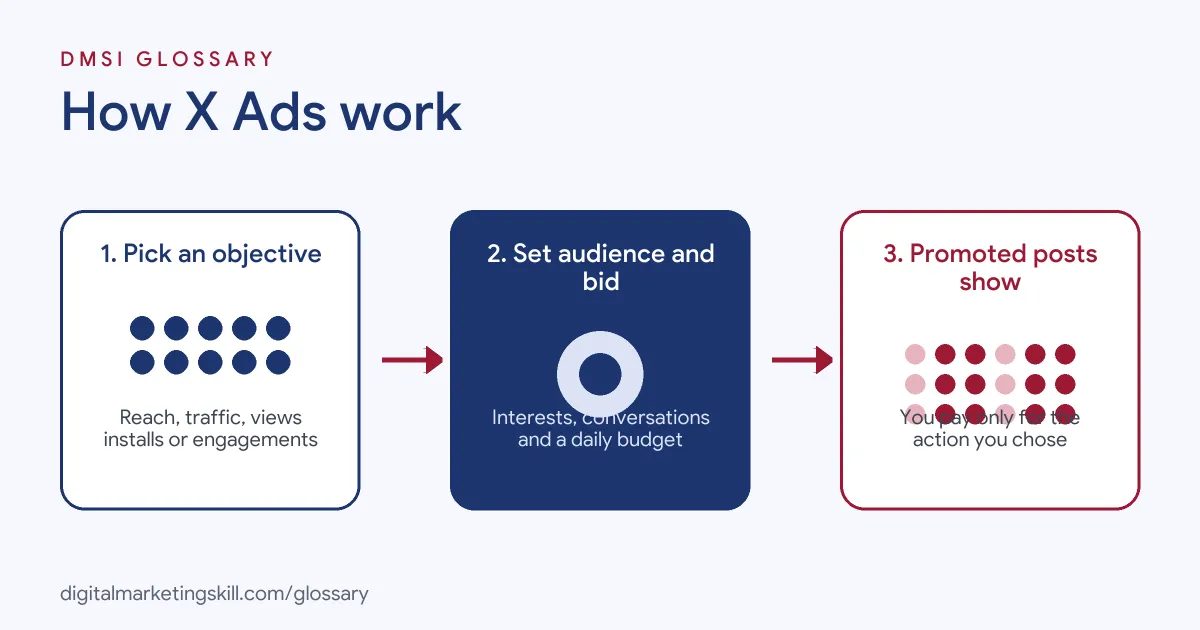
X Ads runs on an auction. When a user scrolls, X decides which ad to show based on bids, targeting and how relevant the ad is. Then you pay only when the action you chose happens.
Step 1: Choose an Objective
First, you pick a campaign objective. X groups its objectives into three stages. Awareness covers Reach. Consideration covers video views, pre-roll views, app installs, website traffic and engagements. Finally, conversion covers app re-engagements and sales. Each objective tells X what result to look for.
Step 2: Set Budget and Bid
Next, you set a daily budget and a bid. X puts it simply: “You get to decide how much you pay for each billable action.” For instance, a reach campaign charges “for every 1,000 post impressions,” which is a cost per mille model. Also, you can choose autobid, which X says will “auto-optimize to get the best results at the lowest price.”
Step 3: Pick Your Audience
After that, you choose who sees your ads. Options include demographics, follower look-alikes, event targeting, interest and conversation targeting, and re-engager targeting. In addition, you can upload a custom audience list. So you can reach both new people and past customers.
Step 4: Add Creative and Launch
Finally, you add your promoted posts. These can include text, images, videos or carousels. Then you launch, track results and adjust. Because feeds move fast, fresh creative helps you avoid ad fatigue.
Step 5: Measure and Improve
Once your ads are live, you check the results in X Ads Manager. For example, you can look at impressions, clicks, engagements and cost per result. Then you compare ads side by side. If one post costs far less per click, you can move more budget to it. Similarly, if an audience performs badly, you can narrow or replace it.
In addition, it helps to look beyond the platform. For instance, add UTM parameters to your links, so you can see X traffic in your analytics tool. As a result, you can judge X Ads by real sign-ups and sales, not just likes. Over time, this shows you whether X earns its place in your budget.
Examples of X Ads
- A software company launching a feature. The team promotes a short demo video. Then they target people who follow tech topics and use similar tools. Then they track video views and website visits to judge interest.
- A sports retailer during a big match. The retailer runs a reach campaign timed to the game. Also, it targets people who follow the event. As a result, its offer appears while fans are already talking about the match.
- A finance newsletter seeking subscribers. The writer promotes a post with a sign-up link. Next, they target finance conversations and a look-alike of current followers. After that, they compare cost per sign-up with other channels.
X Ads vs Meta Ads vs LinkedIn Ads
| Point | X Ads | Meta Ads | LinkedIn Ads |
|---|---|---|---|
| Where ads show | X timelines, search and profiles | Facebook, Instagram, Messenger and more | LinkedIn feed and inbox |
| Strength | Real-time topics and conversations | Broad reach and strong automation | Job title and company targeting |
| Typical use | Launches, news, events, followers | Sales, leads and awareness | B2B leads and hiring |
| Special targeting | Conversation and event targeting | Interests and Advantage+ audiences | Job function, seniority, industry |
How to Set Up X Ads
- Create an ads account. Sign in to X Ads with your brand’s X account and add your payment details.
- Install conversion tracking. If you want website results, add the X Pixel to your site first.
- Pick an objective. Choose the result you want, such as reach, website traffic or app installs.
- Set your budget and dates. Choose a daily budget, a start date and, if needed, an end date.
- Choose a bid type. Start with autobid unless you have strong data on what a result is worth.
- Define your audience. Add locations, languages, interests, conversations or custom lists.
- Add your ads. Use existing posts or create new ones with clear visuals and one call to action.
- Review and launch. Then check results daily in the first week and adjust targeting or creative.
Best Practices for X Ads
- Match the objective to your goal. Pick website traffic for clicks and reach for awareness, so you pay for what you want.
- Keep posts short. Most X users scroll fast, so lead with the key message.
- Use video. Short videos with captions often stand out in a busy feed.
- Join real conversations. Target topics and events your audience already cares about.
- Set a frequency cap. X lets you “set a custom frequency cap” on reach campaigns, which stops people seeing the same ad too often.
- Refresh creative often. Swap in new posts before results drop.
Common Mistakes to Avoid
- Choosing the wrong objective. For example, an engagement campaign won’t focus on website clicks.
- Targeting too broadly. A very wide audience can waste budget on people who don’t care.
- Skipping tracking. Without the pixel, you can’t see which ads lead to sales.
- Ignoring replies. Promoted posts get comments, so someone needs to watch and respond.
- Running one ad only. Instead, test several versions to learn what works.
- Copying other platforms exactly. Ads made for Instagram or LinkedIn may not suit the tone of X.
Where You’ll Use X Ads at Work
X Ads shows up in paid social, performance and media buying roles, usually as one channel among several. For example, real remote job listings ask for:
- “Familiarity with emerging advertising platforms such as Reddit Ads, X Ads (Twitter), or TikTok Ads.” (Performance Marketer (Part-Time | Paid Search Focus)).
- “Research, test, and launch campaigns on Google UAC, Apple Search Ads (ASA), Telegram Ads, X (Twitter) Ads, and other paid acquisition channels” (R&D Media Buyer).
Learn It in the Social Media and Paid Social Track
You can learn X Ads and other paid social platforms in the AI-Powered Social Media Management and Advertising track. Every track includes a U.S. Project Internship from day one, with unlimited 1-on-1 mentoring.
Frequently Asked Questions
Is X Ads the same as Twitter Ads?
Yes. Twitter was renamed X, so Twitter Ads became X Ads. Many job ads still use the old name.
How much do X Ads cost?
You set your own budget and bid. X says there is no minimum spend, and you only pay for the action your objective is billed on.
What objectives can I choose?
Options include reach, video views, pre-roll views, app installs, website traffic, engagements, app re-engagements and sales.
Can I target people by topic on X?
Yes. Conversation and interest targeting let you reach people based on topics they engage with on X.
Do I need a pixel for X Ads?
You need it to track website actions such as sign-ups or sales. However, you can run reach or engagement campaigns without one.
Sources: X Business: X Ads campaigns 101; X Business: Create a reach campaign; X Developer Platform: Objective Based Campaigns; remote job listings on Himalayas and Himalayas.