

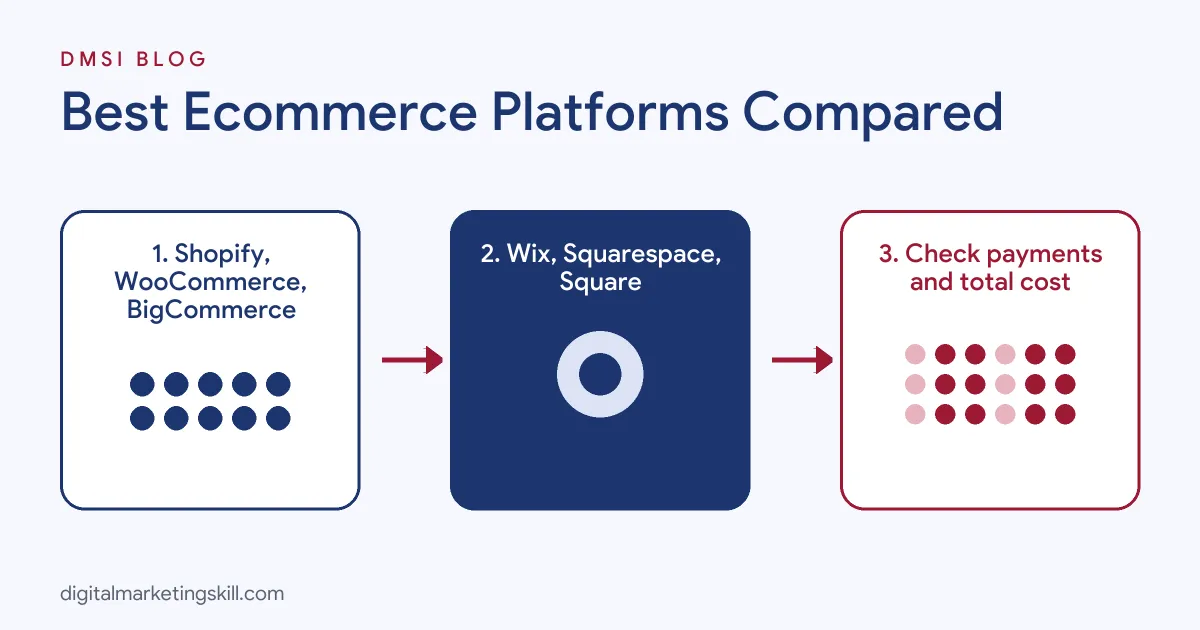
The best ecommerce platform depends on what you sell, how much control you want and how much technical work you are willing to do. For most new online stores, Shopify is the easiest all-round choice. WooCommerce suits people who want full control on WordPress. BigCommerce suits larger catalogues and B2B sellers. Wix and Squarespace suit small, design-led stores. Square Online suits businesses that also sell in person, and tools such as Big Cartel or Payhip suit creators and digital product sellers.
This guide compares the leading platforms by who they are best for, their strengths and trade-offs, then gives you a simple way to choose, including what to check for payments in your country, costs beyond the monthly plan and how easy each platform is to market.
Key Takeaways
- Ecomm.design names Squarespace best for design-focused stores, Payhip best for digital product sellers and Big Cartel the best free option for creators (Ecomm.design).
- TargetTrend’s list ranks WooCommerce first and Shopify second, describing WooCommerce as WordPress-based, flexible and open source (TargetTrend).
- Ecomm.design says it tested and reviewed 15 ecommerce platforms for beginners, naming Shopify its top pick (Ecomm.design).
- Prices and features change often, so confirm current plans, transaction fees and supported payment gateways on each platform’s own website before choosing.
- What Most Platform Lists Miss
- Types of Ecommerce Platforms
- Quick Comparison
- The Best Ecommerce Platforms
- How to Choose
- Real Costs to Budget For
- Marketing Features That Matter
- Common Mistakes
- FAQ
What Most Platform Lists Miss
Most “best platform” articles rank tools by features and price, often with affiliate links. That is useful as a starting point, but it misses three things that decide whether a store actually succeeds.
First, payments in your country. A platform is only useful if it can take money from your customers and pay you out where you live. Built-in payment options are not available in every country, so sellers outside North America and Western Europe often need third-party gateways. Check this before anything else.
Second, the total cost, not the headline plan. Apps, themes, transaction fees, payment processing, hosting and developer help can add up to far more than the monthly subscription.
Third, marketing. A store is not a business until people visit it. The platform’s SEO controls, integrations with Google and Meta, email tools and analytics matter as much as how the store looks. This guide covers all three.
Types of Ecommerce Platforms
Understanding the main types makes the choice easier:
- Hosted (software as a service) platforms such as Shopify, BigCommerce, Wix, Squarespace and Square Online. You pay a subscription and the platform handles hosting, security and updates. They are the easiest to start with.
- Self-hosted, open-source platforms such as WooCommerce (on WordPress), OpenCart and Magento Open Source. The software is free, but you pay for hosting and manage updates and security yourself. You get more control.
- Enterprise platforms such as Adobe Commerce, Shopify Plus and BigCommerce Enterprise, built for large catalogues, high traffic and complex operations.
- Creator and digital product platforms such as Big Cartel, Payhip, Sellfy and Gumroad, designed for artists, makers and people selling downloads, courses or memberships.
- Marketplaces such as Amazon, Etsy, eBay and Jumia. These are not store builders; you sell on someone else’s platform and its traffic, but with less control over branding and customer data.
Many businesses combine types, for example a Shopify or WooCommerce store plus listings on a marketplace.
Quick Comparison of the Best Ecommerce Platforms
| Platform | Type | Best for | Main trade-off |
|---|---|---|---|
| Shopify | Hosted | Most new and growing stores | Costs rise with apps and higher plans |
| WooCommerce | Self-hosted (WordPress) | Control, content-led stores, WordPress users | You manage hosting, updates and security |
| BigCommerce | Hosted | Large catalogues, B2B, scaling | Steeper learning curve for beginners |
| Wix | Hosted | Small stores wanting drag-and-drop design | Less suited to very large catalogues |
| Squarespace | Hosted | Design-led brands and creators | Fewer ecommerce apps and integrations |
| Square Online | Hosted | Shops and restaurants selling in person and online | Fewer advanced design options |
| Big Cartel | Hosted | Artists and makers with small catalogues | Limited features for growth |
| Adobe Commerce | Enterprise | Large, complex businesses with developers | Expensive and technical |
The Best Ecommerce Platforms Reviewed
1. Shopify: best all-round choice for most stores
Shopify is a hosted platform designed to make launching and running an online store simple. You choose a theme, add products, connect payments and start selling, without managing servers. Ecomm.design names it the best ecommerce platform for selling online in its beginner guide.
Strengths: a clean dashboard; a large theme and app ecosystem; built-in checkout; point-of-sale options for in-person sales; integrations with Google, Meta, TikTok and marketplaces; and abandoned cart recovery and email tools. It scales from a first product to large brands, with Shopify Plus for enterprise.
Trade-offs: monthly costs grow as you add paid apps and move to higher plans, and Shopify may charge extra transaction fees if you use an external payment provider instead of its own payments service where that is available. Some advanced customisation needs a developer.
Best for: beginners and growing brands that want an all-in-one solution and are happy to pay for convenience.
2. WooCommerce: best for control and WordPress users
WooCommerce is a free, open-source plugin that turns a WordPress site into a store. TargetTrend ranks it first in its list, describing it as WordPress-based, flexible and open source.
Strengths: full control over design, features and data; a huge library of plugins and themes; strong content and SEO capabilities because it runs on WordPress; and support for many payment gateways, including regional providers. It is ideal when content marketing and blogging are central to your strategy.
Trade-offs: you pay for hosting, a domain, security and often premium plugins. You are responsible for updates, backups and performance, or you pay someone to manage them. Poor hosting or too many plugins can slow a store down.
Best for: businesses already on WordPress, content-led brands and anyone who wants maximum flexibility and is comfortable managing a website.
3. BigCommerce: best for large catalogues and B2B
BigCommerce is a hosted platform with many features built in rather than added through apps. It is often recommended for larger stores.
Strengths: strong native features for product options, catalogues and B2B selling; multi-channel selling to marketplaces and social platforms; flexible APIs for headless setups; and BigCommerce states it does not charge its own transaction fees on its plans.
Trade-offs: the dashboard can feel more complex for beginners, and plans have sales thresholds that move you to a higher tier as revenue grows. Check current terms.
Best for: established businesses, large catalogues and wholesale or B2B sellers.
4. Wix: best for drag-and-drop design
Wix is a website builder with ecommerce plans. Its visual editor lets you design pages freely without code.
Strengths: very easy design; many templates; built-in tools for bookings, events and online stores; and a good option if your store is part of a wider business website.
Trade-offs: less suited to large or complex catalogues, and moving away from Wix later can be harder than with some other platforms.
Best for: small businesses and service providers who want a good-looking site with a small store attached.
5. Squarespace: best for design-led brands
Squarespace is known for polished, modern templates. Ecomm.design calls it best for design-focused stores.
Strengths: beautiful templates; simple setup; built-in tools for content, email campaigns, scheduling and memberships; and an all-in-one approach that suits creators and boutiques.
Trade-offs: a smaller app ecosystem than Shopify or WooCommerce, and fewer options for complex products or very large stores.
Best for: photographers, designers, boutique brands and creators with smaller catalogues.
6. Square Online: best for selling in person and online
Square Online comes from Square, which is known for card readers and point-of-sale systems. TargetTrend includes it in its top three.
Strengths: online and in-store sales, inventory and payments in one system; options for pickup and local delivery; and a free plan for getting started in supported countries.
Trade-offs: fewer advanced design and marketing options, and availability depends on the countries where Square operates.
Best for: cafes, restaurants, retailers and market sellers who already use Square in person.
7. Big Cartel: best simple option for artists and makers
Big Cartel is a simple platform aimed at independent artists and makers. Ecomm.design names it the best free option for creators.
Strengths: very simple setup and a free plan for small catalogues.
Trade-offs: limited features, apps and customisation as you grow.
Best for: artists, illustrators and small makers testing demand.
8. Adobe Commerce: best for enterprise
Adobe Commerce, built on Magento, is a powerful platform for large businesses. There is also a free open-source version, Magento Open Source.
Strengths: deep customisation, complex catalogues, multiple stores and B2B features.
Trade-offs: expensive to run and needs experienced developers.
Best for: large retailers and brands with technical teams.
Other platforms worth knowing
- Ecwid: adds a store to an existing website or social page.
- OpenCart: free, open-source and lightweight, but you manage hosting.
- Payhip, Sellfy and Gumroad: designed for digital products, courses and memberships. Ecomm.design names Payhip best for digital product sellers.
- Selar: a Nigeria-founded platform for selling digital products, with local payment options.
How to Choose the Right Ecommerce Platform
Work through these questions in order. The answers usually narrow the list to two or three options.
1. What are you selling?
- Physical products: most platforms work; check shipping, inventory and tax tools.
- Digital products, courses or memberships: consider Payhip, Sellfy, Gumroad or Selar, or Shopify and WooCommerce with digital product apps or plugins.
- Services or bookings: Wix and Squarespace include booking tools.
- Wholesale or B2B: BigCommerce, Shopify Plus or Adobe Commerce.
2. Can you take payments where you live?
This is the step many guides skip. Check which payment gateways each platform supports in your country and whether payouts reach your local bank account. In some countries, built-in payment services are not available, and you will need a third-party gateway. Regional providers, such as Paystack and Flutterwave in parts of Africa, offer integrations with several popular platforms, but always confirm the integration, fees and currency support for your exact setup before you build the store.
3. How much control and technical work do you want?
If you want the platform to handle hosting, security and updates, choose a hosted platform. If you want full control and are comfortable managing a site, or can pay someone who is, WooCommerce or another open-source option may suit you better.
4. How big will the catalogue be?
A handful of products works anywhere. Thousands of products with many variants, filters and custom pricing need a platform built for scale, such as Shopify, BigCommerce or WooCommerce with good hosting.
5. Where else will you sell?
If you plan to sell on Instagram, Facebook, TikTok, Google or marketplaces, check how well each platform integrates with those channels.
6. What is your total budget?
Compare the full cost, including apps, themes and fees, rather than just the cheapest plan.
7. Can you leave later?
Check how easy it is to export products, customers and orders, in case you outgrow the platform.
Real Costs to Budget For
Headline plan prices rarely tell the whole story. Budget for:
- Subscription: the monthly or yearly plan for hosted platforms.
- Hosting and domain: needed for self-hosted platforms such as WooCommerce, and a domain for any store.
- Payment processing: card and gateway fees on each sale.
- Transaction fees: some platforms add their own fee on certain plans or when you use external gateways.
- Themes: free themes exist, but premium themes are a one-off or yearly cost.
- Apps and plugins: reviews, email, subscriptions, upsells and shipping tools often have monthly fees.
- Developer or designer help: for custom features or design.
- Marketing: ads, email software and content.
Make a simple spreadsheet with these lines for your top two or three platforms. The cheapest plan is not always the cheapest platform once apps and fees are included.
Marketing Features That Matter
A store needs traffic and sales, so compare how each platform supports marketing:
- SEO controls: editable page titles, meta descriptions, URLs, image alt text, redirects and fast page speed. See our glossary entry on ecommerce SEO.
- Product feeds: easy connection to Google Merchant Center for Shopping ads and free listings, and to Meta and TikTok catalogues.
- Tracking: support for Google Analytics, Meta Pixel and server-side tracking.
- Email marketing: built-in email or integrations with tools such as Klaviyo or Mailchimp.
- Cart recovery: automatic emails to people who leave items in their basket. Our guide to cart abandonment explains why this matters.
- Discounts and promotions: codes, bundles, free shipping rules and gift cards.
- Content: a blog and flexible pages for guides, landing pages and campaigns.
- Reviews: product reviews and ratings, which build trust.
Should You Start on a Marketplace Instead?
Marketplaces such as Amazon, Etsy, eBay and Jumia already have shoppers, so they can bring sales faster than a brand-new store. The trade-off is less control: marketplaces set the rules, charge fees, limit your branding and keep much of the customer relationship. Many sellers start on a marketplace to test demand, then build their own store to grow a brand and email list, or run both side by side.
Moving to a Different Platform Later
Many stores change platforms as they grow, for example moving from a simple builder to Shopify or WooCommerce, or from Shopify to an enterprise solution. Migration is manageable if you plan it carefully:
- Export products, customers and order history, and check what each platform can import.
- Keep the same URLs where possible, or set up 301 redirects from old URLs to new ones to protect search rankings.
- Recreate page titles, meta descriptions and structured data.
- Reconnect tracking, product feeds, email tools and payment gateways.
- Test checkout thoroughly before switching the domain.
Choosing a platform that can grow with you reduces the need for a disruptive move later.
Common Mistakes
- Not checking payments first. A beautiful store is useless if it cannot take payments where you live.
- Choosing on monthly price alone. Apps, fees and hosting change the real cost.
- Installing too many apps or plugins. They slow the site and add costs; start with essentials.
- Ignoring mobile. Most shoppers browse on phones, so test the theme and checkout on mobile.
- Skipping SEO basics. Fill in titles, descriptions and alt text from day one.
- Building for years ahead. Start with what you need now, on a platform that can scale.
- No marketing plan. Launching a store without a plan for traffic usually means few sales.
One Rule to Remember
Pick the platform that can take payments where you live, fits what you sell and your technical comfort, and has the marketing tools you need, then spend your energy on products and traffic rather than endless platform comparisons.
Example: a skincare brand in Abuja wants to sell online across Nigeria. The founder already blogs on WordPress and wants control over content and SEO, so she chooses WooCommerce with a regional payment gateway plugin and managed hosting. She keeps plugins to a minimum, connects a product feed for Google and Meta catalogues, sets up abandoned cart emails and publishes skincare guides on the blog to bring in search traffic. This example is illustrative and not a real business.
Ecommerce Skills and Careers
Every online store needs people who can drive traffic and sales: running Google Shopping and Meta ads, improving product pages, writing email flows, managing SEO and reading analytics. These ecommerce marketing skills are in demand with brands and agencies worldwide. If you are in your country, learning how to set up and market stores on platforms like Shopify and WooCommerce, and building a portfolio of real results, can help you win remote ecommerce marketing roles and freelance clients.
Frequently Asked Questions
What is the best ecommerce platform for beginners?
Shopify is the most common recommendation for beginners because it is all-in-one and easy to set up. Squarespace and Wix are also beginner-friendly for smaller, design-led stores.
What is the best ecommerce platform for small businesses?
It depends on your needs. Shopify suits most small product businesses, WooCommerce suits those on WordPress, and Square Online suits businesses that also sell in person.
What is the most affordable ecommerce platform?
Free or low-cost options include WooCommerce (free software, but you pay for hosting), Big Cartel’s free plan and Square Online’s free plan in supported countries. Compare total costs, not just plan prices.
Is WooCommerce better than Shopify?
Neither is better for everyone. WooCommerce gives more control and flexibility; Shopify is easier and handles hosting and security for you.
What is the world’s biggest ecommerce platform?
By sales, the largest ecommerce marketplaces include Amazon, Alibaba’s marketplaces and others. Among store builders, Shopify and WooCommerce power very large numbers of online stores.
Can I use these platforms in Nigeria and other African countries?
Often yes, but payment options vary. Check which gateways each platform supports in your country, such as regional providers, and whether payouts go to your local bank.
Do I need coding skills to build an online store?
No. Hosted platforms such as Shopify, Wix and Squarespace need no coding. Coding helps for advanced customisation, especially on WooCommerce or Adobe Commerce.
What are the main types of ecommerce?
Common types include business-to-consumer (B2C), business-to-business (B2B), consumer-to-consumer (C2C), direct-to-consumer (D2C), subscription, marketplace and digital products.
Can I sell on social media with these platforms?
Yes. Most leading platforms integrate with Instagram, Facebook, TikTok and Google so you can sync products and sell through those channels.
Is ecommerce still worth it?
It can be, but competition is strong. Success depends on a good product, clear positioning and consistent marketing rather than the platform alone.
Your Next Step
An online store only grows with traffic. Ecommerce marketing skills like Shopping ads, email flows and SEO are what make stores sell. The Master Diploma in Digital & AI Marketing at Digital Marketing Skill Institute covers AI-powered Social Media Management and Advertising, Lead Generation and Email Automation, Google, and a WordPress and SEO track where you build and rank a real website.
From day one, you work on a real U.S. company’s project through the U.S. Project Internship, so you finish with real results and a verified U.S. work reference letter. You also get unlimited one-on-one coaching. The program carries dual US and UK accreditation, is recognised in more than 100 countries, and runs 100% online over three months.
You can build those skills wherever you live, anywhere in your country. Read student reviews, then apply for the 65% partial scholarship to see if you qualify.
Sources checked November 2026: TargetTrend, Ecomm.design and each platform’s own website for current features, plans and supported countries. Platforms are mentioned as examples only. We have no connection with these companies.