

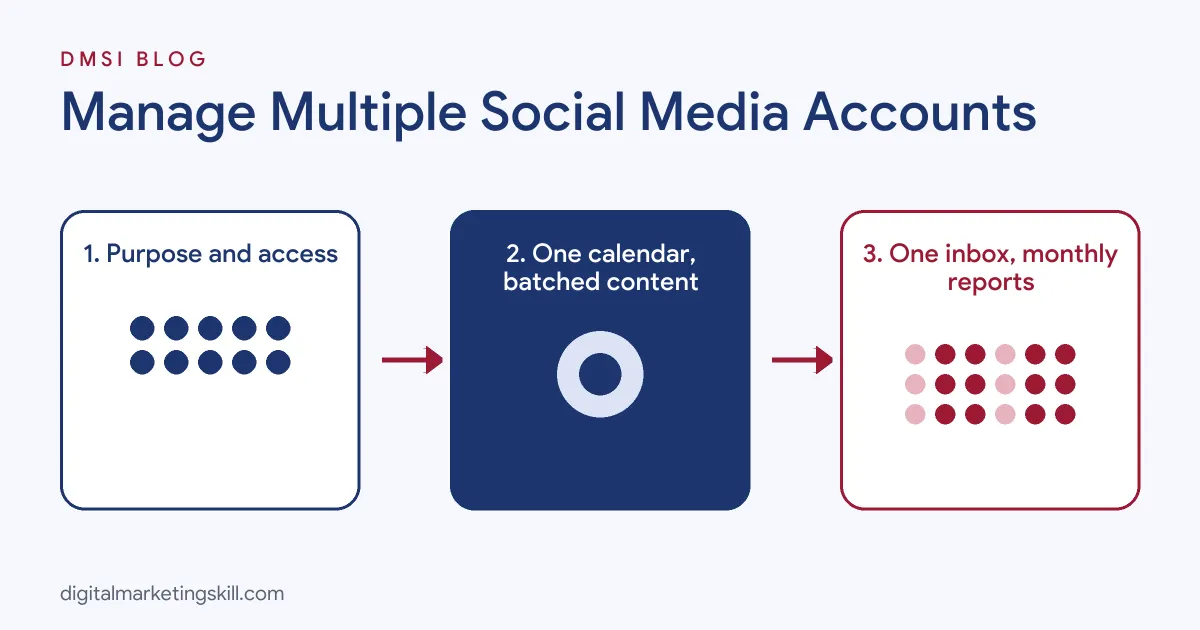
To manage multiple social media accounts well, give each account a clear purpose, plan content for all of them in one shared calendar, use a social media management tool to schedule posts and answer messages from one place, and set up secure, role-based access instead of sharing passwords. Then batch your work, repurpose content carefully for each platform and review each account’s results regularly so you can drop what is not working.
This guide covers the system behind that: how to decide which accounts you actually need, how to organise logins and permissions, how to plan, create and schedule content, how to handle comments and messages, how to report on results and how to manage accounts for several clients.
Key Takeaways
- Buffer describes a social media management tool as the single biggest lever for managing multiple accounts, because it brings every account into one place (Buffer).
- Buffer also recommends joining new platforms slowly and with intention rather than opening accounts everywhere (Buffer).
- Instagram’s Help Centre explains how to add multiple Instagram accounts to one app and share across them (Instagram Help Centre).
- What Most Guides Miss
- Decide Which Accounts You Need
- Organise Access and Security
- Plan Content in One Calendar
- Create and Repurpose Efficiently
- Use a Management Tool
- Handle Comments and Messages
- Measure and Report
- Managing Accounts for Clients
- Common Mistakes
- FAQ
What Most Guides Miss
Most articles on this topic are really tool lists. They compare scheduling apps and stop there. Tools help, but they only automate a process; if the process is messy, a tool just makes the mess faster. The hard parts of managing many accounts are deciding what each account is for, controlling who can access what, keeping the brand voice consistent and knowing when an account is no longer worth the effort.
The other gap is security. When people manage several accounts, especially for clients, they often share passwords by message or spreadsheet, or keep logging in and out on one device. That creates real risks: lost access when someone leaves, security checks that lock accounts, and no record of who posted what. This guide puts structure and access first, then tools.
Step 1: Decide Which Accounts You Actually Need
Before you optimise how you manage accounts, check whether you need all of them. Buffer advises joining new platforms slowly and with intention. Every account you keep needs content, replies and monitoring, so an inactive or low-value account costs time and can make the brand look neglected.
For each account, write down:
- Its purpose: for example awareness, customer service, recruitment, community or sales.
- Its audience: who follows it and why.
- Its results: reach, engagement, clicks or leads over the last few months.
- The effort it needs: hours per week to keep it active.
If two accounts serve the same audience with the same content, consider merging them. If an account brings no results and has no clear purpose, pause or close it. A social media audit is a structured way to do this review.
When separate accounts make sense
Separate accounts can be worth it when audiences or purposes are genuinely different, such as:
- different countries or languages;
- distinct product lines with different customers;
- a dedicated customer support account;
- a careers or employer brand account;
- a founder’s personal brand alongside the company account.
Each one should have a clear brief so the content does not overlap or confuse followers.
Step 2: Organise Access and Security
Getting access right protects the accounts and saves time.
Use business tools, not shared passwords
Most major platforms let businesses give people access without sharing a login:
- Meta business portfolios (formerly Business Manager) let you add people to Facebook Pages, Instagram accounts and ad accounts with different levels of access.
- LinkedIn Pages let you assign admin roles, such as super admin and content admin, to individual members.
- YouTube lets you add channel permissions for managers, editors and viewers.
- TikTok and X offer business tools and team access features for brand accounts.
Give each person the lowest level of access they need, and remove access promptly when someone leaves a team or a client relationship ends.
Turn on two-factor authentication
Enable two-factor authentication on every account and on any management tool that connects to them. Store recovery codes securely.
Use a password manager
For accounts that still need a direct login, use a password manager that allows secure sharing with team members instead of spreadsheets or messages.
Avoid constant login switching
Repeatedly logging in and out of many accounts on the same device can trigger security checks. Use official multi-account features, such as switching between accounts in the Instagram app, separate browser profiles for different clients, or a management tool that connects accounts through official integrations.
Keep an access register
Maintain a simple record of every account, who owns it, who has access, the access level and the recovery email or phone. It sounds basic, but it prevents the common situation where nobody knows who controls an old account.
Step 3: Plan Content for Every Account in One Calendar
A single content calendar is the backbone of multi-account management. Buffer lists creating a solid social media strategy and content calendar among its core methods. Instead of planning account by account, put every account in one view so you can see gaps, clashes and duplication.
What to include in the calendar
- Date and time of each post.
- The account and platform.
- The content pillar or theme.
- The format: image, carousel, short video, text post, story or live.
- Caption, link and hashtags.
- Status: idea, draft, approved, scheduled or published.
- Owner: who is responsible.
Use content pillars per account
Give each account three to five content pillars, such as tips, behind the scenes, customer stories, product updates and industry news. Pillars make planning faster and keep each account focused on its purpose.
Set a realistic posting frequency
It is better to post consistently at a sustainable rate than to post heavily for two weeks and then go quiet. Decide a frequency for each account based on its importance and your capacity, then stick to it.
Plan around key dates
Add product launches, campaigns, events, holidays and awareness days to the calendar early, so content for every account can be prepared together.
Step 4: Create and Repurpose Content Efficiently
Batch your work
Switching between accounts and tasks wastes time. Batch similar work instead: write captions for all accounts in one session, design graphics in another, film several videos in a single shoot and schedule everything in one block. Many social media managers set aside specific days for planning, creating and reporting.
Use templates
Buffer recommends creating templates for repeatable post formats. Templates for quotes, tips, announcements, testimonials and event posts keep visuals consistent and make new posts quick to produce. Keep separate templates for each brand if you manage several.
Repurpose, do not just copy
Buffer distinguishes between crossposting, which shares the same post on several platforms, and repurposing, which adapts one idea into different formats. A single blog post could become a LinkedIn text post, an Instagram carousel, a short video, an X thread and a quote graphic. Adapt each version to the platform’s format, tone and audience rather than pasting identical posts everywhere.
Mix in curated content
Not every post needs to be original. Buffer suggests mixing content curation into your calendar, such as sharing useful industry articles or customer posts with permission, which keeps accounts active without creating everything from scratch.
Keep a brand guide for each account
Document the voice, visual style, colours, fonts, hashtags, emoji use and topics to avoid for every account. This matters most when several people post or when you manage several brands, because it stops voices from blending together.
Step 5: Use a Social Media Management Tool
A management tool connects your accounts so you can schedule, publish, respond and report from one dashboard. Buffer calls it the single biggest lever for managing multiple accounts. Popular options mentioned by the ranking guides include Buffer, Hootsuite, Sprout Social, Agorapulse, Later and Sendible.
Features to look for
- Multi-account scheduling: plan posts for every platform in one calendar.
- Unified inbox: see comments, mentions and messages from all accounts together.
- Team roles and approvals: let team members draft posts and managers approve them.
- Analytics and reports: compare performance across accounts.
- Content library: store templates, images and approved captions.
- Platform coverage: check it supports every network you use.
- Client workspaces: separate brands or clients if you work for several.
Compare the features you need with each tool’s plan limits, such as the number of accounts, users and scheduled posts. Many tools have free plans or trials, so test with your real workflow before committing. For a broader overview, see our guide to social media marketing tools.
Native tools still matter
Platforms’ own tools, such as Meta Business Suite for Facebook and Instagram, can schedule posts, manage messages and show insights for free. Some features, like certain interactive stickers or music options, may only be available when posting directly in the app, so most managers use a mix of a management tool and native apps.
Automate routine tasks carefully
Buffer recommends automating routine tasks in your workflow. Examples include scheduling recurring posts, saved replies for common questions, automatic sharing of new blog posts and alerts for brand mentions. Avoid automating conversations in a way that feels robotic; people can tell.
Step 6: Handle Comments and Messages Without Missing Any
Publishing is only half the job. Comments, mentions and direct messages across many accounts can quickly pile up, and slow replies frustrate customers.
- Use one inbox. A unified inbox in a management tool, or Meta Business Suite for Facebook and Instagram, collects messages in one place.
- Set response times. Decide how quickly each account should reply, for example within a few hours on weekdays for customer support accounts.
- Create saved replies. Prepare answers to common questions about prices, delivery, opening hours or how to apply, then personalise them.
- Agree an escalation process. Decide who handles complaints, refunds, legal questions or sensitive issues, and how quickly.
- Schedule engagement time. Block time each day to reply and to engage with other accounts in your community.
- Monitor mentions. Set up alerts for your brand name, products and campaign hashtags.
Step 7: Measure and Report on Every Account
Regular reporting shows which accounts and content types are worth your time. Set goals for each account, then track the metrics that match:
| Goal | Metrics to track |
|---|---|
| Awareness | Reach, impressions, follower growth |
| Engagement | Likes, comments, shares, saves, engagement rate |
| Traffic | Link clicks, website sessions from social |
| Leads and sales | Sign-ups, enquiries, purchases, revenue |
| Customer service | Response time, resolution rate, sentiment |
Use a consistent monthly report for every account, with the same metrics and a short commentary on what worked, what did not and what to change next month. Our guide to the social media report shows how to structure one. Over a few months, comparisons make it obvious which accounts deserve more effort and which can be reduced or paused.
Managing Multiple Accounts for Clients
Freelancers and agency teams often manage accounts for several clients. Buffer includes a dedicated section on this, and the same principles apply with extra structure:
- Separate everything by client. Use separate workspaces in your management tool, separate folders for assets and separate browser profiles where needed.
- Get access the right way. Ask clients to add you through business tools, such as a Meta business portfolio partner request, rather than giving you their personal passwords.
- Agree an approval workflow. Decide whether clients approve each post, a weekly batch or a monthly calendar, and set deadlines for feedback.
- Keep a brief for each client. Include goals, audience, voice, visual rules, key dates and topics to avoid.
- Report consistently. Send each client a regular report linked to their goals.
- Protect your time. Define the scope: number of posts, platforms, reply times and reporting. Anything extra should be agreed separately.
A Simple Weekly Routine for Multiple Accounts
A routine stops multi-account work from becoming constant firefighting. Here is one example you can adapt:
- Monday: review last week’s results and check the calendar for the coming week.
- Tuesday: write captions and design graphics in batches.
- Wednesday: film or edit short videos.
- Thursday: schedule posts and get approvals.
- Friday: plan next week, update the content bank and tidy assets.
- Every day: 30 to 60 minutes for comments, messages and community engagement.
How Many Accounts Can One Person Manage?
There is no fixed number. It depends on how many platforms each account uses, how often you post, how much original content is needed, how many messages come in and how much reporting is expected. One person might comfortably manage a dozen low-activity accounts that post a few times a week, but struggle with three busy brand accounts that need daily video, fast customer replies and paid campaigns.
A practical way to judge capacity is to estimate weekly hours for each account across planning, creation, scheduling, engagement and reporting, then add them up. Leave room for unexpected work, such as a complaint that needs careful handling or a trend worth reacting to. If the total is more than your available hours, reduce posting frequency, simplify formats, use more repurposed and curated content, or bring in help for design, video or community management.
Systems make a big difference. The same person with templates, a shared calendar, a unified inbox and saved replies can handle far more accounts than someone working app by app.
Common Mistakes
- Opening accounts everywhere. More accounts mean more work; keep only those with a purpose.
- Sharing passwords. Use business access tools and password managers.
- Posting identical content on every platform. Adapt to each platform’s format and audience.
- Posting to the wrong account. Double-check the selected account before publishing, especially on mobile.
- Ignoring messages. Use one inbox and set response times.
- No brand guide. Voices blur when several people post.
- Never reviewing results. Monthly reports show where to focus.
One Rule to Remember
Give every account a clear purpose and owner, plan them all in one calendar and manage them through secure, shared tools: structure first, tools second.
Example: a freelance social media manager in Lagos manages accounts for four small businesses across Instagram, Facebook and LinkedIn. She asks each client to add her through their business tools instead of sharing passwords, sets up separate workspaces in one management tool, creates a brand guide for each client and batches content on Tuesdays and Wednesdays. Every month she sends each client a one-page report. Her week becomes predictable, and she can take on a fifth client without working evenings. This example is illustrative and not a real person.
Turning Multi-Account Skills Into Work
Managing several accounts with clear systems is exactly what employers and clients look for in social media managers and coordinators. If you are in your country, showing that you can plan, schedule, engage and report across multiple accounts, ideally with real examples in a portfolio, can help you win remote social media roles and freelance clients around the world.
Frequently Asked Questions
What is the best way to manage multiple social media accounts?
Give each account a clear purpose, plan everything in one content calendar, use a management tool for scheduling and messages, and review results monthly.
How do I post on multiple social media accounts at once?
Use a social media management tool or a platform’s own business suite to create one post and publish or schedule it to several accounts, adjusting the caption and format for each platform.
Is it OK to post the same content on every platform?
It is better to adapt it. Each platform has different formats, audiences and norms, so repurpose the core idea rather than copying it exactly.
Can I have multiple Instagram accounts?
Yes. Instagram lets you add multiple accounts and switch between them in the app without logging out.
How do I give someone access without sharing my password?
Use the platform’s business tools, such as a Meta business portfolio for Facebook and Instagram, LinkedIn Page admin roles or YouTube channel permissions.
What tools help manage multiple social media accounts?
Popular options include Buffer, Hootsuite, Sprout Social, Agorapulse, Later and Sendible, plus native tools like Meta Business Suite. Compare features and plan limits for your needs.
How often should each account post?
Choose a frequency you can sustain for each account based on its importance and your capacity. Consistency matters more than volume.
How do I manage social media for multiple clients?
Keep separate workspaces, briefs and asset folders for each client, get access through business tools, agree approval workflows and send regular reports.
How do I avoid posting to the wrong account?
Use clear account names and profile images in your tool, double-check the selected account before publishing and use approval workflows for client accounts.
Should I close inactive social media accounts?
If an account has no clear purpose and no results, pausing or closing it can free time and avoid a neglected look. Update the bio to point to active accounts if you keep it.
Your Next Step
Running several accounts with clear systems is a core social media management skill that employers and clients pay for. The Master Diploma in Digital & AI Marketing at Digital Marketing Skill Institute covers AI-powered Social Media Management and Advertising, Lead Generation and Email Automation, Google, and a WordPress and SEO track where you build and rank a real website.
From day one, you work on a real U.S. company’s project through the U.S. Project Internship, so you finish with real results and a verified U.S. work reference letter. You also get unlimited one-on-one coaching. The program carries dual US and UK accreditation, is recognised in more than 100 countries, and runs 100% online over three months.
You can build those skills wherever you live, anywhere in your country. Read student reviews, then apply for the 65% partial scholarship to see if you qualify.
Sources checked November 2026: Buffer, Finepoint Design, Viralpep and Instagram Help Centre. Tools are mentioned as examples only. We have no connection with these companies.