The best Christmas social media posts for businesses mix festive fun with real value: gift ideas, behind-the-scenes moments, countdowns to delivery deadlines, customer photos, polls, short videos, giveaways and warm thank-you messages. A good rule is to keep most posts helpful or entertaining and only a minority directly promotional, so followers enjoy seeing you in their feed during the busiest month of the year. This guide gives you 40 Christmas social media post ideas, a day-by-day December content calendar, ready-to-adapt caption examples, platform tips for Instagram, Facebook, TikTok, LinkedIn and X, hashtag advice and the mistakes to avoid.
Christmas Day 2026 falls on Friday 25 December. That gives you a full month of posting from 1 December, with the busiest buying days on the weekends of 12 to 13 and 19 to 20 December. For the wider plan behind your posts, see our guide to Christmas marketing.
Key Takeaways
- Mobile devices accounted for 57.5% of US online transactions on Cyber Monday 2025, according to Adobe, and social media is mostly browsed on phones, so posts should be designed for small screens first.
- Adobe expected US online holiday spending of $253.4 billion between 1 November and 31 December 2025, much of it influenced by discovery on social platforms.
- US search interest in “Christmas social media posts” jumps roughly tenfold in December compared with November, based on Google Ads keyword data, so many businesses plan their posts late.
- Short-form video on Instagram Reels, TikTok and YouTube Shorts can reach people beyond your followers, making it the best format for festive discovery.
- Planning a December calendar in advance lets you post consistently while you are busy serving customers.
In this guide
- Why Christmas Social Media Posts Matter
- How to Plan Your Christmas Social Media Strategy
- The Right Mix of Christmas Posts
- 40 Christmas Social Media Post Ideas
- A December Social Media Calendar
- Christmas Social Media Campaign Examples
- Christmas Caption Examples for Businesses
- Quick Christmas Story Ideas
- Platform Tips
- Christmas Hashtags: How to Use Them
- Tools to Make Christmas Posts Faster
- Christmas Social Media Mistakes to Avoid
- How to Measure Your Christmas Posts
- The One Rule for Christmas Posts
- An Illustrative Case
- Frequently Asked Questions About Christmas Social Media Posts
- Your Next Step
Why Christmas Social Media Posts Matter
- Brand visibility: people spend time browsing for gift ideas and festive inspiration, so consistent posting keeps you in view when they are ready to buy.
- Emotional connection: Christmas is a season of warmth and nostalgia. Brands that share genuine stories and gratitude build stronger relationships.
- High engagement: polls, contests and festive prompts invite comments and shares, which help your posts reach more people.
- Products in context: showing your products as gifts, in festive settings, helps customers imagine giving them.
- Loyalty: thank-you messages and community posts remind customers why they chose you this year.
How to Plan Your Christmas Social Media Strategy
Plan Ahead
Map your key dates, offers and post types in a content calendar by mid-November, and create graphics and videos before December gets busy.
Align Festive Content With Your Brand
Christmas content should still look and sound like you. Add festive touches to your usual colours, fonts and tone rather than replacing them with generic glitter.
Communicate as a Team
Agree who creates, approves, posts and replies to messages in December, including over the holidays, so nothing slips.
Survey the Landscape
Look at what competitors and brands you admire posted last Christmas. Note what drew engagement and where you can stand out.
The Right Mix of Christmas Posts
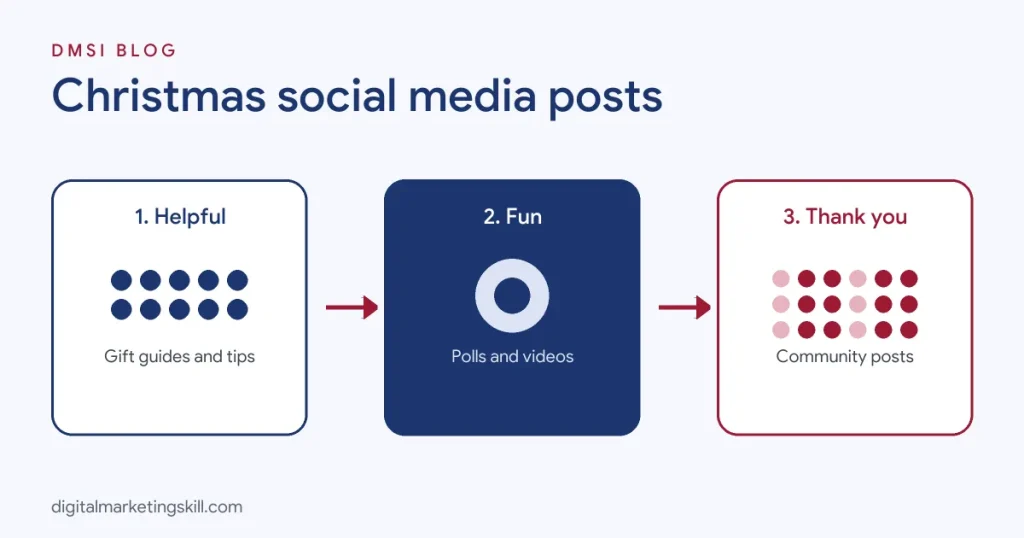
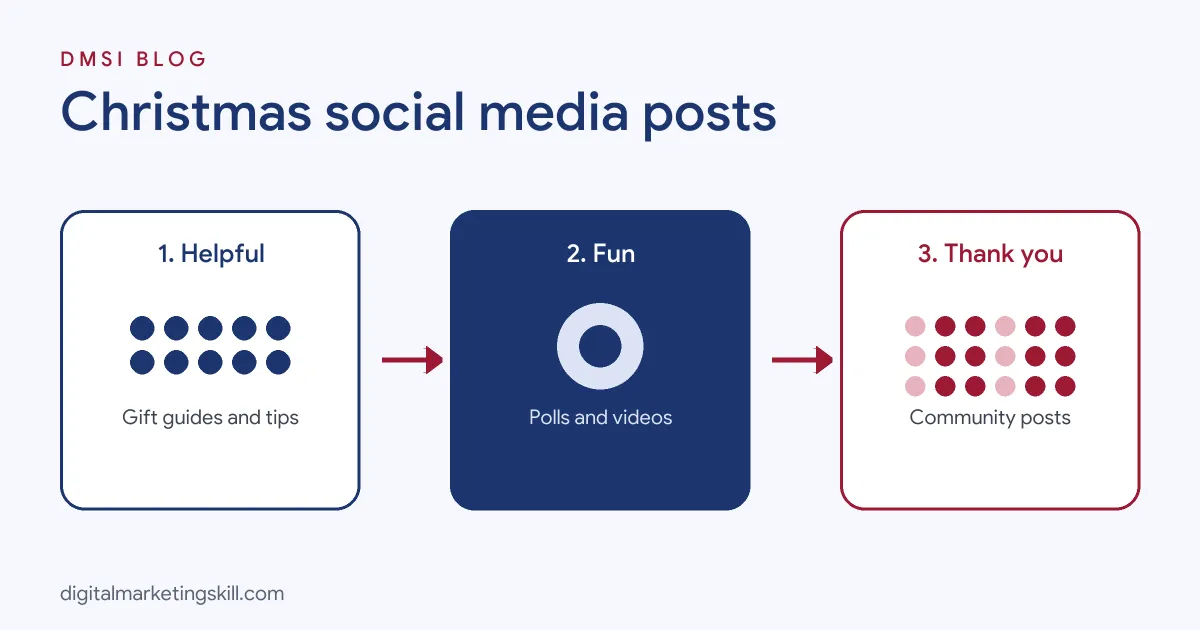
Followers see a flood of sale posts in December. To stand out, balance your feed across four types of content:
| Post type | Share of posts | Examples |
|---|---|---|
| Helpful | About 30% | Gift guides, tips, how-tos, delivery information |
| Entertaining | About 30% | Polls, memes, festive challenges, bloopers, team fun |
| Community and story | About 20% | Customer photos, behind the scenes, thank-yous, charity |
| Promotional | About 20% | Offers, new products, last order reminders |
These percentages are a guide, not a law. The point is that promotional posts work better when people already enjoy your other content.
40 Christmas Social Media Post Ideas
Countdown and Calendar Posts
- Advent calendar series. Post one surprise a day from 1 to 24 December: a tip, a deal, a fun fact or a behind-the-scenes moment. Number each post so followers come back for the next one.
- The 12 days of Christmas. A shorter series of twelve posts, each featuring a product, team member, customer story or offer. Easier to manage than 24 days.
- Delivery countdown. Post a clear graphic showing how many days are left to order for Christmas delivery. Update it in Stories each day as the deadline approaches.
- Christmas countdown sticker. Use Instagram’s countdown sticker for your last order date or a special launch, so followers get a reminder.
Gift Idea Posts
- Gift guides by recipient. Carousels such as “gifts for Dad”, “gifts for your best friend” or “gifts for teachers” are saved and shared widely.
- Gift guides by budget. “Under 20”, “under 50” and “treat yourself” carousels help people shop within their limits.
- “If they love X, get them Y”. Match personalities or hobbies to products in a fun format.
- Staff picks. Let team members share their favourite gift from your range and why. It feels personal and trustworthy.
- Gift sets reveal. Show your Christmas gift sets being unboxed in a short video.
Behind-the-Scenes Posts
- Packing orders. Time-lapse videos of the team wrapping and packing orders show how busy and loved your products are.
- Decorating the shop or office. Share the transformation from ordinary to festive.
- Meet the team, festive edition. Introduce team members with their favourite Christmas tradition, film or food.
- Making the product. Show how a Christmas product, gift box or limited edition is made.
- The office party. A light-hearted post or short video from your celebration humanises your brand.
Engagement Posts
- “This or that” polls. Real tree or artificial? Sweet or savoury? Ask followers to vote in Stories or comments. Easy engagement that also tells you about your audience.
- Fill in the blank. “The best Christmas gift I ever received was ______.” Simple prompts get lots of comments.
- Christmas quiz. A festive quiz in Stories or a carousel, with answers revealed the next day.
- Caption this. Share a funny festive photo and ask followers to write the caption.
- Festive memes. Light-hearted memes about Christmas shopping, wrapping or family gatherings, relevant to your industry.
- Unpopular Christmas opinions. A playful post inviting followers to share their own, such as “Mince pies are overrated”.
Customer and Community Posts
- Customer photos. Repost customers’ photos of your products under the tree or being given as gifts, with permission. Our guide to user-generated content explains how to ask.
- Reviews as festive graphics. Turn real reviews into festive quote cards. Only use genuine reviews, word for word.
- Customer of the month, Christmas edition. Celebrate a loyal customer or community member, with their permission.
- Charity or community support. Share how you are giving back, such as a food bank collection or a donation per order.
- Thank-you post. A heartfelt thank-you to customers for their support this year, with no sales message.
Promotional Posts
- Offer announcement. A clear graphic with the offer, end date and how to get it.
- Limited-edition launch. Build excitement with a teaser, then a launch post, then a “selling fast” update if true.
- Last order reminder. A simple post and Story a few days before your delivery cut-off.
- Last-minute gift cards. After the delivery deadline, promote digital gift cards that arrive instantly.
- Giveaway. Run a Christmas giveaway for a gift set or voucher, within each platform’s rules, to grow your audience.
Video and Live Posts
- Gift wrapping hacks. Short videos showing clever wrapping tips, ideally using your products or packaging.
- Festive tutorials. Recipes, styling, decorating or set-up videos linked to what you sell.
- Live gift shopping session. Go live to show gift ideas, answer questions and share a live-only code.
- Festive trend videos. Join popular seasonal audio or video trends with a twist that fits your brand. Our TikTok marketing strategy guide explains how to use trends well.
- Year in review video. A short montage of your year’s highlights to share between Christmas and New Year.
More Christmas Post Ideas
- “What does Christmas mean to you?” Invite followers to share their answer. It sparks heartfelt replies and conversation.
- Inspirational quote graphics. Share a warm, original seasonal message or a short quote from a public-domain author such as Charles Dickens, in your brand style.
- Festive life hacks. Quick tips that make December easier, such as storage, wrapping or hosting hacks linked to your products.
- Your product as the perfect gift. Show a product being placed into a gift box with a short note about who it suits.
- Countdown to New Year. Bridge Christmas and January with a countdown series that teases what is coming next year.
Want more campaign-level ideas beyond social media? See our list of 40 Christmas marketing ideas.
A December Social Media Calendar
Use this calendar as a starting point and adjust it to your own posting frequency. Post ideas refer to the numbers above.
| Dates (2026) | Theme | Suggested posts |
|---|---|---|
| Tue 1 Dec | Launch | Advent series day 1 (1), Giving Tuesday charity post (24) |
| 2 to 6 Dec | Gift inspiration | Gift guides by recipient (5) and budget (6), staff picks (8), poll (15) |
| 7 to 11 Dec | Behind the scenes | Packing orders (10), meet the team (12), customer photos (21), giveaway (30) |
| 12 to 13 Dec | Weekend shopping | Gift sets reveal (9), offer announcement (26), live session (33) |
| 14 to 18 Dec | Deadlines | Delivery countdown (3), last order reminder (28), wrapping hacks (31) |
| 19 to 20 Dec | Final weekend | Review graphics (22), festive trend video (34), last-minute picks |
| 21 to 24 Dec | Last minute | Digital gift cards (29), office party (14), fill in the blank (16) |
| Fri 25 Dec | Celebrate | A warm Christmas greeting and thank-you (25) |
| 26 to 31 Dec | Reflect and look ahead | Boxing Day offers, year in review video (35), New Year teaser |
If you post less often, pick one post per row. If you post daily, add Stories with polls, countdowns and quick behind-the-scenes clips.
Christmas Social Media Campaign Examples
- Air Canada, #ACgiftofhome: an emotional campaign about helping Canadians living abroad get home for the holidays, built around a heartfelt video shared on social media. Lesson: stories about people and homecoming travel far.
- Coca-Cola, “Holidays Are Coming”: its festive trucks, first shown in 1995, have become a seasonal tradition that fans share online every year. Lesson: recurring symbols build anticipation.
- John Lewis, Monty the Penguin (2014): the retailer’s Christmas character spread across social media, merchandise and in-store experiences. Lesson: a character gives your content a story to continue.
- Aldi, Kevin the Carrot (from 2016): a returning mascot whose yearly adventures fuel social content and conversation. Lesson: fans engage with characters they already know.
You do not need a large budget to borrow these principles. A recurring Christmas series, a team mascot or a heartfelt customer story can work just as well on a small account.
Christmas Caption Examples for Businesses
Adapt these original captions to your brand voice. Swap in your product, offer and dates.
Gift Guide Captions
- “Still stuck on what to get them? We’ve done the hard part. Swipe for gifts they’ll actually use.”
- “Gifts under 25 that look like you spent much more. Save this for later.”
- “For the person who says they want nothing. Trust us, they want this.”
- “Our team’s favourite gifts this year, chosen by the people who know them best.”
Behind-the-Scenes Captions
- “Hundreds of orders, miles of ribbon and one very tired printer. Thank you for keeping us busy.”
- “The shop got its Christmas makeover. Come and see it in person this weekend.”
- “Meet the elves behind every parcel. Say hello in the comments.”
Engagement Captions
- “Real tree or artificial? Choose wisely. Vote in the comments.”
- “Finish this sentence: Christmas isn’t Christmas without ______.”
- “Be honest. Are you a wrap-it-perfectly person or a gift-bag-and-go person?”
Promotional Captions
- “Last call for Christmas delivery. Order by [date] and it will arrive in time.”
- “Missed the delivery deadline? Our digital gift cards arrive in seconds.”
- “Limited-edition Christmas sets are here, and once they’re gone, they’re gone.”
- “Free gift wrapping on every order this week. You shop, we wrap.”
Thank-You and Greeting Captions
- “From all of us to all of you: thank you for an incredible year. Merry Christmas.”
- “Wishing you a peaceful, joyful holiday season, however you celebrate.”
- “We’re taking a little break to be with our families. See you on [date].”
Need more? Our collection of Christmas Instagram captions has hundreds more ideas.
Quick Christmas Story Ideas
Stories disappear after 24 hours, so they are perfect for frequent, low-pressure festive content. Try these:
- Morning hello: a quick clip of the shop opening or the team’s first coffee of the day.
- Order count: “We’ve packed 120 orders today” with a festive sticker.
- Emoji slider: “How ready are you for Christmas?” with a slider from stressed to sorted.
- Question box: invite gift questions such as “What should I get my sister?” and answer with product suggestions.
- Quiz sticker: a festive trivia question related to your industry.
- Link sticker: send people straight to your gift guide or last-minute gift cards.
- Repost customers: share tagged posts from customers, thanking them by name.
- Countdown sticker: remind followers about your last order date.
- Day-in-the-life: a few clips showing what a busy December day looks like for your team.
- Festive outtakes: funny moments from photo shoots or wrapping disasters.
Save your best Christmas Stories to a highlight called “Christmas” or “Gift Guide” so new visitors can find them throughout December.
Repurposing Christmas Content
One piece of content can become many posts. A gift guide blog post can become a carousel, a Reel showing each product, a series of Stories, a Pinterest board and an email. Repurposing saves time in December and makes sure your best ideas reach people on every platform they use.
Platform Tips
Use Reels for discovery, carousels for gift guides and Stories for countdowns, polls and daily advent content. Update your highlights with “Gift Guide”, “Delivery” and “Offers”.
Facebook works well for events, community groups and longer posts. Create events for in-store evenings and share gift guides in relevant local groups where allowed.
TikTok
Join seasonal trends, show behind-the-scenes chaos and post gift ideas in a natural, unpolished style. Authenticity usually beats perfection.
For B2B brands, share year-in-review content, team celebrations, client thank-yous and lessons learned. Keep the tone professional but warm.
X
Use short, timely posts, quick polls and replies to festive conversations. Keep customer service fast, because December brings more questions.
Create gift guide boards and festive idea Pins early, ideally from November, because people plan Christmas on Pinterest weeks in advance.
Whichever platforms you use, reply to comments and messages quickly in December. A fast, friendly answer to a gift question is often the moment a follower becomes a customer.
Christmas Hashtags: How to Use Them
Hashtags help people find your posts, but very broad tags such as #Christmas are extremely crowded. Combine:
- One or two broad seasonal tags, such as #ChristmasGifts or #GiftIdeas.
- Niche tags that match your product, such as #HandmadeGifts or #SkincareGifts.
- Local tags if you serve a city or region, such as #ShopLocal plus your city name.
- A branded campaign tag for customer photos, such as #YourBrandChristmas.
Three to five relevant hashtags usually work better than dozens of generic ones.
Check each hashtag before you use it, to make sure it is active and relevant to your audience.
Tools to Make Christmas Posts Faster
- Design tools such as Canva or Adobe Express offer festive templates you can adapt to your brand colours.
- Scheduling tools such as Meta Business Suite, Buffer or Later let you plan the whole month in advance.
- AI writing assistants can draft caption variations, which you should always edit to sound like your brand.
- A content calendar keeps everyone aligned. Our glossary explains how to build a content calendar.
Christmas Social Media Mistakes to Avoid
- Only posting sales: followers tune out feeds that feel like non-stop adverts.
- Posting without a plan: December is busy, so unplanned feeds often go quiet just when they matter most.
- Ignoring comments and messages: slow replies cost sales when people are deciding quickly.
- Using other people’s photos or music without permission: always get consent for customer content and use licensed audio.
- Insensitive humour: remember the season is hard for some people and that not everyone celebrates Christmas.
- Forgetting to update delivery information: outdated deadlines lead to disappointed customers.
How to Measure Your Christmas Posts
Check your platform insights weekly in December and compare with November:
- Reach and impressions: are more people seeing your posts?
- Engagement rate: likes, comments, shares and saves divided by reach. Saves are a strong sign that gift guides are useful.
- Link clicks and profile visits: how many people moved from social media to your website.
- Sales from social: use tracked links or unique codes to see which posts drove orders.
- Follower growth: especially after giveaways and collaborations.
Note which post types performed best. They will form the backbone of next year’s Christmas calendar.
After the season, export your December insights and keep them with your content calendar. Next November, you can start from what actually worked for your audience, rather than from guesswork, and spend more of December serving customers instead of planning posts.
The One Rule for Christmas Posts
Post things people want to save, share or reply to. If a post would not interest you as a follower, it will not interest your customers either.
An Illustrative Case
Imagine a small jewellery brand in Birmingham that usually posts the same product photo with “20% off” throughout December, with little engagement.
This year it plans a calendar. It runs a 12-day Christmas series, posts gift guide carousels by budget, shares time-lapse videos of the team wrapping orders, reposts customer photos with permission and uses a countdown sticker for its last order date. On Christmas Day it posts a simple thank-you with no offer.
Saves on gift guides rise, more followers click through to the website and several customers mention in messages that they found the perfect gift through the carousels. This example is illustrative, not a real business, but it shows how a balanced, planned feed outperforms constant sale posts.
Frequently Asked Questions About Christmas Social Media Posts
What should a business post for Christmas?
Gift guides, behind-the-scenes moments, customer photos, polls, festive tips, delivery deadlines, offers and a warm thank-you. Aim for a mix of helpful, entertaining, community and promotional posts.
How often should I post on social media at Christmas?
Post as often as you can maintain quality, typically three to seven feed posts a week plus daily Stories. Consistency matters more than volume.
When should I start posting Christmas content?
Start gift-related content in early to mid November, and switch to fully festive posts from 1 December.
What are good Christmas post ideas for small businesses?
Behind-the-scenes packing videos, staff picks, customer photos, local community posts, gift guides and simple polls work very well for small businesses.
Should I post on Christmas Day?
Yes, but keep it simple: a warm greeting or thank-you. Avoid hard selling on the day.
What are good Christmas engagement posts?
“This or that” polls, fill-in-the-blank prompts, quizzes, caption contests and festive memes get people commenting.
How do I write Christmas captions for my business?
Keep them short, match your brand voice, include a clear call to action where relevant and add a festive touch without forcing puns.
Should I run a Christmas giveaway?
A giveaway can grow your audience quickly if the prize appeals to your ideal customers. Follow each platform’s rules and announce winners publicly.
How many hashtags should I use for Christmas posts?
Three to five relevant hashtags, mixing a broad seasonal tag, niche tags and a local or branded tag, usually work well.
What should I post between Christmas and New Year?
Boxing Day offers, gift card reminders, a year-in-review post and teasers for what is coming in the New Year.
Should I post a TikTok on Christmas?
Yes, if your audience uses TikTok. A short, warm or funny festive video on Christmas Day can perform well because many people are relaxing and scrolling. Keep it light rather than salesy.
What is the 5-5-5 rule for social media?
It is an informal rule with several versions. One common version suggests spending a few minutes each day engaging with five accounts by leaving thoughtful comments, to grow relationships and reach. Use it as a habit prompt rather than a fixed law.
What is a catchy phrase for a Christmas post?
Short, rhythmic phrases work well, such as “Merry and bright”, “Gifts sorted” or “Sleigh your list”. Our Christmas Instagram captions list has hundreds more.
Your Next Step
Planning and running a month of Christmas content is a core social media management skill. The Master Diploma in Digital & AI Marketing at Digital Marketing Skill Institute covers AI-powered Social Media Management and Advertising, Lead Generation and Email Automation, Google, and a WordPress and SEO track where you build and rank a real website.
From day one, you work on a real U.S. company’s project through the U.S. Project Internship, so you finish with real results and a verified U.S. work reference letter. You also get unlimited one-on-one coaching. The program carries dual US and UK accreditation, is recognised in more than 100 countries, and runs 100% online over three months.
You can build those skills wherever you live, anywhere in your country. Read student reviews, then apply for the 65% partial scholarship to see if you qualify.
Every claim in this guide was checked against its source before publication: Adobe Digital Insights 2025 holiday forecast and Cyber Week results, and Google Ads keyword search volume data. The case above is an illustrative example, not a real result.