
An ad schedule is a campaign setting that controls which days and hours your ads can show, and lets you raise or lower bids at certain times. In Google Ads, campaigns run all day by default until you set one. It matters because many businesses get better results at some times than others, so a schedule helps you spend more when customers are ready and less when they are not.
Key Takeaways
- By default, Google Ads campaigns are set to show ads “All day”.
- You can create up to six ad schedule time periods per day for each campaign.
- Schedules follow your account’s time zone, not your customers’ time zone.
- Ad scheduling bid adjustments range from -90% to +900%, set at campaign level.
- Even with a schedule, ads only show if people search for your keywords during those times.
What Is an Ad Schedule?
This setting is like opening hours for your ads. You choose when the campaign is allowed to run, such as weekdays from 8 a.m. to 6 p.m. Outside those times, the ads stay off.
Google explains that the feature lets you “specify certain hours or days of the week when you want your ads to show”. You can also “set bid adjustments to increase or decrease your bids for specific days and times”. Marketers often call this dayparting.
Google gives an example of a dog-sled tour business. It noticed its ads did best between 8 a.m. and 11 a.m. on Tuesdays, when a popular TV show about cold places was on. So it set its Tuesday ads to show only during that window.
How an Ad Schedule Works
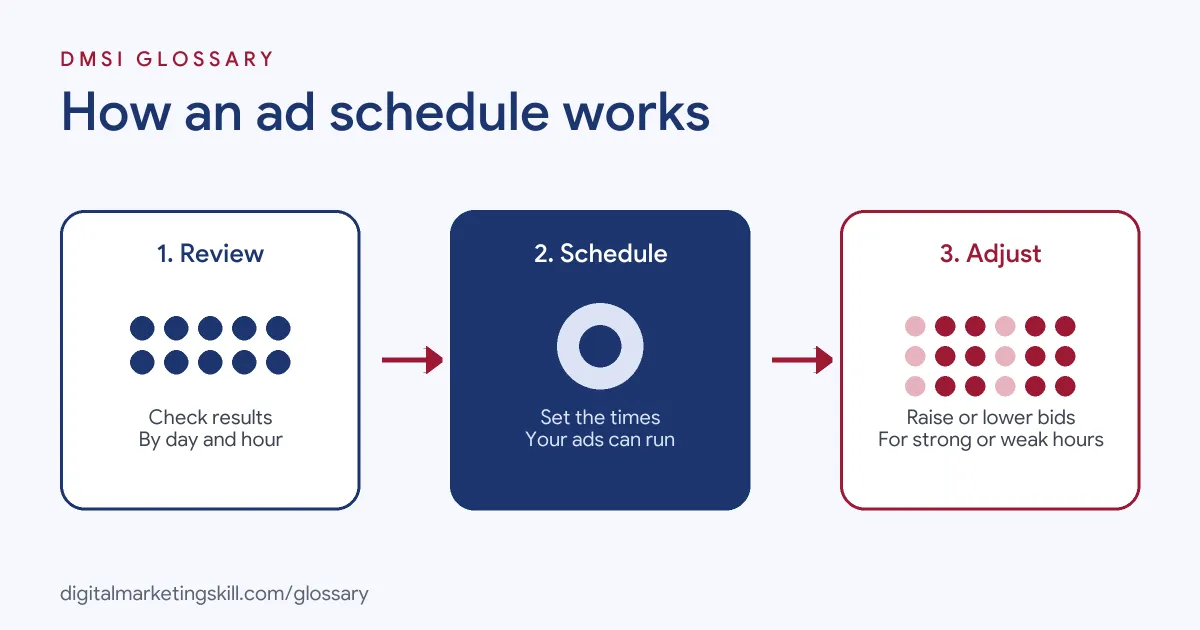
The process has three steps. First, you look at when your ads perform best. Next, you set the days and hours when ads can run. Finally, you adjust bids up or down for the strongest and weakest times.
Time Periods
Google lets you “create a maximum of six ad schedules per day for each campaign”. When a schedule is active, your ads “will only be eligible to show during the times that you’ve specified”. So if you leave a gap, the ads will not run in that gap.
Time Zones
Ad schedules are “set based on your account’s time zone”. This catches many advertisers out. For instance, if your account is set to London time but you sell to customers in New York, you need to shift your hours to match their day.
Bid Adjustments
You can also change how much you bid at certain times. Google’s ad scheduling bid adjustments range from -90% to +900%, at campaign level. To use them, you “first need to set up a custom ad schedule”.
Budget Pacing
Schedules also affect how your budget is spent. Google notes that when you use ad schedules, campaigns pace towards a monthly spend of 30.4 times your average daily budget. This applies however many days the campaign is active in a month.
Ad Schedule Examples
Here are three made-up examples of how businesses use schedules:
- Office hours only: A B2B accountancy firm runs search ads on weekdays from 8 a.m. to 6 p.m., when staff can answer calls.
- Evening boost: A takeaway restaurant raises bids by 30% from 5 p.m. to 9 p.m., when most orders come in.
- Overnight cut: An online shop lowers bids by 50% between midnight and 6 a.m., since few sales happen then.
In each case, the schedule follows real customer behaviour. That is the key to using one well.
Ad Schedule Options Compared
Here is how the main approaches compare:
| Approach | What it does | Best for |
|---|---|---|
| All day (default) | Ads can show at any time | New campaigns still collecting data |
| Restricted hours | Ads show only in chosen periods | Businesses that need staff to answer calls or chats |
| Bid adjustments only | Ads show all day, with higher or lower bids at set times | Accounts with clear strong and weak hours |
Often, a light-touch approach works best at first. For example, you might keep ads running all day but lower bids during weak hours, rather than switching them off.
How to Set Up an Ad Schedule in Google Ads
These steps follow Google’s own help centre:
- Review your data first. On the Ad schedule page, check results by “Day and hour”, “Day” or “Hour”.
- Open Ad schedule. Go to Ad schedule within the Campaigns menu.
- Select the campaign. Click the pencil icon and choose the campaign.
- Choose days and times. Add up to six time periods per day.
- Save your changes. They will then appear on the Ad schedule page.
- Add bid adjustments. Raise or lower bids for specific periods if needed.
- Check the time zone. Make sure the hours match your customers’ local time.
After that, review the schedule regularly. Customer habits change with seasons, holidays and new offers.
How to Read Your Hourly Data
Good schedules start with good evidence. On the Ad schedule page, Google shows a chart of when your ads ran. By default, it shows clicks. However, you can switch the chart to impressions, click-through rate, average cost per click or cost. You can also view results by “Day and hour”, by “Day” or by “Hour”.
So look for patterns that hold over several weeks, not a single good afternoon. Then compare cost with conversions for each period. A time slot with cheap clicks but few sales is a candidate for a lower bid. Meanwhile, a slot with steady sales may deserve a higher one.
How to Schedule Ads Overnight
One detail trips people up. A single time period cannot run past midnight. Instead, Google says you need to create a schedule for each day. For example, to run ads from Monday 11 p.m. to Tuesday 7 a.m., set Monday from 11 p.m. to midnight, then Tuesday from midnight to 7 a.m. If you use a 24-hour clock, that is Monday 23:00 to 0:00 and Tuesday 0:00 to 7:00.
Best Practices for an Ad Schedule
- Start with enough data. Let a campaign run all day for a while before you restrict it.
- Look at conversions, not just clicks. Cheap clicks at night are worthless if nobody buys.
- Match your team’s hours. If ads drive phone calls, show them when someone can answer.
- Adjust before you switch off. Lowering bids keeps some reach while cutting waste.
- Remember demand still rules. Google notes that if no one searches for your keywords at a scheduled time, your ads will not show.
Common Mistakes to Avoid
A common mistake is forgetting the time zone, so ads run while customers are asleep. Another is cutting hours based on a few days of data. Some advertisers also leave gaps between periods by accident, so ads stop when they should run. Finally, many set a schedule once and forget it. Instead, review results every month and adjust.
Where You’ll Use Ad Schedules at Work
Scheduling, often called dayparting, appears in many paid media job ads. For example, remote listings mention:
- “Support efforts in audience targeting, budget allocation, and ad scheduling” (TikTok Ads Specialist Intern).
- “Test and iterate on creative, audience segments, dayparting, and publisher mix to continuously improve CPA” (CTV and Programmatic Media Buyer).
- Managing “bid modifiers, and dayparting at the sub-ID level” (Media Buyer, Native Ads).
So if you want to work as a Google Ads Specialist or PPC Specialist, you will read hourly data, set schedules and explain why they improve results.
Learn It in the Google Ads Track
You can learn to set an ad schedule in the AI-Powered Google Specialist track. It covers Google Ads across Search, Display, Discovery, Gmail and YouTube, plus Google Analytics. You launch and measure a Google Ads campaign with conversion tracking. In addition, you get unlimited 1-on-1 mentoring and a U.S. Project Internship from day one.
For more on campaign set-up, read our guides to Google Ads budgets and PPC campaign optimisation. You can also learn about your campaign budget.
Frequently Asked Questions
What is an ad schedule in simple terms?
It is a setting that decides which days and hours your ads can appear, like opening hours for your campaign.
How many time periods can I set in Google Ads?
Google allows up to six ad schedule time periods per day for each campaign.
Which time zone does an ad schedule use?
It uses your account’s time zone. So adjust the hours if your customers live in a different time zone.
Can I bid more at certain times?
Yes. Ad scheduling bid adjustments in Google Ads range from -90% to +900%, but you need a custom schedule first.
What is dayparting?
Dayparting is another name for scheduling ads, or changing bids, by time of day and day of the week.
Sources: Google Ads Help: About ad scheduling; Google Ads Help: Set up an ad schedule; Google Ads Help: About bid adjustments; remote job listings on Himalayas.