
A subject line is the short line of text that tells people what an email is about before they open it. It sits next to the sender name in the inbox, often with a little preview text, and it is the main thing people use to decide whether to open, ignore or delete. It matters because an email that never gets opened can’t inform, sell or build trust, however good the content inside is.
Key Takeaways
- The subject line is the headline of your email. Together with the sender name, it drives the decision to open.
- Mailchimp advises using “no more than 9 words and 60 characters” and no more than one emoji.
- In the US, the CAN-SPAM Act says the subject line “must accurately reflect the content of the message.”
- Gmail’s sender guidelines warn against starting subject lines with “Re:” or “Fwd:” unless the email really is a reply or forward.
- Testing is the best guide. A/B tests show which wording your own audience prefers.
What Is a Subject Line?
Think of a subject line as the front cover of a book. People see many covers at once, so yours has a second or two to earn attention. Meanwhile, the inbox also shows who sent the email and a short preview of the text, which work together with it.
For example, compare “Newsletter issue 14” with “3 quick ways to cut your energy bill”. The first tells people almost nothing. The second tells them exactly what they will get if they open it.
So writing a good subject line is part of email marketing, not an afterthought. It is often the line that decides whether the rest of your work gets read. It also shapes how people see your brand, because they read your subject lines even when they don’t open.
How a Subject Line Works
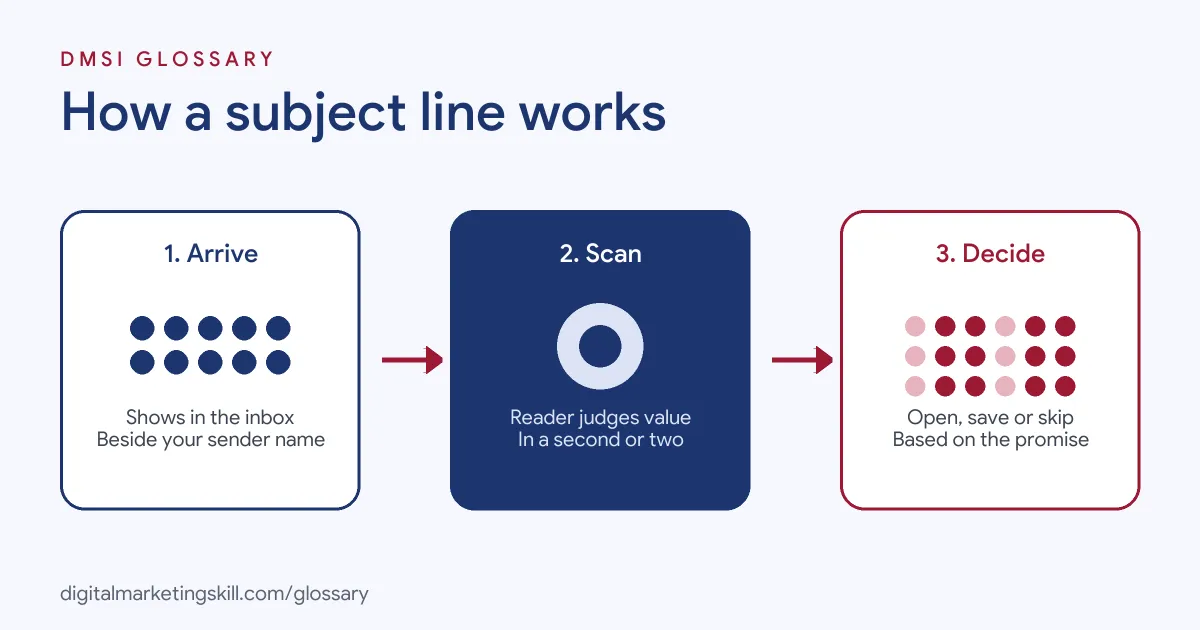
A subject line does its job in three steps. First, it appears in the inbox beside your sender name. Next, the reader scans it and judges whether the email is useful, urgent or interesting. Finally, they choose to open it, save it for later or move on.
Length and Format
Many people read email on phones, where long lines get cut off. That’s why Mailchimp suggests “no more than 9 words and 60 characters.” It also advises “no more than 1 emoji at a time”, used to support your words rather than replace them. Finally, it warns that “Too many punctuation marks can make your email look like spam.”
Personalisation
Email tools can add details such as a first name or city with merge tags. Mailchimp says personalisation generally increases open rates. However, it works best when the detail is relevant, such as a birthday offer or an order follow-up. A name alone won’t rescue a dull message.
Rules You Must Follow
Honesty is not optional. The FTC’s CAN-SPAM guide states that “The subject line must accurately reflect the content of the message.” Similarly, Gmail’s sender guidelines say subject lines “shouldn’t be misleading.” They give a clear example: “don’t send messages with subject lines starting with Re: or Fwd: unless the messages are actual replies” or forwards.
Subject Line Examples
Here are three made-up examples for different emails:
- Welcome email (example): “Welcome to the club, here’s your 10% code”. It is clear, friendly and tells people what is inside.
- Newsletter (example): “5 recipes you can cook in 20 minutes”. It promises a specific, useful benefit.
- Reminder (example): “Your webinar starts in 1 hour”. It is short, urgent and true.
In each case, the reader knows what they will get before they open the email. For more on the first email in a sequence, see our entry on the welcome email.
Types of Subject Line Compared
Different goals call for different styles. Here is a quick guide:
| Style | Example (made up) | Best for |
|---|---|---|
| Benefit | “Save 2 hours a week on reports” | Guides, tips and product news |
| Question | “Still looking for a summer job?” | Starting a conversation |
| Urgency | “Last day for free delivery” | Real deadlines only |
| Personal | “Sam, your order has shipped” | Updates and account emails |
| Curiosity | “The mistake most new runners make” | Stories and blog content |
In short, match the style to the message. Urgency, for instance, only works when the deadline is real.
How to Write a Subject Line
- Start with the main benefit. Ask what the reader gets from opening, then say it plainly.
- Keep it short. Aim for under 60 characters, so it fits on most phone screens.
- Front-load key words. Put the most important words first, in case the line gets cut off.
- Check it is honest. Make sure the email delivers exactly what the line promises.
- Add the preview text. Use it to support the subject line, not repeat it.
- Write two versions. Then A/B test them on part of your list.
- Review the results. Compare opens and, more importantly, clicks, then use what you learn next time.
Here is a made-up test. You send version A, “Your free guide is ready”, to 10% of the list and version B, “Grow your list with this free guide”, to another 10%. If B wins, it goes to the remaining 80%.
How to Measure Results
Opens are the obvious number to watch, but they only tell part of the story. So look at four signals together:
- Open rate: the share of people who opened. It shows whether the line caught attention.
- Click rate: the share who clicked a link. It shows whether the email kept its promise.
- Unsubscribes: a jump after one send can mean the line attracted the wrong people.
- Spam complaints: Gmail asks bulk senders to keep spam rates in Postmaster Tools below 0.3%. Misleading lines push this number up.
For example, a line that doubles opens but also doubles complaints is not a winner. In practice, the best line wins attention and leaves readers glad they opened.
Best Practices for Subject Lines
- Be clear before clever. A plain promise usually beats a pun that nobody understands.
- Use numbers. For example, “5 tips” sets a clear expectation.
- Limit punctuation and emoji. Mailchimp suggests no more than three punctuation marks in a subject line.
- Write for your audience. A tone that suits a fashion brand may not suit a law firm.
- Track your history. Review past subject lines and their open rates to spot patterns.
Common Mistakes to Avoid
The worst mistake is a misleading line, such as a fake “Re:” or a promise the email doesn’t keep. It breaks trust and can break the law. Another is writing in all capitals or adding lots of exclamation marks, which can look like spam. Some senders also make lines so long that the key point is cut off on mobile. Others never test, so they keep guessing. Finally, many judge success on opens alone, even though clicks show whether the email delivered.
Where You’ll Use Subject Lines at Work
Writing and testing subject lines is a core task in email and CRM roles. For example, real remote job listings ask candidates to:
- “Review and optimize subject lines, messaging, sequences, and personalization” (Cold Email Specialist).
- “Develop and execute testing strategies across subject lines, content, audience segments and send times” (Marketing Communications Specialist).
- “Run basic A/B tests (subject lines, creatives, incentive levels) and document results.” (CRM Marketing Specialist).
So if you want to work as an Email Marketing Specialist or Marketing Automation Specialist, employers will expect you to write, test and report on subject lines.
Learn It in the Lead Generation and Email Track
You can practise this skill in the AI-Powered Lead Generation and Email Automation track. It covers AI fundamentals, lead generation, and email marketing and automation. Your portfolio project is a lead magnet and an automated email sequence that converts. You also get unlimited 1-on-1 mentoring and a U.S. Project Internship from day one.
Next, read our guides to email open rates and email testing tools.
Frequently Asked Questions
How long should a subject line be?
Mailchimp suggests no more than 9 words and 60 characters. Shorter lines are less likely to be cut off on phones.
Should I use emojis in a subject line?
You can, but use one at most and test it first. Emojis can look different on different devices.
Is it legal to use “Re:” in a marketing email?
Gmail’s guidelines say not to, unless the email is a real reply. In the US, CAN-SPAM also requires subject lines that match the content.
What makes a good subject line?
It is clear, honest and specific about what the reader gets. It also suits the audience and the goal of the email.
How do I test a subject line?
Run an A/B test. Send two versions to small parts of your list, then send the winner to everyone else.
Sources: Mailchimp: Best practices for email subject lines; FTC: CAN-SPAM Act compliance guide for business; Google: Email sender guidelines; remote job listings on Himalayas.