
An email list is a collection of email addresses from people who have agreed to receive messages from a business or creator. Each contact usually comes with extra details, such as a name, sign-up source or purchase history. It matters because you own this audience, so you can reach people directly without paying a platform each time.
Key Takeaways
- A healthy list is built from people who chose to join, not from bought or scraped data.
- In the UK, you need specific consent to email individuals, with a limited “soft opt-in” exception for existing customers.
- Gmail requires all senders to authenticate their email and keep reported spam rates below 0.3%.
- Most tools suggest one main list, organised with tags, groups and segments.
- Regular list hygiene, such as removing inactive or invalid addresses, protects your deliverability.
What Is an Email List?
Think of it as your own audience. Social media followers live on someone else’s platform, and that platform decides who sees your posts. Subscribers, by contrast, gave you their address so they could hear from you directly.
Different tools use different names. Mailchimp calls it an “audience”. Others call it contacts, subscribers or a database. In each case, it’s the same idea: a set of people who agreed to get your emails.
For example, a yoga teacher might offer a free class video in return for an email address. Over a few months, 800 people sign up. She can now email them about new classes, retreats and online courses whenever she likes, without paying for ads each time.
How an Email List Works
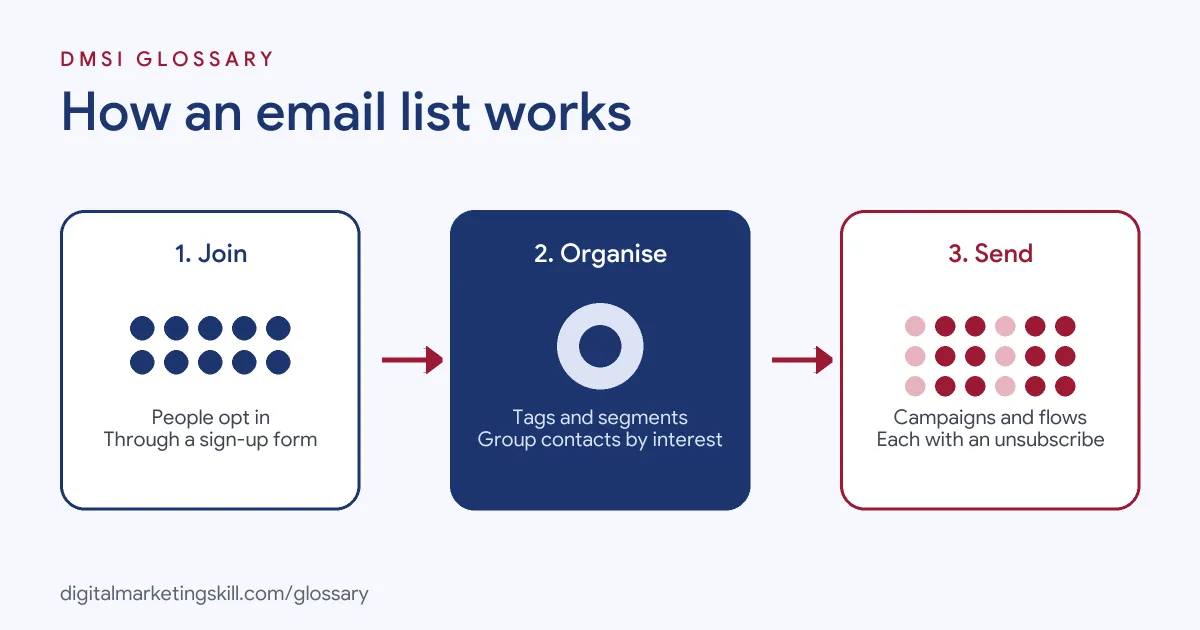
An email list grows, gets organised and gets used. People join through a form. Your email tool stores their details and any tags you add. Then you send campaigns or automated emails to all of them or to a chosen segment.
How People Join an Email List
Most sign-ups come from forms on your website, landing pages or checkout. Many businesses offer something in return, such as a guide, a discount or a free trial. Mailchimp also lets you add contacts one at a time, upload a file or sync from other apps such as an online store.
Organising Contacts
Once people join, you need to keep them organised. Mailchimp recommends that you “maintain 1 primary audience” and use tags, groups or segments to target contacts. A segment filters people by conditions, such as sign-up form data, email activity or location. As a result, you can send the right message to the right people without managing many separate lists.
Sending to the List
You can then send two kinds of email. Campaigns are one-off sends, such as a newsletter or a sale. Automated emails go out when someone takes an action, such as joining or buying. Both rely on the same contact data. Whatever you send, watch three numbers after each email: unsubscribes, bounces and spam complaints. If any of them jumps, look at who you sent to and why. Often the cause is an old segment, a weak sign-up source or emails that no longer match what people signed up for.
Email List Rules You Need to Know
Consent sits at the heart of every list. Under the UK’s PECR rules, the ICO says you must not send marketing emails to individuals unless:
- they have “specifically consented to electronic mail from you”; or
- they are an existing customer who bought, or negotiated to buy, a similar product or service, and you gave them a simple way to opt out when you collected their details and in every message.
That second case is known as the “soft opt-in”. In addition, you must not hide your identity, and you must give a valid contact address so people can unsubscribe.
Email providers add their own rules too. Google requires every sender to Gmail to set up SPF or DKIM authentication and to keep spam rates reported in Postmaster Tools below 0.3%. Senders of more than 5,000 messages a day to Gmail must also support one-click unsubscribe in marketing messages.
Email List Examples
Here are three made-up examples of how businesses grow and use a list:
- Online shop: A candle brand offers 10% off a first order for signing up. It then tags buyers by scent, so it can email each group about new stock they will like.
- B2B software: A payroll app offers a free checklist for small firms. New sign-ups get a short welcome series, then a monthly newsletter.
- Local business: A dentist collects addresses from patients who opt in at reception. It sends reminders and seasonal tips, with a clear unsubscribe link in each one.
Email List vs Social Following vs Bought List
These three are often confused. Here is how they compare:
| Option | Who controls reach | Main risk |
|---|---|---|
| Opt-in email list | You do; you can email everyone who joined | Low, if you respect consent and keep it clean |
| Social following | The platform decides who sees each post | Rule or algorithm changes can cut your reach |
| Bought or rented list | No real relationship with the people on it | Breaks consent rules and many tools ban it |
On that last point, Mailchimp states plainly: “We won’t allow you to send emails or text messages to purchased, rented, or third-party lists.”
How to Build an Email List
- Choose an email tool that handles forms, consent and unsubscribes.
- Decide what people get for joining, such as a guide, a discount or useful updates.
- Add a short sign-up form to your site. Ask only for what you need, often just a name and email.
- Say clearly what people are signing up for and how often you will email.
- Consider double opt-in, where new subscribers confirm by clicking a link.
- Set up a welcome email so new subscribers hear from you straight away.
- Tag contacts by source and interest from day one.
- Remove bounced and long-inactive contacts on a regular schedule.
Best Practices for Your Email List
- Grow it with consent. Only add people who chose to join, or who qualify for the soft opt-in.
- Keep one main list. Use tags and segments rather than many duplicate lists.
- Make leaving easy. A visible unsubscribe link protects your sender reputation.
- Authenticate your domain. Set up SPF and DKIM so mailbox providers trust your email.
- Clean it regularly. Remove addresses that bounce or haven’t engaged for a long time.
Common Mistakes
The biggest mistake is buying a list. It breaks consent rules, and most email tools won’t let you send to it. Another is adding everyone who ever emailed you without asking first. Some businesses hide the unsubscribe link, which drives people to press “report spam” instead. Others never clean their list, so bounces and complaints slowly damage their deliverability. Finally, many collect addresses but never send anything, so people forget who they are.
Where You’ll Use an Email List at Work
Managing and growing a list is a daily task in email roles. For example, recent remote job listings ask candidates to:
- “Segment email lists based on demographics, behavior, engagement, and preferences” (Email Marketing Specialist).
- “Manage list hygiene and maintain healthy email lists” (Klaviyo Technical Specialist).
- Show “Experience managing email list hygiene” (Klaviyo Technical Specialist).
So if you want to work as an Email Marketing Specialist, Marketing Automation Specialist or Lead Generation Specialist, expect to grow lists, segment them and keep them clean.
Learn It in the Lead Generation and Email Track
You can learn to build and manage a list in the AI-Powered Lead Generation and Email Automation track. It covers AI fundamentals, lead generation, and email marketing and automation. Your portfolio project is a lead magnet and an automated email sequence that converts. You also get unlimited 1-on-1 mentoring and a U.S. Project Internship from day one.
Next, read our guides on how to grow your email list and on email list building. You may also like our glossary entries on lead magnets and double opt-in.
Frequently Asked Questions
What is an email list in simple terms?
It is a set of email addresses from people who agreed to receive emails from you, stored in an email marketing tool.
Can I buy an email list?
You shouldn’t. People on a bought list never agreed to hear from you, which breaks UK consent rules. Mailchimp also bans sending to purchased lists.
How big does an email list need to be?
There is no minimum. A small list of engaged people who chose to join is worth more than a large list of strangers.
What is list hygiene?
It means regularly removing invalid, bounced or long-inactive addresses. This keeps your spam complaints low and helps your emails reach inboxes.
Do I need consent to email business contacts?
Under PECR, the ICO says you can send marketing emails to companies. However, it is good practice to keep a “do not email” list for any that object.
Sources: ICO: Electronic mail marketing; Google: Email sender guidelines; Mailchimp: Getting started with your audience; remote job listings on Himalayas.