
Responsive design is a way of building websites so the same page adapts its layout to fit any screen, from a small phone to a wide desktop monitor. Text reflows, images resize and menus rearrange, so the page stays easy to read and use. It matters because most people browse on phones, and Google recommends this approach for mobile-friendly sites.
Key Takeaways
- MDN describes it as an approach “to make web pages render well on all screen sizes and resolutions while ensuring good usability.”
- It relies on three tools: flexible layouts, flexible images and CSS media queries.
- Google says it “recommends Responsive Web Design because it’s the easiest design pattern” to implement and maintain.
- Google uses the mobile version of a site for indexing and ranking, so the mobile layout really matters.
- A viewport meta tag is needed so phones display the page at the right width.
What Is Responsive Design?
Think of water poured into different glasses. It takes the shape of each one without changing what it is. A responsive page behaves the same way. The content stays the same, but the layout reshapes itself to fit the screen.
Before this approach, many brands built a separate mobile site, often on an “m.” address. That meant two sites to update and two sets of problems. Responsive design replaced that with one site that works everywhere.
MDN notes that the term was coined by Ethan Marcotte, who described using “fluid grids, fluid images, and media queries to create responsive content.” Today, it is simply the standard way to build for a multi-device web.
How Responsive Design Works
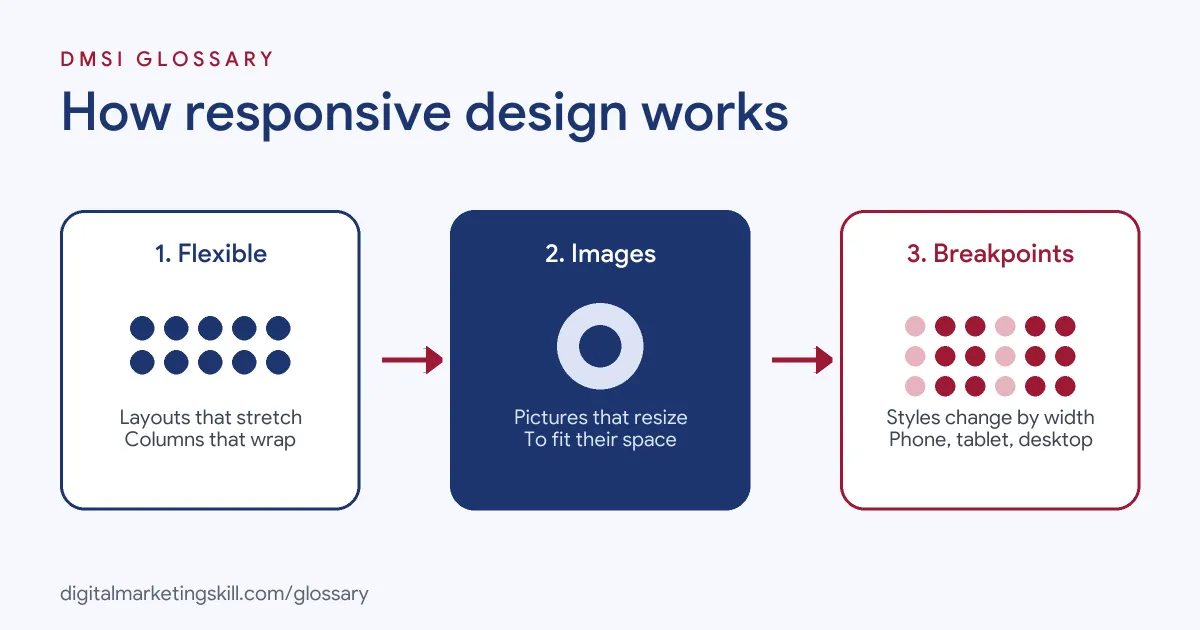
Three ingredients do most of the work. First, the layout uses flexible widths instead of fixed pixel sizes. Next, images scale within their containers. Finally, media queries apply different styles at different screen widths, called breakpoints.
The Viewport Meta Tag
Phones need to know how wide to draw the page. Without guidance, many show a shrunken desktop layout. Google’s web.dev guide recommends adding <meta name="viewport" content="width=device-width, initial-scale=1"> to the page head. The width=device-width part “tells the page to match the screen’s width,” and initial-scale=1 keeps the scale steady when the phone rotates.
Flexible Layouts and Images
Modern layout tools such as CSS grid and flexbox let columns stretch, shrink and wrap. For images, web.dev suggests setting a maximum width of 100%, which “shrinks images to fit the available space while preventing them from stretching beyond their initial size.” It also recommends adding width and height to images, so the browser can reserve space and avoid layout shifts.
Media Queries and Breakpoints
Media queries are CSS rules that apply only when a condition is true, such as a screen narrower than a set width. For example, a three-column product grid might become two columns on a tablet and one on a phone. MDN explains these ideas together with the “mobile-first” approach, where you design for small screens first and add layout for larger ones.
Responsive Design Examples
Here are three made-up examples:
- Online shop: A clothing store shows four products per row on desktop, two on tablet and one on phone. The “Add to basket” button stays large and easy to tap on every size.
- Restaurant site: The desktop menu bar becomes a tap-to-open menu icon on phones. The phone number turns into a tap-to-call link.
- Landing page: A course provider’s sign-up page stacks the form under the headline on mobile, so visitors never need to zoom or scroll sideways.
In each case, the content is the same, but the layout fits the device.
Responsive Design vs Other Mobile Options
Google lists three ways to build a mobile-friendly site. Here is how they compare:
| Option | How it works | Trade-off |
|---|---|---|
| Responsive design | Same HTML on the same URL; layout changes by screen size | Google’s recommended option; one site to maintain |
| Dynamic serving | Same URL, but the server sends different HTML by device | More complex to set up and test |
| Separate URLs | A different mobile site, often on an “m.” address | Two sites to keep in step |
Google describes responsive design as one that “serves the same HTML code on the same URL regardless of the users’ device.” That simplicity is the main reason most sites choose it.
How to Make a Site Responsive
- Add the viewport tag. Put the viewport meta tag in the head of every page.
- Use a responsive theme. On WordPress, most modern themes are responsive by default. Check the demo on your phone.
- Design mobile-first. Plan the phone layout first, then add columns for bigger screens.
- Make images flexible. Set a maximum width of 100% and add width and height attributes.
- Size tap targets well. Keep buttons and links big enough to tap, with space between them.
- Test on real devices. Check key pages on several phones, a tablet and a laptop.
- Check zoom and reflow. Make sure text can be enlarged without forcing sideways scrolling.
For practical tips, see our guide to building a mobile-friendly website.
Best Practices for Responsive Design
- Keep the same content on mobile. Google advises making sure your mobile site “contains the same content as your desktop site.”
- Plan for accessibility. WCAG asks that content work at a width equivalent to 320 CSS pixels without scrolling in two dimensions.
- Prevent layout shifts. Reserve space for images and ads, which helps Cumulative Layout Shift.
- Keep pages light. Phones often use slower connections, so compress images and remove unused scripts.
- Test forms on phones. Use the right input types, so phones show number or email keyboards.
Common Mistakes to Avoid
First, teams design only for desktop, then squeeze it onto phones at the end. Second, they hide important content on mobile, which can hurt rankings under mobile-first indexing. Third, they forget the viewport tag, so phones show a tiny desktop page. Finally, they test on one phone only. Screens vary widely, so test a range before launch.
A Quick Phone Test
You can spot most problems in five minutes with your own phone. First, open the home page and check that nothing runs off the side of the screen. Next, open the menu and try every main link. Then fill in a form, and check that the keyboard and buttons behave. After that, zoom in on some text to see whether it reflows. Finally, rotate the phone and check the page again. If anything feels awkward to you, it will feel worse to a hurried visitor.
Why It Matters for SEO and Marketing
Google states that it “uses the mobile version of a site’s content, crawled with the smartphone agent, for indexing and ranking.” This is mobile-first indexing. So if your mobile layout is broken or missing content, your rankings can suffer. In addition, most social and email traffic arrives on phones. A page that is hard to use on a small screen wastes that traffic, however good the ad or email was.
Where You’ll Use Responsive Design at Work
Responsive skills appear in many web and design roles. For example, remote job listings ask for:
- The ability to “Ensure responsive design, accessibility, and cross-browser compatibility” (Senior or Principal Frontend Engineer).
- “Understanding of responsive design, accessibility, and WCAG principles.” (Product and Web Designer).
- “Familiarity with responsive design and accessibility standards (WCAG principles).” (UI/UX Intern).
So if you plan to work as a WordPress Developer or Website Manager, you will check every page you build on several screen sizes. SEO Specialists also review mobile layouts, because they affect rankings.
Learn It in the WordPress and SEO Track
You can learn to build mobile-friendly sites in the AI-Powered WordPress and SEO Specialist track. Your portfolio project is a WordPress site or store that you rank with an SEO content plan. The track is about 90% hands-on, with unlimited 1-on-1 mentoring and a U.S. Project Internship from day one.
For a deeper look at the design side, read our guide to responsive web design.
Frequently Asked Questions
What is responsive design in simple terms?
It means building one website that changes its layout to fit any screen, from phones to large monitors.
Does Google prefer responsive design?
Google says it recommends responsive web design because it is the easiest pattern to implement and maintain.
What is a breakpoint?
A breakpoint is a screen width where the layout changes, for example from three columns to one.
Is responsive design the same as mobile-first?
Not quite. Mobile-first is a way of designing, starting with small screens. Responsive design is the result: a layout that adapts to every screen.
How do I test if my site is responsive?
Resize your browser window, use your browser’s device preview tools and, most importantly, check key pages on real phones and tablets.
Sources: MDN Web Docs: Responsive web design; web.dev: Responsive web design basics; Google Search Central: Mobile site and mobile-first indexing best practices; W3C: Understanding reflow; remote job listings on Himalayas.