
Google Ads match types decide which searches can trigger your ad, and getting them wrong wastes budget fast. This guide explains broad, phrase and exact match, the negative match types that block unwanted searches, and the one rule that keeps new accounts from losing money in week one.
Key Takeaways
- Broad match is the default. Google’s own help documentation confirms broad match is “the default match type for all keywords.” It is the loosest of the three Google Ads match types.
- Syntax marks the other two. Phrase match uses quotation marks (“running shoes”). Exact match uses square brackets ([running shoes]). Both rules come straight from Google Ads Help.
- New searches happen daily. Google’s John Mueller has repeated that 15% of all search queries are new every day. Google has cited that figure for years, as reported by Search Engine Journal.
- Negative keywords have limits. Google Ads Help states plainly that negative keywords “won’t match to close variants or other expansions.” Excluding “flowers” still lets “red flower” (singular) through.
- Negative exact match is narrow by design. A negative exact match on “running shoes” blocks only that exact phrase. A search for “blue running shoes” can still trigger your ad.
In this guide
- What Most Google Ads Match Types Guides Skip
- How Google Matches a Search to Your Keyword
- Three Google Ads Match Types, Three Different Jobs
- A Worked Example Across All Three Match Types
- How to Use Each Google Ads Match Type Well
- Negative Google Ads Match Types Run the Same Logic in Reverse
- How to Measure Whether Your Match Types Are Working
- The One Decision Rule for a New Account
- A Real Case: Why Match Type Matters Most on a Small Budget
- Frequently Asked Questions About Google Ads Match Types
- Start With One Ad Group and One Match Type
- Turn This Into a Repeatable Skill
What Most Google Ads Match Types Guides Skip
Most articles on Google Ads match types list the three definitions, add an example each, and stop there. That is not wrong. It is just incomplete. Most skip the negative match types, which run on the same logic in reverse. Most also avoid saying which match type to start with.
This guide uses Google’s own Ads Help documentation as its source for every rule. That keeps the mechanics accurate. But it also means this guide inherits Google’s own framing. Google has a financial interest in advertisers using broader match types, since broader matching tends to spend more of a daily budget. Keep that in mind as you read the recommendations below.
One more limit applies. Match type behaviour changes over time as Google updates its systems. Treat the mechanics here as current, but re-check Google’s own help pages before you build a strategy that depends on an edge case.
How Google Matches a Search to Your Keyword
Every time someone searches, Google compares that search against your keywords and their match types. Match type is the setting that controls how closely a search has to resemble your keyword. That closeness decides whether your ad is even allowed to compete for that spot.
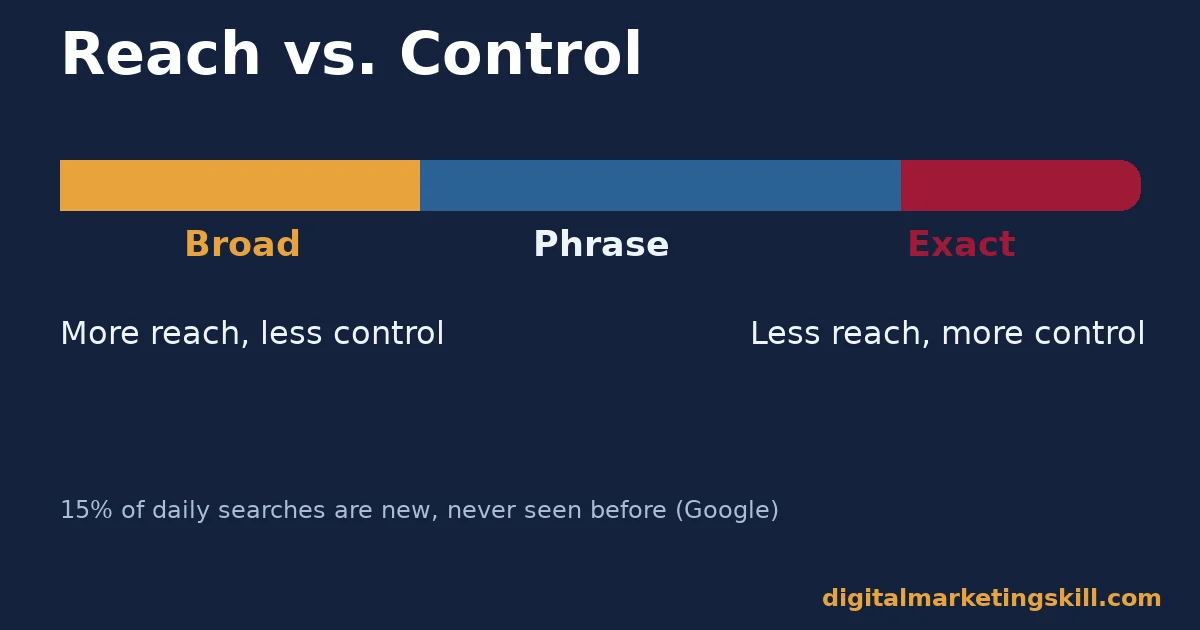
Why does this matter so much? A large share of searches are not exact repeats of anything seen before. Google’s John Mueller has said that 15% of all search queries are new every day. Google has repeated that figure for years. An account built entirely on exact match keywords misses most of that unpredictable volume by design. A broad match keyword can still catch it.
Three Google Ads Match Types, Three Different Jobs
Google Ads offers three positive match types. Each one is built to answer a different question: how much reach, how much control, and where the balance sits between the two.
Broad Match: Built for Reach
Broad match is the default for every new keyword. Google’s own documentation confirms this directly. With broad match, your ad can show on searches related to your keyword’s meaning, even when the search does not contain your exact words.
Google gives its own example. The broad match keyword “low carb diet plan” can show ads for searches like “carb free foods” or “how to cut carbs for beginners.” Neither search contains the original keyword. Google’s systems judge the intent as related anyway.
Phrase Match: Built for a Middle Ground
Phrase match sits between broad and exact. You write it in quotation marks, such as “tennis shoes”. Your ad can show on searches that include your keyword’s meaning, which may be more specific than the keyword itself. The core phrase still has to appear in a recognisable form.
Google’s own comparison is useful here: phrase match reaches more searches than exact match, but fewer than broad match. It is the setting most advertisers reach for once they have proof a theme converts, but are not ready for full broad match.
Exact Match: Built for Control
Exact match uses square brackets, such as [red shoe]. Your ad shows only on searches that carry the same meaning or intent as your exact keyword. Google itself describes this as giving advertisers “the most steering over who views your ad,” at the cost of reaching fewer searches overall.
Exact match is not a literal word-for-word match any more. Google’s systems still account for close variants, such as plurals or minor reorderings. The scope still stays far narrower than phrase or broad.
A Worked Example Across All Three Match Types
Numbers make the difference between Google Ads match types easier to see than definitions alone. Picture a shoe retailer with the base keyword “running shoes,” used three ways.
As broad match, running shoes can trigger ads for searches like “best trainers for jogging,” “shoes for marathon training,” or even “how to start running.” The retailer reaches people who have not yet decided on the word “running shoes” at all, which is useful early in their search, but some of those searches will never convert.
As phrase match, “running shoes” narrows that list. A search for “running shoes for flat feet” or “cheap running shoes” still matches, because the core phrase appears in a recognisable form. A search for just “jogging trainers,” with no version of the phrase present, does not match under phrase match the way it could under broad.
As exact match, [running shoes] narrows further still. Google’s own systems allow close variants, so “running shoe” (singular) or “running shoes for men” may still qualify under exact match rules, depending on how Google judges the intent. But a loosely related search like “best trainers for jogging” falls outside exact match entirely.
Why the Mix Beats Any Single Match Type
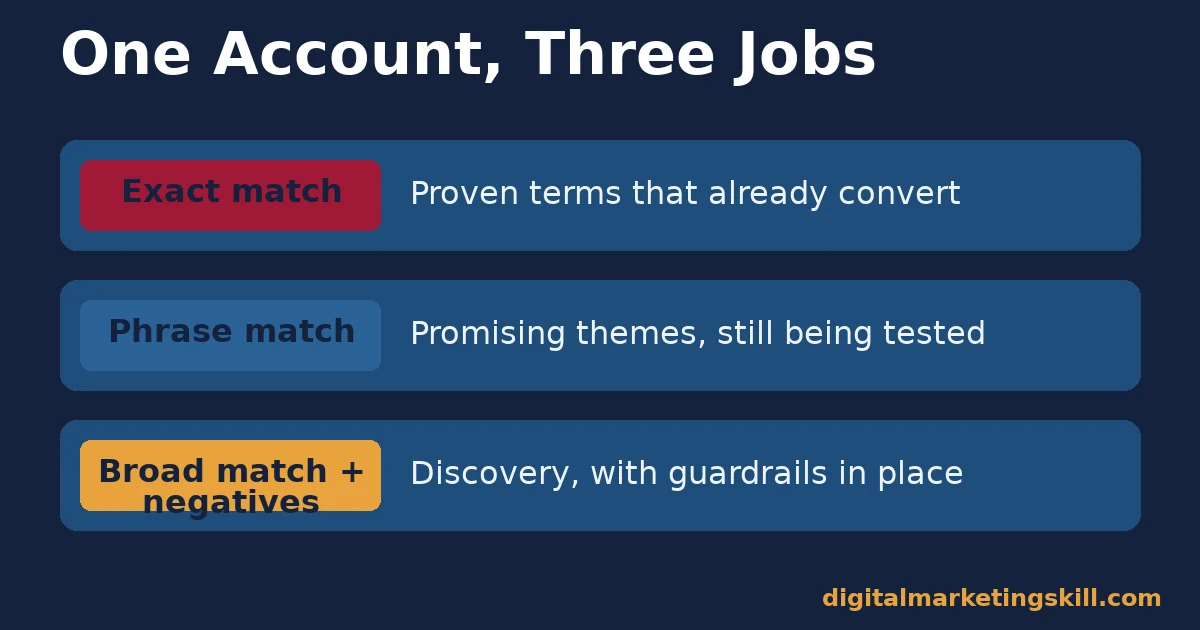
The retailer could run all three at once. Exact match covers “running shoes” once it is proven to convert. Phrase match covers related themes like “trail running shoes.” Broad match, with strong negatives, discovers new themes nobody has thought to add yet.
That mix is how most working Google Ads accounts are actually structured. The choice between Google Ads match types is rarely one match type for the whole account; it is usually a layered combination, with each type doing the job it was built for.
How to Use Each Google Ads Match Type Well
Choosing a match type is only half the job. The sections below name the one habit that makes each type perform the way it was built to.
Broad: Lead With Negatives and Smart Bidding
Never run broad match alone. Pair it with a working negative keyword list. Add an automated bidding strategy that optimises toward a real conversion action too. Broad match without either of those is the fastest way to spend a budget on searches that were never going to convert.
Review the search terms report weekly while a broad match campaign is new. That report shows the actual searches that triggered your ad. It is the only reliable way to catch a bad match before it becomes an expensive pattern.
Phrase: Lead With Proven Themes
Promote a theme to phrase match once you can see it converting under broad match. Or promote it once you already know from experience that the theme matters to your business. Phrase match works best as a deliberate middle step, not a default starting point.
Keep the phrase short and central to the idea. A long, oddly specific phrase match keyword often behaves more like exact match in practice. Few real searches will contain that exact run of words.
Exact: Lead With Your Best Converters
Reserve exact match for the handful of search terms you already know convert. Pull them straight from a search terms report. This is where you spend with the most confidence, so it is also where a higher bid is easiest to justify.
Do not start a brand-new account on exact match alone. With no search history, you are guessing at the exact phrases that matter. Exact match will quietly cap your reach while you guess.
Negative Google Ads Match Types Run the Same Logic in Reverse
Negative keywords stop your ad from showing on searches you choose to exclude. Google Ads gives you the same three match types to control how tightly that exclusion applies.
Negative broad match blocks a search when it contains all of your negative keyword’s terms, in any order. Negative phrase match blocks a search only when your exact terms appear together, in order, though other words can surround them. And negative exact match blocks only that precise phrase, with nothing extra attached.
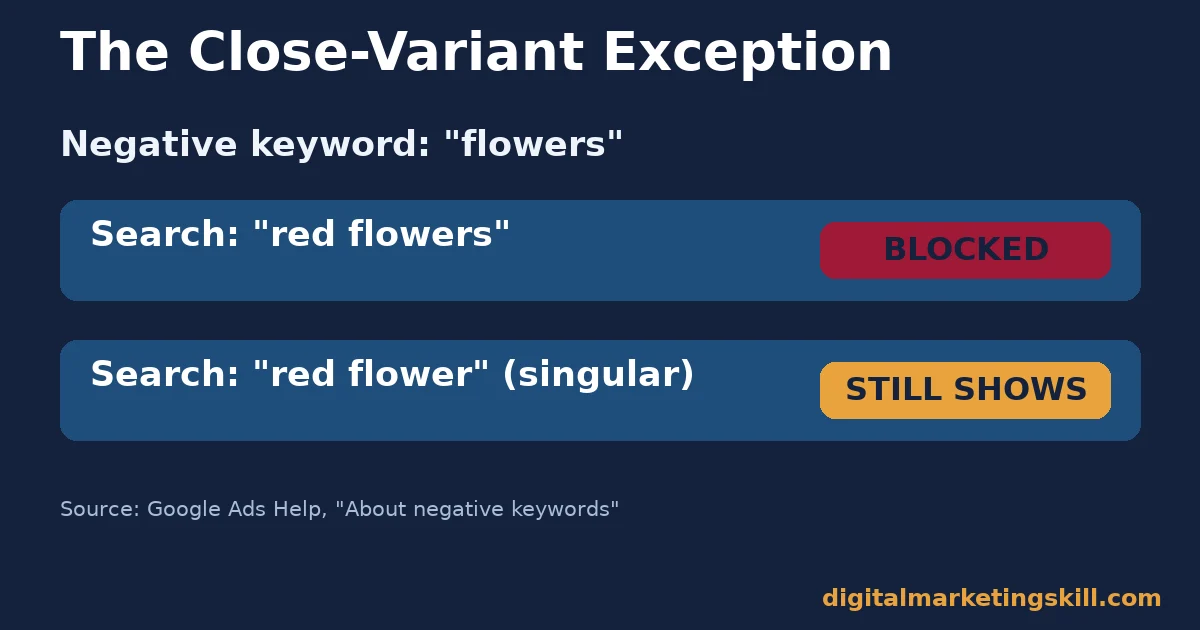
Here is the rule that catches most advertisers off guard. Negative keywords will not match to close variants or other expansions, according to Google’s own documentation. Exclude the negative broad match keyword “flowers,” and a search for “red flowers” is correctly blocked. But a search for “red flower,” singular, can still trigger your ad. If you want the singular blocked too, you have to add it yourself.
This exception matters for every one of the Google Ads match types covered in this guide, not just negatives. Assume nothing is handled automatically, and check the search terms report to confirm what actually got through.
How to Measure Whether Your Match Types Are Working
Match type choice only matters if you can see its effect. Track the few numbers below, each tied to a specific question about your match type setup.
- Search terms matched per keyword. The search terms report shows the real searches a keyword triggered. A broad match keyword with wildly unrelated searches attached needs new negatives, a tighter match type, or both.
- Share of spend by match type. Segment your account’s spend by match type. A new account spending almost everything on broad match, with no exact match keywords yet proven, is running without a safety net.
- Conversion rate by match type. Compare conversion rate across broad, phrase and exact for the same theme. A large gap tells you where to tighten or loosen the match type for that theme specifically.
- Negative keyword additions per week. Count how many new negatives you add from the search terms report. A number near zero on a broad match campaign usually means nobody is reading the report.
Reading These Numbers Together
Start with search terms matched per keyword, since it is the most direct signal. If broad match keywords are pulling in irrelevant searches, fix that with negatives first. Do that before you judge the match type itself as a failure. Only after negatives are in place does the conversion rate comparison become a fair test of broad versus phrase versus exact.
Check the share of spend by match type on the same schedule. A sudden jump in broad match spend, with no matching jump in conversions, usually means a new search term slipped past your negative list.
The One Decision Rule for a New Account
If you remember one rule from this guide, make it this one. Start a brand-new account or new theme on phrase match, not broad and not exact, unless you already have a working negative keyword list ready before launch.
Phrase match gives you enough reach to learn what real searches look like. It avoids the open exposure of broad match on an account with no negative list yet. Once the search terms report shows which exact phrases convert, promote those to exact match. Once your negative list is solid, test broad match with Smart Bidding on the themes you trust most.
This order matters more than any single match type choice. Skipping straight to broad match on a new account, before a negative list exists, is the single most common way advertisers overspend on Google Ads match types they do not yet understand.
A Real Case: Why Match Type Matters Most on a Small Budget
Ayooluwa Osemi, a Digital Marketing Skill Institute graduate, described a real paid ad result on the Institute’s reviews page: spending $14 on Facebook and Instagram ads and making $878 back.
The platform is different from Google Ads, but the lesson about match type discipline carries over directly. On a $14 budget, a handful of irrelevant clicks can consume the entire spend before a single relevant one lands. The tighter the targeting, the less room a small budget has to leak before it proves itself.
Scale that logic up. An account spending $1,400 a month can absorb a few wasted clicks from a loose broad match keyword without much damage. An account spending $14 a day cannot. That is exactly why Google Ads match types deserve more attention on a small budget, not less.
Treat this as one documented example, not a typical outcome. Individual results vary, and our earnings disclaimer explains why no specific income is guaranteed.
Frequently Asked Questions About Google Ads Match Types
What is the best Google Ads match type for beginners?
Phrase match is usually the safest starting point. It reaches more searches than exact match without the open exposure of broad match on an account that has no negative keyword list yet.
What is the default match type in Google Ads?
Broad match. Google’s own help documentation states it directly: broad match is the default match type applied to new keywords unless you choose otherwise.
Do negative keywords block every similar search?
No. Negative keywords will not match to close variants or other expansions. A negative broad match on “flowers” blocks “red flowers” but not the singular “red flower,” so you need to add variants yourself.
Should I ever use exact match on a brand-new account?
Generally, no, not as your only match type. With no search history, you are guessing at which exact phrases convert, and exact match will cap your reach while you guess. Build toward it once a search terms report shows proven phrases.
How often should I check the search terms report?
Weekly, at minimum, while running broad or phrase match on a newer campaign. The report is the only reliable way to see which real searches are triggering your ad before a bad pattern becomes expensive.
Can I mix different Google Ads match types in one campaign?
Yes, and most working accounts do. A common structure runs exact match for proven terms, phrase match for promising themes, and broad match with strong negatives for discovery, all inside the same campaign or account.
Does match type affect cost per click?
Indirectly, yes. Broad match tends to compete in more auctions, including some with lower relevance, which can pull down your account’s overall quality signals if irrelevant clicks go unchecked. Exact match usually produces a cleaner, more predictable cost per click, because the searches it serves are already closely matched to intent.
Start With One Ad Group and One Match Type
Google Ads match types are a targeting decision, not a one-time setting. Pick one ad group, start it on phrase match with a basic negative list in place, and read the search terms report weekly until a pattern emerges. For the auction mechanics that match types feed into, see our guide to how Google Ads and the auction work, and for setting a realistic starting budget, see how much you should actually spend on Google Ads.
Turn This Into a Repeatable Skill
If you want hands-on practice running real paid campaigns, Digital Marketing Skill Institute teaches it inside the Master Diploma in Digital & AI Marketing. Four AI-powered tracks make up the programme: AI-Powered Social Media Management and Advertising, AI-Powered Lead Generation and Email Automation, AI-Powered Google Specialist, and AI-Powered WordPress and SEO Specialist. Together they total ten courses, with a Full Stack option for completing all four.
It comes with unlimited 1-on-1 coaching and mentoring, plus a U.S. Project Internship with a verified U.S. Work Reference Letter, so you practise on a real budget before you manage your own. The diploma carries dual US and UK accreditation, recognised in more than 100 countries.
The programme runs fully online, so you can build this skill from anywhere in your country. Browse more guides on the Digital Marketing Skill Institute blog, read more outcomes on the reviews page, or apply for the Master Diploma when ready.
Every figure in this guide was checked against its original source before publication. Figures marked as illustrative are invented examples, not real results.
![9 Amazing Digital Marketing Skills to Make Money Online [With Proof]](https://digitalmarketingskill.com/wp-content/uploads/2019/07/9-Amazing-Digital-Marketing-Skills-to-Make-Money-Online-With-Proof-17.png)






