
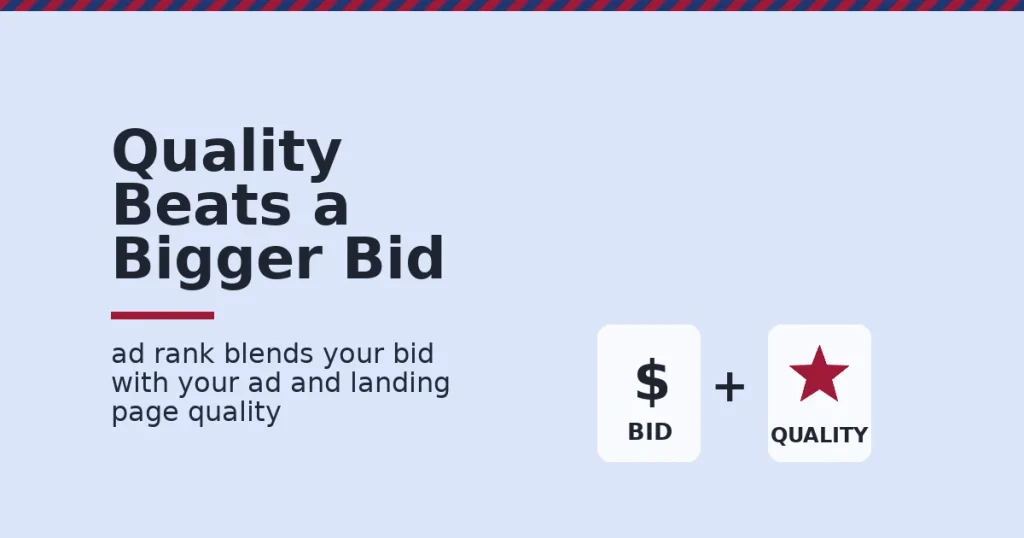
Google Ads is Google’s pay-per-click advertising platform. It lets businesses show ads on Google Search, YouTube and partner sites. You pay only when someone clicks. An auction decides which ads show, based on bid amount and ad quality together, not bid amount alone.
Key Takeaways
- Quality affects price directly. Google’s own documentation states Ad Rank is calculated from bid amount plus ad and landing page quality, not bid amount alone.
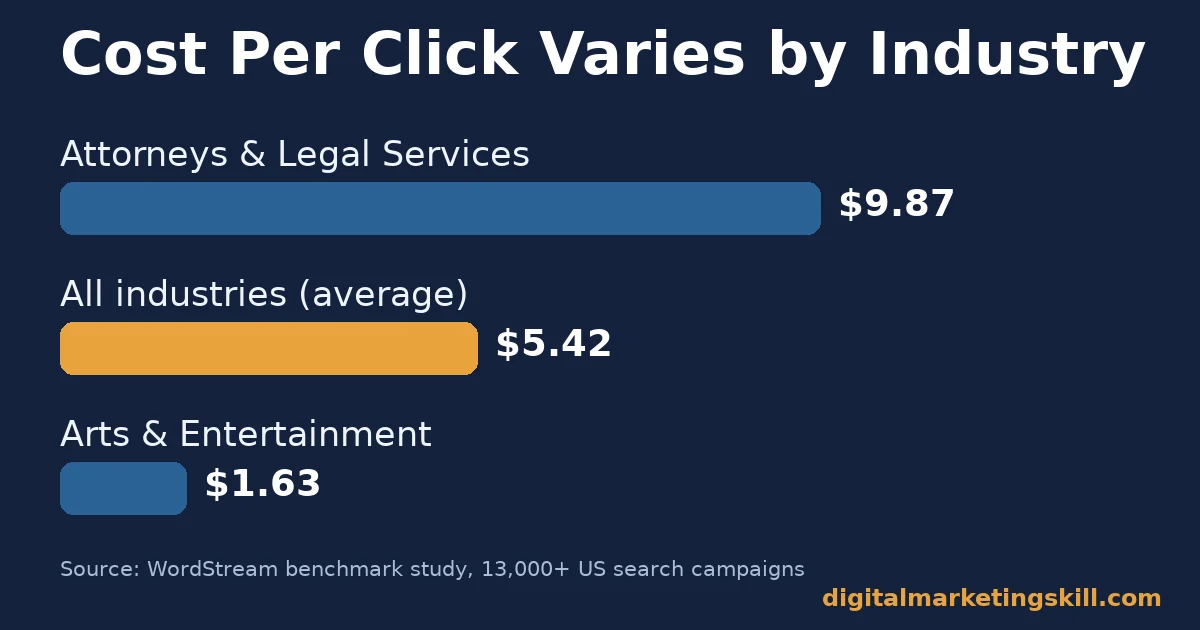
- Costs vary enormously by industry. WordStream’s benchmark study found an average cost per click of $5.42 across US search campaigns. But Attorneys & Legal Services averaged $9.87, while Arts & Entertainment averaged $1.63.
- Most searchers do click an ad or a result. The same study, covering more than 13,000 US search campaigns, found an average click-through rate of 6.64%.
- Conversion rates are higher than many advertisers expect. The study found an average conversion rate of 8.18%, though this varies widely by industry and offer.
- Search advertising remains Google’s largest business. In its most recent annual filing with the Securities and Exchange Commission, Alphabet reported Google Search and other advertising revenue of about $224.5 billion for the year.
In this guide
- What Most Google Ads Advice Gets Wrong
- How the Google Ads Auction Works
- Google Ads Differs by Campaign Goal
- How to Lead With Each Goal
- How to Measure Google Ads Performance
- The One Decision Rule: Fix Quality Before You Raise Budget
- A Real Case: What 13,000 Accounts Show About Realistic Google Ads Costs
- Frequently Asked Questions About Google Ads
- Build Real Google Ads and Digital Marketing Skills With Structured Training
What Most Google Ads Advice Gets Wrong
Most Google Ads advice treats the platform like a slot machine. Raise the budget, add more keywords, and hope for sales. That skips the one mechanism that actually decides outcomes. Every auction rewards quality, not just spend. So a cheap, low-quality campaign rarely outperforms a disciplined one.
This guide explains how the Google Ads auction actually works. It covers what realistic costs look like by industry, and how to structure a campaign around the metrics that matter. It also covers one decision rule for new advertisers with a limited budget.
Here are the ground rules. The cost and conversion figures below come from one benchmark provider’s own client base. So treat them as a useful reference range, not a universal number for your account. They are US-only and mostly combine Google Ads with Microsoft Ads data. Google’s own auction guidance is official, but Google does not publish the exact weighting of every factor.
How the Google Ads Auction Works
Every time someone searches, eligible advertisers enter an instant auction. Google calculates an Ad Rank for each eligible ad. The ad with the highest Ad Rank typically shows first. The amount an advertiser actually pays is usually just enough to beat the next-highest competitor.
What Actually Decides Ad Rank
According to Google’s own documentation, Ad Rank is calculated from your bid amount, the quality of your ad and landing page, Ad Rank thresholds, the competitiveness of the auction, the context of the search, and the expected impact of your ad assets. Quality is assessed through expected click-through rate, ad relevance and landing page experience.
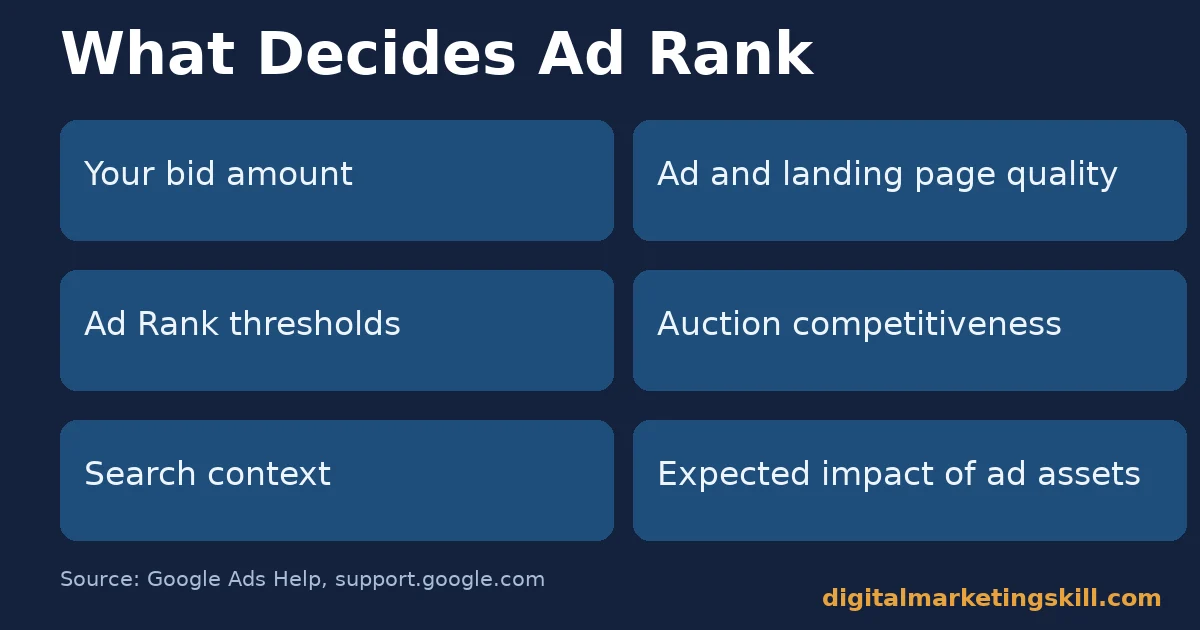
This is why two advertisers bidding the same amount can pay very different prices. It is also why a low bid with excellent quality can sometimes beat a high bid with a poor landing page. For a deeper look at fixing quality issues before adjusting budget, see this guide on PPC campaign optimization.
What Google Ads Actually Costs
WordStream’s benchmark study analysed more than 13,000 US search campaigns across 23 industries. It found an average cost per click of $5.42. That average hides a wide range: Attorneys & Legal Services averaged $9.87 per click, while Arts & Entertainment averaged $1.63.
So the honest answer to “how much does Google Ads cost” is that it depends on your industry’s competition. It is not a fixed platform price. Always budget against your own industry’s range, not a generic average.
Google Ads Differs by Campaign Goal
Search, Shopping and Display campaigns are not interchangeable tools for the same job. Each matches a different stage of buyer intent. Each needs a different measure of success. Running all three the same way is a common reason budgets get wasted.
Search Campaigns: Built on Active Intent
Search campaigns target people actively typing a query. So they generally convert at the highest rate of the three formats. However, they also tend to cost the most per click, since that intent is exactly what every competitor wants to capture too.
Shopping Campaigns: Built on Product Data
Shopping campaigns pull directly from a product feed. They show images, prices and store names before a click happens. This pre-qualifies traffic: someone who clicks a Shopping ad has already seen the price. That tends to raise conversion rate compared to a generic text ad for the same product.
Display Campaigns: Built on Reach
Display campaigns show visual ads across millions of partner sites and apps. They reach people who are not actively searching at all. This format is built for awareness and remarketing, not immediate intent. So judging it by the same conversion rate as Search usually misreads its purpose.
How to Lead With Each Goal
Knowing the three formats is only useful once applied to your own account structure. Here is what to prioritise for each.
Search Campaigns: Lead With Tight Keyword Groups
Lead with small, tightly themed ad groups built around one specific intent each. A focused group lets your ad copy and landing page match the search exactly. Avoid broad, catch-all ad groups, because they dilute relevance and quietly raise your cost per click. For help organising keyword research by intent rather than volume, see this guide on Google Keyword Planner.
Shopping Campaigns: Lead With Feed Quality
Lead with accurate, complete product titles and images in your feed. Google matches Shopping ads to queries using feed data, not keywords you choose directly. Keep prices and stock status current, because a mismatch between your ad and your site is one of the fastest ways to lose a click’s trust.
Display Campaigns: Lead With a Clear Audience
Lead with a defined audience, such as past site visitors or a specific interest category, rather than broad automatic targeting when you are starting out. Measure Display campaigns by view-through and assisted conversions, not last-click sales alone, since its job is earlier in the journey.
How to Measure Google Ads Performance
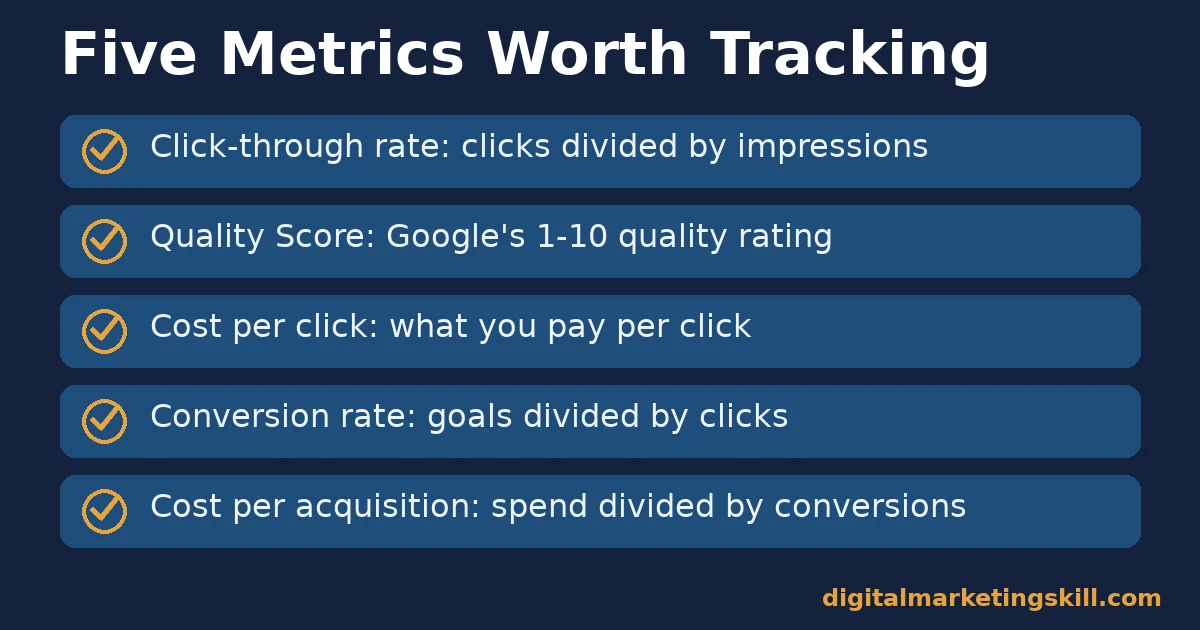
Clicks and impressions alone do not show whether a campaign is working. Here are five metrics that show real performance, each defined in one sentence.
Five Metrics That Show Real Performance
- Click-through rate (CTR): clicks divided by impressions. This shows whether your ad copy matches what searchers want.
- Quality Score: Google’s 1-10 rating of expected CTR, ad relevance and landing page experience. This affects both your Ad Rank and your cost per click.
- Cost per click (CPC): the amount you pay for each click. Read this against your industry’s typical range, not a generic average.
- Conversion rate: completed goals divided by clicks. This shows whether your landing page closes what your ad opened.
- Cost per acquisition (CPA): total spend divided by conversions. This shows whether the campaign is actually profitable once you know your margin.
How to Read These Numbers Together
A high CTR with a low conversion rate usually means your ad promises something your landing page does not deliver. A low CTR with a high Quality Score usually means your targeting is too broad for the ad copy you wrote. So read CTR, Quality Score and conversion rate together before changing your bid.
The One Decision Rule: Fix Quality Before You Raise Budget
If you only remember one rule from this guide, make it this. Fix landing page and ad relevance issues before raising your bid or your daily budget. A quality problem compounds every dollar you spend after it.
As an illustrative, invented example: an advertiser paying $8 per click with a 2% landing page conversion rate is paying roughly $400 per sale. If fixing the landing page lifts conversion to 4%, the same $8 click now costs about $200 per sale, without touching the bid at all.
For a structured list of what commonly breaks accounts, see this guide on Google Ads mistakes. For a focused look at landing page fixes, see this guide on landing page conversion.
A Real Case: What 13,000 Accounts Show About Realistic Google Ads Costs
WordStream’s benchmark study is itself a useful real case, because it is a large, named, checkable dataset rather than one company’s anecdote. It covers more than 13,000 US search advertising campaigns across 23 industries, combining Google Ads and Microsoft Ads data from the company’s own client base.
This shows that “what should I pay per click” has no single honest answer. Attorneys & Legal Services paying $9.87 and Arts & Entertainment paying $1.63 are both normal for their own markets. However, it does not show what your specific account will achieve, since the sample reflects one agency’s clients, is US-only, and mixes two ad platforms together.
Frequently Asked Questions About Google Ads
What is Google Ads in simple terms?
It is Google’s pay-per-click advertising platform. Advertisers bid to show ads on Search, YouTube and partner sites, and pay only when someone clicks.
How much does Google Ads cost per day?
There is no fixed minimum, since you set your own daily budget. Realistic starting budgets depend heavily on your industry’s typical cost per click, which can range from under $2 to nearly $10.
What is a good Quality Score?
Google scores Quality Score from 1 to 10. A score of 7 or above is generally considered strong. However, the number matters less than the trend: a rising score usually means your ad relevance and landing page experience are improving.
Is Google Ads good for beginners with a small budget?
It can work, but tight keyword targeting and strong landing page relevance matter more with a small budget than with a large one. There is less room to absorb a costly mistake.
Is Google Ads better than SEO?
They solve different problems. Google Ads produces traffic immediately but stops when spend stops. SEO takes longer to build but keeps producing traffic without ongoing ad spend once rankings are earned.
How long until Google Ads produces results?
Clicks and data start immediately. However, most accounts need several weeks of consistent spend before Quality Score and conversion data are reliable enough to optimise confidently.
Build Real Google Ads and Digital Marketing Skills With Structured Training
Google Ads rewards people who understand the auction, the account structure and the measurement together, not any one piece alone. If you want to build that foundation with structure instead of trial and error, Digital Marketing Skill Institute’s Master Diploma in Digital & AI Marketing includes an AI-Powered Google Specialist track. That is one of four AI-powered tracks totalling ten courses, with a Full Stack option for completing all four.
The program pairs unlimited 1-on-1 coaching and mentoring with a U.S. Project Internship and a verified U.S. Work Reference Letter. It is dual US and UK accredited and recognised in more than 100 countries. It runs 100% online, so you can study from anywhere in your country.
Whatever stage you’re at, you can explore real outcomes on the reviews page. Read the full program structure on the Master Diploma program page, or browse more guides on the digital marketing blog. Learners join Digital Marketing Skill Institute from around the world, wherever you live. Start by visiting digitalmarketingskill.com or applying directly at digitalmarketingskill.com/apply/.
Every figure in this guide was checked against its original source before publication. Figures marked as illustrative are invented examples, not real results.
![9 Amazing Digital Marketing Skills to Make Money Online [With Proof]](https://digitalmarketingskill.com/wp-content/uploads/2019/07/9-Amazing-Digital-Marketing-Skills-to-Make-Money-Online-With-Proof-17.png)






