
SEO Chrome extensions put keyword, on-page and link data directly in your browser, so you skip switching tabs during research. The best ones fit one job well instead of promising everything, and the safest ones ask for the least access to your data. This guide groups them by job and names the metrics that prove one is actually helping.
Key Takeaways
- Extensions cluster around a tiny, popular minority. Exstats’ extension-store data found that roughly 91% of Chrome Web Store listings have 1,000 or fewer active users. Most SEO extensions you will meet are small, lightly reviewed tools.
- Discovery is still the harder problem. Ahrefs’ search traffic study looked at about 14 billion pages. It found that 96.55% get no traffic from Google, which is why keyword-research extensions matter more than on-page polish for a new site.
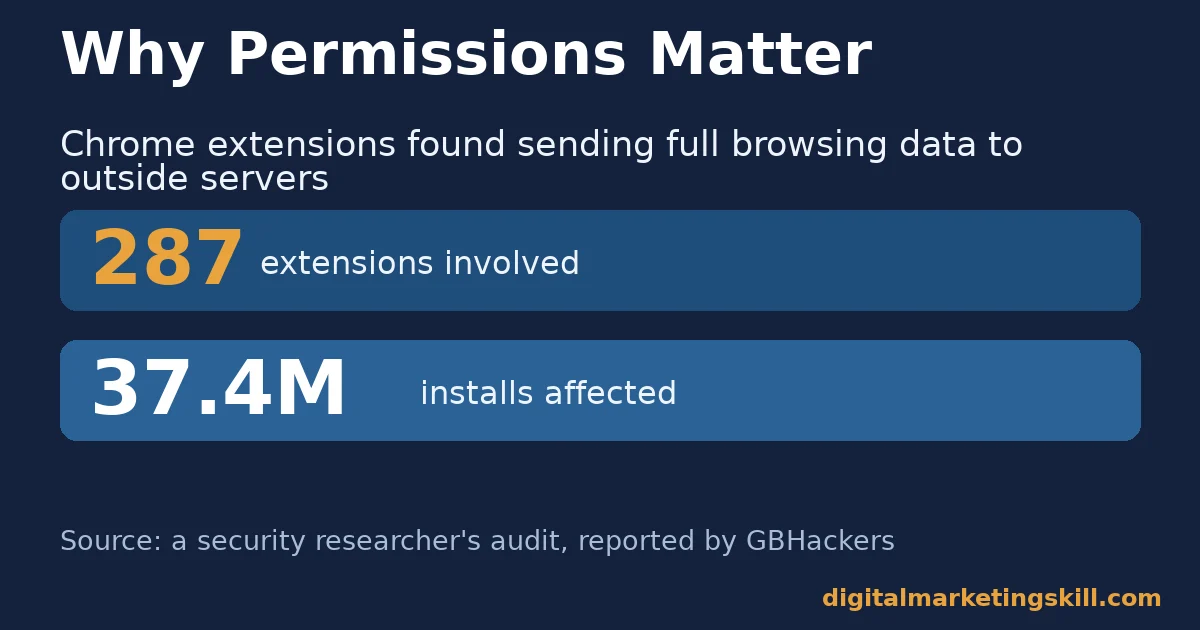
- Permissions are a real risk, not a formality. A security researcher’s audit of 287 Chrome extensions, reported by GBHackers, found an install base of about 37.4 million. Those extensions sent full browsing URLs to outside servers.
- Marketers are still investing here. HubSpot’s State of Marketing survey of more than 1,500 marketers found 35.4% planned increased investment in websites, blogs and SEO.
- Most teams expect search to keep changing. The same HubSpot survey found 70.2% of marketers believe they can adapt their strategy to organic search changes, including AI overviews.
In this guide
- What Most “Best SEO Chrome Extensions” Lists Leave Out
- How SEO Chrome Extensions Actually Work
- SEO Chrome Extensions Differ by the Job They Do
- How to Choose the Right Extension for Each Job
- Vet Every Extension Before You Install It
- How to Measure Whether an Extension Is Actually Helping
- A Real Case: What Happened When Researchers Audited 287 Chrome Extensions
- Frequently Asked Questions About SEO Chrome Extensions
- Start With One Job, Then Add the Next Tool
What Most “Best SEO Chrome Extensions” Lists Leave Out
Most roundups rank SEO Chrome extensions by popularity. Some rank them by how many features they pack in. That approach skips two sharper questions: which job does this tool actually do, and what can it see while it does it?
This guide treats those as the real selection criteria. The job question sorts extensions into keyword research, on-page audits, and technical or link checks. Mixing them up just wastes installs. The permission question matters because an extension runs on every page you open, not only the ones you are researching.
Ground rules before you read on. The usage figures below come from public extension-store snapshots and security audits. Read them as informed estimates, not exact live counts, since store data shifts daily. Pricing and features change often too, so treat every plan name here as a snapshot, not a permanent offer.
One more ground rule: a long feature list is not the same as a good fit. Many SEO Chrome extensions bundle keyword, on-page and link features into one toolbar icon. That looks efficient, but it often means every feature is shallower than a tool built for one job. This guide still recommends choosing by job first, then picking the narrowest tool that does it well.
How SEO Chrome Extensions Actually Work
A Chrome extension is a small bundle of code that Chrome loads alongside a webpage. Most SEO extensions use a “content script.” It reads the page you are viewing and adds an overlay, a sidebar or extra data next to the search results.
That is why a keyword tool can show search volume right inside Google’s results page. It reads the page, calls an external data service, then draws the numbers back onto what you see. The same mechanism lets an on-page checker count your headings and alt text, without you opening a separate audit tool.
The trade-off is access. To read a page and add data, Chrome has to grant the extension a permission. Chrome’s own developer documentation lists “read and change all your data on all websites” as the broadest one available.
That single permission is also what let the 287 extensions in the GBHackers-reported audit forward visited URLs to outside servers. The feature and the risk come from the same mechanism.
Most SEO extensions also run a small “background script.” It keeps working even on tabs you are not actively viewing, so it can refresh data or sync your saved keyword lists. That convenience is also why a broad-permission extension can, in principle, watch far more of your browsing than the one page you opened it for.
Chrome also updates most extensions automatically, without asking you each time. That patches bugs quickly, but it also means a developer can quietly expand what a tool can see.
SEO Chrome Extensions Differ by the Job They Do
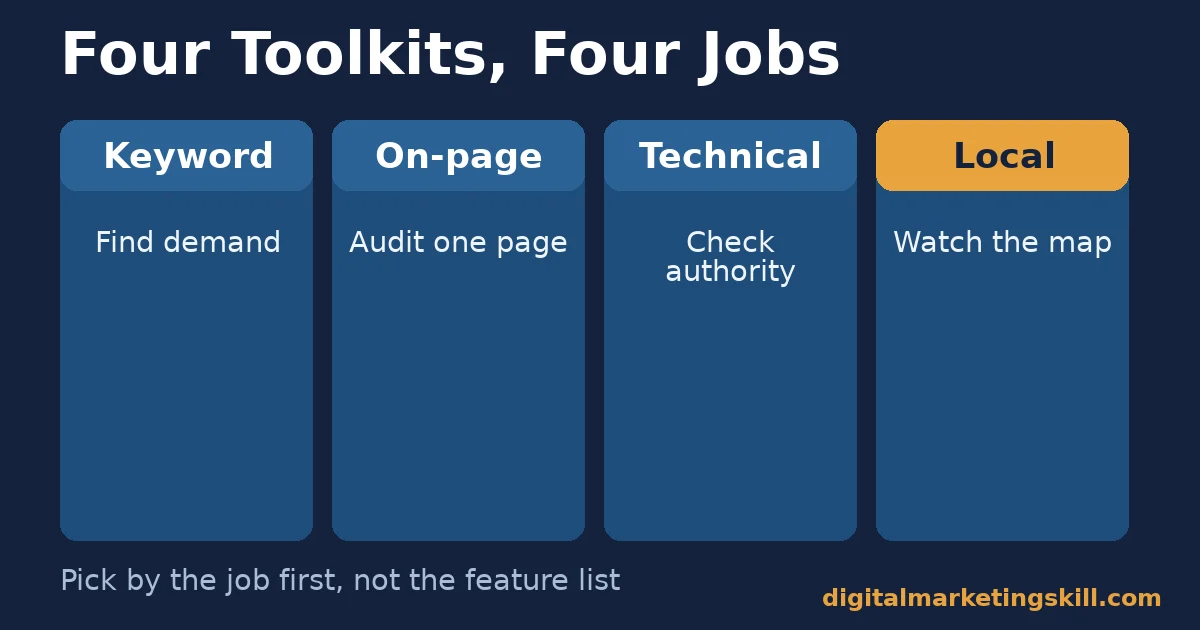
Treat SEO Chrome extensions as four separate toolkits, not one long list. Each toolkit answers a different question. Installing the wrong one for the job just adds clutter to your toolbar.
Keyword Research Extensions: Built to Surface Demand
Keyword research extensions, such as Keyword Surfer, Keywords Everywhere and Ubersuggest, add search volume, cost-per-click and related terms onto Google’s results page. They answer one question: is anyone searching for this topic, and how hard is it to compete for?
Keyword research extensions matter most before you write anything. Ahrefs’ search traffic study was built from roughly 14 billion pages in its Content Explorer database. It found that 96.55% get zero traffic from Google.
A page written for a topic nobody searches starts in that majority, so demand data earns its place first in the toolkit. For a deeper comparison than a browser overlay gives you, our guide to free and paid keyword research tools covers the dedicated platforms behind these extensions.
On-Page Extensions: Built to Audit What Is Already Live
On-page extensions, such as SEO META in 1 Click, Detailed SEO Extension and SEO Pro Extension, read a single page. They list its title tag, meta description, headings and image alt text, answering a narrower question: does this specific page follow basic on-page practice?
These extensions are fastest to use, but they cannot judge whether the topic was worth writing about. Run them after you confirm demand, as a pre-publish check rather than a research step.
Technical and Link Extensions: Built to Check Authority and Risk
Technical and link extensions, such as MozBar, NoFollow, Hreflang Tag Checker and Check My Links, look past a single page’s content. They check its authority and structure instead: domain authority, which links are nofollow, whether international tags point correctly, and which links are broken.
They matter most for competitive research and site audits. There, the question is less “is this page good” and more “how does it compare, and where is it structurally weak.”
Local SEO Extensions: Built to Watch Nearby Competitors
Local SEO extensions, such as GMB Everywhere, overlay data onto a business’s Google Business Profile and nearby map results: categories, review counts, and how a listing ranks from different simulated locations. This toolkit answers a question the others cannot: how does this business compare with the three or four competitors a searcher actually sees on a map?
Local data matters most for any business that depends on nearby customers, from a local service provider to a multi-location brand. A national ranking means little to a shopper who only sees results near their own address. This toolkit measures the view that actually drives a visit or a call.
How to Choose the Right Extension for Each Job
Once you know the job, choosing the right SEO Chrome extension is mostly about matching effort to the task. The sections below mirror the four toolkits above, with one change in approach for each.
Keyword Research: Lead With Verifiable Volume
Pick a keyword extension that shows where its numbers come from. Cross-check a few against a second source before trusting a new one. In-browser estimates are directional. They are useful for comparing terms against each other, not for precise forecasting.
Export the terms you confirm into a simple spreadsheet. That turns a browser overlay into a working keyword list, instead of a number you glance at once and forget. Revisit that list every few months, since search demand for a topic can shift as interest and competition change.
On-Page Audits: Lead With Speed Over Depth
Use on-page extensions for a fast pre-publish scan, not a full audit. Check that the title tag includes your keyphrase, the meta description is within range, headings are ordered correctly, and every image has alt text.
If an on-page extension flags a deeper issue, such as thin content or duplicate pages, switch to a full site crawl. Do not try to fix it one page at a time inside the extension. For the fuller version of this check, see our on-page SEO checklist.
Technical and Links: Lead With Permission Scope First
Before you judge a technical extension by its features, check what it can see. A link checker only needs to read the current page, so it should not need access to every site you visit. If it asks for more than the job requires, look elsewhere.
Keep a short list of two or three trusted technical extensions, rather than installing every option you find. Fewer extensions with broad permissions means a smaller attack surface if one is ever compromised. When a link checker turns up gaps, our guide on getting high-quality backlinks covers how to close them.
Local SEO: Lead With Your Own Listing First
Audit your own Google Business Profile before you spend any time studying competitors. Confirm the category, hours, photos and recent reviews are accurate. A weak profile loses to a complete one, even when the underlying business is stronger.
Only then turn the same checks on two or three real competitors. Note what they do that you do not, such as answering reviews or posting updates. Copy the habit, not the exact wording. A profile that posts updates regularly and answers every review tends to look more trustworthy to both searchers and the ranking system behind the map results.
Vet Every Extension Before You Install It
If you take one rule from this guide, make it this: check an extension’s permissions and reviews before it checks your traffic. A security researcher’s audit of 287 Chrome extensions, reported by GBHackers, found an install base of about 37.4 million. Those extensions sent full visited URLs, including identifiers inside them, to outside servers.
Here is an illustrative example, with invented numbers. A content team installs six SEO extensions on a shared research laptop over a year, without reviewing permissions again after the first install. One update quietly adds a broader data-access permission. Nobody re-checks it, so the team does not notice for months, even though Chrome shows every granted permission in its extension settings.
The fix would have cost the team two minutes: open Chrome’s extension settings, click “Details” on each tool, and read the “Site access” line. That single screen shows exactly what every installed extension can see right now.
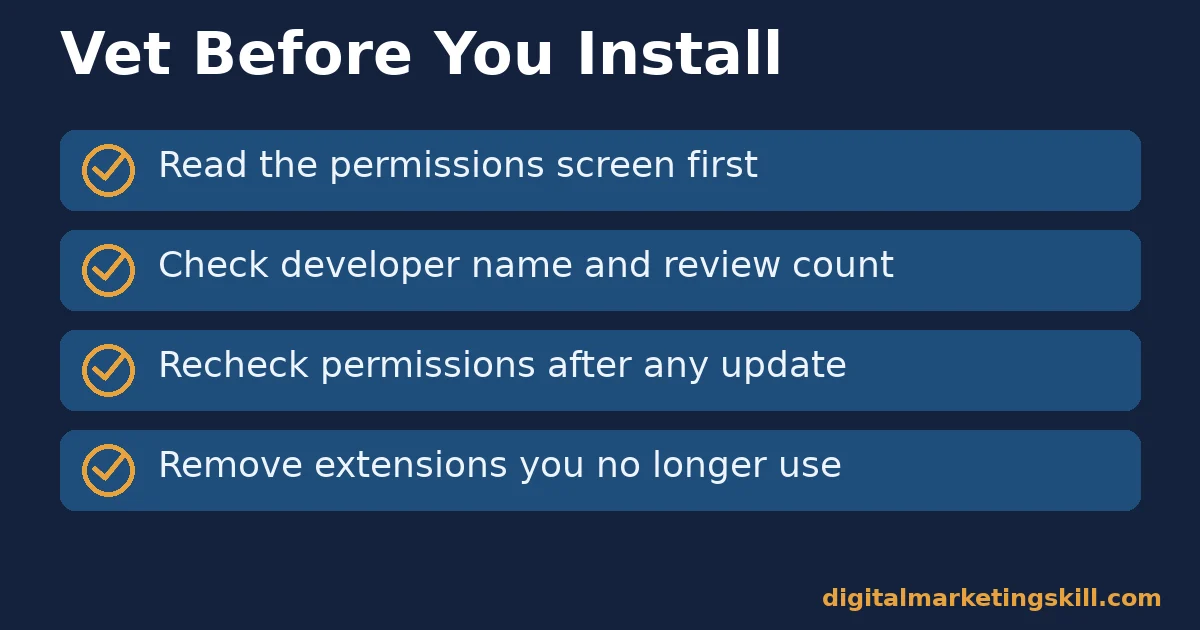
The decision rule that avoids this: before installing, read the permissions screen, check the developer’s name and review count, and recheck permissions after any major update. Remove any extension you no longer actively use.
Two More Checks Worth a Minute
Look at how recently the extension was updated, and how its developer answers negative reviews. An abandoned extension that still asks for broad access is a bigger risk than an actively maintained one. If a free tool suddenly asks for more permissions than its stated feature needs, treat that change itself as a warning sign.
How to Measure Whether an Extension Is Actually Helping
Judge SEO Chrome extensions by what changes in your actual results, not by how often you open them. Each metric below is defined in one sentence, with a note on how to read it. These sit alongside the traffic and ranking numbers you already track in a full analytics or search-console tool, rather than replacing them.
Four Metrics That Show Real Value
- Time saved per task. How long a research or audit task now takes, compared with doing it without the extension. A tool that saves minutes on a weekly task earns its toolbar space.
- Keyword list accuracy. The share of keyword estimates from the extension that roughly match a second, independent source. Low agreement means treat the numbers as directional only.
- On-page issues caught before publish. The count of real fixes an on-page extension flags before a post goes live. Falling counts over time can mean your process improved, not that the tool stopped working.
- Permission footprint. The number of installed extensions with “read and change all your data on all websites” access. Lower is safer. Review this list on a fixed schedule, such as quarterly.
How to Read These Metrics Together
Start with permission footprint, because it is a risk check, not a performance one. Then look at time saved and accuracy for the tools you keep. If an extension is slow, inaccurate and broad in its permissions, it has failed on every count and should go.
Review all four metrics together once a quarter, rather than reacting to a single bad week. A tool can have one off day without actually being the wrong fit. For checks that need a full crawl, not one page at a time, our roundup of website audit tools covers the dedicated platforms worth adding.
A Real Case: What Happened When Researchers Audited 287 Chrome Extensions
A security researcher who publishes findings as Q Continuum built an automated testing pipeline. It ran Chrome inside a Docker container, routed its traffic through a proxy, and visited controlled test pages designed to reveal data leakage. GBHackers reported the results: 287 extensions were found sending full visited URLs, including personal identifiers and internal paths, to remote servers.
The extensions involved had an estimated install base of about 37.4 million, roughly 1% of global Chrome users at the time. None of the extensions named in that audit were SEO tools specifically. But the finding applies directly to this category: any extension that reads every page you visit, SEO extensions included by design, has the technical ability to do the same thing.
The limit on this case is scope. The audit is a snapshot of one researcher’s methodology, reported through one outlet. It is not an exhaustive scan of the entire Chrome Web Store, so treat it as proof the risk is real, not a measure of how common it is.
What this case changes in practice is small but concrete. Before you install the next keyword, on-page or link extension from this guide, spend thirty seconds on its permissions screen first. That single habit is the direct, low-cost response to what the audit found.
Frequently Asked Questions About SEO Chrome Extensions
Are SEO Chrome extensions safe to use?
Most are safe, but some carry real risk. A researcher’s audit of 287 Chrome extensions, reported by GBHackers, found ones with broad page-reading permissions sending visited URLs to outside servers. Check permissions and developer reputation before installing any extension, SEO or otherwise.
What are the best free SEO Chrome extensions?
Keyword Surfer, SEO META in 1 Click, MozBar and Check My Links are widely used free options. Each one covers a single job well: keyword demand, on-page checks, authority metrics and broken-link scans. Pick based on the job you need, not the longest feature list.
Do I need paid SEO Chrome extensions?
Not to start. Most categories in this guide have a capable free option. Paid tiers usually add higher daily search limits or deeper competitor data. That is worth it once you run searches often enough to hit the free limit.
Can SEO Chrome extensions slow down my browser?
Yes, if you run many at once, especially ones that scan every page you load. Keep only the extensions you use weekly active. Disable the rest, rather than uninstalling them, if you expect to need them again.
How many SEO Chrome extensions should I install?
Enough to cover the jobs in this guide, usually two to four in total. One keyword tool, one on-page checker and one or two technical or link tools cover most routine work without a cluttered toolbar.
Do SEO Chrome extensions replace a full SEO platform?
No. They are fast, in-browser shortcuts for research and checks you do constantly. A full crawl, site-wide audits and rank tracking still need a dedicated platform. Extensions complement that work, rather than replacing it.
What permissions should an SEO Chrome extension actually need?
Usually just access to the current tab, or to the specific search and SEO sites it analyses. An extension that asks to “read and change all your data on all websites” for a narrow job, such as counting words, is asking for more than the task requires.
Start With One Job, Then Add the Next Tool
Pick the job that costs you the most time right now, whether that is keyword research, on-page checks, technical audits or local listings. Install one extension built for it. Check its permissions before you accept them, then use it for two weeks before deciding whether it earns a permanent spot in your toolbar.
If it saves real time and the numbers hold up against a second source, add the next tool for the next job. If it does not, remove it. Try a different one, rather than letting it sit idle with access it no longer earns.
If you want to build this skill properly, rather than piece it together from extensions, Digital Marketing Skill Institute‘s Master Diploma in Digital & AI Marketing includes an AI-Powered WordPress and SEO Specialist track, inside ten courses across four AI-powered tracks. A Full Stack option covers all four.
It comes with unlimited 1-on-1 coaching and mentoring, and a U.S. Project Internship that ends with a verified U.S. Work Reference Letter. The diploma is dual US and UK accredited, and recognised in more than 100 countries.
The programme runs fully online, so you can study it from anywhere in your country. Browse more guides on the Digital Marketing Skill Institute blog, or when you are ready, apply for the Master Diploma from the Digital Marketing Skill Institute homepage.
Every figure in this guide was checked against its original source before publication. Figures marked as illustrative are invented examples, not real results.
![9 Amazing Digital Marketing Skills to Make Money Online [With Proof]](https://digitalmarketingskill.com/wp-content/uploads/2019/07/9-Amazing-Digital-Marketing-Skills-to-Make-Money-Online-With-Proof-17.png)






