
A Redirect Chain is a series of two or more redirects that a browser or search bot must follow before it reaches the final page. For example, URL A sends you to URL B, and URL B then sends you to URL C. Each extra hop adds a delay for users and extra work for crawlers. As a result, long chains can slow your site and weaken how search engines handle your pages.
Key Takeaways
- A redirect chain happens when one redirect leads to another redirect, not straight to the final page.
- Google’s crawlers follow up to 10 redirect hops by default, then stop.
- Each hop means another network request, so chains slow pages down.
- Chains often grow after site moves, HTTPS changes and repeated URL edits.
- The fix is simple: point every old URL and link straight at the final page.
What Is a Redirect Chain?
A redirect tells a browser that a page has moved. Usually, the server sends a status code such as 301 or 302, plus the new address. Then the browser asks for that new address instead.
That works well with one hop. However, problems start when the new address also redirects. Then the browser has to ask again, and maybe again after that. This string of hops is a redirect chain.
Think of it like a parcel with three forwarding notes. First it goes to your old flat, then to your parents’ house, and finally to your new home. It still arrives. But it takes longer, and each stop is a chance for it to go missing.
Search engines see chains in the same way. Google states that “By default, Google’s crawlers follow up to 10 redirect hops.” So a very long chain may never reach its final page at all. Also, a chain that loops back to its start becomes a redirect loop, and the page never loads.
Why It Matters
Why should you care about a few extra hops? First, speed matters to users. Google’s Lighthouse docs say each extra trip “can delay the loading of the resource by hundreds of milliseconds.” In addition, slow pages can hurt your page speed scores.
Second, chains waste crawler time. On a large site, that can eat into your crawl budget. So Google may spend its visits on hops instead of on new content. Finally, chains make your site harder to manage. Each new URL change can add yet another link to the chain.
The good news is that chains are easy to fix once you find them. In most cases, you only need to edit a few redirect rules. Then you update the links that point to old URLs. So a short audit can give you a faster, cleaner site with very little risk.
How Redirect Chains Work
Every redirect is a short exchange between a browser and a server. The browser asks for a URL, and the server replies with a new location. Then the browser makes a fresh request to that location, and the cycle repeats until a page loads.
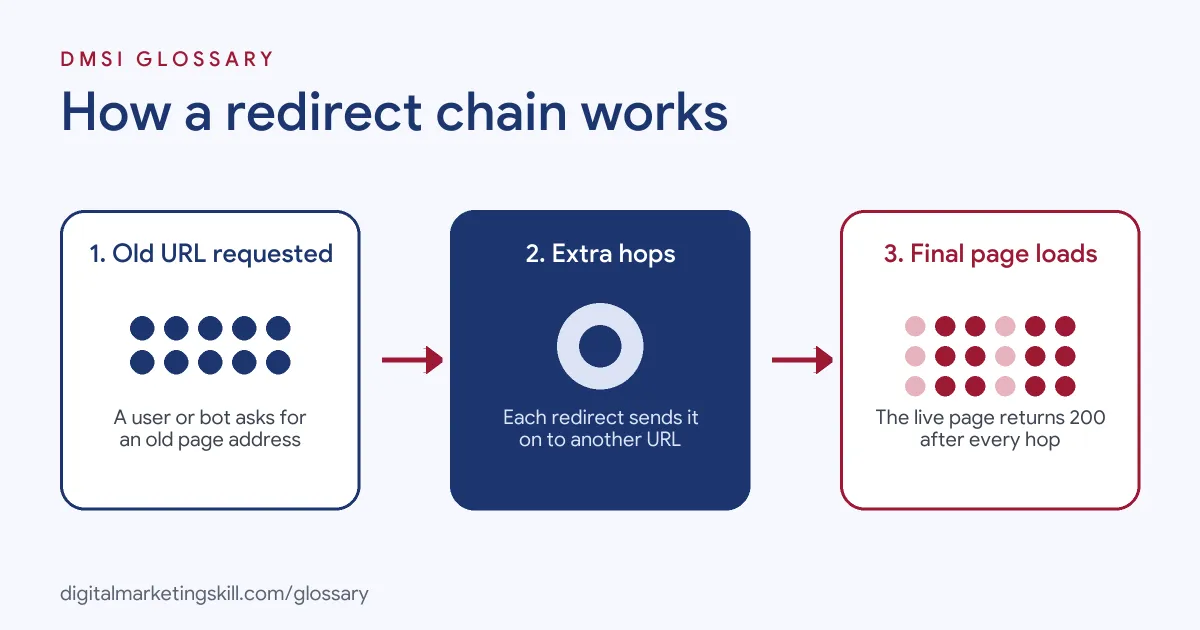
Step 1: The First Request
A user clicks a link, or a bot finds an old URL. So the browser sends a request to that address. The server replies with a 3xx status code and a Location header. For instance, a 301 redirect says the page has moved for good.
Step 2: The Extra Hops
Next, the browser follows the new address. But that address also redirects. This often happens after many small changes over time. For example, a site may first move from HTTP to HTTPS. Later, it may add “www” to every URL. Then a team renames a page. Now one old link passes through three hops before it lands.
Step 3: The Final Page
At last, the browser reaches a page that returns a 200 status code. That page loads for the user. Meanwhile, Google uses the content of the final target. Google says “the final target URL’s content is processed instead” of the content on the redirecting URL. In short, the end page is what counts, but every hop on the way costs time.
When Chains Break
Sometimes the chain never ends well. For example, one hop may lead to a 404 error. Or two URLs may point at each other and create a loop. Also, a chain longer than 10 hops may stop Google from reaching the page. In each case, users and bots hit a dead end.
Examples of Redirect Chains
- An online shop after a rebrand. The shop moves to a new domain. However, old redirects from a past HTTPS switch still point to the old domain. So each old product URL now takes three hops. The team updates the rules so every old URL goes straight to its new page.
- A blog that changed its URL format. The blog first changes its permalink style, then renames some posts. As a result, popular posts sit behind two redirects. After an audit, the editor points each old URL at the current post.
- A service business with old menu links. The main menu still links to retired pages that redirect twice. So every visitor waits for extra hops. The team then edits the menu to link to the final URLs directly.
Redirect Chain vs Single Redirect vs Redirect Loop
| Point | Single redirect | Redirect chain | Redirect loop |
|---|---|---|---|
| What happens | One hop to the final page | Two or more hops in a row | Hops that circle back to the start |
| Does the page load? | Yes | Yes, if the chain is short and ends on a live page | No |
| Effect on speed | Small delay | Delay grows with each hop | Page never loads |
| What to do | Usually fine as it is | Collapse it into one hop | Fix right away |
How to Find and Fix a Redirect Chain
- Crawl your site. Use an SEO crawler to list every redirect. Most crawlers have a report for chains and loops.
- Check single URLs. Next, test key URLs with a redirect checker or your browser’s network panel. You’ll see each hop and its status code.
- Map the final page. For each chain, note the first URL and the last live URL.
- Update the redirect rules. Change each rule so the first URL points straight at the final page. Then do the same for every middle hop.
- Fix your internal links. Edit menus, buttons and body links so they use the final URL. This step is part of good internal linking.
- Update your sitemap. Make sure your XML sitemap lists only final URLs, not redirecting ones.
- Test again. Finally, re-crawl the site and confirm each old URL now takes one hop at most.
Best Practices for Redirect Chains
- Aim for one hop. Every old URL should go straight to its final page.
- Use server-side redirects. Google recommends “a permanent server-side redirect whenever possible” when a URL changes for good.
- Pick the right code. Use a 301 for a permanent move and a 302 for a short-term one.
- Keep a redirect map. Store old and new URLs in one sheet, so you can spot chains before they form.
- Audit after big changes. Check for chains after site moves, HTTPS switches and URL format changes.
- Link to final URLs. Don’t rely on redirects for your own links, since you control them.
Common Mistakes to Avoid
- Stacking new redirects on old ones. Adding a fresh rule without updating old ones creates a chain.
- Mixing up HTTP, HTTPS and www. Separate rules for each can add two or three hops to every URL.
- Leaving old links in menus. Internal links that redirect slow down every visit.
- Using JavaScript redirects first. Google advises you to “Only use JavaScript redirects if you can’t do server-side or meta refresh redirects.”
- Ignoring loops. A loop blocks the page for everyone, so fix it as soon as you find it.
- Deleting redirects too soon. Removing an old rule can turn a working chain into a 404.
Where You’ll Use Redirect Chains at Work
Redirect work shows up in technical SEO and WordPress roles, often next to crawling and indexing. For example, real remote job listings ask for:
- “Identify and resolve technical SEO issues related to indexing, crawling, redirects, and website structure.” (Freelance WordPress Developer (Technical SEO & Website Support)).
- “Have strong technical SEO expertise, including indexing, crawling, canonicals, redirects, duplicates, sitemaps, robots.txt, and internal linking.” (TL SEO).
- “Deep expertise in crawling, indexation, JavaScript SEO, sitemaps, canonicals, redirects, hreflang, internal linking, Core Web Vitals, performance, and mobile UX.” (Senior Technical SEO Specialist).
Learn It in the WordPress and SEO Track
You can learn redirects and wider technical SEO in the AI-Powered WordPress and SEO Specialist track. Every track includes a U.S. Project Internship from day one, with unlimited 1-on-1 mentoring.
Frequently Asked Questions
How many redirects is too many?
Aim for one hop. Google’s crawlers follow up to 10 hops by default, but every extra hop still slows the page.
Do redirect chains hurt SEO?
They can. Chains slow pages, waste crawl time and risk breaking before the final page. So it’s best to collapse them.
What is the difference between a chain and a loop?
A chain ends on a live page after several hops. By contrast, a loop circles back on itself, so the page never loads.
How do I find redirect chains?
Run a site crawl with an SEO crawler and check its redirect report. You can also test single URLs in your browser’s network panel.
Can I fix redirect chains in WordPress?
Yes. Most redirect plugins let you edit each rule. Then you point every old URL straight at its final page.
Sources: Google Search Central: How HTTP status codes affect Google Search; Google Search Central: Redirects and Google Search; Chrome for Developers: Avoid multiple page redirects; remote job listings on Himalayas, Himalayas and Himalayas.