
CAN-SPAM is a United States law that sets the rules for commercial email, gives people the right to stop receiving it and sets penalties for senders who break the rules. If you send marketing emails to people in the US, it applies to you. So understanding it protects your brand, your sender reputation and your budget. It also builds trust, because people know they can leave your list at any time.
Key Takeaways
- CAN-SPAM covers all commercial email, not just bulk email.
- It makes no exception for business-to-business email.
- Every marketing email needs honest headers, an honest subject line, a postal address and a clear way to opt out.
- You must honour opt-out requests within 10 business days.
- Both the brand being promoted and the company sending the email can be held responsible.
What Is CAN-SPAM?
CAN-SPAM is short for the Controlling the Assault of Non-Solicited Pornography And Marketing Act. The US Federal Trade Commission, or FTC, enforces it. In simple terms, it tells you what a marketing email must include and what it must never do.
The FTC is clear about its scope. Its compliance guide says, “It covers all commercial messages.” In addition, it adds that “The law makes no exception for business-to-business email.” So a sales email to another company counts, just like a promo email to a shopper.
Think of it like the rules for a shop sign. The sign can’t lie about what you sell. It must show who you are and where to find you. And if someone asks you to stop handing them flyers, you have to stop. CAN-SPAM applies the same idea to your inbox messages.
Unlike some other laws, CAN-SPAM does not require consent before your first email. Instead, it is mainly an opt-out law. However, that does not mean you can email anyone you like. Other laws, such as GDPR in Europe and the UK, or Canada’s anti-spam law, may still apply to your list.
Why It Matters
Why should you care? First, the FTC states that “Each separate email in violation of the law is subject to penalties.” So one bad campaign sent to a large list can become very costly. Second, the rules match what inbox providers and readers expect anyway. For example, a clear unsubscribe link and an honest subject line help your email deliverability. As a result, good compliance and good marketing often point the same way.
Who It Affects
So who needs to follow it? In short, almost anyone who sends marketing email to people in the US. For example, that includes online shops, software firms, coaches and agencies. It also includes small businesses that send one newsletter a month. In addition, the law covers more than big promo blasts. A single sales email can count as a commercial message. Also, the rules apply no matter which email tool you use. So even if your platform adds an unsubscribe link for you, you still need to check the rest. After all, the tool can’t make your subject line honest for you.
How CAN-SPAM Works
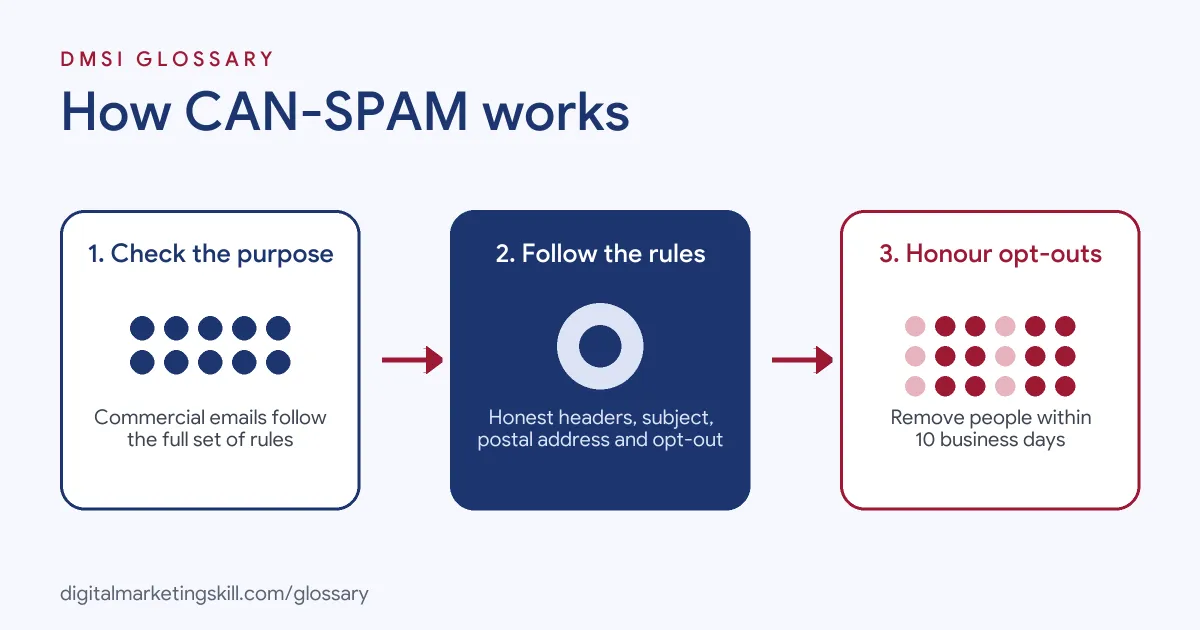
CAN-SPAM works by setting a short list of rules for every commercial email. First, it looks at the main purpose of your message. Then it applies rules on honesty, identity and opting out. Finally, it holds the senders responsible if they break those rules.
Commercial or Transactional?
The first question is what your email is for. A commercial email promotes a product or service. By contrast, a transactional or relationship email helps complete a deal the person already agreed to. For example, an order receipt or a password reset is usually transactional. The FTC says an email is transactional only “if it consists only of content” in a set list of types. So a receipt packed with promotions may count as commercial.
The Core Rules
Next, commercial emails must follow the main rules. The FTC guide lists them in plain words. For instance, “Don’t use false or misleading header information” and “Don’t use deceptive subject lines.” Also, you must “Identify the message as an ad” and “Tell recipients where you’re located.” In practice, that means a valid physical postal address in every email.
The Opt-Out Rules
Then come the opt-out rules. You must tell people how to stop future marketing emails from you. In addition, the FTC says you must honour a request “within 10 business days.” Your opt-out link must also keep working “for at least 30 days after you send your message.” Finally, you can’t charge a fee or ask for more than an email address to opt out.
Who Is Responsible
Last, CAN-SPAM looks at who sent the email. According to the FTC, both the company whose product is promoted and the company that sends the message “may be held legally responsible.” So if you hire an agency, you still share the risk. The guide also warns that you “can’t contract away your legal responsibility to comply with the law.”
Examples of CAN-SPAM in Practice
- An online clothing shop. The shop adds its postal address and a one-click unsubscribe link to its email template. Then it removes anyone who opts out from future sends straight away.
- A software company doing B2B outreach. The sales team sends cold email to prospects at other businesses. So each message uses honest headers, a clear subject line and an easy way to opt out.
- A gym using an agency. The gym hires an agency to run its newsletter. However, it still checks that the agency handles unsubscribes on time, because both can be held responsible.
CAN-SPAM vs GDPR and CASL
| Point | CAN-SPAM | GDPR and UK rules | CASL (Canada) |
|---|---|---|---|
| Where it applies | United States | EU and UK | Canada |
| Main model | Opt-out | Lawful basis, often consent | Consent before sending |
| Unsubscribe | Within 10 business days | Easy opt-out for marketing | Opt-out in every message |
| Sender details | Valid postal address | Clear sender identity | Name and contact details |
| B2B email | No exception for B2B | Included, with some differences | Also covered |
How to Comply With CAN-SPAM
- Check each email’s purpose. Decide if it is commercial or transactional. If in doubt, treat it as commercial.
- Use honest sender details. Make sure the “From” name, “Reply-To” address and routing details are accurate.
- Write honest subject lines. The subject should match what the email contains.
- Make it clear it’s an ad. Promotional content should be obvious to the reader.
- Add your postal address. Put a valid physical postal address in your email footer.
- Add a clear opt-out. Include an easy unsubscribe link in every marketing email.
- Process opt-outs fast. Remove people within 10 business days, ideally much sooner.
- Check your partners. Review how agencies and affiliates send email for you.
Once these steps are in place, test them. For example, sign up to your own list with a spare address. Then click the unsubscribe link and check that you stop getting emails. Also, look at the footer on a phone screen to make sure the address and link are easy to see. Finally, repeat this check after any change to your templates or email tool.
Best Practices for CAN-SPAM
- Build compliance into templates. Add the address and unsubscribe link to your master template, so no email goes out without them.
- Use permission anyway. Even though CAN-SPAM is opt-out, an opt-in list performs better and helps with other laws.
- Unsubscribe in one step. Don’t ask people to log in or answer questions before they leave.
- Keep a suppression list. Store opt-outs so you never email those people again by mistake.
- Clean your list. Good list hygiene keeps out old and risky addresses.
- Get legal advice when unsure. This page explains the basics, but a lawyer can check your exact set-up.
Common Mistakes to Avoid
- Thinking B2B is exempt. The FTC says the law makes no exception for business email.
- Clickbait subject lines. A subject that misleads readers breaks the rules.
- Hiding the unsubscribe link. Tiny, pale or broken links frustrate people and create risk.
- Slow opt-outs. Waiting weeks to remove people can break the 10-day rule.
- Blaming the agency. Even when an agency hits send, you can still share the responsibility.
- Forgetting other laws. CAN-SPAM won’t cover you for readers in the UK, Europe or Canada.
Where You’ll Use CAN-SPAM at Work
CAN-SPAM shows up in email, lifecycle and CRM roles. For example, real remote job listings ask you to:
- “Ensure compliance with CAN-SPAM, CASL, GDPR, and other applicable email marketing regulations.” (Email & SMS Specialist).
- “Familiarity with CAN-SPAM and TCPA requirements.” (Email Marketing Specialist).
- “Deep knowledge of email deliverability best practices, authentication protocols (SPF, DKIM, DMARC), and compliance (CAN-SPAM, GDPR).” (Lifecycle Marketing Manager).
In addition, you’ll use it whenever you set up email marketing flows for US customers.
Learn It in the Lead Generation and Email Track
You can learn CAN-SPAM and email compliance in the AI-Powered Lead Generation and Email Automation track. Every track includes a U.S. Project Internship from day one, with unlimited 1-on-1 mentoring.
Frequently Asked Questions
Does CAN-SPAM require consent before I email someone?
No, it is mainly an opt-out law. However, other laws such as GDPR or CASL may require consent, depending on where your readers are.
Does CAN-SPAM apply to B2B email?
Yes. The FTC says the law makes no exception for business-to-business email.
How fast must I process an unsubscribe?
Within 10 business days. In practice, most email tools remove people almost straight away.
Do receipts need an unsubscribe link?
Purely transactional emails, such as receipts, are mostly exempt from the opt-out rules. Still, they must not contain false or misleading routing information.
Who enforces CAN-SPAM?
The Federal Trade Commission enforces it. Also, each email that breaks the law can lead to a separate penalty.
Sources: Federal Trade Commission: CAN-SPAM Act: A Compliance Guide for Business; Federal Trade Commission: CAN-SPAM Rule; Government of Canada: Canada’s anti-spam legislation; remote job listings on Himalayas, Himalayas and Himalayas.