
Lead Capture is the process of collecting contact details, such as a name and email address, from people who show interest in your business. It usually happens through a form on a website, a landing page or an ad. Without it, interested visitors leave and you have no way to reach them again. As a result, lead capture is the bridge between getting attention and starting a real sales conversation.
Key Takeaways
- Lead capture turns anonymous visitors into contacts you can follow up with.
- Most lead capture uses forms on landing pages, pop-ups or in-platform ad forms.
- People share details when they get something useful back, such as a guide or a quote.
- Short forms, clear offers and fast follow-up usually capture more good leads.
- In the UK, marketing emails to individuals generally need consent or a valid soft opt-in.
What Is Lead Capture?
Most people who visit your website will not buy on their first visit. However, some of them are interested enough to want more. Lead capture gives those people an easy way to raise their hand. In return, you get permission to contact them.
A “lead” is simply a person or company that might become a customer. So “capturing” a lead means saving their details in a safe place, such as your email tool or CRM. Then your team can send helpful messages, book a call or make an offer.
Here is an everyday example. You visit a kitchen fitter’s website. Then you see a box that says, “Get a free design consultation.” You type your name, email and postcode, and click send. That simple form is lead capture in action.
Lead capture is one part of wider lead generation. In short, lead generation attracts the interest. Lead capture is the moment you record it.
Why It Matters
Traffic on its own does not pay the bills. For example, a site can get thousands of visits and still produce no sales. Lead capture changes that, because it gives you a list of people you can reach again. Also, it lets you measure marketing better. You can see which ads, pages and offers bring in contacts. Finally, it helps sales teams focus on people who have already shown interest.
Common Types of Lead Capture
Lead capture comes in many shapes. For example, a contact form on a service page is the simplest kind. Pop-ups and slide-ins appear while someone reads a page. Then there are in-ad forms on platforms such as Google and Meta, which open without sending people to your site. Also, chatbots can ask for an email address during a chat. Finally, offline methods count too, such as a sign-up sheet or a QR code at an event. Each type suits a different moment, so many businesses use several at once.
How Lead Capture Works
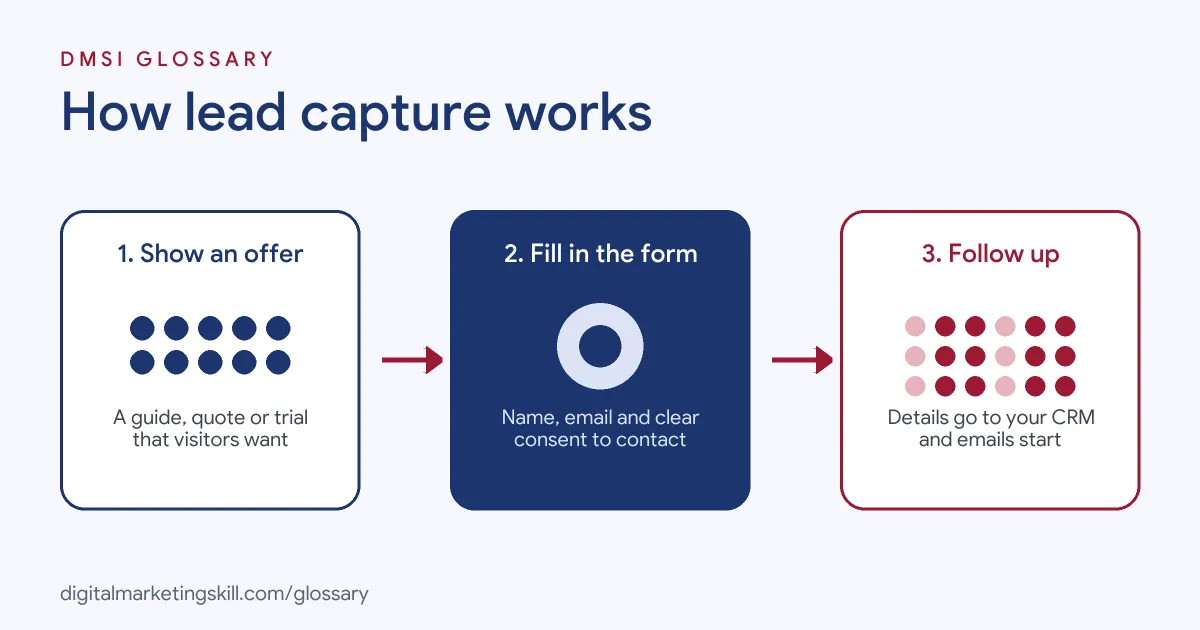
Lead capture follows a simple path. First, a visitor sees an offer. Then they fill in a form to get it. Finally, their details go to your system, and follow-up begins.
The Offer
People rarely share details for nothing. So you need a clear reason for them to say yes. This is often a lead magnet, such as a checklist, template or free trial. It can also be a quote, a demo or a discount. The more useful the offer feels, the more likely people are to fill in the form.
The Form
Next, the form collects the details. It can sit on a landing page, in a pop-up or inside an ad. For instance, Google Ads lead forms let people “submit their information in a form directly in your ad.” In the same way, social platforms offer instant forms that open inside the app. So the person never has to leave the page they are on.
Consent and Permission
Then comes permission. In the UK, the ICO says that if you send marketing emails to individuals, you “must have their consent or be able to meet all the requirements of a soft opt-in.” Also, you “must not use pre-ticked opt-in boxes, silence or inactivity as evidence of consent.” So a clear, unticked opt-in box is the safest choice.
Storing and Following Up
Finally, the details move into your tools. This can happen through a direct integration, a webhook or a tool like Zapier. For example, Google Ads lets you send leads to your CRM automatically. Google also keeps lead form data for only 60 days, so you need a reliable way to export it. After that, an automated email or a sales call starts the follow-up.
Qualifying the Lead
Not every lead is ready to buy. So many teams add one or two smart questions to the form, such as company size or budget range. Then they use the answers to sort leads into groups. For instance, hot leads go straight to sales, while others get helpful emails first. This keeps sales time for the people most likely to buy.
Examples of Lead Capture
- A local roofing company. The company adds a “Get a free roof check” form to every service page. Each form asks for a name, phone number and postcode. Then a team member calls back the same day.
- A software start-up. The team offers a free trial in exchange for a work email. As a result, every trial user becomes a lead, and a welcome email series starts right away.
- A fitness coach. The coach runs social ads with an instant form for a free meal plan. Then the leads flow into an email tool. After that, they receive tips, success stories and a class offer.
Lead Capture vs Lead Generation vs Lead Nurturing
| Point | Capture | Generation | Nurturing |
|---|---|---|---|
| Main job | Collect contact details | Attract interested people | Build trust after capture |
| When it happens | The moment someone fills in a form | Before and around capture | After capture |
| Typical tools | Forms, pop-ups, ad lead forms | Ads, content, SEO, social posts | Email sequences, calls, retargeting |
| Key measure | Form conversion rate | Traffic and cost per lead | Leads that become customers |
How to Set Up Lead Capture
- Choose one goal. Decide what a lead means for you, such as a booked call, a quote request or a sign-up.
- Create a strong offer. Pick something your audience actually wants. Then describe it in one clear sentence.
- Build a simple form. Ask only for what you need right now. Often, a name and email are enough.
- Add clear consent. Use an unticked box for marketing permission, and link to your privacy notice.
- Place the form well. Put it above the fold on a focused page, with a clear call to action.
- Connect your tools. Send each lead straight to your CRM or email platform, so nothing gets lost.
- Set up instant follow-up. Send a thank-you email and deliver the offer right away.
- Track and test. Measure how many visitors fill in the form. Then test one change at a time.
Best Practices for Lead Capture
- Keep forms short. Every extra field gives people another reason to leave.
- Match the offer to the page. A guide about pricing works best on a pricing page.
- Follow up fast. Interest fades quickly, so reply while the lead still remembers you.
- Be honest about what happens next. Tell people what they will get and how often you will email.
- Make it mobile friendly. Many forms are filled in on phones, so test them on small screens.
- Record consent. Keep a note of who agreed, when and how, as the ICO advises.
Common Mistakes to Avoid
- Asking for too much too soon. Long forms scare off people who are only curious.
- Using pre-ticked boxes. The ICO says they don’t count as consent.
- Letting leads sit unused. Ad platforms may only keep lead data for a short time, so export it often.
- Offering something generic. “Sign up for updates” rarely excites anyone.
- Not testing the form. A broken form can quietly lose every lead for weeks.
- Skipping follow-up. However good the capture, a lead with no follow-up goes cold.
Where You’ll Use Lead Capture at Work
Lead capture comes up in marketing automation, CRM and events roles. For example, real remote job listings say:
- “In this role, you will be responsible for managing lead capture systems, organizing CRM pipelines, supporting client communication, and ensuring leads are properly tracked and followed up inside GoHighLevel.” (GoHighLevel Specialist).
- “Own lead capture, ROI tracking, and attribution for events, closing the current gap between event spend and pipeline visibility.” (Events Marketing Manager).
- “Design and optimize lead capture funnels, forms, and email/SMS automations.” (GoHighLevel Expert).
Learn It in the Lead Generation and Email Track
You can learn to build lead capture forms, funnels and follow-up in the AI-Powered Lead Generation and Email Automation track. Every track includes a U.S. Project Internship from day one, with unlimited 1-on-1 mentoring.
Frequently Asked Questions
What is a lead capture form?
It is a short form that collects a person’s contact details. Usually it sits on a landing page, in a pop-up or inside an ad.
How many fields should a lead capture form have?
As few as you need. Many forms only ask for a name and email, then collect more details later.
Do I need consent to email people I capture?
In the UK, marketing emails to individuals generally need consent or a valid soft opt-in. Check the ICO guidance for the full rules.
What is the difference between lead capture and lead generation?
Lead generation attracts interest. By contrast, lead capture is the step where you record a person’s details.
Where should leads go after capture?
They should go straight into your CRM or email tool. Then automated follow-up can start right away.
Sources: Google Ads Help: About lead form assets; ICO: How do we comply with the PECR electronic mail marketing rules?; ICO: Guidance on direct marketing using electronic mail; remote job listings on Himalayas, Himalayas and Himalayas.