
An SEO audit is a structured check of a website to find what stops it from ranking well in search engines. It reviews the technical setup, the content on each page, the links pointing to the site and how real visitors experience it. The result is a prioritised list of fixes, so you know what to repair first and why. Businesses run an audit before a redesign, after a traffic drop, when they take on a new client or simply once or twice a year as a health check.
Key Takeaways
- An SEO audit checks four areas: technical health, on-page content, off-page signals and user experience.
- The goal is a ranked action list, not a long report full of warnings.
- Google Search Console is the starting point, because it shows how Google itself sees the site.
- Tools such as Screaming Frog, Ahrefs and Semrush speed up the crawl, but a person still has to judge what matters.
- Audits are a common entry-level task for SEO freelancers and agency juniors.
What Is an SEO Audit?
Think of an SEO audit as a service check for a website. A mechanic does not just say the car feels slow. Instead, they test the engine, the brakes and the tyres, then tell you which repairs are urgent and which can wait. An audit does the same for search visibility.
Google’s own guidance says that search engine optimisation is about helping search engines understand your content and helping people find your site. Therefore, an audit asks two questions. First, can search engines find, read and store every important page? Second, once they do, is each page the best answer for the people searching?
The first question is mostly technical SEO. The second covers content quality, search intent and trust. A full audit looks at both, because a brilliant page that Google cannot index earns nothing, and a perfectly coded page with thin content rarely ranks.
SEO Audit vs SEO Report
People often mix up the two. A monthly SEO report tracks results over time, such as clicks, rankings and conversions. An audit, by contrast, is a deeper one-off investigation into causes. You run an audit to find problems, then you use regular reports to check that the fixes are working.
What an SEO Audit Covers
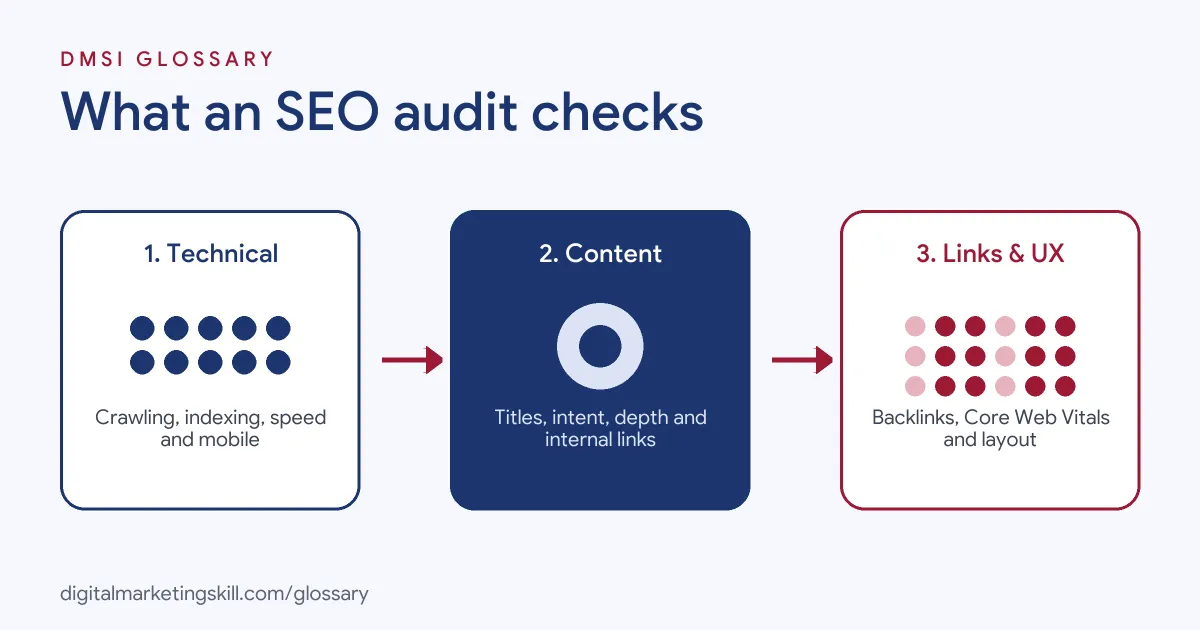
Most audits follow the same four layers. Work through them in order, because problems in the first layer can hide everything below it.
| Area | What you check | Typical problems |
|---|---|---|
| Technical | Crawling, indexing, site speed, mobile use, HTTPS, sitemaps | Pages blocked in robots.txt, broken redirects, slow pages |
| On-page | Titles, descriptions, headings, content depth, internal links | Missing titles, duplicate pages, thin content |
| Off-page | Backlinks, brand mentions, local listings | Few quality links, spammy links, wrong business details |
| User experience | Core Web Vitals, layout, readability, calls to action | Layout shifts, pop-ups that block content, confusing navigation |
Technical Checks
Start with crawling and indexing. Open the Page indexing report in Google Search Console and look at why pages are not indexed. Next, check your robots.txt file and your XML sitemap. The sitemap should list only live, indexable pages. Then look for 404 errors, redirect chains and pages with the wrong canonical tag.
After that, test speed and mobile use. Google’s Core Web Vitals report shows how real visitors experience loading, responsiveness and visual stability. Because Google uses mobile-first indexing, always review the mobile version of the site first.
On-Page Checks
Crawl the site and export every URL with its title tag, meta description and H1. Look for blanks, duplicates and titles that are cut off. Then compare each important page with the query it targets. Does the page answer the question better than what already ranks? Also look for keyword cannibalisation, where two of your own pages compete for the same search.
Finally, review internal linking. Key pages should be easy to reach from the menu and from related articles. Pages with no internal links at all, known as orphan pages, are easy to miss for both visitors and search engines.
Off-Page Checks
Use a backlink tool to see which sites link to you and which pages they link to. You are not chasing a big number. Rather, you want links from relevant, trusted sites. For local businesses, also check that the name, address and phone number match across the Google Business Profile and directories.
How to Run an SEO Audit Step by Step
- Agree the goal. Is the site losing traffic, launching a redesign or trying to win new keywords? The goal decides where you dig deepest.
- Collect the data. Get access to Search Console and analytics, and note the main traffic and conversion figures as a baseline.
- Crawl the site. Run a crawler such as Screaming Frog, Sitebulb, Ahrefs or Semrush to list every URL and its status code.
- Check indexing. Compare the pages you want indexed with the pages Google actually has.
- Review content. Group pages by topic and mark each as keep, improve, merge or remove. A content audit goes deeper on this step.
- Review links and experience. Look at backlinks, Core Web Vitals and how the site works on a phone.
- Prioritise. Score each issue by impact and effort. Fix high-impact, low-effort items first.
- Write the plan. Turn findings into tasks with an owner and a date, then re-check results in a few weeks.
For a quicker start, our guide to website audit tools compares free and paid options, and you can run a basic scan with our free website SEO audit tool.
How to Prioritise What You Find
A crawler can flag thousands of warnings. Most of them do not matter. For example, a missing image description on an old blog post is far less urgent than a sitewide noindex tag left on after a redesign. So, sort every issue into three groups.
- Critical: anything that stops important pages being crawled or indexed, or breaks key pages for visitors.
- Important: issues that weaken rankings or conversions on pages that already get traffic, such as weak titles or slow templates.
- Nice to have: small clean-up tasks on low-traffic pages.
Clients and managers rarely want a 90-page PDF. Instead, give them a one-page summary with the top five fixes, the expected benefit and who should do each task. Keep the full spreadsheet as an appendix for the developer.
Common SEO Audit Mistakes
- Trusting a tool score. A score out of 100 is a rough guide. Google does not use it.
- Ignoring the business goal. Fixing every warning on pages that never convert wastes time.
- Skipping Search Console. Third-party tools estimate. Search Console shows Google’s real data for your site.
- Auditing once and forgetting. Sites change all the time, so plan a lighter check every quarter.
- No follow-up. An audit only helps if someone fixes the issues and measures the result.
Where You’ll Use This at Work
Audits appear in many SEO job descriptions, because they show you can diagnose problems, not just follow a checklist. One remote SEO and web development role lists the task as: “Identify and resolve issues related to crawlability, indexation, site structure, and Core Web Vitals to maintain optimal technical SEO health.” Another agency role asks the hire to support “packages of SEO audits, pre-sales materials, category assessments and the rollout of content hubs.”
For freelancers, a paid audit is also a popular first offer. It is a clear, fixed piece of work, and it often leads to a monthly retainer to carry out the fixes. An SEO specialist who can explain findings in plain language usually wins more of that follow-on work.
Learn It in the WordPress and SEO Track
The AI-Powered WordPress and SEO Specialist track covers WordPress website development, search engine optimisation and content marketing. You build a WordPress site or store and rank it with an SEO content plan, which gives you a real site to audit and improve. You also get unlimited 1-on-1 mentoring and a U.S. Project Internship from day one.
You may also like our glossary entries on on-page SEO, off-page SEO and page speed.
Frequently Asked Questions
What is an SEO audit in simple terms?
It is a health check for a website that finds what is stopping it from ranking, then lists the fixes in order of importance.
How long does an SEO audit take?
A small business site can take a day or two. A large online shop with thousands of pages can take several weeks.
How often should you do an SEO audit?
Most sites benefit from a full audit once or twice a year, plus a lighter monthly check of Search Console for new errors.
Can I do an SEO audit for free?
Yes. Google Search Console, PageSpeed Insights and the free version of Screaming Frog cover the basics for smaller sites.
What is the difference between a technical SEO audit and a full SEO audit?
A technical audit covers crawling, indexing, speed and site structure only. A full audit adds content quality, backlinks and user experience.
What should an SEO audit report include?
A short summary, the top priorities, the evidence for each issue, who should fix it and how you will measure the result.
Sources: Google Search Central: SEO Starter Guide; Search Console Help: Page indexing report; Search Console Help: Core Web Vitals report; remote job listings on Himalayas (Hyre) and Himalayas (GPC).