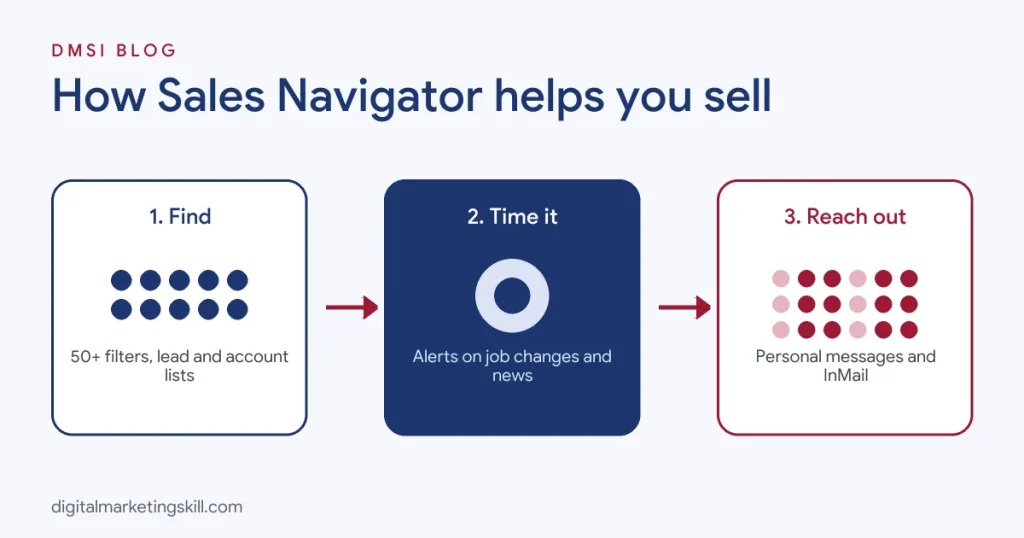
LinkedIn Sales Navigator is LinkedIn’s paid sales tool for finding and building relationships with potential B2B buyers. It gives you advanced search with more than 50 filters, such as seniority, job function, company size and years in role, plus saved lead and account lists, real-time alerts when prospects change jobs or companies make news, AI-generated account and lead summaries, and InMail credits to message people outside your network. LinkedIn sells it in three tiers, Core, Advanced and Advanced Plus, with Core listed at around $119.99 a month and Advanced around $159.99 a month on monthly billing, and lower effective prices on annual plans. It is worth it for salespeople, recruiters, founders and freelancers who prospect on LinkedIn every week; occasional users can usually manage with a free account.
This guide explains what Sales Navigator does, every key feature, how the plans and pricing compare, how to use it step by step for prospecting, whether it is worth the money, and the best alternatives. If you are new to the method behind it, read our guide to social selling first.
Key Takeaways
- LinkedIn says Sales Navigator offers more than 50 advanced search filters to help sellers find the right leads.
- LinkedIn’s plan comparison lists Core at about $119.99 a month or $1,079.88 a year, and Advanced at about $159.99 a month or $1,799.88 a year.
- Advanced Plus is aimed at larger teams that need CRM syncing and enterprise features, with pricing on request.
- Account IQ and Lead IQ use AI to summarise company and lead information before you reach out.
- LinkedIn says it has more than one billion members, the pool Sales Navigator searches.
In this guide
- What Most Sales Navigator Guides Miss
- What Is LinkedIn Sales Navigator?
- Sales Navigator vs Free LinkedIn vs Premium
- Key Sales Navigator Features
- Sales Navigator Plans and Pricing
- How to Use Sales Navigator: Step by Step
- Advanced Search Tips
- Writing Outreach That Gets Replies
- Is LinkedIn Sales Navigator Worth It?
- Sales Navigator Alternatives
- How to Measure Your Results
- Common Sales Navigator Mistakes
- The One Rule for Sales Navigator
- An Illustrative Case
- Frequently Asked Questions About LinkedIn Sales Navigator
- Your Next Step
What Most Sales Navigator Guides Miss
Most Sales Navigator guides tour the features and stop there. But the tool itself does not create deals. Many people pay for a subscription, run a few searches, send a burst of InMails and cancel two months later, convinced it does not work.
- Sales Navigator is a research and timing tool, not a message cannon. Its real value is helping you find exactly the right people and reach out at the right moment, when they change role, their company grows or they engage with your content.
- It works best with a strong profile and content. When a prospect receives your message, the first thing they do is check your profile. If it looks like a sales pitch, the best search filters in the world will not help.
- Saved searches and lists are where the magic happens. Setting up good saved searches once, then checking them daily, beats running new searches every time.
What Is LinkedIn Sales Navigator?
LinkedIn Sales Navigator is a subscription product built for sales prospecting and relationship building on LinkedIn. LinkedIn describes it as a sales tool that helps sellers find target accounts, identify decision-makers, understand buying signals and personalise outreach.
It sits on top of the regular LinkedIn network but gives you a separate interface with:
- Much deeper search filters for leads (people) and accounts (companies).
- Lists to save and organise prospects.
- Alerts and recommendations based on your saved leads and accounts.
- InMail credits to message people you are not connected to.
- AI tools that summarise companies and prospects.
- CRM integrations on higher tiers.
It is used by sales development reps, account executives, recruiters, founders, agency owners, consultants and freelancers who sell B2B services. Our glossary entry on the sales development representative role explains where prospecting fits in a sales team.
Sales Navigator vs Free LinkedIn vs Premium
| Feature | Free LinkedIn | Premium Career/Business | Sales Navigator |
|---|---|---|---|
| Search filters | Basic | Some extra filters | 50+ advanced lead and account filters |
| Saved lists | No | No | Lead and account lists |
| Alerts on prospects | Limited notifications | Limited | Job changes, company news, engagement |
| InMail | No | Small monthly allowance | Larger monthly allowance |
| Who viewed your profile | Limited | Full list | Full list |
| AI research summaries | No | Some AI features | Account IQ and Lead IQ |
| CRM integration | No | No | On higher tiers |
If you mainly want to job hunt or see who viewed your profile, Premium Career is enough. If you prospect for clients or customers every week, Sales Navigator is the purpose-built option.
Who Uses Sales Navigator?
Sales Navigator is not just for big sales teams. Sales development reps use it to build daily prospect lists. Account executives use it to map every stakeholder in a target company. Recruiters use it to find passive candidates by skills and experience. Agency owners and freelancers use it to find marketing managers or founders who need their services. Even job seekers sometimes use it to research hiring managers at companies they want to join. The common thread is a need to find specific people quickly and reach them at the right time.
Key Sales Navigator Features
Advanced Lead and Account Search
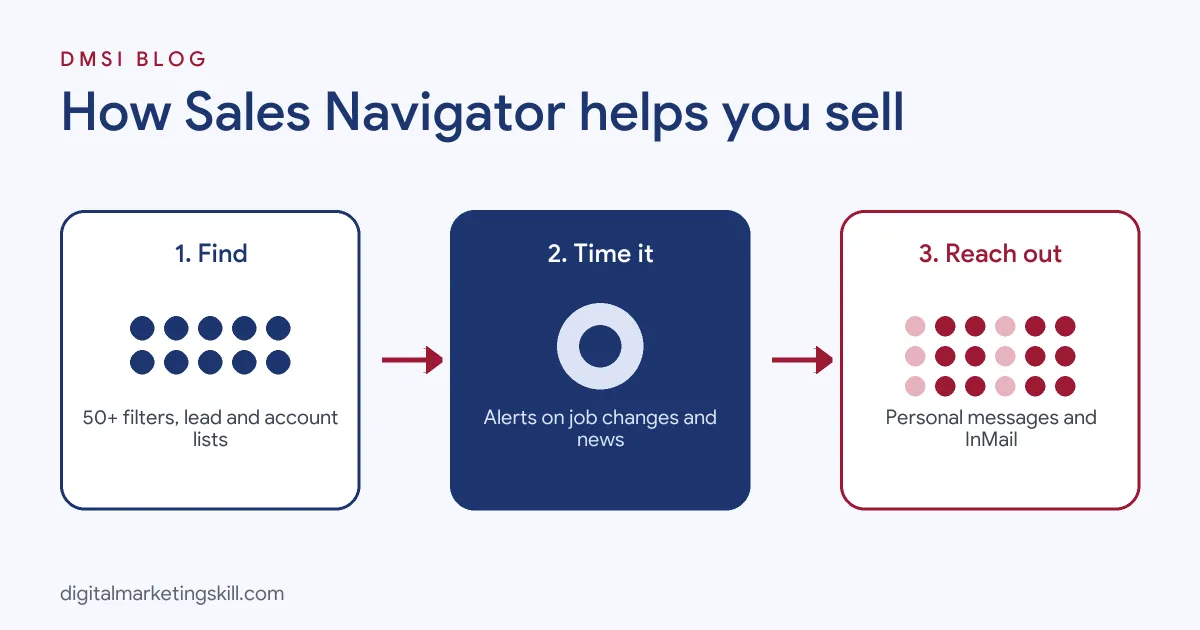
LinkedIn says Sales Navigator includes more than 50 advanced search filters. For leads, you can filter by geography, industry, company headcount, seniority, function, job title, years in current role, years at company, past company, groups and more. For accounts, you can filter by headcount, headcount growth, industry, location, revenue band and technologies used. Combining filters lets you build very precise lists, such as “heads of marketing at UK software companies with 50 to 200 employees who joined in the last 90 days.”
Lead and Account Lists
Save prospects into lists by campaign, territory or stage. Lists keep your pipeline organised and power alerts and recommendations.
Alerts and Buyer Signals
Sales Navigator surfaces activity on saved leads and accounts: job changes, new roles, posts, company growth and news. These are natural, timely reasons to reach out. Higher tiers add buyer intent signals that show when target accounts engage with your company on LinkedIn.
Account IQ and Lead IQ
These AI features summarise key information about a company or prospect, such as priorities, recent activity and potential conversation starters, saving research time before outreach or meetings.
InMail
InMail lets you message people outside your network. Paid plans include a monthly allowance of credits. Use them for high-value prospects where a personalised message is warranted.
Relationship Explorer and TeamLink
On higher tiers, features such as TeamLink show when colleagues are connected to a prospect, so you can ask for a warm introduction instead of reaching out cold.
CRM Integration
Advanced Plus supports deeper integration with CRMs such as Salesforce, HubSpot and Microsoft Dynamics, syncing activity and showing LinkedIn insights inside the CRM.
Sales Navigator Plans and Pricing
LinkedIn offers three plans. Prices vary by country, currency and billing period, so always check LinkedIn’s plan comparison page before buying.
| Plan | Best for | Listed price (monthly billing) | Highlights |
|---|---|---|---|
| Core | Individual sellers, freelancers, founders | About $119.99 per month (about $1,079.88 per year on annual billing) | Advanced search, lead and account lists, alerts, InMail, Account IQ |
| Advanced | Sales teams | About $159.99 per month (about $1,799.88 per year on annual billing) | Everything in Core plus team features such as shared lists, Smart Links, buyer intent signals and TeamLink |
| Advanced Plus | Larger and enterprise teams | Custom pricing | CRM sync, enterprise admin, advanced integrations |
LinkedIn often offers a free trial of Core for eligible members. If you try it, set up your searches and lists on day one so you can judge its value properly before the trial ends.
How to Use Sales Navigator: Step by Step
Step 1: Define Your Ideal Customer Profile
Write down the industries, company sizes, locations and job titles of the people who buy from you or influence the decision. Be specific. A clear ideal customer profile makes every filter more useful and keeps lists focused.
Step 2: Complete Your Settings
When you first log in, Sales Navigator asks about your role, territory and target industries. Fill these in so recommendations are relevant. Connect your CRM if your plan supports it.
Step 3: Build Account Searches First
Start with companies. Use account filters for industry, headcount, location and growth to find companies that fit. Save the best ones to an account list such as “UK SaaS 50-200.”
Step 4: Find Decision-Makers in Those Accounts
Run a lead search filtered to your account list, with seniority and function filters, for example Director and above in Marketing. Save relevant people to a lead list.
Step 5: Save Your Searches
Save each search so Sales Navigator alerts you when new people match, for example when someone new joins a target company in a relevant role. Many experienced users set up 15 to 20 saved searches based on their ideal customer profile and check them daily.
Step 6: Research Before You Reach Out
Open the lead’s profile, check their recent posts, use Lead IQ or Account IQ for a summary and look at shared connections. Note one specific, relevant detail to mention.
Step 7: Warm Up Before Messaging
Follow the prospect, react to or comment thoughtfully on a recent post, then send a connection request with a short personal note. Warm contacts reply far more often than cold ones.
Step 8: Use InMail Selectively
For high-value prospects who do not accept connection requests, send a short, personalised InMail. Reference a trigger, offer something useful and ask a simple question.
Step 9: Track Conversations and Follow Up
Tag leads by stage and add notes. If you use a CRM, log every conversation there. Follow up with value, not pressure, and keep prospects who are not ready yet on a nurture list.
Advanced Search Tips
- Use “changed jobs in last 90 days”. People in new roles often review suppliers and tools, which makes them open to conversations.
- Use “posted on LinkedIn in last 30 days”. Active users are more likely to see and reply to messages.
- Combine Boolean keywords such as
("head of marketing" OR "marketing director") AND SaaSto catch title variations. - Exclude what you do not want, such as students, interns or competitors, to keep lists clean.
- Filter by headcount growth at account level to find companies that are expanding and likely to buy.
- Use spotlights such as “shared experiences” and “following your company” to prioritise warmer prospects.
Writing Outreach That Gets Replies
Sales Navigator finds the right people; your message decides whether they reply. Keep these principles in mind:
- Be specific. Mention something about them: a post, a role change, company news.
- Be brief. Two to four short sentences are enough.
- Lead with value. Share an insight, a resource or a relevant result.
- Ask a low-pressure question. “Is this on your radar this quarter?” beats “Can we book 30 minutes?”
Example: “Congrats on the new Head of Growth role, Priya. Teams scaling paid search often hit the same budget-waste issues in month one; I wrote a short checklist on it. Happy to send it if useful.”
Our guides to cold email marketing and outreach share more templates and follow-up sequences.
Is LinkedIn Sales Navigator Worth It?
It depends on how often you prospect and how much a new client is worth.
- Worth it if: you sell B2B, prospect on LinkedIn several times a week, and one new client or deal is worth far more than a year’s subscription.
- Probably not yet if: you are still building your profile and content, you prospect only occasionally, or your buyers rarely use LinkedIn.
- Try first: use the free trial, set up saved searches and lists, and track how many quality conversations you start. If it creates even one solid opportunity in the trial, it usually pays for itself.
For a freelancer charging a few hundred pounds or dollars a month per client, landing one retainer through Sales Navigator can cover the cost many times over. For someone who logs in once a month, a free account plus thoughtful social selling is often enough.
Sales Navigator Alternatives
| Tool | Best for | Key difference |
|---|---|---|
| Free LinkedIn search | Light prospecting | No cost, basic filters, no lists or alerts |
| LinkedIn Premium Business | Professionals who want extra insights | Fewer prospecting tools, lower cost |
| Apollo.io | Email prospecting at scale | Contact database with emails, sequences and a free tier |
| ZoomInfo | Enterprise sales teams | Large B2B contact and company database with intent data |
| Lusha and Cognism | Finding contact details | Focus on verified emails and phone numbers |
| HubSpot Sales Hub | Teams wanting CRM and outreach in one | CRM-first, with prospecting and sequences |
Many teams combine tools: Sales Navigator to find and research the right people and spot timing, plus a data tool for verified contact details and a CRM to manage the pipeline. Our guide to B2B lead generation covers how these fit together.
How to Measure Your Results
| Metric | What it tells you |
|---|---|
| Connection acceptance rate | Whether your targeting and notes are relevant |
| InMail and message reply rate | Message quality and timing |
| Conversations started per week | Prospecting activity that matters |
| Meetings booked | Pipeline creation |
| Opportunities and deals sourced | Return on your subscription |
| Social Selling Index | Overall LinkedIn selling activity |
Compare the revenue from deals sourced or influenced by Sales Navigator with the subscription cost every quarter. That simple calculation answers whether it is worth keeping. Our guide on LinkedIn analytics explains the wider platform data.
Common Sales Navigator Mistakes
- Building huge, loose lists. Tight, relevant lists beat thousands of vaguely matching profiles.
- Sending generic InMails. Copy-paste messages waste credits and damage your reputation.
- Ignoring alerts. Job changes and company news are the best reasons to reach out, but only if you act quickly.
- Not saving searches. Re-running searches manually wastes time and misses new matches.
- Neglecting your profile. Prospects check your profile before replying. Make it buyer-focused.
- Using risky automation. Tools that mass-send requests or scrape data can break LinkedIn’s terms and put your account at risk.
- Cancelling too early. Results build as your lists, network and reputation grow.
The One Rule for Sales Navigator
Use it to find the right person at the right moment, then act like a human. The tool narrows thousands of profiles down to a few dozen good prospects and tells you when to speak up. Your job is to show up with something useful to say.
An Illustrative Case
Imagine a small web design agency in Nairobi that wants clients in the UK hospitality sector. For months, the founder searches the free version of LinkedIn and sends generic connection requests, with few replies.
He starts a Sales Navigator Core trial. He builds an account list of UK restaurant groups and boutique hotels with 20 to 200 employees, then a lead list of marketing managers and owners. He saves searches for people who changed jobs in the last 90 days and people who posted recently. Each morning, he checks alerts, comments on two or three posts and sends five personalised connection requests referencing something specific, such as a new venue opening.
In the first month, his acceptance rate rises from about 15% to 45%, he starts 12 real conversations and books four calls. Two become website projects, covering the subscription many times over. The search filters helped, but the personal, well-timed messages did the selling.
This example is illustrative, not a real agency, but it reflects how focused use of Sales Navigator pays off.
Frequently Asked Questions About LinkedIn Sales Navigator
What is LinkedIn Sales Navigator used for?
It is used to find and research B2B prospects, save them into lists, track buying signals such as job changes and reach out with InMail, mainly for sales, recruiting and business development.
How much does LinkedIn Sales Navigator cost per month?
LinkedIn lists Core at about $119.99 a month and Advanced at about $159.99 a month on monthly billing, with lower effective prices on annual plans. Advanced Plus is custom priced.
How do I use Sales Navigator on LinkedIn?
Define your ideal customer, build account and lead searches with filters, save them as lists and saved searches, research each lead and reach out with personalised messages.
Is there a free version of Sales Navigator?
There is no permanent free version, but LinkedIn often offers a free trial to eligible members.
What is better than LinkedIn Sales Navigator?
It depends on your needs. Apollo.io and ZoomInfo offer large contact databases with emails, while HubSpot combines CRM and outreach. Many teams use Sales Navigator alongside these tools.
What is the 4-1-1 rule on LinkedIn?
It is a content guideline: for every six posts, share four useful posts from others, one original post and one promotional post, so you give more value than you ask for.
How many InMails do you get with Sales Navigator?
Each plan includes a monthly allowance of InMail credits, which can vary by plan and change over time. Check your plan details on LinkedIn for the current number.
Can I use Sales Navigator on mobile?
Yes. LinkedIn offers a Sales Navigator mobile app for iPhone and Android to view leads, alerts and messages on the go.
Does Sales Navigator show email addresses?
Generally no. It focuses on LinkedIn profiles and messaging. Some teams use separate tools to find verified contact details, following data protection rules.
Is Sales Navigator good for freelancers?
Yes, if you sell B2B services and prospect regularly. One new client can easily cover the subscription, especially when combined with a strong profile and consistent content.
Your Next Step
Prospecting, outreach and lead generation are some of the most in-demand skills in remote marketing and sales roles. The Master Diploma in Digital & AI Marketing at Digital Marketing Skill Institute includes a Lead Generation and Email Automation track and an AI-powered Social Media Management and Advertising track, alongside Google, and WordPress and SEO.
From day one, you work on a real U.S. company’s project through the U.S. Project Internship, so you finish with real results and a verified U.S. work reference letter. You also get unlimited one-on-one coaching. The program carries dual US and UK accreditation, is recognised in more than 100 countries, and runs 100% online over three months.
You can build those skills wherever you live, anywhere in your country. Read student reviews, then apply for the 65% partial scholarship to see if you qualify.
Every figure in this guide was checked against its source before publication: LinkedIn’s Sales Navigator product and plan comparison pages and LinkedIn Help. Prices vary by country and change over time, so check LinkedIn before buying. The case above is an illustrative example, not a real result.