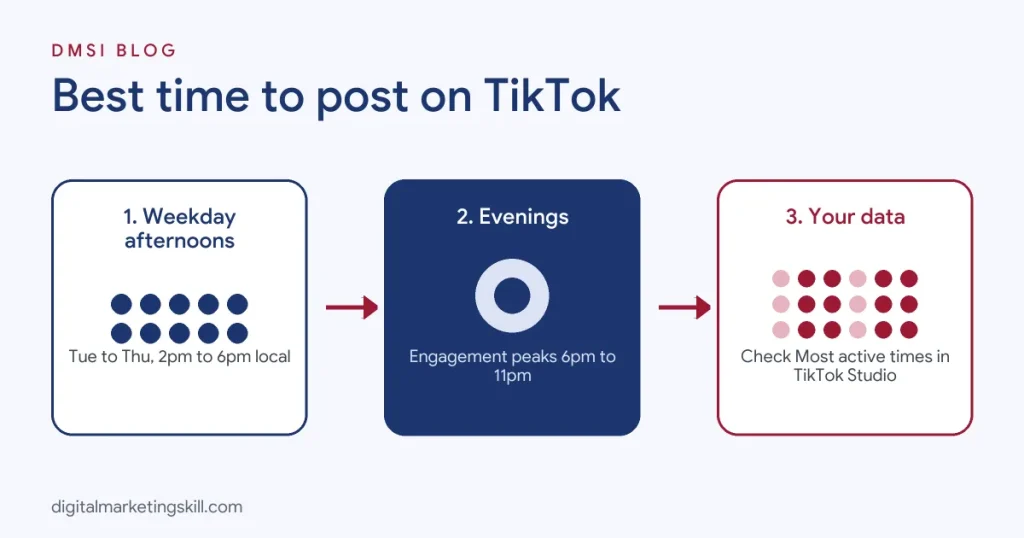
The best time to post on TikTok depends on when your own audience is active, but large studies give a reliable starting point. Buffer’s analysis of more than 7.1 million posts found the top slots were Sunday at 9 a.m., Monday at 1 p.m. and Sunday at 1 p.m., with engagement generally peaking between 6 p.m. and 11 p.m. Sprout Social’s study of about two billion engagements found the most consistent window was Tuesday to Thursday between 2 p.m. and 6 p.m. local time. Use these windows to start, then check the Followers tab in TikTok Studio to see exactly when your followers are online, and test from there.
This guide brings both major studies together, gives you the best times for every day of the week, shows how timing changes by industry and time zone, and explains how to find your own best time in a few minutes. If you are building a full plan, read our TikTok marketing strategy guide alongside it.
Key Takeaways
- Buffer analysed more than 7.1 million posts and ranked Sunday at 9 a.m. as the single best time to post on TikTok.
- In Buffer’s data, engagement generally peaks from 6 p.m. to 11 p.m. and dips between 12 p.m. and 5 p.m.
- Sprout Social’s study of about two billion engagements across 307,000 profiles found Tuesday to Thursday, 2 p.m. to 6 p.m. local time, was the most consistent window.
- Sprout Social’s data showed weekends as the weakest days, while Buffer ranked Saturday as its best day, so test both.
- Pew Research Center reports that 37% of U.S. adults use TikTok, so audience habits vary widely by age, job and location.
In this guide
- What Most “Best Time” Guides Miss
- Is There a Best Time to Post on TikTok?
- The Best Times to Post on TikTok at a Glance
- The Best Time to Post on TikTok by Day
- The Best Day of the Week to Post on TikTok
- The Worst Times to Post on TikTok
- Best Times to Post on TikTok by Industry
- Best Times to Post on TikTok by Location and Time Zone
- How to Find Your Own Best Time to Post on TikTok
- How Often Should You Post on TikTok?
- How to Schedule TikTok Posts
- Common Posting-Time Mistakes
- How to Measure Whether Your Timing Works
- The One Rule for TikTok Timing
- An Illustrative Case
- Frequently Asked Questions About the Best Time to Post on TikTok
- Your Next Step
What Most “Best Time” Guides Miss
Search for the best time to post on TikTok and you will find confident answers that disagree with each other. One study says weekends are best. Another says avoid weekends. One says mornings, another says evenings. They are not lying. They are measuring different accounts, different audiences and different time periods.
Three points get lost in most of these guides:
- Studies describe averages, not your audience. A study built on thousands of brand accounts tells you what works on average. Your followers might be students in Lagos, nurses on night shifts in Manchester or small business owners in Texas. Their habits will differ.
- TikTok does not only show videos at the moment you post. The For You feed keeps testing videos for hours and sometimes days. Posting time affects the first push, not the whole life of a video.
- Content beats timing. A great video posted at an average time will beat a weak video posted at the perfect time. Timing gives a good video a better start. It does not rescue a poor one.
So treat the times below as a starting schedule. Your own analytics, after a few weeks of testing, will tell you more than any study.
Is There a Best Time to Post on TikTok?
Yes and no. There is no single time that works for every account. But there are times when your specific audience is more likely to be scrolling, and posting just before those times gives your video a better chance of early engagement.
Why Posting Time Matters on TikTok
When you post a video, TikTok first shows it to a small group of viewers, often including some of your followers and people interested in similar content. If those first viewers watch to the end, like, comment and share, TikTok shows the video to a bigger group. If few people are online, that first test happens slowly, and your video may lose momentum before it reaches the right audience.
Posting when your audience is active helps you collect early signals faster. That is why many creators post 30 to 60 minutes before their audience’s peak, so the video is ready when people open the app. For more on how TikTok decides who sees what, see our glossary entry on the social media algorithm.
The Best Times to Post on TikTok at a Glance
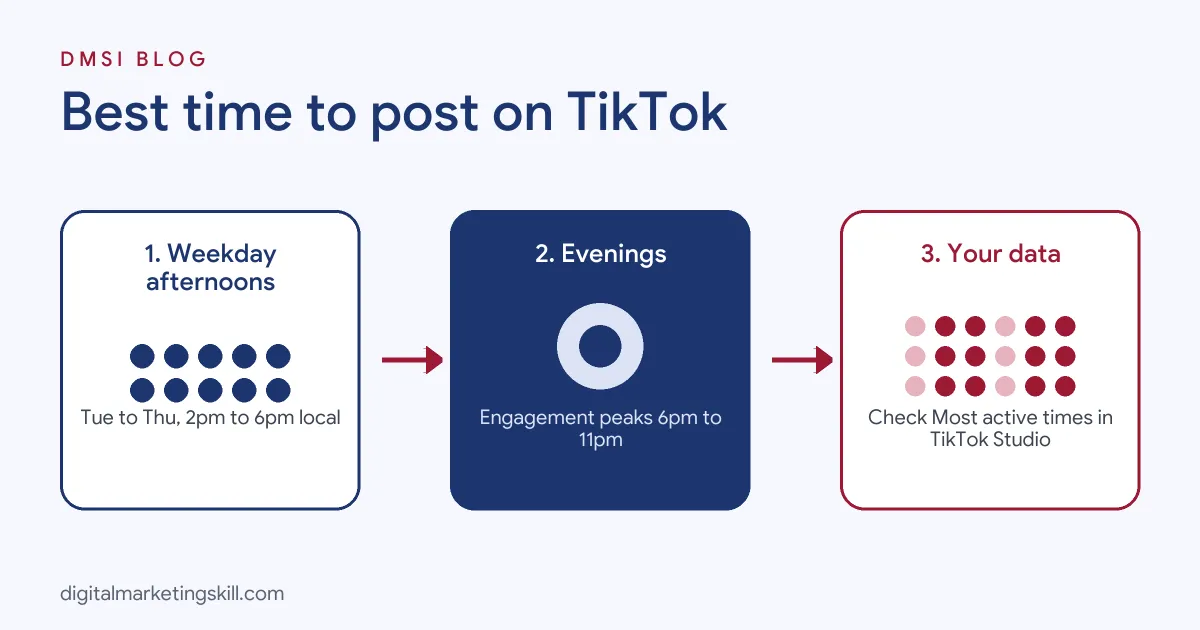
Here is how the two largest recent studies compare. Buffer measured median engagement rate across more than 7.1 million posts published through its tool. Sprout Social measured about two billion engagements across 307,000 profiles, with all times in each audience’s local time zone.
| Day | Buffer: best times | Sprout Social: best window |
|---|---|---|
| Monday | 1 p.m. (then 11 a.m., 8 a.m.) | 3 p.m. to 5 p.m. |
| Tuesday | 6 a.m. (then 10 p.m., 7 a.m.) | 2 p.m. to 6 p.m. (peak) |
| Wednesday | 10 p.m. (then 6 a.m., 9 p.m.) | 1 p.m. to 8 p.m. (peak) |
| Thursday | 1 p.m. (then 10 p.m., 6 a.m.) | 1 p.m. to 5 p.m. (peak) |
| Friday | 6 p.m. (then 10 p.m., 8 p.m.) | 3 p.m. to 5 p.m. |
| Saturday | 5 p.m. (then 4 p.m., 3 p.m.) | Low engagement |
| Sunday | 9 a.m. (then 1 p.m., 12 p.m.) | Low engagement |
Two patterns stand out. First, both studies like weekday afternoons and early evenings. Second, they disagree about weekends, which is a strong sign that weekend performance depends heavily on the audience. If you sell to working professionals, weekday afternoons are a safe bet. If you reach students or hobbyists, test weekends too.
The Best Time to Post on TikTok by Day
Use these day-by-day starting points, then adjust using your own data. Times are in your audience’s local time.
Best Time to Post on TikTok on Monday
Buffer’s top Monday slot is 1 p.m., followed by 11 a.m. and 8 a.m. Sprout Social puts Monday’s best window at 3 p.m. to 5 p.m. A lunchtime or mid-afternoon post works for most audiences, as people take breaks at the start of the working week. Monday is also a good day for practical, “start the week right” content such as tips, plans and quick tutorials.
Best Time to Post on TikTok on Tuesday
Buffer found early morning, at 6 a.m., performed best on Tuesdays, with 10 p.m. and 7 a.m. close behind. Sprout Social rates Tuesday from 2 p.m. to 6 p.m. as a peak window. If your audience commutes or checks their phone before work, try early morning. If they are office workers, try mid-afternoon.
Best Time to Post on TikTok on Wednesday
Buffer’s top Wednesday time is 10 p.m., followed by 6 a.m. and 9 p.m. Sprout Social sees a long peak from 1 p.m. to 8 p.m. Wednesday is flexible: late evening suits audiences who scroll before bed, while afternoon suits weekday workers.
Best Time to Post on TikTok on Thursday
Buffer ranks Thursday at 1 p.m. first, then 10 p.m. and 6 a.m. Sprout Social puts Thursday’s peak at 1 p.m. to 5 p.m. Both point to early afternoon, which makes Thursday lunchtime one of the safest slots of the week.
Best Time to Post on TikTok on Friday
Buffer’s best Friday slot is 6 p.m., with 10 p.m. and 8 p.m. next. Sprout Social suggests 3 p.m. to 5 p.m. As the working week ends, attention shifts to the evening. Friday is good for lighter, entertaining or weekend-themed content.
Best Time to Post on TikTok on Saturday
Buffer’s data ranks Saturday as the best day overall, with peaks at 5 p.m., 4 p.m. and 3 p.m. Sprout Social, by contrast, found weekends had lower engagement for the brand accounts it studied. If your audience is young, consumer-focused or hobby-driven, Saturday afternoon is worth testing. If you sell to businesses, it may be quieter.
Best Time to Post on TikTok on Sunday
Sunday at 9 a.m. is Buffer’s single best slot of the week, with 1 p.m. and 12 p.m. also strong. Sprout Social again saw lower weekend engagement. A relaxed Sunday morning post can perform very well for lifestyle, food, fitness and personal development content, when people have time to watch.
The Best Day of the Week to Post on TikTok
Buffer’s data ranks Saturday first, Monday second and Sunday close behind, while describing Wednesday and Thursday as lower-engagement days overall. Sprout Social found the opposite pattern, with Tuesday to Thursday strongest and weekends weakest.
The honest answer is that the best day depends on who you reach. A simple way to decide:
- B2B, professional services, software and education: start with Tuesday to Thursday afternoons.
- Consumer brands, lifestyle, food, fashion and entertainment: test weekends, especially Saturday afternoon and Sunday morning.
- Personal brands and creators: test both for four weeks and let your analytics decide.
The Worst Times to Post on TikTok
In Buffer’s data, engagement was generally lowest between 12 p.m. and 5 p.m., though lunchtime still showed some activity. Sprout Social flagged weekends as the weakest days for the brands it studied, and for some industries early mornings and late nights were the weakest slots.
In practice, avoid posting when your audience is clearly busy or asleep. For most audiences, that means the middle of the night and the busiest part of the working day. But do not stop posting just because a study calls a slot weak. Test it with your own audience first.
Best Times to Post on TikTok by Industry
Sprout Social broke its data down by industry, which is useful if you manage brand accounts. Here is a summary of the main patterns, all in local time.
| Industry | Strongest days | Example peak times |
|---|---|---|
| Education | Weekdays | Wednesday 11 a.m. to 6 p.m.; Thursday 12 p.m. to 6 p.m. |
| Financial services | Weekdays and Saturday | Monday 4 p.m. to 6 p.m.; Thursday 10 a.m. to 12 p.m. |
| Food and beverage | Weekdays | Tuesday to Thursday, about 2 p.m. to 6 p.m. |
| Healthcare | Weekdays | Wednesday 11 a.m. to 7 p.m.; Thursday 3 p.m. to 6 p.m. |
| Nonprofits | Tuesday to Saturday | Wednesday 2 p.m. to 9 p.m.; Friday 4 p.m. to 10 p.m. |
| Retail | Weekdays | Tuesday 1 p.m. to 5 p.m.; Wednesday 12 p.m. to 6 p.m. |
| Software and technology | All week, mornings | Wednesday 8 a.m. to 3 p.m.; Saturday 8 a.m. to 10 a.m. |
| Travel and hospitality | All week | Tuesday 2 p.m. to 6 p.m.; Sunday 10 a.m. to 2 p.m. |
The takeaway: most industries do best in weekday afternoons, while technology audiences skew earlier in the day and travel audiences stay active at weekends.
Best Times to Post on TikTok by Location and Time Zone
Both studies give times in the audience’s local time. That matters if you live in one country and want to reach another, which is common for freelancers and remote marketers.
The rule is simple: post for your audience’s clock, not yours. If you are in Lagos and your target customers are in the UK, post for UK evenings. If you are in London and your customers are in New York, post for U.S. afternoons, which will be your evening.
| Target audience time | UK (GMT, winter) | Nigeria (WAT) | U.S. East (EST, winter) |
|---|---|---|---|
| 9 a.m. local | 9 a.m. | 10 a.m. in Lagos | 2 p.m. UK / 3 p.m. Lagos |
| 1 p.m. local | 1 p.m. | 2 p.m. in Lagos | 6 p.m. UK / 7 p.m. Lagos |
| 6 p.m. local | 6 p.m. | 7 p.m. in Lagos | 11 p.m. UK / 12 a.m. Lagos |
Remember that the UK and U.S. move their clocks forward in spring and back in autumn, while Nigeria does not. During British Summer Time, the UK matches Nigeria’s clock. If your followers are spread across several countries, check TikTok Studio to see which cities and countries your audience comes from, and prioritise the biggest group.
How to Find Your Own Best Time to Post on TikTok
Studies get you started. Your own data finishes the job. Here is how to find your best times in a few minutes.
1. Check When Your Followers Are Most Active
You need a Business or Creator account. Open TikTok, go to your profile, tap the menu and open TikTok Studio, then Analytics. Under the Followers tab, look for “Most active times”. It shows the hours and days your followers use TikTok. You can also view analytics on desktop through TikTok Studio. Our glossary entry on social media analytics explains the core measures.
2. Post Shortly Before the Peak
If your followers are most active at 8 p.m., try posting between 7 p.m. and 7:30 p.m. That gives TikTok time to process the video and start testing it just as your audience opens the app.
3. Look for Patterns in Your Best Videos
In your content analytics, sort videos by views or watch time. Note the day and time each top video was posted. If several winners share a time slot, that is a strong clue.
4. Run a Simple Four-Week Test
Pick three time slots, for example 7 a.m., 1 p.m. and 7 p.m. Rotate them across the week for four weeks, keeping your content quality steady. Then compare average views, watch time and engagement for each slot. Four weeks smooths out the effect of one viral or one weak video.
5. Separate Timing From Content
If a video flops, ask whether the hook, topic or length was the problem before blaming the time. Timing changes results at the margin. Content changes them dramatically.
6. Review Every Month
Audiences change as your account grows. Check your Most active times every month, especially after a growth spurt or a shift in content.
How Often Should You Post on TikTok?
Posting time and posting frequency work together. For most businesses, three to five videos a week is a realistic and effective start. Creators who want faster growth often post daily, but quality should not drop to hit a number.
Consistency matters more than volume. Posting four times a week for three months will usually beat posting three times a day for two weeks and then burning out. Use a content calendar to plan and batch your videos so you can hit your best time slots without filming every day.
How to Schedule TikTok Posts
You do not need to be online at the perfect moment. You can schedule videos in advance:
- TikTok’s own scheduler: Business and Creator accounts can schedule posts from TikTok Studio on desktop and, in many regions, in the app.
- Social media management tools: Buffer, Hootsuite, Later and Sprout Social can schedule TikTok posts alongside other channels.
- Batch filming: Record several videos in one session, edit them, then schedule them across your best slots for the week.
Schedule, but stay present. Reply to comments in the first hour after a video goes live, because early engagement helps your video’s first push. Our guide to social media marketing tools compares popular schedulers.
Common Posting-Time Mistakes
- Copying a study without testing. A slot that works for millions of brand accounts may not work for your niche.
- Posting for your time zone instead of your audience’s. This is the most common mistake for freelancers serving international clients.
- Judging a slot on one video. One result is luck. A month of results is a pattern.
- Ignoring the first hour. Posting at the right time and then disappearing wastes the moment when replies matter most.
- Deleting and reposting. Reposting the same video because it got few views in the first hour rarely helps. Give videos time, because TikTok can surface them later.
- Chasing timing instead of fixing content. If every video struggles, the hook and topic need work, not the clock.
How to Measure Whether Your Timing Works
Track a few clear numbers for each time slot over at least four weeks:
| Metric | What it tells you |
|---|---|
| Views in the first 24 hours | How strong the first push was |
| Average watch time and completion rate | Whether the right people saw it |
| Engagement rate | How actively viewers responded |
| Traffic source (For You vs Following) | Whether TikTok pushed it to new viewers |
| Profile views and link clicks | Whether timing helped business results |
Compare averages by slot, not single videos. Keep the winning slots, drop the weakest and keep testing one new slot each month.
The One Rule for TikTok Timing
Post just before your own audience’s peak, then use that first hour to engage. Studies give you a starting map, but your followers’ habits are the territory. Check them, test them and let the data win.
An Illustrative Case
Imagine a freelance social media manager in Abuja who runs TikTok for a UK bakery. For two months she posted at 9 a.m. her time, because that suited her routine. Videos averaged about 800 views, and most viewers came from Nigeria rather than the bakery’s customers in Manchester.
She checked TikTok Studio and saw the bakery’s followers were most active between 5 p.m. and 8 p.m. UK time. She switched to posting at 4:30 p.m. UK time on weekdays and 9 a.m. UK time on Sundays, using a scheduler so she did not have to change her day. She also replied to comments for the first hour after each post.
After four weeks, average views rose to about 2,400, and the share of UK viewers more than doubled. The bakery saw more people mention TikTok when ordering celebration cakes. The content barely changed. The timing and the first-hour engagement did.
This example is illustrative, not a real client, but it shows why posting for your audience’s clock matters.
Frequently Asked Questions About the Best Time to Post on TikTok
What is the best time to post on TikTok?
There is no single best time, but studies point to weekday afternoons and evenings. Buffer ranked Sunday at 9 a.m. first, while Sprout Social found Tuesday to Thursday, 2 p.m. to 6 p.m., most consistent.
What is the best day to post on TikTok?
It depends on your audience. Buffer’s data favours Saturday, while Sprout Social’s favours Tuesday to Thursday. B2B accounts should start with midweek and consumer brands should test weekends.
How do I find my TikTok analytics?
Switch to a Business or Creator account, open your profile menu, go to TikTok Studio and tap Analytics. The Followers tab shows your audience’s most active times.
Do I need to adjust posting times for my time zone?
Yes. Post for your audience’s local time, not yours. If you live in Nigeria and target the UK, post for UK peak hours, using a scheduler if needed.
Is 1,000 views in one hour good on TikTok?
For a small or new account, yes, that is a strong start and suggests TikTok is testing the video with a wider audience. What matters more is watch time and whether views keep growing.
What is the TikTok three-second rule?
It is the idea that you have about three seconds to hook viewers before they swipe away. A strong opening matters more than posting at the perfect time.
Does posting time matter if my videos get no views?
Timing has a small effect. If videos consistently get very few views, focus first on hooks, topic, video length and niche before changing your schedule.
How long should I test a posting time?
Test each slot for about four weeks with consistent content. That gives you enough videos to see a pattern rather than reacting to one result.
Can I schedule TikTok posts?
Yes. TikTok Studio lets Business and Creator accounts schedule posts, and tools like Buffer, Hootsuite and Later can schedule TikToks alongside other channels.
What time are you most likely to go viral on TikTok?
No time guarantees a viral video. Posting just before your audience’s peak gives a strong video its best start, but the hook, watch time and shares decide whether it spreads.
Your Next Step
Knowing when to post is one small part of running social media professionally. The Master Diploma in Digital & AI Marketing at Digital Marketing Skill Institute includes an AI-powered Social Media Management and Advertising track where you plan content, schedule it, read analytics and run real campaigns, alongside tracks in Lead Generation and Email Automation, Google, and WordPress and SEO.
From day one, you work on a real U.S. company’s project through the U.S. Project Internship, so you finish with real results and a verified U.S. work reference letter. You also get unlimited one-on-one coaching. The program carries dual US and UK accreditation, is recognised in more than 100 countries, and runs 100% online over three months.
You can build those skills wherever you live, anywhere in your country. Read student reviews, then apply for the 65% partial scholarship to see if you qualify.
Every figure in this guide was checked against its source before publication: Buffer’s analysis of 7.1 million posts, Sprout Social’s study of about two billion engagements, and Pew Research Center. Posting-time studies describe averages, so test them against your own analytics. The case above is an illustrative example, not a real result.