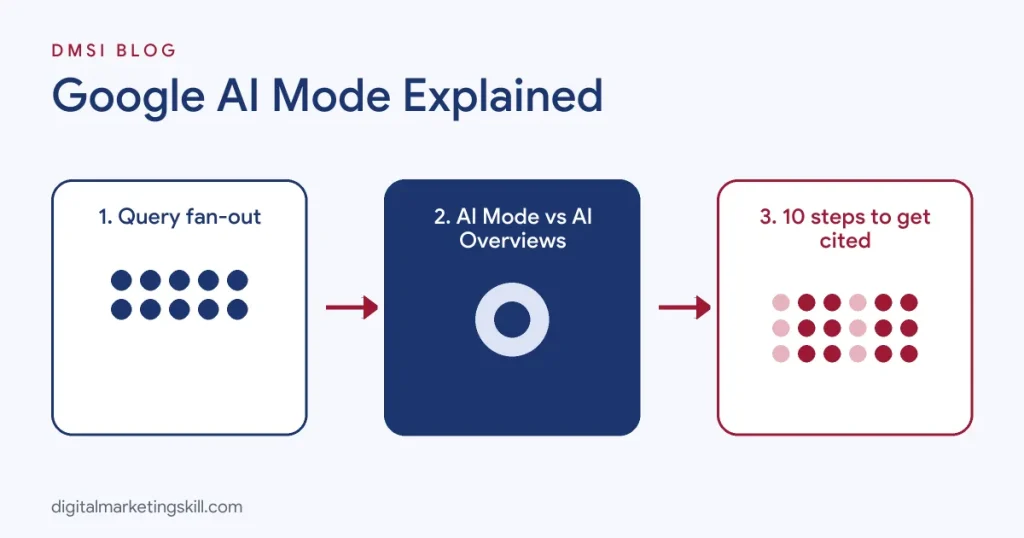
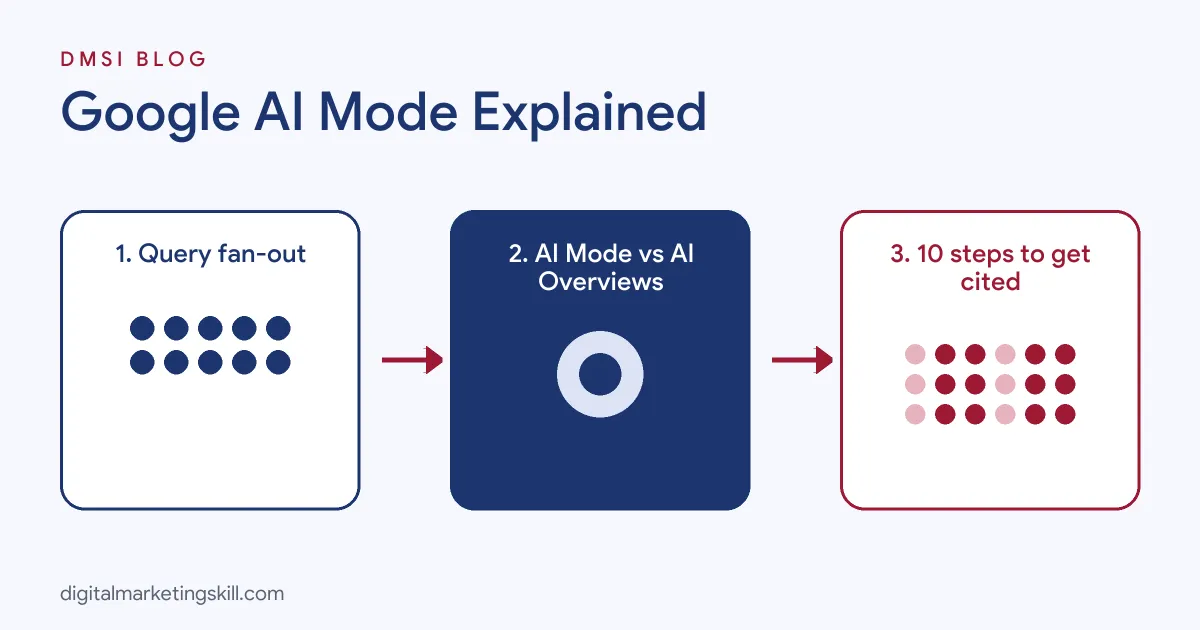
Google AI Mode is a conversational search experience inside Google Search that answers complex, multi-part questions with an AI-written response and links to supporting websites. Instead of returning ten blue links, it uses Google’s Gemini models and a technique called query fan-out, which splits your question into subtopics, runs many related searches at once and then pulls the findings into one answer you can question further. You open it from the AI Mode tab on Google, from google.com/ai or from the Google app, and you can type, speak, upload a photo or point your camera. This guide explains what Google AI Mode is, how to use it, how it differs from AI Overviews and Gemini, how it chooses which sources to cite, what it means for SEO and traffic, and the exact steps to get your content cited.
If you work in marketing, this matters more than any single algorithm update. AI Mode changes the question from “where do I rank?” to “am I part of the answer?” The good news is that the work that earns citations is the same work that builds a durable brand: clear, accurate, useful content that people and machines can trust.
Key Takeaways
- Google announced AI Mode as a Search Labs experiment on 5 March 2025, then rolled it out to all users in the U.S. at Google I/O in May 2025.
- Google Search Central says both AI Overviews and AI Mode may use query fan-out, “issuing multiple related searches across subtopics and data sources” to build a response.
- Google states there are “no additional requirements” to appear in AI Mode: a page must simply be indexed and eligible to show in Search with a snippet.
- Early research by the SEO agency iPullRank, reported by Ahrefs, found only about 4.5% of AI Mode sessions ended in a click to a website.
- Traffic from AI features is counted inside the “Web” search type of the Search Console Performance report, not in a separate AI Mode report.
In this guide
- What Is Google AI Mode?
- How to Access and Use Google AI Mode
- AI Mode vs AI Overviews vs Gemini vs ChatGPT
- A Short Timeline of Google AI Mode
- How Does AI Mode Work?
- How AI Mode Chooses Which Sources to Cite
- What Most AI Mode Guides Miss
- How AI Mode Affects SEO and Traffic
- Ads in AI Mode
- How to Optimize for Google AI Mode: 10 Steps
- How to Track Your Performance in AI Mode
- Should You Opt Out of AI Mode?
- Common Mistakes to Avoid
- An Illustrative Example
- Frequently Asked Questions
What Is Google AI Mode?
Google AI Mode is Google’s most advanced AI search experience. Google describes it as a feature for complex questions that gives a comprehensive AI-powered response with links to supporting websites, and says it suits queries that need exploration, reasoning or comparison. Think of it as a research assistant that sits on top of Google’s index. You ask a long, specific question, it does the legwork of running many searches, and it hands you a structured answer with sources you can click.
The key difference from classic search is the unit of the result. In traditional search, the unit is a page: Google ranks pages and you choose one. In AI Mode, the unit is an answer: Google reads many pages, combines what they say and shows you a synthesis, with a set of links beside or inside it. Your page can contribute to that answer without ever being clicked.
Which AI model powers AI Mode?
AI Mode runs on a custom version of Google’s Gemini models. At launch it used a custom version of Gemini 2.5, and Google’s AI Mode page now says it uses the reasoning, thinking and multimodal understanding of Gemini 3. The model matters less to marketers than the method: whichever Gemini version sits underneath, AI Mode is grounded in Google’s search systems, its Knowledge Graph and live data such as the Shopping Graph and business listings. That grounding is why it behaves differently from a standalone chatbot.
What can AI Mode do?
AI Mode can handle tasks that would normally take several separate searches. The main capabilities are:
- Complex questions in one go. You can ask a question with several conditions, such as “best email marketing tool for a two-person ecommerce brand selling in the UK and Nigeria, under $50 a month, with WhatsApp integration”, and get one structured answer.
- Follow-up questions. You can keep refining the answer in a conversation instead of starting a new search each time.
- Multimodal search. You can type, speak, upload or snap a photo with Google Lens, or share live camera and voice through Search Live.
- Comparisons and tables. AI Mode often lays out options side by side, with pros, cons and prices.
- Visuals and simulations. For some queries it builds charts, graphics or interactive explanations.
- Personal context. In January 2026 Google extended Personal Intelligence to AI Mode for opted-in U.S. subscribers on AI Pro or AI Ultra plans, letting answers draw on connected apps such as Gmail and Photos.
- History and temporary threads. Past AI Mode conversations are saved so you can return to them, and since November 2026 you can start a temporary thread that is not saved to your history or used to personalise future answers.
How to Access and Use Google AI Mode
Getting into AI Mode takes seconds. Here is how to use it on desktop and mobile.
- Open AI Mode. On Google.com, click the AI Mode tab or button near the search bar. You can also go straight to google.com/ai, or tap AI Mode on the home screen of the Google app on Android or iPhone.
- Ask a full question. Write the way you would talk to a well-informed colleague. Include your goal, your constraints and your context. Longer questions usually get better answers in AI Mode than in classic search.
- Use voice, image or camera if it helps. Tap the microphone to speak, the Lens icon to upload or snap a photo, or Search Live to talk through what your camera sees.
- Read the answer and open the sources. Check the links shown beside or inside the response. For anything important, such as money, health or legal questions, read the original source before you act.
- Ask follow-ups. Narrow the answer down: “Only show tools with a free plan” or “Explain option two like I’m a beginner”.
- Use a temporary thread for private searches. Start a temporary thread from the icon in the top corner if you do not want the conversation saved or used for personalisation.
- Come back later. Open your AI Mode history to continue a past research thread.
Availability has grown fast. AI Mode started in the U.S., expanded to English-language users in many more countries during 2025 and has since added more languages. If you do not see it, check that you are signed in, that your Google app is up to date and that AI Mode is offered in your country and language.
Can you turn AI Mode off?
AI Mode is a separate tab, so you can simply not use it and keep using the standard “All” results. There is no single switch that removes every AI feature from Google Search. If you prefer classic links, the “Web” filter under the search bar shows a list of plain web results without AI summaries.
AI Mode vs AI Overviews vs Gemini vs ChatGPT
People mix these up constantly, and the differences matter for how you plan content. AI Overviews are short AI summaries that appear at the top of normal search results for some queries. AI Mode is a full, separate conversational experience you choose to enter. Gemini is Google’s general AI assistant. ChatGPT is OpenAI’s assistant, which has its own search feature.
| Feature | AI Overviews | AI Mode | Gemini app | ChatGPT search |
|---|---|---|---|---|
| Where it lives | Top of normal Google results | Its own tab in Google Search | Separate app and website | Separate app and website |
| Triggered by | Google decides per query | The user chooses it | The user opens it | The user opens it |
| Best for | Quick answers | Complex research and comparisons | Creating, drafting and tasks | Research and tasks |
| Follow-up questions | Limited, can hand off to AI Mode | Yes, full conversation | Yes | Yes |
| Grounded in Google’s index | Yes | Yes, with query fan-out | Partly, when it searches | No, uses its own search stack |
| Links to sources | Yes | Yes, usually more of them | Sometimes | Yes |
| Ads | Yes, in some markets | Yes, in some markets | No | Being introduced |
| Reported in Search Console | Yes, within Web | Yes, within Web | No | No |
The practical takeaway: AI Overviews and AI Mode both draw on Google’s own search systems, so strong traditional SEO still feeds them. Gemini and ChatGPT draw on wider signals, so brand mentions and reputation across the web matter even more there. For the broader picture, see our guide to generative engine optimization.
A Short Timeline of Google AI Mode
| When | What happened |
|---|---|
| May 2024 | AI Overviews (formerly Search Generative Experience) launch to all U.S. users. |
| 5 March 2025 | Google announces AI Mode as an opt-in Search Labs experiment. |
| April 2025 | Multimodal search with Google Lens comes to AI Mode. |
| May 2025 | At Google I/O, AI Mode rolls out to all users in the U.S. as a tab in Search. |
| Second half of 2025 | AI Mode expands to English-language users in many more countries, then to more languages, and ads begin appearing inside it. |
| January 2026 | Personal Intelligence reaches AI Mode for opted-in U.S. AI Pro and AI Ultra subscribers. |
| 2026 | AI Mode moves to Gemini 3 and becomes easier to reach from the main results page. |
| 17 November 2026 | Google introduces temporary threads in AI Mode. |
The direction is clear even if individual features change: AI Mode keeps getting closer to the default search experience. Plan for it as a permanent channel, not an experiment.
How Does AI Mode Work?
You do not need to understand the engineering to optimise for AI Mode, but you do need the basic sequence, because each step is a point where your content can be picked up or dropped.
- Understanding the question. Gemini reads your query and works out what you actually need, including hidden sub-questions. “Is a digital marketing diploma worth it for someone in Lagos?” quietly contains questions about cost, job demand, remote work, accreditation and time.
- Query fan-out. AI Mode breaks the question into subtopics and runs many related searches at the same time across Google’s index, the Knowledge Graph, the Shopping Graph, local data and other sources. Google says this lets AI features show a wider and more diverse set of helpful links than classic search.
- Retrieving passages. For each sub-search, the system retrieves relevant pages and, importantly, the specific passages within them that answer the sub-question. A strong section halfway down a long guide can be used even if the page would not rank first for the main query.
- Reasoning and synthesis. The model compares what it found, resolves conflicts and writes one answer.
- Grounding and citation. AI Mode matches statements in the answer to supporting sources and shows links, so users can verify and dig deeper.
- Follow-ups. When you ask a follow-up, AI Mode keeps the context of the conversation and fans out again, often to new sources.
How do follow-ups and personalisation work?
Each follow-up builds on the earlier conversation, so the same user can see very different sources from turn to turn. With Personal Intelligence switched on, answers can also reflect information from the user’s connected Google apps and past searches. This is one reason rank-tracking tools struggle with AI Mode: there is no single, stable result to track. Two people asking the same question can get different answers and different citations.
How AI Mode Chooses Which Sources to Cite
Google has not published a citation formula, but its own documentation and independent studies point to a consistent set of factors:
- Eligibility first. The page must be indexed and eligible to show with a snippet. If Google cannot crawl it, or a
nosnippetrule blocks it, it cannot be cited. - Relevance at passage level. The page needs a clear passage that directly answers one of the fan-out sub-questions.
- Quality and trust signals. The same signals behind helpful-content and E-E-A-T assessments appear to apply: clear authorship, expertise, accurate facts and a solid reputation.
- Diversity of sources. Because fan-out covers many subtopics, AI Mode tends to cite a broader mix of sites than the classic top ten, including niche specialists, video and forums.
- Freshness for time-sensitive topics. For prices, rules, product launches and news, recently updated pages have an edge.
- Structured, readable formatting. Pages with clear headings, direct answers, lists and tables are easier to extract from.
A Semrush comparison of AI Mode citations against the classic top ten for several SEO queries found meaningful overlap but also many sources that did not rank on page one. In other words, ranking well helps, but it is not the only route in.
What Most AI Mode Guides Miss
Most guides stop at “do good SEO and add schema”. Three points get far less attention and make a bigger difference.
1. You are optimising for sub-questions, not the head keyword. Because of query fan-out, the searches that decide whether you are cited are the hidden follow-on questions, not the phrase the user typed. If someone asks AI Mode which marketing course to choose, the fan-out may search for accreditation, cost, internships, reviews and job outcomes. A page that answers only “best marketing course” in general terms loses to pages that answer each sub-question precisely. Map the sub-questions for every key topic and make sure each has a clear, quotable answer somewhere on your site.
2. Fewer clicks means each click is worth more. Users who click from an AI answer have already read a summary, compared options and chosen you. They arrive further along in their decision. Judge AI Mode traffic on conversion rate and revenue per visit, not raw sessions. A drop in clicks combined with a rise in leads is a win, not a loss.
3. AI Mode can only repeat what the web says about you. If your pricing, location, opening hours or product details are out of date anywhere, such as your Google Business Profile, Merchant Center feed, directories or old press coverage, AI Mode may repeat the wrong version. Brand accuracy across the web is now an SEO task.
How AI Mode Affects SEO and Traffic
AI Mode changes SEO in four main ways.
1. Fewer clicks, even when you are visible
Because users get a complete answer on Google, many never click. Early research by iPullRank, cited by Ahrefs, found that only about 4.5% of AI Mode sessions resulted in a click. Informational queries, such as definitions, how-tos and simple comparisons, are hit hardest. Transactional and high-trust queries still drive clicks, because people want to see the product, the course or the provider for themselves.
2. A shift from ranking to reputation
In classic search you could win with one strong page. In AI Mode, the system weighs what many sources say. Mentions in trusted publications, reviews, videos and expert roundups shape how AI Mode describes your brand and whether it recommends you. This is where SEO, PR and content marketing meet.
3. Analytics are behind
AI Mode clicks and impressions are counted within the Web search type in Search Console, mixed in with classic search. There is no dedicated AI Mode filter, and referral data in analytics tools can be patchy. You will need a mix of Search Console trends, third-party AI visibility tools and manual checks.
4. Long, specific queries grow
People ask AI Mode longer, more conversational questions. Content that answers specific scenarios, such as “for beginners”, “on a small budget” or “from Nigeria”, gets more opportunities to be cited than generic content. Our guide to keyword research explains how to find these longer questions.
Ads in AI Mode
Google began testing and then rolling out Search and Shopping ads inside AI Mode in 2025, and has kept expanding them to more markets. Ads can appear within or below the AI response when they are relevant to both the query and the conversation. Advertisers do not buy AI Mode separately. Eligibility comes mainly through broad match keywords, AI Max for Search campaigns and Performance Max, which let Google match ads to long, conversational queries.
For advertisers, this means three things. First, keyword lists matter less than clear signals about your offer, audience and landing pages. Second, strong product feeds and ad assets help Google place you inside rich answers. Third, you should watch search term and placement reports closely, because conversational queries can drift away from your intent. If you are weighing paid against organic investment, the same principle applies to both: be the most useful answer for a specific need.
How to Optimize for Google AI Mode: 10 Steps
Google says there are no special optimisations required for AI Mode. That is true in the sense that there is no secret tag. But there is a clear set of practices that make your content more likely to be retrieved, trusted and cited. This approach is often called answer engine optimisation.
1. Get the technical basics right
Make sure Googlebot can crawl and index your important pages. Allow crawling in robots.txt and in any CDN or firewall settings, fix broken internal links, keep pages fast and mobile-friendly, and put key content in HTML text rather than inside images or scripts. Use URL Inspection in Search Console to confirm your money pages are indexed. If a page is not indexed, nothing else matters.
2. Map the fan-out questions for each topic
List the main question your audience asks, then the five to ten sub-questions an expert would consider. Use People Also Ask, autocomplete, your sales calls, customer emails and the follow-ups AI Mode itself suggests. Each sub-question needs a clear answer on your site, either as a section of a pillar page or as its own article.
3. Put the answer first
Open each page and each major section with a direct, two-to-three sentence answer, then expand. This helps readers who skim and makes it easy for AI systems to lift an accurate passage. Write the answer so it makes sense on its own, without needing the paragraph before it.
4. Structure pages for extraction
Use descriptive H2 and H3 headings that match how people ask questions. Use numbered steps for processes, tables for comparisons and short paragraphs for explanations. A clear FAQ section with genuine questions often supplies exactly the passages fan-out searches look for.
5. Add information AI cannot easily replace
AI Mode can summarise generic advice from a hundred sources. It cannot invent your original data, your case results, your expert opinion or your first-hand experience. Publish surveys, benchmarks, worked examples, screenshots, templates and clear opinions. Pages with something unique to cite are the ones that get cited.
6. Show who is behind the content
Add author names with real credentials, an about page, contact details, editorial standards and sources for your claims. Trust signals help both users and Google decide whether to rely on you, especially for topics that affect money, careers or health.
7. Build your brand across the web
Earn mentions in industry publications, podcasts, expert roundups, review sites and relevant online communities. Create helpful video, because Google often cites YouTube in AI answers. Encourage satisfied customers to leave honest reviews. The more consistently trusted sources describe you, the more confidently AI Mode can recommend you. Our guide to quality backlinks covers how to earn these mentions the right way.
8. Keep business and product data current
Update your Google Business Profile, Merchant Center product feed, prices, stock, opening hours and policies. AI Mode uses these sources for local and shopping questions, and stale data can lead to wrong answers about your business.
9. Use structured data that matches the page
Schema markup such as Organization, Product, Article, LocalBusiness and Course helps Google understand your content. It is not a ranking trick, and Google says no special AI schema is needed, but accurate structured data that matches the visible text supports clear understanding. You also do not need an llms.txt file for Google AI Mode: Google says no new AI text files are required.
10. Keep important content fresh
Review your highest-value pages at least every quarter. Update statistics, prices, screenshots and steps, and change the visible “last updated” date only when you make real changes. Freshness matters most for fast-moving topics like AI, platform features, regulations and pricing.
How to Track Your Performance in AI Mode
There is no perfect AI Mode report yet, so combine several signals:
| Method | What it shows | Limitation |
|---|---|---|
| Search Console Performance (Web) | Impressions, clicks and queries, including AI feature traffic | AI Mode is not separated from classic search |
| Long-query filter in Search Console | Growth in conversational queries of eight or more words | An indicator, not proof of AI Mode visibility |
| Google Analytics 4 | Engagement and conversions from Google organic visits | Cannot reliably isolate AI Mode clicks |
| AI visibility tools | How often your brand is mentioned or cited across AI answers | Sample-based, and results vary by prompt and user |
| Manual prompt checks | What AI Mode actually says about you and your competitors | Time-consuming and personalised |
| Lead source questions | Whether customers found you through AI search | Self-reported |
Set up a simple monthly routine. Run 20 to 30 prompts that matter to your business in AI Mode, record whether you are mentioned, cited or recommended, note what is said about you, and track the trend. Pair that with Search Console impressions and conversions from organic search.
Should You Opt Out of AI Mode?
For most businesses, no. Google offers controls such as nosnippet, data-nosnippet, max-snippet and noindex to limit how your content appears, but these also limit how you appear in normal search snippets. Blocking AI features usually removes you from the answers your customers are reading, while competitors stay in. The separate Google-Extended control limits use of your content for training and grounding in some of Google’s other AI systems, but Google says it does not affect inclusion in Search.
Opting out can make sense for publishers whose business depends entirely on page views, or for pages with paid or sensitive content. For a typical brand, course provider, agency or online store, the better move is to make sure AI Mode describes you accurately and gives people a reason to click.
Common Mistakes to Avoid
- Chasing tricks. Hidden prompts, keyword stuffing and AI-generated filler pages can damage trust and may break Google’s spam policies.
- Measuring only traffic. Fewer clicks with higher conversions is often a better outcome. Track leads and revenue.
- Ignoring off-site reputation. AI Mode reads what others say about you, not just your own site.
- Burying the answer. Long introductions before the answer make your page harder to quote.
- Letting data go stale. Out-of-date prices, features or policies can be repeated back to customers.
- Blocking Googlebot by accident. Over-aggressive firewalls and bot filters can quietly stop crawling.
- Treating AI Mode as separate from SEO. It sits on top of Google Search. Strong SEO is the foundation.
One rule to remember
Be the clearest, most trustworthy answer to a specific question, and make sure the rest of the web agrees with you. Everything else in AI Mode optimisation follows from that.
An Illustrative Example
This is an illustrative scenario, not a real business. Imagine a small online bakery supplies store that sells cake decorating tools across the UK. Its blog ranked well for “how to make buttercream”, but traffic to that post fell by about a third after AI Mode answers began covering basic recipes. The owner changed tactics. She mapped the follow-up questions customers asked in emails, such as “why does my buttercream split”, “best piping tips for beginners” and “how to colour buttercream without it tasting bitter”, and added a short, direct answer for each, with her own photos and test results. She updated her Merchant Center feed, added Product schema, asked happy customers for reviews and posted short demo videos. Within a few months, she found her shop cited in AI Mode for several beginner piping questions. Blog traffic stayed lower than before, but sales from organic search rose because visitors arrived ready to buy the tools mentioned in the answer.
Frequently Asked Questions
What is Google AI Mode in simple terms?
Google AI Mode is a chat-style version of Google Search. You ask a detailed question and Google’s Gemini AI researches it across many searches and gives you one answer with links to sources, which you can then question further.
Is Google AI Mode free?
Yes. AI Mode is free to use in Google Search. Some extra features, such as Personal Intelligence, have been tied to paid Google AI plans in certain markets.
How do I turn on Google AI Mode?
There is nothing to switch on in most supported countries. Click the AI Mode tab on Google.com, visit google.com/ai or tap AI Mode in the Google app. If you do not see it, update the app and check that it is available in your country and language.
How is AI Mode different from AI Overviews?
AI Overviews are short summaries Google adds to normal results for some searches. AI Mode is a separate, full conversational experience you choose to open, built for complex questions and follow-ups, and it usually shows more sources.
Is AI Mode the same as Gemini?
No. AI Mode runs on Gemini models but lives inside Google Search and is grounded in Google’s search index. The Gemini app is a general AI assistant for writing, planning and other tasks.
Does AI Mode reduce website traffic?
Often, yes, especially for simple informational queries, because users get answers without clicking. Clicks that do come from AI Mode tend to be from people further along in their decision, so conversion rates can be higher.
How do I get my website cited in Google AI Mode?
Make sure your pages are indexed and snippet-eligible, answer specific questions clearly near the top of each section, add original information and expertise, keep data current and build a trusted reputation across the web.
Do I need special schema or an llms.txt file for AI Mode?
No. Google says you do not need new machine-readable files, AI text files or special markup to appear in AI features. Accurate standard structured data is still helpful.
Can I see AI Mode traffic in Search Console?
Yes, but not separately. AI Mode clicks and impressions are included in the Performance report under the Web search type, combined with classic search data.
Can I stop Google from using my content in AI Mode?
You can use nosnippet, data-nosnippet, max-snippet or noindex, but these also affect how you appear in regular search. For most businesses, staying visible is the better choice.
Are there ads in Google AI Mode?
Yes. Search and Shopping ads can appear within or below AI Mode answers in a growing number of markets. Advertisers reach them mainly through broad match, AI Max for Search and Performance Max campaigns.
Is SEO dead because of AI Mode?
No. AI Mode is built on Google Search, and pages must be indexed and trusted to be cited. SEO is changing from chasing rankings to earning citations and recommendations, but the foundations of crawlable, helpful, credible content matter more than ever. Learn the broader concept in our AI search glossary entry.
Your Next Step
AI Mode rewards marketers who understand both SEO and AI, and who can turn that knowledge into content, campaigns and measurable results. The Master Diploma in Digital & AI Marketing at Digital Marketing Skill Institute covers AI-powered Social Media Management and Advertising, Lead Generation and Email Automation, Google, and a WordPress and SEO track where you build and rank a real website.
From day one, you work on a real U.S. company’s project through the U.S. Project Internship, so you finish with real results and a verified U.S. work reference letter. You also get unlimited one-on-one coaching. The program carries dual US and UK accreditation, is recognised in more than 100 countries, and runs 100% online over three months.
You can build those skills wherever you live, anywhere in your country. Read student reviews, then apply for the 65% partial scholarship to see if you qualify.
Sources checked November 2026: Google Search Central (AI features and your website), Google Search Help and the Google AI Mode product page, the Google Keyword blog on temporary threads (17 November 2026), Think with Google, Ahrefs, Semrush and Neil Patel guides to Google AI Mode, iPullRank click research as reported by Ahrefs, and LocalIQ. Features and availability change often, so check Google’s own documentation for the latest details.