A LinkedIn summary, now called the About section, is the short first-person story at the top of your profile that explains who you are, who you help, what you have achieved and what you want next. LinkedIn allows up to 2,600 characters, but only the first two or three lines show before readers click “see more,” so the opening must hook them. The best LinkedIn summaries start with a clear statement of value, back it up with two or three specific results, include the keywords recruiters and clients search for, show a little personality and end with a call to action, such as “open to remote social media roles” or “message me about SEO projects.” Below are 20 LinkedIn summary examples by role and career stage that you can adapt, plus a simple template and the mistakes to avoid.
These examples are written for marketers, students, career changers, freelancers and remote job seekers. Pair your summary with a strong headline and profile using our guide to LinkedIn profile optimisation.
Key Takeaways
- LinkedIn’s About section allows up to 2,600 characters, according to LinkedIn and career guides.
- Only the opening lines show before the “see more” link, so put your value and best proof first.
- LinkedIn’s Talent Blog recommends describing what drives you, your current role, how your past fits, your successes and your character.
- LinkedIn says it has more than one billion members, so specific keywords help recruiters find you among them.
- Write in the first person, in short paragraphs or bullets, and end with a clear call to action.
In this guide
- What Most LinkedIn Summary Guides Miss
- What Is a LinkedIn Summary?
- The 5-Part LinkedIn Summary Formula
- LinkedIn Summary Examples for Digital Marketing Roles
- LinkedIn Summary Examples for Students and Graduates
- LinkedIn Summary Examples for Career Changers
- LinkedIn Summary Examples for Freelancers and Founders
- LinkedIn Summary Examples for Other Roles
- A Fill-in-the-Blanks LinkedIn Summary Template
- 12 Tips for Writing a Great LinkedIn Summary
- How to Choose Keywords for Your Summary
- Using AI to Draft Your Summary
- LinkedIn Summary Mistakes to Avoid
- The One Rule for LinkedIn Summaries
- An Illustrative Case
- Frequently Asked Questions About LinkedIn Summaries
- Your Next Step
What Most LinkedIn Summary Guides Miss
Most example lists show impressive summaries from senior executives. That is not much help if you are a student, a career changer or a freelancer just starting out. They also tend to skip the two things that make a summary work in practice.
- Your summary is for a specific reader. A recruiter hiring a remote SEO specialist, a founder looking for a freelance copywriter and a fellow marketer reading your post all want different things. Decide who your main reader is, then write for them.
- Proof beats adjectives. “Passionate, results-driven marketer” says nothing. “Grew a local bakery’s Instagram from 400 to 6,000 followers in five months” says everything. Even students and beginners have proof: projects, internships, courses and volunteer work.
- The first two lines do most of the work. On mobile, people see only a short preview. If those lines are vague, most readers never tap “see more.”
What Is a LinkedIn Summary?
The LinkedIn summary is the About section that appears near the top of your profile, under your headline and featured section. It is your chance to tell your professional story in your own words, beyond job titles and dates.
A good summary does three jobs:
- Helps people find you. Keywords in your About section help your profile appear in LinkedIn search for recruiters and clients.
- Persuades people to contact you. It explains why you are worth talking to.
- Shows who you are. A little personality makes you memorable and more human than a CV.
It works alongside your headline, which is limited to a short line, and your experience section, where you list detailed achievements for each role. Think of the summary as the bridge between them. Our glossary entry on personal branding explains the bigger picture.
The 5-Part LinkedIn Summary Formula
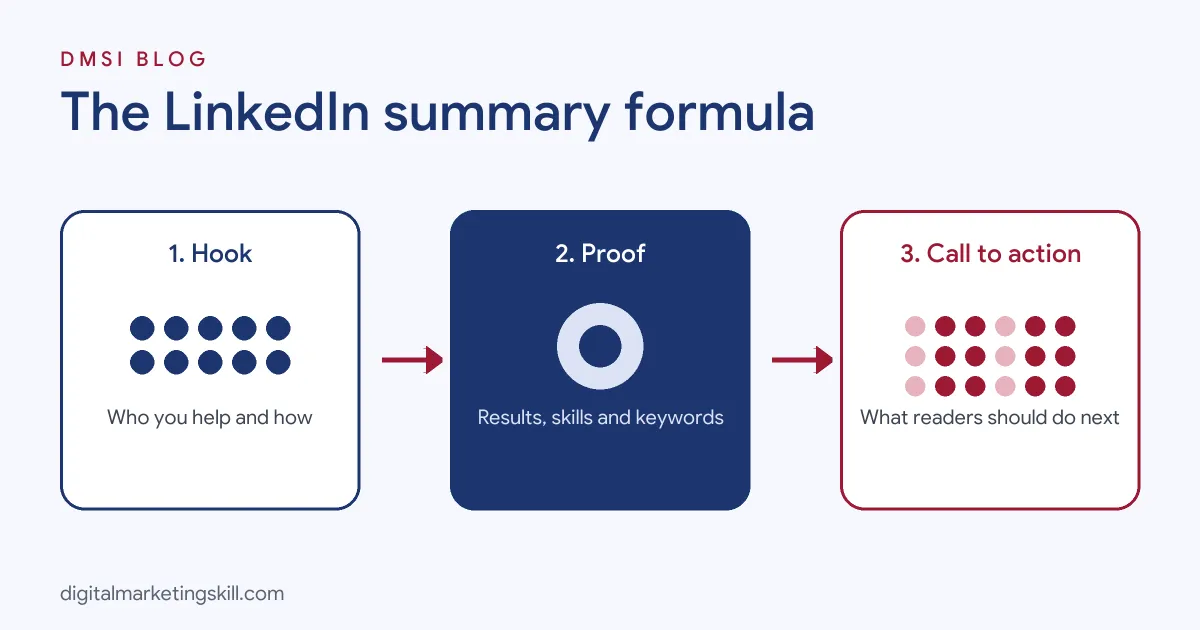
Most strong summaries follow a similar structure. Use this formula as your skeleton:
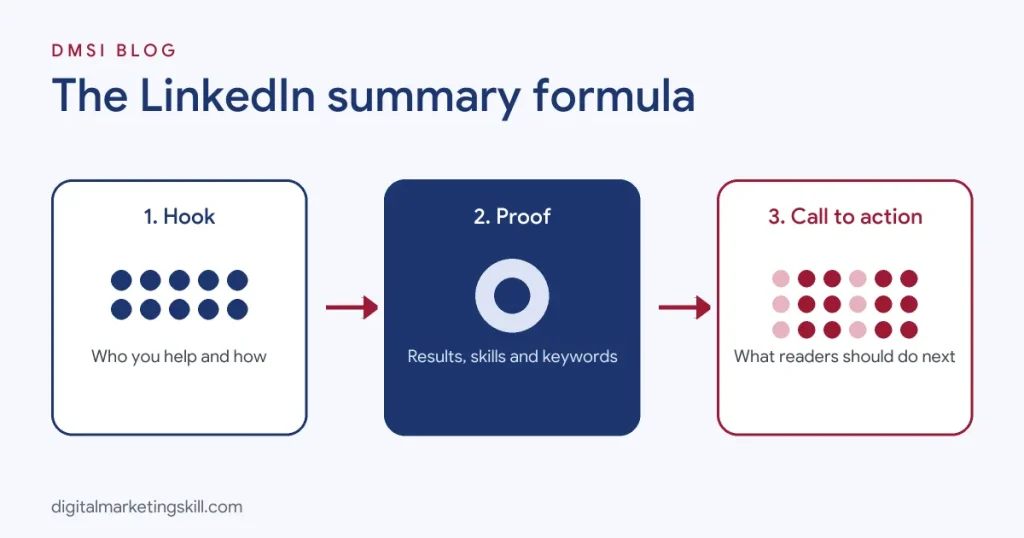
- Hook: one or two sentences that say who you help and how, or what drives you. This is what shows before “see more.”
- Proof: two or three specific results, projects or credentials, ideally with numbers.
- Skills and keywords: the tools, skills and specialisms your target reader searches for.
- Personality: a line about your values, approach or life outside work.
- Call to action: what you want readers to do next, such as message you, visit your portfolio or know you are open to roles.
LinkedIn’s own Talent Blog suggests similar themes: describe what makes you tick, explain your present role, frame your past, highlight your successes and reveal your character.
LinkedIn Summary Examples for Digital Marketing Roles
These examples use invented names and figures. Replace them with your own real results.
1. Social Media Manager
I help consumer brands turn followers into customers with social content people actually want to watch.
Over the past three years, I have managed Instagram, TikTok and Facebook for fashion and beauty brands in the UK and Nigeria. Highlights:
- Grew a skincare brand’s Instagram from 8,000 to 45,000 followers in 10 months.
- Launched a TikTok series that drove 22% of the brand’s online sales in one quarter.
- Cut paid social cost per purchase by 31% by testing creator-style ads.
Skills: content strategy, short-form video, Meta and TikTok ads, community management, Canva, CapCut, analytics.
Outside work, I teach free social media workshops for small business owners. Open to remote social media manager roles. Message me or see my portfolio in the Featured section.
Why it works: a clear promise, numbers in every bullet, searchable skills and a direct call to action. See our guide to the social media manager role.
2. SEO Specialist
I make websites easier to find, and I measure success in leads and sales, not just rankings.
As an SEO specialist for B2B software and ecommerce sites, I combine technical fixes, content strategy and link building. Recent results include doubling organic sign-ups for a SaaS product in eight months and recovering a client’s traffic after a core update.
Tools I use daily: Google Search Console, GA4, Ahrefs, Semrush, Screaming Frog and WordPress.
I love explaining SEO in plain English, so expect clear reports, not jargon. Open to in-house SEO roles and freelance audits.
Why it works: it addresses the business outcome employers care about and lists the exact tools recruiters search for. Our glossary entry on the SEO specialist role covers the skills employers want.
3. Content Writer
Words that rank, read well and convert. That’s my job.
I write blog posts, landing pages and email sequences for marketing and tech companies. My articles have ranked on page one for competitive keywords, and one landing page rewrite lifted a client’s demo bookings by 40%.
I research deeply, write clearly and edit ruthlessly. Specialisms: SEO content writing, B2B SaaS, email marketing.
Currently taking on two new freelance clients. Samples are in Featured, or message me to chat.
4. PPC and Paid Media Specialist
I manage paid ads like they’re my own money.
For four years I have run Google Ads and Meta campaigns for ecommerce and lead-generation businesses, managing budgets from £2,000 to £60,000 a month. Recent wins: lowered cost per lead by 38% for a property developer and scaled an online store’s return on ad spend from 2.1 to 4.6.
Certified in Google Ads Search and Shopping. Skilled in GA4, conversion tracking, Looker Studio and creative testing.
Open to senior PPC roles, remote or hybrid.
5. Email Marketing Specialist
I build email programmes that keep earning long after the campaign ends.
I specialise in lifecycle email for ecommerce brands: welcome series, abandoned cart flows, post-purchase journeys and win-back campaigns. My automated flows have generated up to 35% of a client’s monthly online revenue.
Platforms: Klaviyo, Mailchimp, HubSpot and Brevo. Strong on segmentation, A/B testing and deliverability.
Let’s talk if your email list is bigger than your email revenue.
6. Digital Marketing Generalist
I help small businesses get found online and turn visitors into customers, without wasting their budget.
I have worked across SEO, social media, paid ads and email for local service businesses and online shops. Last year I helped a family-run dental clinic increase new patient enquiries by 60% through Google Business Profile optimisation, local SEO and simple Google Ads.
I enjoy connecting the dots between channels and explaining results clearly. Open to digital marketing executive and specialist roles.
Not sure which role fits you best? Our guide to digital marketing job titles explains the options.
LinkedIn Summary Examples for Students and Graduates
7. Marketing Student
Final-year marketing student who loves turning data into stories brands can act on.
Through coursework and a summer internship, I have built practical skills in social media analytics, Google Analytics 4 and content planning. During my internship, I analysed six months of Instagram data and recommended a posting schedule that lifted engagement by 27%.
I also run a campus food blog with 3,000 monthly readers, which taught me SEO and consistency the hard way.
Looking for graduate marketing roles from June. Happy to connect with marketers and recruiters.
8. Recent Graduate With No Experience
I am a recent business graduate building a career in digital marketing, and I learn fast by doing.
Since graduating, I have completed a digital marketing programme, built a WordPress site for a local charity, and run a small Meta ads test that brought in 120 event sign-ups on a modest budget.
Skills: social media content, Canva, basic SEO, Google Analytics, email newsletters.
I am looking for entry-level or internship roles in digital marketing, remote or in Lagos. If you are hiring or know someone who is, I would love to hear from you.
Why it works: it turns projects into proof. If you are starting out, our guide to remote jobs with no experience shows how to build that proof.
9. Intern or Apprentice
Digital marketing intern at a growing SaaS company, focused on content and SEO.
In my first three months, I published 12 blog posts, two of which now rank on Google’s first page, and helped set up our first email nurture sequence.
I am building skills in keyword research, WordPress and HubSpot, and I am always keen to learn from experienced marketers. Feel free to connect.
LinkedIn Summary Examples for Career Changers
10. Teacher to Digital Marketer
After eight years teaching secondary school English, I now use the same skills, clear communication, planning and understanding my audience, in digital marketing.
I completed a digital and AI marketing programme, worked on a real client project during an internship and now create content and email campaigns for an education technology brand. My first email series achieved a 48% open rate.
I bring patience, structure and a knack for explaining complicated ideas simply. Open to content marketing and email marketing roles.
11. Hospitality to Social Media
Seven years running busy restaurant floors taught me how to read people, stay calm under pressure and deliver great experiences. Now I do that online.
I manage social media for two local hospitality brands, creating Reels, running promotions and responding to reviews. One TikTok series drove a noticeable rise in weekend bookings.
Looking for social media coordinator roles where customer experience matters.
Changing careers? Our guide to a digital marketing career change walks through the steps.
12. Remote Job Seeker
Digital marketer based in Accra, working with clients in the UK, US and Canada across time zones.
I specialise in social media management and paid social for ecommerce brands. I am experienced with remote collaboration tools such as Slack, Asana and Google Workspace, and I am available during UK business hours.
Recent result: helped a US skincare brand reduce cost per purchase by 25% through creative testing.
Open to full-time remote roles and long-term contracts.
Why it works: it answers the questions remote employers worry about: location, time zone, tools and reliability. See our list of remote digital marketing jobs.
LinkedIn Summary Examples for Freelancers and Founders
13. Freelance Digital Marketer
I help coaches and consultants fill their calendars with qualified calls, using content, email and simple funnels.
Clients come to me when they are posting every day but not getting enquiries. Together we build a lead magnet, an email sequence and a clear offer. One coach went from two to 14 discovery calls a month in 90 days.
Book a free 20-minute strategy call using the link in Featured.
14. Virtual Assistant
I take the busywork off founders’ plates so they can focus on growing their business.
As a marketing virtual assistant, I manage inboxes, schedule social posts, update websites, prepare reports and keep CRMs tidy for clients in the US and UK. I am known for reliability and fast replies.
Tools: Google Workspace, Canva, Trello, HubSpot, WordPress and Meta Business Suite.
Currently accepting one new long-term client.
15. Agency Founder
We help growing online stores turn traffic into repeat customers.
I founded a small ecommerce marketing agency after years in-house at a fashion retailer. Our team handles email, SMS and paid social for brands doing six and seven figures in annual sales.
I share what works, and what doesn’t, every week on LinkedIn. If you are an ecommerce founder stuck on repeat purchases, message me.
LinkedIn Summary Examples for Other Roles
16. Sales Professional
I help logistics companies cut billing errors and get paid faster.
Most of my clients reach out after outgrowing spreadsheets. In the last year, I guided over 20 finance and operations teams through rollouts in under four weeks each.
Always happy to swap notes on supply chain operations. Reach out anytime.
Selling on LinkedIn? Read our guide to social selling.
17. Data Analyst
I turn messy data into clear decisions.
I build dashboards and analyses in SQL, Python, Looker Studio and Excel for marketing and operations teams. One recent analysis identified underperforming ad spend worth tens of thousands a year.
Open to marketing analytics and BI roles.
18. Project Manager
I keep complex projects on time, on budget and calm.
I manage website launches and marketing campaigns for agencies and in-house teams, coordinating designers, developers and stakeholders. Certified in Agile and Scrum.
Let’s connect if you need someone who turns chaos into plans.
19. Recruiter
I connect marketing and creative talent with companies where they will thrive.
I specialise in remote and hybrid marketing roles across the UK and Europe. Candidates: tell me what you are looking for and I will be honest about the market. Hiring managers: I can share salary benchmarks and shortlists quickly.
20. Short and Simple Summary
B2B content marketer. I write about SaaS, SEO and growth. Seven years in-house and agency. Open to senior content roles. Portfolio in Featured.
Why it works: sometimes brief is best, especially if your experience section already does the heavy lifting.
A Fill-in-the-Blanks LinkedIn Summary Template
I help [who you help] [achieve what result] through [how you do it].
Over the past [time], I have [relevant experience]. Highlights:
- [Result 1 with a number]
- [Result 2 with a number]
- [Project, award or credential]
Skills: [5 to 8 keywords your target reader searches for].
[One line about your values, approach or interests.]
[Call to action: open to roles, message me, see my portfolio.]
12 Tips for Writing a Great LinkedIn Summary
- Write in the first person. “I help” sounds human; “Jane is a results-driven professional” sounds like a press release.
- Front-load value. Put your best line first, because only a preview shows.
- Use numbers. Percentages, money, followers, time saved or projects delivered.
- Use short paragraphs or bullets. Walls of text get skipped.
- Include keywords naturally. Use job titles, skills and tools from roles you want.
- Show personality. One sentence about what you care about makes you memorable.
- Tailor to one main reader. Recruiters, clients and peers want different things.
- Add a call to action. Tell people what to do next.
- Use the Featured section for portfolio pieces, case studies and links mentioned in your summary.
- State work preferences such as remote, time zone or location when relevant.
- Keep it updated. Refresh results and goals every few months.
- Proofread. Typos undermine credibility in a professional profile.
How to Choose Keywords for Your Summary
Recruiters search LinkedIn by job title, skill and location. To find the right keywords:
- Collect five to ten job adverts for roles you want.
- Highlight repeated job titles, skills and tools, such as “social media manager,” “Meta Ads,” “GA4” and “content strategy.”
- Use the most common ones naturally in your headline, summary and experience.
- Add them to your Skills section too.
Do not stuff keywords; write for humans first. Our guide to LinkedIn job search explains how recruiters find candidates.
Using AI to Draft Your Summary
AI tools can help you get past a blank page. Give the tool your target role, three real results, your skills and your tone, and ask for three short drafts. Then edit heavily: replace generic phrases with your own voice and check every claim is true. Recruiters increasingly notice obviously AI-written summaries, so make sure the final version sounds like you. LinkedIn also offers AI writing suggestions to some members in the About section.
LinkedIn Summary Mistakes to Avoid
- Leaving it blank. An empty About section wastes your best chance to stand out and to be found in search.
- Copying your CV. Your summary should tell a story, not repeat bullet points from your experience.
- Using buzzwords. “Passionate, dynamic, results-driven” adds nothing. Show results instead.
- Writing in the third person. It feels distant on a social platform.
- No call to action. Readers should know how to work with you or contact you.
- Making it all about you. Frame your experience around how you help others.
- Exaggerating. Claims you cannot back up in an interview will hurt you.
The One Rule for LinkedIn Summaries
Write for the person you want to read it. Picture your ideal recruiter or client, then answer the three questions in their head: what do you do, can you prove it, and why should I contact you? If your summary answers those clearly in the first few lines, it is doing its job.
An Illustrative Case
Imagine a recent graduate in Kampala applying for remote social media roles. Her About section reads: “Hardworking and passionate graduate seeking opportunities to grow.” Recruiters rarely view her profile.
She rewrites it using the formula. Her new opening says: “I create social content that gets small brands noticed, and I have the results to show it.” She adds two proof points from an internship project and her own small business page, lists her tools and states that she is available during UK hours for remote roles. She also adds three portfolio posts to her Featured section.
Within a month, her profile appears in more recruiter searches, and she receives two interview invitations for remote social media assistant roles. Her experience did not change. How she described it did.
This example is illustrative, not a real person, but it shows how a focused summary changes results.
Frequently Asked Questions About LinkedIn Summaries
What is a good LinkedIn profile summary?
A good summary opens with who you help and how, gives two or three specific results, includes relevant keywords, shows some personality and ends with a clear call to action.
How long should a LinkedIn summary be?
LinkedIn allows up to 2,600 characters. Most strong summaries use 150 to 300 words, with the key message in the first two lines.
What is a good LinkedIn summary for students?
Focus on your field of study, practical projects, internships, relevant skills and the roles you want. Projects and coursework count as proof when you are starting out.
Should I write my LinkedIn summary in first or third person?
First person. It reads naturally on a social platform and helps people connect with you.
What should I write if I have no experience?
Highlight your training, personal projects, volunteer work, freelance tasks and transferable skills, then state clearly what kind of role you want.
What is the 4-1-1 rule on LinkedIn?
It is a content guideline: for every six posts, share four helpful posts from others, one original post and one promotional post.
Should I include contact details in my summary?
You can add a professional email or a link to your portfolio. Use LinkedIn’s contact info section too, and avoid sharing sensitive personal details.
Is the LinkedIn summary the same as the headline?
No. The headline is the short line under your name. The summary is the longer About section that tells your story.
Can I use emojis in my LinkedIn summary?
A few can help structure bullets in creative fields, but use them sparingly and keep the tone professional for your industry.
How often should I update my LinkedIn summary?
Review it every few months, and whenever you achieve a notable result, change roles or change the kind of work you want.
Your Next Step
A strong LinkedIn profile is much easier to write when you have real projects and results to describe. The Master Diploma in Digital & AI Marketing at Digital Marketing Skill Institute covers four tracks: AI-powered Social Media Management and Advertising, Lead Generation and Email Automation, Google, and WordPress and SEO.
From day one, you work on a real U.S. company’s project through the U.S. Project Internship, so you finish with real results to put in your summary and a verified U.S. work reference letter. You also get unlimited one-on-one coaching. The program carries dual US and UK accreditation, is recognised in more than 100 countries, and runs 100% online over three months.
You can build those skills wherever you live, anywhere in your country. Read student reviews, then apply for the 65% partial scholarship to see if you qualify.
Every figure in this guide was checked against its source before publication: LinkedIn’s Talent Blog and Help Center, and university career guides. All example summaries use invented names and figures; replace them with your own true results. The case above is an illustrative example, not a real result.