
Email warm-up is the process of slowly increasing how many emails you send from a new domain, inbox or IP address, so mailbox providers learn to trust it. A new sender has no track record, so a sudden flood of email looks suspicious. As a result, skipping warm-up can send your messages to spam or get them blocked. Done well, it protects your reach for every campaign that follows.
Key Takeaways
- Email warm-up builds a good reputation for a new domain, inbox or IP address.
- You start with a small volume and raise it step by step.
- Your most engaged contacts should get the first emails.
- Providers say warm-up can take from about two weeks to six weeks.
- Authentication with SPF, DKIM and DMARC should be in place before you begin.
What Is Email Warm-up?
Every email you send carries signals about who sent it. Mailbox providers such as Gmail and Outlook use these signals to decide where it lands. So if a domain or IP address is brand new, they have little to go on.
Amazon Web Services explains the risk clearly. It says “Email providers are less likely to accept mail from new IP addresses that have little or no history.” It adds that such email “might end up in recipients’ junk mail folders, or might be blocked altogether.” Warm-up fixes this by building history one small step at a time.
Think of a new runner training for a race. They don’t run a marathon on day one. Instead, they add a little distance each week. In the same way, a new sender adds a little volume each day until providers see it as normal.
You will hear the term in two main settings. First, email marketers warm up a new dedicated IP or sending domain before big campaigns. Second, cold email teams warm up each new inbox before outreach. The idea is the same in both cases, even though the tools differ.
Warm-up for Cold Email Inboxes
Cold email adds an extra challenge. Your messages go to people who have never heard from you. So replies and opens are lower, and providers watch new inboxes closely. That is why outreach teams often run several inboxes on a separate domain. Then they warm each one up over time before any real campaign starts. Many outreach platforms include warm-up features for this. Even so, the basics stay the same: a clean set-up, small volumes and real engagement.
Why It Matters
Your sender reputation shapes whether your emails reach the inbox. Twilio SendGrid notes that “ISPs treat email volume as a key factor in spam detection.” So a slow, steady start shows that you are a real sender, not a spammer. Also, a damaged reputation is much harder to fix than a fresh one is to protect.
How Email Warm-up Works
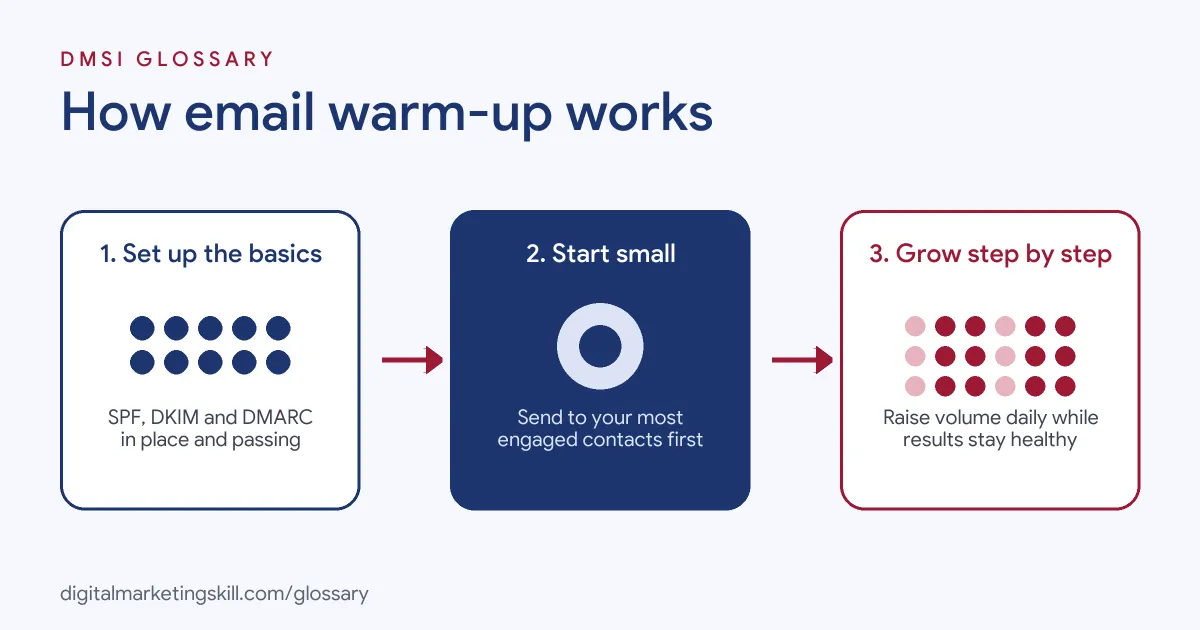
Warm-up works by giving mailbox providers good evidence before you ask them to accept a lot of mail. You set up the basics, send small batches to people who want your emails, and then grow the volume as results stay healthy.
Step 1: Set Up Authentication
First, prove that you own the domain. Add an SPF record, sign your emails with DKIM, and publish a DMARC policy. Without these, even a perfect warm-up can fail, because providers can’t confirm who you are.
Step 2: Start Small With Engaged Contacts
Next, send a small number of emails to your most active people. Brevo advises you to start “by targeting your most engaged contacts, like those who have opened or clicked your emails within the last 30 days.” AWS gives similar advice, so your complaint rate stays low. Because these people open and click, providers see positive signals early.
Step 3: Raise Volume Gradually
Then you increase volume a little each day. For example, Brevo suggests “starting with around 3,000 emails per day and then increasing the volume by 15% on the next day’s send.” However, every provider and list is different. So watch your results and slow down if problems appear.
Step 4: Keep Sending Steadily
Finally, keep a regular rhythm. AWS warns that “If an email provider sees a large, sudden increase in the number of emails that are sent from an IP address, they may block or throttle the delivery.” Also, long gaps undo your work. SendGrid says that if you haven’t sent through your IP “in more than 30 days, warm it up again.”
Examples of Email Warm-up
- An online shop moving to a dedicated IP. The shop sends large weekly newsletters. So before the switch, it sends only to buyers who opened recently. Over several weeks, it adds less active subscribers in stages.
- A B2B agency starting cold outreach. The agency buys a new domain for cold email prospecting, then sets up SPF, DKIM and DMARC. Next, it sends a few emails a day from each inbox. It then raises the count slowly while it tracks replies and bounces.
- A software company after a quiet spell. The company paused its product emails for two months. Because its IP had gone cold, it restarted with a smaller send to active users. After that, it built back to full volume.
Email Warm-up: IP vs Domain vs Inbox
| Point | IP warm-up | Domain warm-up | Inbox warm-up |
|---|---|---|---|
| What you warm | A new dedicated IP address | A new sending domain | One mailbox |
| Who does it | Marketers with big lists | Any brand with a new domain | Sales and cold email teams |
| Typical tools | Email service provider settings | Email platform plus DNS set-up | Warm-up tools in outreach platforms |
| Main risk | Throttling or blocks at volume | Spam folder placement | Inbox flagged before outreach starts |
All three share one goal. In short, each one builds trust with providers before you rely on it for real campaigns.
How to Warm Up Email
- Check your set-up. Confirm SPF, DKIM and DMARC are live and passing.
- Clean your list. Remove old, bounced and unknown addresses first. Good list hygiene keeps bounces and spam traps low.
- Use auto warm-up if offered. Some platforms warm IPs for you. For example, AWS says its automatic warm-up “steadily increases over 45 days.”
- Pick your first audience. Choose people who opened or clicked recently.
- Send a small first batch. Then review bounces, complaints and opens before the next send.
- Increase step by step. Raise volume a little each day while results stay healthy.
- Add less active contacts last. Only once you reach full volume should you bring them in.
- Keep monitoring. Track inbox placement and slow down if blocks or throttling appear.
Best Practices for Email Warm-up
- Be patient. AWS says a good reputation can take “around two weeks” with some providers and “up to six weeks” with others.
- Send content people want. Opens, clicks and replies are the best proof that you are a good sender.
- Keep a steady schedule. Regular sends look more natural than big, rare bursts.
- Make it easy to leave. A clear unsubscribe link cuts spam complaints.
- Watch your bounces. SendGrid and AWS both advise you to read bounce and blocking messages and slow down if they rise.
- Separate your streams. Keep cold outreach away from your main brand domain where you can.
Common Mistakes to Avoid
- Going full volume on day one. A sudden spike is one of the clearest spam signals.
- Warming up with a bought list. Unknown contacts bring bounces, traps and complaints.
- Skipping authentication. Without SPF, DKIM and DMARC, providers can’t trust your mail.
- Stopping and starting. Long gaps can mean you need to warm up all over again.
- Ignoring warning signs. Rising bounces or blocks mean you should slow down, not push on.
- Relying only on tools. Warm-up tools help, but real engagement from real readers matters most.
Where You’ll Use Email Warm-up at Work
Email warm-up shows up in cold email, lead generation and campaign operations roles, usually next to deliverability skills. For example, real remote job listings ask people to:
- “Monitor domain reputation and warm-up systems.” (Cold Email Specialist).
- “Coordinate and monitor inbox warm-up before campaign launch.” (Campaign Operations Manager – Temporary with Potential for Full-Time).
- “Strong understanding of email deliverability, domain reputation, inbox warm-up, sending limits, bounce management, and sender health.” (Campaign Operations Manager – Temporary with Potential for Full-Time).
Learn It in the Lead Generation and Email Track
You can learn email warm-up and wider email deliverability in the AI-Powered Lead Generation and Email Automation track. Every track includes a U.S. Project Internship from day one, with unlimited 1-on-1 mentoring.
Frequently Asked Questions
How long does email warm-up take?
It depends on the provider and your list. AWS says it can take around two weeks with some providers and up to six weeks with others.
Do I need to warm up a shared IP?
Usually not, because your email platform already manages its reputation. However, a new domain still benefits from a gentle start.
Can I warm up an inbox with a tool?
Yes, many outreach platforms offer warm-up features. Still, sending real emails that people open and answer is the best long-term signal.
What happens if I skip warm-up?
Your emails may land in spam or be blocked. Then you have to repair your reputation, which takes longer than building it.
Do I need to warm up again after a break?
Often, yes. SendGrid advises warming up again if you haven’t sent from your IP in more than 30 days.
Sources: Amazon SES Developer Guide: Warming up dedicated IP addresses; Twilio SendGrid Docs: Warming up an IP address; Brevo Help Center: Warm up your dedicated IP (manual warm-up); remote job listings on Himalayas and Himalayas.