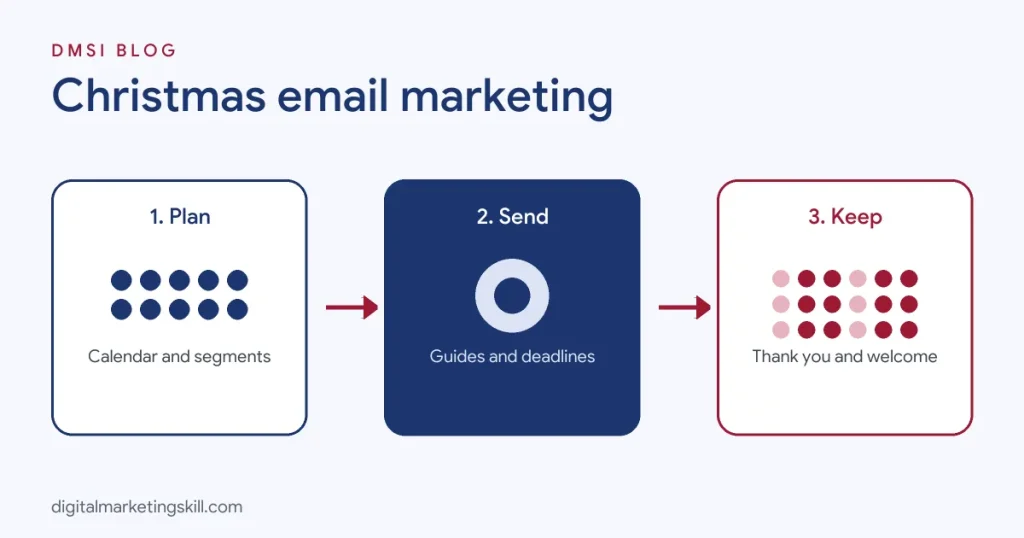
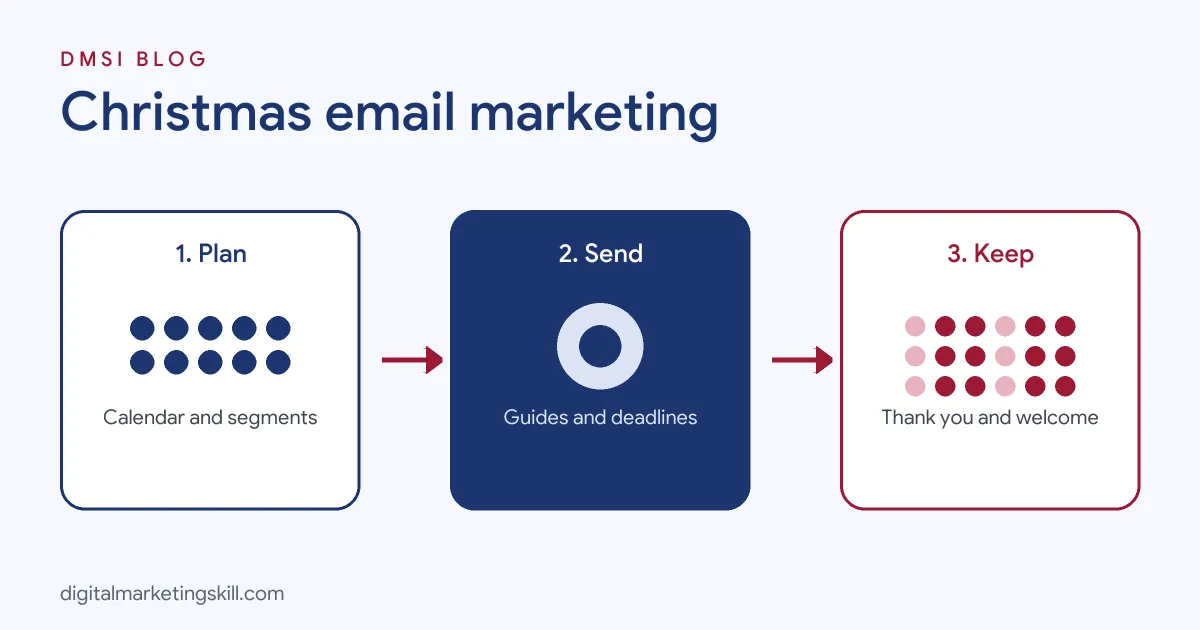
Christmas email marketing works best when every email helps subscribers do something they already want to do: find the right gift, get it delivered on time, make the most of an offer or simply feel appreciated. A strong Christmas email plan includes a gift guide series, personalised recommendations, early access for loyal subscribers, clear last-order reminders, last-minute digital gift card emails, a warm thank-you on or before Christmas Day and a welcome series for new customers afterwards. This guide covers how to plan your Christmas email campaign, a day-by-day sending calendar for 2026, 12 types of Christmas emails with examples, 60 Christmas email subject lines, design and deliverability tips, and how to measure results.
Email is often a business’s most profitable Christmas channel because you are talking to people who chose to hear from you, at almost no cost per message. For the wider plan, see our guide to Christmas marketing.
Key Takeaways
- Adobe expected US online holiday spending to reach $253.4 billion between 1 November and 31 December 2025, and email is one of the main channels brands use to drive that spending.
- Mobile accounted for 57.5% of US online transactions on Cyber Monday 2025, according to Adobe, so Christmas emails must be designed for phones first.
- US searches for “Christmas email subject lines” rise sharply in December, based on Google Ads keyword data, showing how many marketers plan their emails at the last minute.
- Christmas Day 2026 falls on Friday 25 December, so last-order reminders will cluster around 17 to 22 December, depending on your carrier.
- Inbox providers such as Gmail and Yahoo require bulk senders to authenticate their email and make unsubscribing easy, which matters more when you send extra emails in December.
In this guide
- How to Plan Your Christmas Email Campaign
- What Makes a Great Christmas Email
- A Christmas Email Calendar for 2026
- 12 Types of Christmas Emails (With Examples)
- 60 Christmas Email Subject Lines
- Christmas Email Templates You Can Adapt
- Christmas Preheaders and Sign-Offs
- How to Announce Holiday Hours or Closures by Email
- Christmas Messages to Send to Clients
- Combining Email With SMS and WhatsApp
- Christmas Email Design Tips
- Christmas Email Deliverability
- Segmenting Your Christmas Emails
- Christmas Email Automations
- Christmas Email Mistakes to Avoid
- How to Measure Christmas Email Performance
- The One Rule of Christmas Email
- An Illustrative Case
- Frequently Asked Questions About Christmas Email Marketing
- Your Next Step
How to Plan Your Christmas Email Campaign
1. Set Your Goal
Decide what your Christmas emails should achieve: revenue, gift card sales, new customer retention, event attendance or list growth. Your goal shapes which emails you send and how you measure them.
2. Clean and Grow Your List
Before December, remove addresses that bounce and consider a re-engagement email to people who have not opened in months. At the same time, grow your list with early access offers or a festive lead magnet, such as a gift planner. Our guide to email list building explains how.
3. Choose Your Theme
Use one simple campaign idea across all your emails, such as “gifts sorted” or “12 days of treats”, so the series feels connected.
4. Map Your Sends
Plan every email from late November to New Year, including the subject line, audience, offer and send time. A clear calendar stops last-minute panic.
5. Prepare Templates
Create a festive email template in your brand style, with space for products, a clear button and your delivery deadline in the header. Reusing one template saves hours.
6. Set Up Automations
Abandoned basket, browse abandonment and post-purchase emails work harder in December. Check they are switched on and updated with festive wording.
What Makes a Great Christmas Email
Copy
Warm, simple and clear. Lead with what the reader gets, such as gift ideas, a deadline or an offer, and keep paragraphs short. A festive tone helps, but clarity matters more than puns.
Design
Use your brand colours with a few seasonal touches, one main image and one clear button. Make sure it reads well on a phone and with images turned off.
Timing
Match the email to the moment: inspiration in late November, gift guides in early December, deadlines in mid-December, last-minute gift cards just before Christmas and a gentle greeting on the day.
Relevance
Personalise by past purchases, interests or location. A relevant email to a smaller group usually beats a generic email to everyone.
A Christmas Email Calendar for 2026
| Date | Audience | |
|---|---|---|
| Mon 30 Nov | Cyber Monday last chance | All subscribers |
| Tue 1 Dec | Christmas launch or advent series day 1 | All subscribers |
| 3 to 5 Dec | Gift guide: for her / for him | Segmented by interest |
| 7 to 9 Dec | Personalised gift picks | Past buyers |
| 10 Dec | Gift guide by budget | All subscribers |
| Mon 14 Dec | Green Monday offer or early-bird gift sets | Engaged subscribers |
| 15 to 16 Dec | Delivery deadline reminder 1 | All subscribers |
| 17 to 18 Dec | Last chance for standard delivery | Non-buyers this season |
| 21 to 22 Dec | Express delivery or click-and-collect | Non-buyers this season |
| 23 to 24 Dec | Last-minute digital gift cards | All subscribers |
| 24 or 25 Dec | Thank-you and season’s greetings | All subscribers |
| 26 Dec | Boxing Day sale | All subscribers |
| 27 to 30 Dec | Gift card redemption and welcome series | Gift card recipients, new customers |
| 31 Dec | Year in review and New Year teaser | All subscribers |
Check your own carrier’s last posting dates and adjust the deadline emails accordingly.
12 Types of Christmas Emails (With Examples)
1. The Christmas Launch Email
Announce your Christmas collection, gift sets or campaign theme. Show your best products, explain what makes them great gifts and link to your Christmas page.
2. The Gift Guide Email
Group products by recipient, personality or budget. Each email in a series can focus on one group, such as “for the home cook” or “under 30”. Short descriptions explaining who each gift suits make choosing easier.
3. The Personalised Picks Email
Use purchase and browsing data to recommend products for each subscriber. “Because you loved X, you might like Y” feels helpful rather than salesy. Our glossary explains segmentation.
4. The Early Access Email
Reward loyal customers or VIP subscribers with first access to a limited edition or offer. It makes your list feel valuable.
5. The Advent Calendar Email
Send a short daily email with a new surprise, tip or offer from 1 December. Keep each one brief and make the daily reveal the star. Offer a way to opt out of the series for people who prefer fewer emails.
6. The Delivery Deadline Email
State your last order date clearly in the subject line and at the top of the email. These emails often perform strongly because they solve a real worry.
7. The Abandoned Basket Email
Remind shoppers about items they left behind, with the delivery deadline and, if true, a note that stock is limited. Our guide to cart abandonment explains timing and wording.
8. The Last-Minute Gift Card Email
Once delivery deadlines have passed, promote digital gift cards that arrive instantly. Subject lines like “Too late to ship? Not too late to give” work well.
9. The Behind-the-Scenes Email
Share a story about your team, your busiest week or how a product is made. A human email stands out in an inbox full of offers.
10. The Charity or Giving Email
If you support a cause at Christmas, explain what you are doing and how customers can help. Be transparent about amounts.
11. The Thank-You Email
On Christmas Eve or Christmas Day, send a short, warm message thanking customers for their support this year. Leave out the hard sell. A small January thank-you code is a nice touch.
12. The Post-Christmas Welcome Email
Welcome new Christmas customers, help them get the most from their purchase, ask for a review and suggest what to try next. This turns one-time gift buyers into loyal customers. Our glossary explains customer retention.
60 Christmas Email Subject Lines
Use these original subject lines as a starting point. Replace the brackets with your own details, and test two versions where your email platform allows.
Gift Guide Subject Lines
- Gifts they’ll actually use
- Stuck for ideas? We’ve got you
- The gift guide you’ve been waiting for
- Gifts under [price], sorted
- For the person who has everything
- Your shortcut to the perfect present
- Our team’s favourite gifts this year
- Gifts for him, her and everyone in between
- Ten gifts, zero stress
- The most-loved gifts of the season
Personalised Subject Lines
- [Name], we picked these just for you
- Because you loved [product]
- Your Christmas wish list, ready to go
- Gift ideas based on your favourites
- [Name], your early access starts now
Offer Subject Lines
- Our Christmas gift to you: [offer]
- Unwrap [offer] today
- Free gift wrapping starts now
- A little something extra with every order
- Christmas gift sets are here
- Limited edition, limited time
- Day [number] of our advent calendar: open me
- Today’s surprise is inside
- The 12 days of [brand] begin
- Free delivery this weekend only
Deadline and Urgency Subject Lines
- Order by [date] for Christmas delivery
- Last call for Christmas delivery
- Three days left to get it there in time
- Express delivery: still time to order
- Final hours for standard shipping
- Don’t miss the Christmas cut-off
- Click and collect is open until [date]
- Too late to ship? Not too late to give
- A gift card in their inbox in seconds
- Last-minute gifts, sorted instantly
Fun and Festive Subject Lines
- Sleigh your gift list
- Yule love what’s inside
- Tis the season to treat yourself
- Santa’s little helper has arrived
- Jingle all the way to checkout
- Feeling festive? Open this
- Fresh from the North Pole
- Your stocking is about to get better
- Something sparkly for December
- All wrapped up for you
Thank-You and Greeting Subject Lines
- Thank you for an amazing year
- Merry Christmas from all of us
- A little note of thanks
- Season’s greetings from [brand]
- Wishing you a peaceful holiday
- Our favourite moments of the year (thanks to you)
- A small gift to say thank you
After-Christmas Subject Lines
- Boxing Day starts now
- Got a gift card? Here’s how to use it
- Welcome to [brand], we’re glad you’re here
- Treat yourself after all that giving
- Last chance to shop our end-of-year sale
- Our year in review
- Something new is coming in January
- Ready for a fresh start?
Keep subject lines short enough to read on a phone, avoid excessive capital letters and exclamation marks, and make sure the email delivers what the subject line promises.
Christmas Email Templates You Can Adapt
Template 1: Gift Guide Email
Subject: Gifts they’ll actually use
Preheader: Ten ideas for everyone on your list, all under [price].
Hi [Name],
Christmas shopping can feel like a puzzle, so we’ve done the hard part. Here are ten gifts our customers love giving, from small stocking fillers to something special for the person who has everything.
[Product 1]: perfect for [type of person].
[Product 2]: a cosy treat for cold evenings.
[Product 3]: our bestseller, now in a gift box.
Order by [date] for Christmas delivery. Every order is gift-wrapped for free this month.
[Button: Shop the gift guide]
Template 2: Delivery Deadline Email
Subject: Order by [date] for Christmas delivery
Preheader: There’s still time, but not much.
Hi [Name],
Just a quick reminder: [date] is the last day to order for delivery before Christmas with standard shipping. After that, express delivery is available until [date].
Still deciding? Our gift guide has ideas for everyone, or you can send a digital gift card that arrives instantly.
[Button: Shop before the cut-off]
Template 3: Thank-You Email
Subject: Thank you for an amazing year
Hi [Name], from all of us at [brand], thank you for being part of our year. Every order, review and kind message helped our small team grow. We hope your holidays are full of rest, warmth and good food. See you in the New Year.
Christmas Preheaders and Sign-Offs
The preheader is the preview text shown next to your subject line. It is valuable space, so use it to add a reason to open.
- Gifts they’ll actually use / Ten ideas, all under [price], ready to wrap.
- Order by [date] for Christmas delivery / Express shipping available until [date].
- Too late to ship? Not too late to give / Digital gift cards arrive in seconds.
- Thank you for an amazing year / A quick note from all of us.
Festive sign-offs add a personal touch at the end of your email:
- Wishing you a warm and restful Christmas, [Name and team]
- With festive cheer from all of us at [brand]
- Happy holidays and see you in the New Year
- Warmest wishes for the season
How to Announce Holiday Hours or Closures by Email
Customers need to know when you are open, when orders will ship and how to get help. Send a short, clear email in mid-December and add the details to your website banner.
Subject: Our Christmas opening hours
Hi [Name], here are our hours over the holidays: [dates and times]. Orders placed after [date] will ship from [date]. Our team will reply to messages from [date]. Thank you for your support this year, and we wish you a happy holiday season.
Christmas Messages to Send to Clients
For service and B2B businesses, a sincere Christmas message strengthens relationships more than a sales email. Keep it personal and brief:
- “Thank you for trusting us with [project or service] this year. It has been a pleasure working with you, and we look forward to what we will achieve together next year.”
- “Wishing you and your team a restful holiday season and a successful New Year. Thank you for your partnership.”
- “As the year closes, we wanted to say thank you. Your support means a great deal to our small team. Season’s greetings from all of us.”
Add a personal line where you can, such as a highlight from your work together.
Combining Email With SMS and WhatsApp
Email works best alongside other direct channels. Use SMS or WhatsApp for short, urgent messages, such as early access or final delivery deadlines, and email for richer content like gift guides. Only message people who opted in to each channel, and avoid sending the same message everywhere at once. Our glossary explains SMS marketing. Social media giveaways that ask entrants to join your list are another festive way to grow your subscribers.
Christmas Email Design Tips
- Mobile first: use a single-column layout, large text and big buttons that are easy to tap.
- Deadline in the header: a small banner with your last order date keeps urgency visible in every email.
- One main action: each email should have one clear goal and one main button.
- Festive, not cluttered: a few seasonal touches look better than an email covered in snowflakes.
- Alt text for images: many people see emails with images turned off, so describe images and keep key messages in text.
- Preheader text: use the preview line to add to your subject line rather than repeating it.
Christmas Email Deliverability
Inboxes are crowded in December, and sending more emails than usual can affect whether yours land in the inbox or the spam folder.
- Authenticate your domain: set up SPF, DKIM and DMARC. Gmail and Yahoo require bulk senders to authenticate email and offer easy one-click unsubscribing.
- Increase volume gradually: if you plan to send much more in December, build up through November rather than jumping suddenly.
- Send more to engaged subscribers: people who open and click regularly can receive more emails; send less to inactive subscribers.
- Make unsubscribing easy: a clear unsubscribe link is better than a spam complaint.
- Offer a “fewer emails” option: let people pause Christmas emails or reduce frequency rather than leave altogether.
Segmenting Your Christmas Emails
Sending the same email to everyone wastes your best opportunities. Simple segments make Christmas emails far more relevant:
| Segment | What to send |
|---|---|
| VIP and loyal customers | Early access, exclusive gift sets, a personal thank-you |
| Bought last Christmas, not since | “Gifting again this year?” reminders with new products |
| Bought during Black Friday | Complementary gifts and accessories, not the same item again |
| Subscribers who have never bought | Bestsellers, social proof, a first-order incentive |
| Inactive subscribers | One or two key emails only, such as your launch and deadline reminder |
| By interest or category | Gift guides that match what they browse or buy |
Christmas Email Automations
Automated emails run in the background and often bring in a large share of December email revenue. Update these before December:
- Welcome series for new subscribers, with festive wording and your gift guide.
- Abandoned basket emails that mention delivery deadlines.
- Browse abandonment emails showing products someone viewed.
- Post-purchase emails with delivery updates, gift tips and a review request after Christmas.
- Gift card follow-up to remind recipients how to redeem their cards.
Our guide to email marketing covers automation basics, and our glossary explains marketing automation.
Christmas Email Mistakes to Avoid
- Sending too many emails to everyone: increased frequency to unengaged subscribers raises unsubscribes and spam complaints.
- Burying the deadline: if people cannot quickly see when to order by, they may buy elsewhere.
- Misleading subject lines: a subject line that promises something the email does not deliver damages trust.
- Image-only emails: they can be hard to read on some devices and may hurt deliverability.
- Forgetting non-celebrators: offer an opt-out from Christmas emails and keep a respectful tone.
- Stopping after Christmas: new customers and gift card holders need a welcome, not silence.
How to Measure Christmas Email Performance
- Click rate: the share of recipients who clicked a link, a more reliable signal than opens, which privacy features can inflate.
- Conversion rate and revenue per email: how much each send earned.
- Revenue by email type: compare gift guides, deadline reminders and gift card emails.
- Unsubscribe and spam complaint rates: warning signs that you are sending too often or to the wrong people.
- List growth: new subscribers gained during the season.
- Repeat purchases: how many Christmas buyers order again by March.
The One Rule of Christmas Email
Every email should make Christmas easier. If an email helps someone choose a gift, beat a deadline or feel appreciated, it earns its place in the inbox. If it does none of those things, do not send it.
An Illustrative Case
Imagine an online tea shop in Nairobi with 6,000 subscribers. Last Christmas it sent the same discount email four times to everyone and saw rising unsubscribes.
This year it segments its list. Loyal customers get early access to a limited Christmas blend. Past buyers receive personalised gift picks. Subscribers who have never bought get a bestsellers email with reviews. Everyone gets two delivery deadline reminders and a last-minute digital gift card email, while inactive subscribers receive only the launch and the final deadline.
Revenue from email rises, unsubscribes fall, and the Christmas blend sells out to loyal customers before it reaches the wider list. This example is illustrative, not a real business, but it shows how segmentation and clear deadlines make Christmas emails work harder.
Frequently Asked Questions About Christmas Email Marketing
When should I start sending Christmas emails?
Start gift-related emails in late November alongside Black Friday, then launch your main Christmas series from 1 December.
How many Christmas emails should I send?
Many businesses send two to four emails a week in December to engaged subscribers, and fewer to inactive ones. Watch unsubscribe and complaint rates and adjust.
What are good Christmas email subject lines?
Clear, short subject lines that mention a benefit or deadline work well, such as “Order by [date] for Christmas delivery” or “Gifts they’ll actually use”.
What should a Christmas email include?
A clear subject line, a festive but simple design, one main message, a clear button, your delivery deadline and helpful product suggestions.
Should I send an email on Christmas Day?
A short thank-you or greeting is fine. Avoid heavy promotional emails on the day itself.
What is the best time to send Christmas emails?
It depends on your audience. Test morning and evening sends, and check your own data from previous campaigns.
How do I avoid the spam folder at Christmas?
Authenticate your domain, build volume gradually, send more to engaged subscribers, keep content relevant and make unsubscribing easy.
What are good Christmas email ideas for small businesses?
Gift guides, behind-the-scenes stories, personal thank-you emails, local delivery reminders and gift vouchers work well for small businesses.
Should I use emojis in Christmas subject lines?
One festive emoji can help a subject line stand out. Test it with your audience and avoid overusing them.
What should I send after Christmas?
Boxing Day offers, gift card redemption tips, a welcome series for new customers and a year-in-review or New Year teaser.
How do I make a Christmas email marketing campaign?
Review last year’s results, set a goal, segment your list, plan a calendar of sends, write and design your emails, set up automations, then track results and adjust each week.
What is a good Christmas message to send to clients?
A short, sincere thank-you that mentions your work together and wishes them a restful holiday, such as “Thank you for your partnership this year. Wishing you a restful holiday season and a successful New Year.”
How do I inform customers about holiday closures by email?
Send a brief email with your opening hours, last shipping date, when orders will be processed and when your team will respond, and repeat the details on your website.
What are some catchy holiday slogans for emails?
Short lines such as “Gifts sorted”, “Unwrap something special”, “Sleigh your list” or “Merry and bright savings” work well in subject lines and banners.
Your Next Step
Planning, writing and automating Christmas emails are core lead generation and email automation skills. The Master Diploma in Digital & AI Marketing at Digital Marketing Skill Institute covers AI-powered Social Media Management and Advertising, Lead Generation and Email Automation, Google, and a WordPress and SEO track where you build and rank a real website.
From day one, you work on a real U.S. company’s project through the U.S. Project Internship, so you finish with real results and a verified U.S. work reference letter. You also get unlimited one-on-one coaching. The program carries dual US and UK accreditation, is recognised in more than 100 countries, and runs 100% online over three months.
You can build those skills wherever you live, anywhere in your country. Read student reviews, then apply for the 65% partial scholarship to see if you qualify.
Every claim in this guide was checked against its source before publication: Adobe Digital Insights 2025 holiday forecast and Cyber Week results, Google Ads keyword search volume data, and Gmail and Yahoo bulk sender requirements. The case above is an illustrative example, not a real result.